
1. Producto terminadoview
The AUSEK 360 Degree Dash Camera is an advanced vehicle monitoring system designed to provide comprehensive surveillance and recording for your car. Featuring a 12-inch IPS touch screen and four integrated cameras (Front, Rear, Left, and Right), it offers a full 360-degree view, enhanced night vision, and critical safety features like parking assistance, G-sensor, and loop recording. This manual provides detailed instructions for setup, operation, and maintenance to ensure optimal performance of your dash camera system.

Image: The AUSEK 360 Degree Dash Camera system, showing the main 12-inch mirror display unit and the four individual cameras for front, rear, left, and right views.
2. Contenido del paquete
Por favor verifique que todos los artículos estén presentes en su paquete:
- Car DVR (Digital Video Recorder)
- 4 Cameras with Cables (Front, Rear, Left, Right)
- Montaje en tablero de instrumentos
- Manual de usuario
3. Configuración e instalación
Follow these steps to properly install your AUSEK 360 Degree Dash Camera system in your vehicle.
- Mount the Main DVR Unit: Use the provided dashboard mount to securely attach the main 12-inch DVR unit to your vehicle's dashboard. Ensure it does not obstruct your view while driving. The mounting type is adhesive.
- Instalar cámaras:
- Cámara frontal: Position the front camera to capture a clear view del camino por delante.
- Cámara trasera: Install the rear camera at the back of your vehicle for parking assistance and rear view grabación.
- Left & Right Cameras: Mount the left and right cameras to cover the blind spots on the sides of your vehicle.
- Conectar cables: Connect all four camera cables to the main DVR unit. Ensure all connections are secure.
- Conexión de energía: Connect the DVR unit to your vehicle's power source (e.g., cigarette lighter socket).
- Insertar tarjeta SD: Insert a Class 10 or above SD card (up to 256GB capacity) into the designated slot on the DVR unit.

Image: Illustrates the optimal placement of the four cameras (front, rear, left, and right) on a vehicle for comprehensive 360-degree coverage.

Image: A technical diagram detailing the resolution and function of each camera: Front (1280x720p@30fps), Right and Left Blind Spot Cameras, and Rear (1920x1080@25fps) with Sony IMX323 Sensor.
4. Instrucciones de funcionamiento
4.1. 12-inch IPS Touch Screen Display
The 12-inch IPS anti-glare touch screen provides a clear and responsive interface for managing your dash camera. It supports a 4-split display, allowing you to view feeds from all four cameras simultaneously (1:1:1:1 ratio). You can tap twice on any camera's display area to enlarge its view a pantalla completa.

Image: The 12-inch touch screen interface showing a 4-way split display from the front, rear, left, and right cameras, demonstrating the interactive touch functionality.
4.2. 360-Degree 4-Channel Recording
This dash camera records simultaneously from all four channels (Front, Rear, Left, and Right), providing a comprehensive 360-degree panoramic view around your vehicle. This ensures all angles are covered for complete situational awareness.

Image: A visual representation of the 360-degree recording capability, showing the four camera feeds on the dash camera screen within a car's interior.
4.3. Enhanced No Light Night Vision
Equipped with an advanced sensor, the dash cam captures clear videos with enhanced details even in extremely low light conditions, ensuring reliable surveillance day and night.

Image: A comparison demonstrating the effectiveness of the AUSEK dash cam's no-light night vision, showing clear visibility in dark environments compared to other devices.
4.4. Asistencia al estacionamiento
When your vehicle is put into reverse, the screen automatically displays the rear view from the backup camera with park assist lines, aiding in safe and easy parking maneuvers.

Imagen: La pantalla de la cámara del tablero que muestra la parte trasera view with superimposed parking assist lines, indicating its utility for safe reversing in a parking lot.
4.5. Detección de movimiento
The motion detection feature activates recording when any moving object is detected in front of the camera. For continuous recording during normal driving, it is recommended to turn off this feature to avoid intermittent recording.
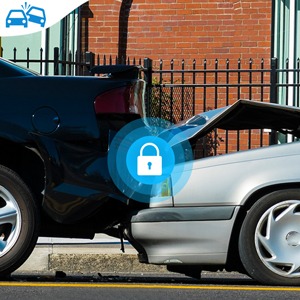
Image: An illustration depicting the motion detection function, where the dash camera automatically begins recording when movement is detected in its field of view.
4.6. G-Sensor
The G-sensor automatically detects collisions or sudden impacts. Upon detection, it activates emergency video recording and locks the footage to prevent it from being overwritten, providing crucial evidence in unexpected situations.

Image: A visual representation of the G-sensor feature, showing a collision scenario where the dash camera automatically locks the recorded footage para evidencia.
4.7. Grabación en bucle
When the SD card reaches its full capacity, the loop recording function ensures continuous recording by automatically overwriting the oldest unlocked video files. This prevents the dash camera from stopping recording due to a full memory card.

Image: A graphic illustrating the loop recording process, where new video files continuously overwrite the oldest unlocked files on a 256GB SD card, ensuring uninterrupted recording.
5. Mantenimiento
- Gestión de tarjetas SD: Use a high-quality Class 10 or above SD card with a maximum capacity of 256GB. Periodically format the SD card to maintain optimal performance and prevent data corruption.
- Limpieza: Gently clean the camera lenses and the 12-inch touch screen with a soft, lint-free cloth. Avoid using abrasive cleaners or solvents.
- Temperatura: The dash camera is designed to operate within a wide temperature range. However, avoid exposing it to extreme temperatures for prolonged periods.
6. Solución de problemas (preguntas frecuentes)
- Q: What is the maximum capacity of the SD card that this dashcam supports?
- A: This dashcam supports a maximum SD card capacity of 256GB with Class 10 or above.
- Q: Does this dashcam have a motion detection feature?
- A: Yes, this dashcam has a motion detection feature that activates recording when any moving object is detected in front of the camera. We recommend turning it off during normal use or recording intermittently.
- P: ¿Qué sucede cuando la tarjeta SD está llena?
- A: This dashcam has loop recording enabled, which means that when the SD card is full, the dashcam will overwrite the oldest unlocked file para continuar grabando.
- Q: How does the parking assistance feature work?
- A: The rear backup camera shows the rear view of the car by displaying high-resolution video streaming in the rear-view mirror. When the car is put into reverse, the screen image will display park assist lines for safe and easy parking.
- Q: How does the G-sensor feature work?
- A: The G-sensor is activated by any collision, which starts recording emergency video to help you get evidence in the car recorder when an unexpected situation occurs.
- Q: Can I use this dashcam in extreme weather conditions?
- A: This dashcam is designed to work in a wide temperature range.
7. Especificaciones
| Característica | Detalle |
|---|---|
| Marca | AUSEK |
| Nombre del modelo | 360 degree dashcam for cars |
| Dimensiones del producto | 2 x 28 x 8 cm; 400 g |
| Tamaño de visualización de la pantalla | 12 pulgadas (31 cm) |
| Tipo de pantalla | Pantalla táctil IPS |
| Resolución de captura de video | 1080p (Full HD) |
| Campo de View | 360 grados (reales) viewángulo de giro) |
| Tipo de memoria flash | SD (Supports up to 256GB, Class 10+) |
| Dispositivos compatibles | Coche, camión, motocicleta |
| Características especiales | 360 Degree Dash Camera, Easy Install, Enhanced No Light Night Vision, G-Sensor, Loop Recording, Parking Assistance, Motion Detection |
| Tipo de montaje | Soporte adhesivo |
| Componentes incluidos | Car DVR, 4 Cameras with Cables, Dashboard Mount, User Manual |
8. Información de soporte
For any technical assistance or inquiries regarding your AUSEK 360 Degree Dash Camera, please contact our customer support:
- Fabricante: AUSHA EXPORTS P LTD
- Contacto de atención al cliente: 08048977694
Please have your product model number (360 Degree Dash Camera) and purchase details ready when contacting support.