Introducción
Welcome to the user manual for your new Infinix Smart 8 smartphone. This guide provides essential information on setting up, operating, maintaining, and troubleshooting your device. The Infinix Smart 8 is designed for efficient performance, featuring a G36 processor, 4GB RAM, 64GB internal storage, a 50MP main camera, and a long-lasting 5000 mAh battery. Please read this manual thoroughly to ensure optimal use of your device.
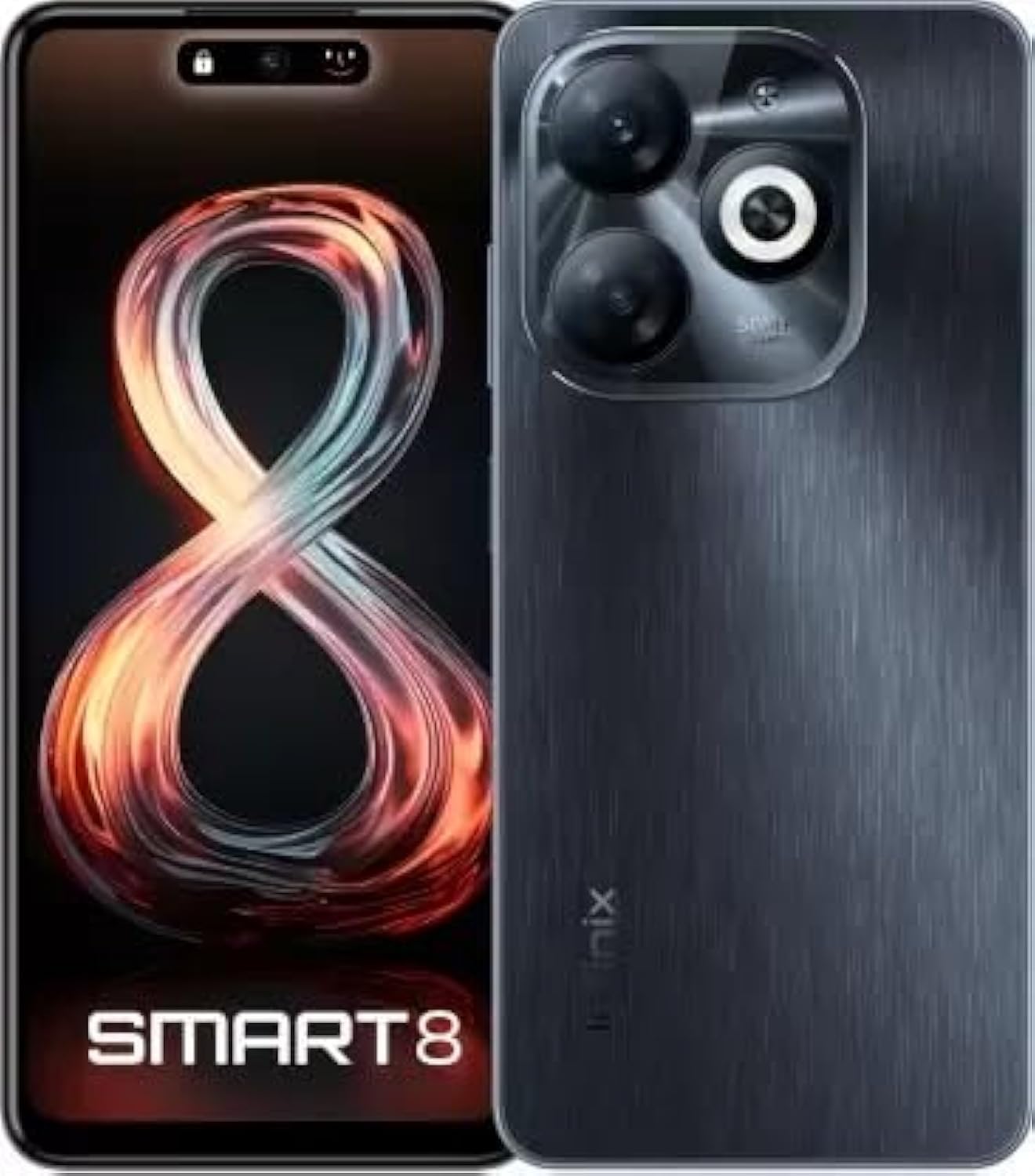
Image: Infinix Smart 8 smartphone in Timber Black, showcasing su elegante diseño y módulo de cámara.
¿Qué hay en la caja?
Upon unboxing your Infinix Smart 8, please verify that all the following items are included:
- Auricular
- Adaptador
- Cable USB tipo C
- Estuche de TPU
- Pin expulsor de SIM
- Guía de inicio rápido
- Tarjeta de garantía
- Tarjeta Xclub
Guía de configuración
1. Inserción de la tarjeta SIM y la tarjeta de memoria
Locate the SIM card tray on the side of your device. Use the provided SIM ejector pin to open the tray. Insert your Nano-SIM card(s) and/or a microSD card (for expandable storage up to 1 TB) into the designated slots. Ensure the cards are correctly oriented as shown in the diagram in the Quick Start Guide. Gently push the tray back into the device until it clicks into place.
2. Encendido / apagado
- Para encender: Mantenga presionado el botón de encendido (generalmente en el lado derecho) hasta que aparezca el logotipo de Infinix.
- Para apagar: Mantenga presionado el botón de Encendido, luego seleccione “Apagar” de las opciones que aparecen en la pantalla.
- Para reiniciar: Mantenga presionado el botón de Encendido, luego seleccione “Reiniciar” de las opciones.
3. Configuración inicial
The first time you power on your device, you will be guided through an initial setup process. This includes selecting your language, connecting to a Wi-Fi network, setting up your Google account, and configuring security features like fingerprint unlock. Follow the on-screen prompts to complete the setup.
Instrucciones de funcionamiento
Navegación básica
- Tocar: Toque un ícono para abrir una aplicación o seleccionar un elemento.
- Golpe fuerte: Arrastre el dedo por la pantalla para desplazarse o navegar entre pantallas.
- Pellizco: Utilice dos dedos para acercar o alejar las fotos y web páginas.
- Pulsación larga: Mantenga presionado un elemento para obtener más opciones o para moverlo.
Hacer llamadas y enviar mensajes
To make a call, open the Phone app, enter the number, and tap the call icon. To send a message, open the Messages app, tap the new message icon, enter the recipient's number or select from contacts, type your message, and tap send.
Conexión a redes
- Wifi: Vaya a Ajustes > Red e Internet > Wi-Fi. Active el Wi-Fi, seleccione la red deseada e ingrese la contraseña si se le solicita.
- Bluetooth: Ve a Ajustes > Dispositivos conectados > Bluetooth. Activa el Bluetooth y vincúlalo con los dispositivos disponibles.
- Datos móviles: Ensure your SIM card is active. Go to Settings > Network & internet > Mobile network to manage data usage and settings.
Características principales
The Infinix Smart 8 offers a range of features designed to enhance your mobile experience:
- Almacenamiento de memoria: Equipped with 4 GB RAM and 64 GB internal storage, expandable up to 1 TB via microSD card.
- Mostrar: Features a 16.76 cm (6.6 inch) HD+ Display with a 90 Hz refresh rate and 5000 Nits brightness for clear and vibrant visuals.
- Sistema de cámara: A powerful 50MP main camera with AI Lens and a 5MP front camera for high-quality photos and selfies.
- Batería: A large 5000 mAh battery ensures extended usage on a single charge.
- Procesador: Powered by a G36 Processor for smooth performance and multitasking.
- Conectividad: Supports 4G cellular networks, Bluetooth, USB, and Wi-Fi.
- Seguridad: Includes a fingerprint sensor for secure and convenient unlocking.
Uso de la cámara
Your Infinix Smart 8 comes with an advanced camera system to capture your moments.
Cámara trasera
The main rear camera is 50 Megapixels, complemented by an AI Lens for enhanced image processing. It features a Quad-LED Flashlight for improved low-light photography.
Cámara frontal
The front camera is 5 Megapixels, perfect for clear selfies and video calls.

Imagen: Detallada view of the Infinix Smart 8's rear camera setup, highlighting the 50MP dual camera and Quad-LED flashlight.
To access the camera, tap the Camera app icon. You can switch between photo, video, and other modes. Tap the shutter button to take a picture or start/stop recording a video.
Información de la pantalla
The Infinix Smart 8 features a vibrant 6.6-inch HD+ display.
- Tamaño: 16.76 cm (6.6 pulgadas)
- Resolución: 1600 x 720 píxeles
- Frecuencia de actualización: 90 Hz for smoother scrolling and gaming.
- Brillo: Up to 5000 Nits, ensuring visibility even in bright sunlight.
- Tipo: Punch-Hole Display design.

Image: The Infinix Smart 8's 6.6-inch HD+ display, illustrating its punch-hole design and high brightness.
Especificaciones técnicas
Below are the detailed technical specifications for the Infinix Smart 8:
| Característica | Especificación |
|---|---|
| Sistema operativo | Androide |
| RAM | 4 GB |
| Almacenamiento interno | 64 GB |
| Almacenamiento expandible | Hasta 1 TB |
| Procesador | Procesador G36 |
| Tamaño de la pantalla | 16.76 cm (6.6 pulgadas) HD+ |
| Resolución de pantalla | 1600 x 720 píxeles |
| Cámara trasera | Lente de 50 MP + IA |
| Cámara frontal | 5MP |
| Capacidad de la batería | 5000 mAh |
| Tiempo de conversación telefónica | 25 horas |
| Comunicación inalámbrica | Cellular (4G Ready) |
| Tecnologías de conectividad | Bluetooth, USB, Wi-Fi |
| GPS | GLONASS |
| Conector de audio | Sí |
| Peso del artículo | 350 gramos |
| Número de modelo del artículo | smart 8 |

Image: A visual summary of the Infinix Smart 8's technical specifications, including RAM, storage, battery, and processor details.
Información de la batería
The Infinix Smart 8 is equipped with a 5000 mAh battery, providing ample power para el uso diario.
- Capacidad: 5000 miliamp Horas
- Tiempo de conversación: Hasta 25 horas con una carga completa.
- Cargando: Use the provided Adaptor and USB Type-C Cable for optimal charging.
For best battery life, avoid fully discharging the battery frequently and use the original charger.
Solución de problemas
If you encounter issues with your Infinix Smart 8, refer to the following common solutions:
- El dispositivo no se enciende: Ensure the battery is charged. Connect the charger and wait a few minutes before attempting to power on again. If unresponsive, try a forced restart by holding the power button for 10-15 seconds.
- Las aplicaciones se bloquean o se congelan: Close the problematic app and reopen it. If the issue persists, clear the app's cache (Settings > Apps > [App Name] > Storage & cache > Clear cache). Consider updating the app or the phone's software.
- Mala señal de red: Comprueba que tu tarjeta SIM esté correctamente insertada. Intenta reiniciar el dispositivo. Asegúrate de estar en una zona con cobertura.
- La batería se agota rápidamente: Reduce el brillo de la pantalla, cierra las aplicaciones no utilizadas que se ejecutan en segundo plano, desactiva las notificaciones innecesarias y apaga el Wi-Fi/Bluetooth cuando no estén en uso.
- La pantalla táctil no responde: Reinicie el dispositivo. Si el problema persiste, asegúrese de que la pantalla esté limpia y sin humedad.
For more complex issues, refer to the official Infinix support websitio o póngase en contacto con el servicio de atención al cliente.
Mantenimiento y cuidado
To ensure the longevity and optimal performance of your Infinix Smart 8, follow these maintenance guidelines:
- Limpieza: Utilice un paño suave y sin pelusa para limpiar la pantalla y el cuerpo. Evite productos químicos agresivos o materiales abrasivos.
- Temperatura: No exponga el dispositivo a temperaturas extremas (calor o frío) ni a la luz solar directa durante períodos prolongados.
- Exposición al agua: El dispositivo no es resistente al agua. Evite el contacto con agua u otros líquidos.
- Actualizaciones de software: Regularly check for and install software updates to benefit from performance improvements and security patches.
- Almacenamiento: Avoid overfilling your device's storage. Regularly clear unnecessary files and app caches.
Garantía y soporte
Your Infinix Smart 8 is covered by a 7-day service center replacement/repair policy from the date of purchase. Please retain your purchase receipt and the warranty card for service claims.
- Fabricante: Infinix (G mobile devices private ltd)
- Soporte gratuito: 18004190525
- Soporte en línea: Visit the official Infinix webSitio para preguntas frecuentes, recursos de soporte e información de contacto.
For any issues or queries, please contact the manufacturer's support team.
Información importante de seguridad
Lea atentamente la siguiente información de seguridad para evitar lesiones o daños a su dispositivo:
- Do not attempt to disassemble, repair, or modify the device yourself. This can cause damage, fire, or electric shock.
- Utilice únicamente cargadores y accesorios originales o compatibles certificados.
- Evite exponer el dispositivo a llamas abiertas o calor extremo.
- No deseche el dispositivo al fuego o al agua.
- Mantenga el dispositivo y sus accesorios fuera del alcance de los niños y las mascotas.
- Respete todas las leyes y regulaciones locales respecto al uso de teléfonos móviles, especialmente mientras conduce.
Producto terminadoview Video
Mire este video oficial del producto para obtener una visión generalview of the Infinix Smart 8's features and capabilities.
Vídeo: Un funcionario sobreview of the Infinix Smart 8 smartphone, detailing its technical specifications, key features, camera, and display.