1. Introducción
Thank you for choosing the Bigzzia S1 Under Desk Walking Pad Treadmill. This manual provides essential information for the safe and efficient operation, maintenance, and troubleshooting of your new fitness equipment. Please read this manual thoroughly before use and retain it for future reference.
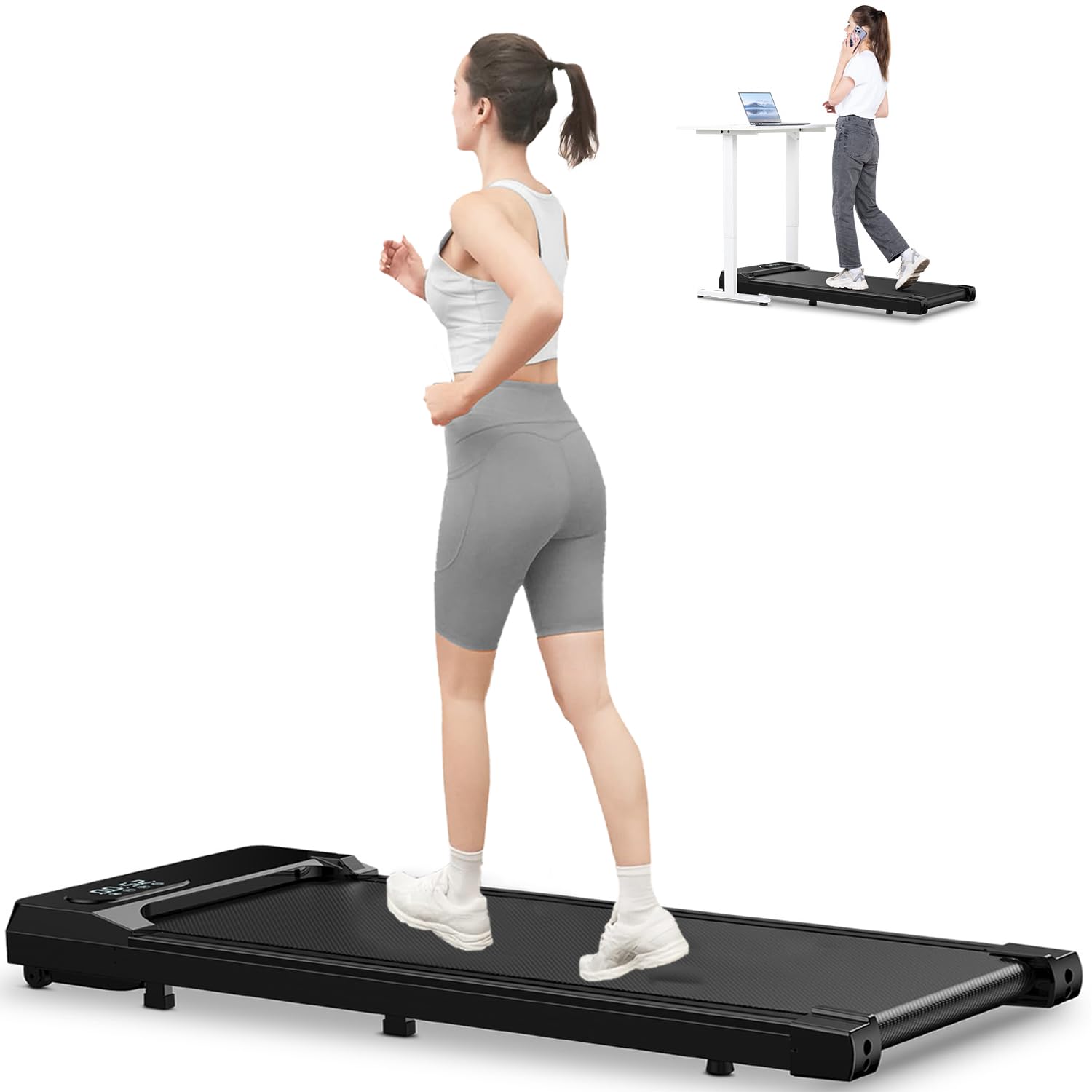
Image: The Bigzzia S1 Walking Pad Treadmill positioned under a standing desk, with a person walking on it while working on a laptop.
2. Instrucciones de seguridad
Para garantizar su seguridad y prolongar la vida útil de su cinta de correr, tenga en cuenta las siguientes precauciones:
- Consulte a un médico antes de comenzar cualquier programa de ejercicios.
- Place the treadmill on a flat, stable surface. Ensure adequate clearance around the unit.
- Mantenga a los niños y las mascotas alejados de la máquina para correr durante su funcionamiento.
- Wear appropriate athletic footwear. Do not use the treadmill barefoot or in loose clothing.
- No suba ni baje de la cinta mientras la banda esté en movimiento.
- In case of emergency, press the 'OFF' button on the remote control immediately.
- No utilice la cinta de correr si está dañada o no funciona correctamente.
- Capacidad máxima de peso del usuario: 300 libras (136 kg).
3. ¿Qué hay en la caja?
Al desembalar, verifique que estén presentes todos los componentes:
- Bigzzia S1 Under Desk Walking Pad Treadmill
- Mando a distancia
- Llave hexagonal
- Lubricante
- Manual de usuario (este documento)
4. Especificaciones del producto
| Marca | Bigzzia |
| Nombre del modelo | S1 |
| Potencia del motor | 2.5 CV |
| Rango de velocidad | 0.6 - 5.0 MPH |
| Capacidad de peso | 300 libras (136 kg) |
| Nivel de ruido | < 45 dB |
| Dimensiones del producto (LxAnxAl) | 44.9" x 19.3" x 4.7" |
| Peso del artículo | 46 libras (20.8 kg) |
| Capas de cinturón para correr | 5-layer wear-resistant and anti-slip |
| Absorción de impactos | 8 shock absorbers |
| Tipo de pantalla | CONDUJO |
| Métricas medidas | Velocidad, distancia, tiempo, calorías quemadas |
| Requiere ensamblaje | No |

Image: The LED display shows speed, distance, time, and calories. The remote control is also visible.
5. Configuración
The Bigzzia S1 Walking Pad Treadmill arrives fully assembled and ready for use. Simply remove it from the packaging and place it on a flat, stable surface.
- Unpack the treadmill and all accessories.
- Place the treadmill on a level floor, ensuring there is sufficient space around it for safe operation.
- Enchufe el cable de alimentación a una toma eléctrica con conexión a tierra.
- Turn on the main power switch, usually located near the power cord connection point on the treadmill.
6. Instrucciones de funcionamiento
6.1 Funciones de control remoto
The treadmill is operated using the included remote control. Ensure the remote has working batteries.
- Botón ON/OFF: Press to start or stop the treadmill. A 3-second countdown will initiate before the belt begins to move.
- Botón '+': Increases the speed of the treadmill.
- '-' Botón: Decreases the speed of the treadmill.
- Botón 'M' (Modo): Cycles through different display modes (Time, Distance, Calories, Speed).
Ajuste de velocidad 6.2
The treadmill offers a speed range of 0.6 to 5.0 MPH, suitable for both walking and light jogging.
- Modo de caminar: Speeds typically range from 0.6 to 3.0 MPH.
- Modo de jogging: Speeds typically range from 3.0 to 5.0 MPH.

Image: Illustration of the treadmill being used for walking under a desk and for jogging in an open space.
6.3 Información en pantalla
La pantalla LED proporciona información en tiempo real sobre tu entrenamiento:
- Tiempo: Duración de tu entrenamiento.
- Distancia: Distancia total recorrida.
- Calorías: Estimación de calorías quemadas.
- Velocidad: Velocidad actual de la cinta de correr.
7. Mantenimiento
El mantenimiento regular garantiza un rendimiento óptimo y la longevidad de su cinta de correr.
7.1 Ajuste del cinturón para correr
If the running belt deviates to one side, it needs adjustment. Use the provided Hex Spanner.
Adjusting Belt Deviation to the Left:
- Start the treadmill at a low speed (e.g., 3 km/h).
- Use the hex wrench to insert into the hole on the left side. Rotate approximately 90 degrees clockwise to tighten the running belt.
- At the same time, rotate anti-clockwise on the right side accordingly to loosen the belt a bit.
- After adjustment, let the treadmill run for about 3-5 minutes without anyone stepping on it to check if it works.
Adjusting Belt Deviation to the Right:
- Start the treadmill at a low speed (e.g., 3 km/h).
- Use the hex wrench to insert into the hole on the right side. Rotate approximately 90 degrees clockwise to tighten the running belt.
- At the same time, rotate anti-clockwise on the left side accordingly to loosen the belt a bit.
- After adjustment, let the treadmill run for about 3-5 minutes without anyone stepping on it to check if it works.
Video: Visual guide on how to adjust the running belt if it deviates to the left or right, ensuring proper alignment for safe operation.
7.2 Lubricación
Regular lubrication of the running belt is crucial for smooth operation and to prevent wear. Use the provided lubricant as instructed in the separate lubrication guide or refer to the general guidelines below:
- Apague y desenchufe la máquina para correr.
- Lift the edge of the running belt and apply a small amount of lubricant to the center of the deck.
- Repita en el otro lado.
- Run the treadmill at a low speed for a few minutes to spread the lubricant evenly.
8. Solución de problemas
Si tiene problemas con su cinta de correr, consulte las siguientes soluciones comunes:
| Problema | Posible causa | Solución |
|---|---|---|
| La cinta de correr no se enciende | Power cord not connected, main switch off, power outage | Check power cord connection, ensure main switch is ON, check household circuit breaker. |
| Running belt stops or slows down during use | Overload (user weight exceeds capacity), motor overheating, belt friction | Ensure user weight is within limits, allow motor to cool, lubricate running belt. |
| Running belt deviates to one side | Belt misalignment | Refer to Section 7.1 for belt adjustment instructions. |
| El control remoto no responde | Dead batteries, remote out of range | Replace batteries, ensure remote is pointed towards the treadmill's sensor. |
Si el problema persiste después de intentar estas soluciones, comuníquese con el servicio de atención al cliente.
9. Almacenamiento
The Bigzzia S1 Walking Pad Treadmill is designed for easy storage due to its lightweight and compact design, featuring built-in wheels for portability.
- Turn off the treadmill and unplug it from the power outlet.
- Utilize the front-mounted wheels to easily roll the treadmill to your desired storage location.
- It can be stored flat under furniture (e.g., a bed or sofa) or upright against a wall to save space.

Image: Various storage options for the Bigzzia S1 Walking Pad Treadmill, including under a desk, under a sofa, and upright.
10. Garantía y soporte
The Bigzzia S1 Under Desk Walking Pad Treadmill comes with a Garantía de 2 años.
For warranty claims, technical support, or any questions not covered in this manual, please contact Bigzzia customer service through the retailer where you purchased the product or visit the official Bigzzia websitio para información de contacto.