
Status SAEE-3X-1
Status Audio Between Pro True Wireless Earbuds
Manual de usuario
Introducción
This manual provides detailed instructions for the proper use, setup, and maintenance of your Status Audio Between Pro True Wireless Earbuds. Please read this manual thoroughly before using the product to ensure optimal performance and longevity.

Image: Status Audio Between Pro True Wireless Earbuds with their compact charging case. The earbuds are shown outside the case, highlighting their sleek design.
Contenido del paquete
Asegúrese de que todos los artículos estén presentes en el paquete:
- Status Audio Between Pro True Wireless Earbuds (Left and Right)
- Estuche de carga inalámbrica
- Cable de carga USB-C
- Multiple sizes of Silicone Ear Tips (S/M/L)
- Manual de usuario (este documento)
Configuración
Cargar los auriculares y el estuche
Antes del primer uso, cargue completamente los auriculares y el estuche de carga. El estuche de carga proporciona mayor duración de la batería para cargarlos en cualquier lugar.
- Place both earbuds into the charging case. Ensure they are properly seated; the indicator lights on the earbuds will illuminate (red) to confirm charging.
- Conecte el cable de carga USB-C al puerto de carga en la parte posterior del estuche y a una fuente de alimentación.
- The LED indicators on the front of the charging case will show the battery level. Three blue lights indicate a full charge.

Image: The Status Audio Between Pro charging case displaying its battery indicator lights, alongside an illustration of the earbuds and their impressive 12-hour battery life per charge, with an additional 36 hours from the case.
Emparejamiento con un dispositivo
The earbuds utilize Bluetooth 5.2 for stable and instantaneous pairing.
- Abre el estuche de carga. Los auriculares entrarán automáticamente en modo de emparejamiento.
- On your device (smartphone, laptop, etc.), navigate to the Bluetooth settings.
- Select "Status Between Pro" from the list of available devices.
- Una vez conectado, un mensaje de voz confirmará que el emparejamiento se realizó correctamente.
The earbuds support long-range, ultra-stable wireless connectivity.

Image: A visual representation of the Qualcomm QCC3040 Bluetooth 5.2 Chipset, emphasizing its role in providing long-range, ultra-stable wireless connectivity and instantaneous pairing, along with support for AAC & SBC codecs.
Colocación de los auriculares
For optimal sound quality and comfort, select the correct size of silicone ear tips. A proper seal is crucial for noise isolation and bass response.
- Try different sizes (S/M/L) to find the best fit for your ears.
- Inserte suavemente el auricular en el canal auditivo y gírelo ligeramente para asegurarlo.

Image: An exploded diagram illustrating the internal components of the Status Audio Between Pro earbud, including the silicone tips for personalized fitting and comfort, the 60 mAh battery, and the Qualcomm QCC3040 Bluetooth 5.2 chipset.
Instrucciones de funcionamiento
The Between Pro earbuds feature physical buttons for intuitive control of music and calls.

Image: A detailed guide to the multifunctional button controls on each earbud, showing specific actions for single tap, double tap, press & hold, and triple tap for both left and right earbuds, as well as actions applicable to either earbud.
Controles de reproducción de música
- Reproducir/Pausa: Toque una vez cualquiera de los auriculares.
- Sube el volumen: Toque dos veces el auricular derecho.
- Bajar volumen: Toque dos veces el auricular izquierdo.
- Pista siguiente: Press & Hold the Right earbud.
- Pista anterior: Press & Hold the Left earbud.
Gestión de llamadas
- Responder/Finalizar llamada: Toque una vez cualquiera de los auriculares.
- Rechazar llamada: Press & Hold either earbud.
- Switch Audio Source (during call): Press & Hold either earbud.
Asistente de voz
- Activar asistente de voz: Toque tres veces cualquiera de los auriculares.
Calidad de sonido y claridad de llamadas
The earbuds feature Hybrid Triple Drivers for a rich frequency response, combining two balanced armature drivers and one dynamic driver in each ear. This provides commanding bass, warmed mids, and bright treble.

Imagen: Una explosión view illustrating the powerful Hybrid Triple Driver Sound System, detailing the 10mm Dynamic Driver for deep notes and two Balanced Armature Drivers for stunning sound detail and clarity.
For crystal-clear calls, the earbuds are equipped with four external microphones and Qualcomm cVc noise cancellation technology. This filters out disruptive background noise, ensuring superior noise suppression for precise and audible conversations.

Image: A visual representation of the Crystal-Clear Calls feature, highlighting how four external microphones with Qualcomm cVc noise reduction technology provide noise isolation by filtering out external noise during calls.
Mantenimiento
Limpieza
La limpieza regular ayuda a mantener la calidad del sonido y la higiene.
- Limpie suavemente los auriculares y el estuche de carga con un paño suave, seco y sin pelusa.
- Retire las almohadillas y límpielas con agua y jabón suave. Asegúrese de que estén completamente secas antes de volver a colocarlas.
- Utilice un hisopo de algodón seco para limpiar cuidadosamente los contactos de carga de los auriculares y del interior del estuche.
Resistencia al agua
The Status Audio Between Pro earbuds are IPX5 water-resistant, meaning they can withstand splashes and sweat. They are not designed for submersion in water.
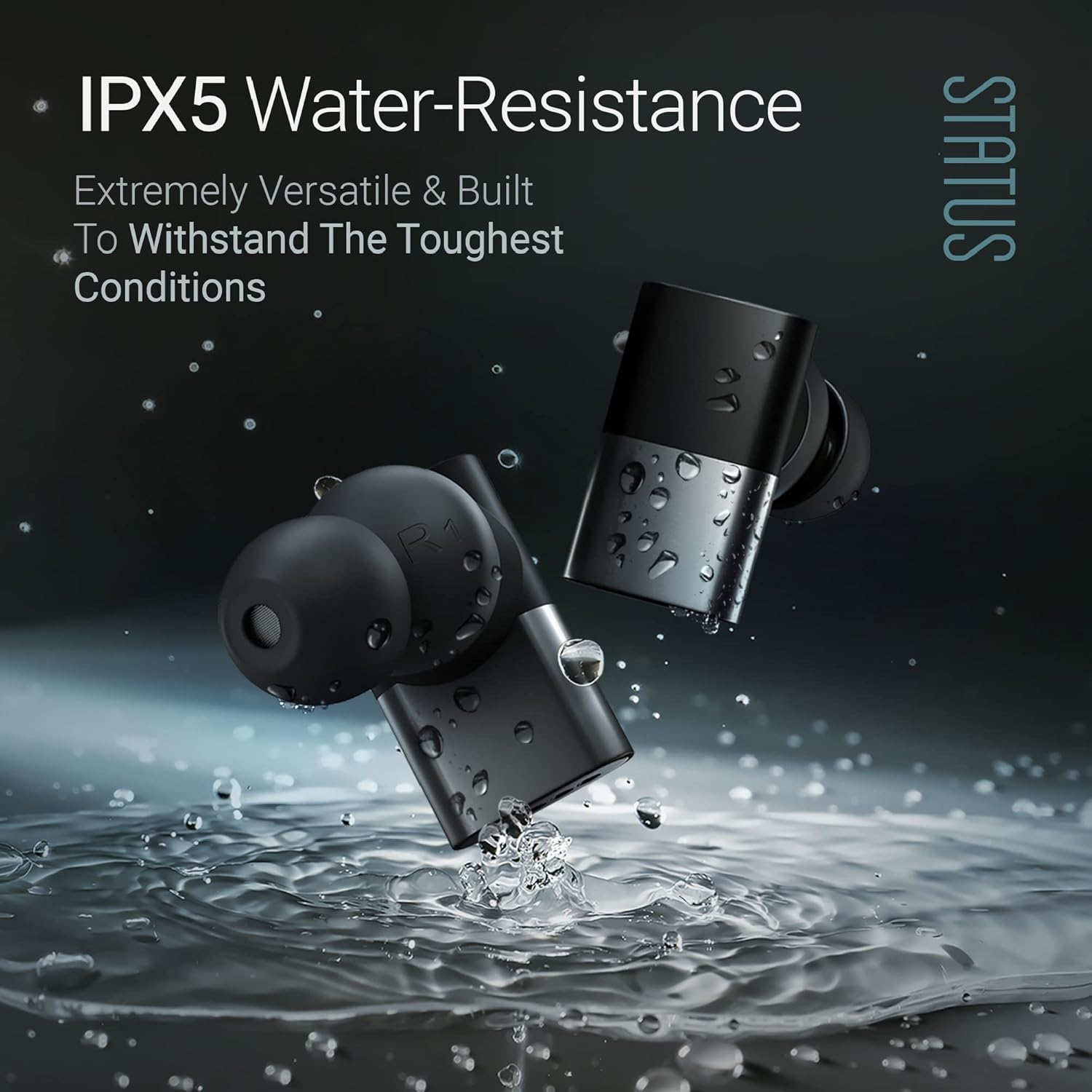
Image: The Status Audio Between Pro earbuds shown with water splashing around them, illustrating their IPX5 water-resistance, making them suitable for workouts and various weather conditions.
Precaución:
- No sumerja los auriculares en agua.
- Asegúrese de que los auriculares estén secos antes de volver a colocarlos en el estuche de carga para evitar daños.
Solución de problemas
| Problema | Posible causa | Solución |
|---|---|---|
| Los auriculares no se emparejan ni se conectan. | Los auriculares no están en modo de emparejamiento; el Bluetooth del dispositivo está desactivado; interferencia. | Ensure case is open and earbuds are in pairing mode. Turn device Bluetooth off and on. Move closer to the device. Forget device in Bluetooth settings and re-pair. |
| No hay sonido o volumen bajo. | Incorrect ear tip size; low earbud battery; device volume too low. | Adjust ear tips for a secure fit. Charge earbuds. Increase volume on both earbuds and connected device. |
| Poor call quality (for others). | Microphone obstruction; excessive background noise. | Ensure microphones are not covered. Move to a quieter environment. If using a single earbud, try placing both in initially then removing one. |
| Los auriculares no se cargan. | Contactos de carga sucios; cable/fuente de alimentación defectuoso. | Limpie los contactos de carga de los auriculares y el estuche. Pruebe con otro cable USB-C y adaptador de corriente. |
Presupuesto
| Característica | Detalle |
|---|---|
| Nombre del modelo | SAEE-3X-NEW (SAEE-3X-1) |
| Tecnología de conectividad | Inalámbrico (Bluetooth 5.2) |
| Tipo de controlador de audio | Hybrid Triple Driver (10mm Dynamic Driver, 2x Balanced Armature Drivers) |
| Respuesta de frecuencia | 20 Hz - 20,000 Hz |
| Impedancia | 12 ohmios |
| Duración de la batería (auriculares) | Hasta 12 horas |
| Duración de la batería (con estuche de carga) | Up to 36 Hours additional (Total 48 hours) |
| Nivel de resistencia al agua | Resistente al agua IPX5 |
| Micrófonos | 4 external microphones with Qualcomm cVc noise cancellation |
| Tipo de control | Botón físico |
| Material | Composite, Metal, Plastic |
| Peso del artículo | 8.4 onzas (0.24 kilogramos) |
| Componentes incluidos | Estuche de carga inalámbrica |
| Código Postal | 850056984027 |
Garantía y soporte
Para obtener información sobre la garantía y la asistencia al cliente, consulte el sitio web oficial de Status Audio. webSitio web o contacte directamente con el servicio de atención al cliente. Conserve su comprobante de compra para reclamaciones de garantía.
Fabricante: Estado
Número de modelo: SAEE-3X-1
ASIN: B0CLFPNS22
Fecha de primera disponibilidad: 19 de octubre de 2023