
Introducción
Thank you for choosing the FLYLINKTECH BD20 Car Jump Starter with Air Compressor. This versatile device is designed to provide reliable assistance for your vehicle, offering powerful jump-starting capabilities, a convenient tire inflator, a portable power bank, and an emergency LED light. Please read this manual thoroughly before use to ensure safe and optimal operation.
Información de seguridad
Observe siempre las siguientes precauciones de seguridad para evitar lesiones o daños al dispositivo y a su vehículo:
- Lea atentamente todas las instrucciones antes de utilizar el dispositivo.
- Mantenga el dispositivo fuera del alcance de los niños.
- Do not short-circuit the jump starter terminals.
- Do not expose the device to extreme temperatures (above 60°C or below -20°C) or water.
- Ensure correct polarity when connecting to a vehicle battery (red clamp a positivo, cl negroamp to negative). Incorrect connection can cause damage.
- Si el vehículo no arranca en el primer intento, espere al menos 30 segundos antes de volver a intentarlo.
- Desconecte el clamps de la batería del vehículo inmediatamente después de que el vehículo arranca.
- When using the air compressor, do not overinflate tires or other objects. Monitor the pressure carefully.
- The intelligent safety clamps are designed with protection features, including reverse polarity protection and short-circuit protection, indicated by the display and audible warnings. Pay attention to these warnings.
¿Qué hay en la caja?
Desempaque la caja con cuidado y asegúrese de que todos los elementos estén presentes:
- 1 x FLYLINKTECH BD20 Car Jump Starter with Air Compressor
- 1 x Cable puente con Smart Clamps
- 1 cable USB-C
- 1 x Adaptador de encendedor de cigarrillos de CC
- 1 x manguera de aire
- 3 adaptadores de válvula (para varios inflables)
- 1 x Manual de usuario
- 1 x Estuche de transporte portátil de EVA

Image: Contents of the FLYLINKTECH BD20 box, showing the jump starter unit, jumper cables with clamps, USB-C cable, DC cigarette lighter adapter, air hose, three valve adapters, user manual, and a portable EVA carrying case.
Producto terminadoview
The FLYLINKTECH BD20 combines multiple essential automotive tools into one compact device. Familiarize yourself with its key components and functions:

Image: The FLYLINKTECH BD20 Car Jump Starter with Air Compressor, displaying its main unit with a large digital screen and control buttons.
Características principales:
- Arrancador de corriente máxima de 5000 A: Capable of starting all gas engines and up to 10.0L diesel engines, even in extreme temperatures (-20°C to 60°C).
- 150PSI Powerful Tire Inflator: Integrated air compressor with a detachable hose and preset function for automatic stopping once the desired pressure is reached. Real-time pressure display on the LCD screen.
- 20000mAh Versatile Power Bank: Equipped with two USB output ports (including one Quick Charge 3.0) and a 12V-16V/10A DC output, compatible with various electronic devices like smartphones, tablets, and car accessories.
- Luz LED de emergencia: Built-in LED light with three modes: Torch, Strobe, and SOS, useful for roadside emergencies or outdoor activities.

Image: The FLYLINKTECH BD20 jump starter with its smart clamps connected to a car battery, showing a digital display indicating 88.8V and 'READY' for jump-starting.
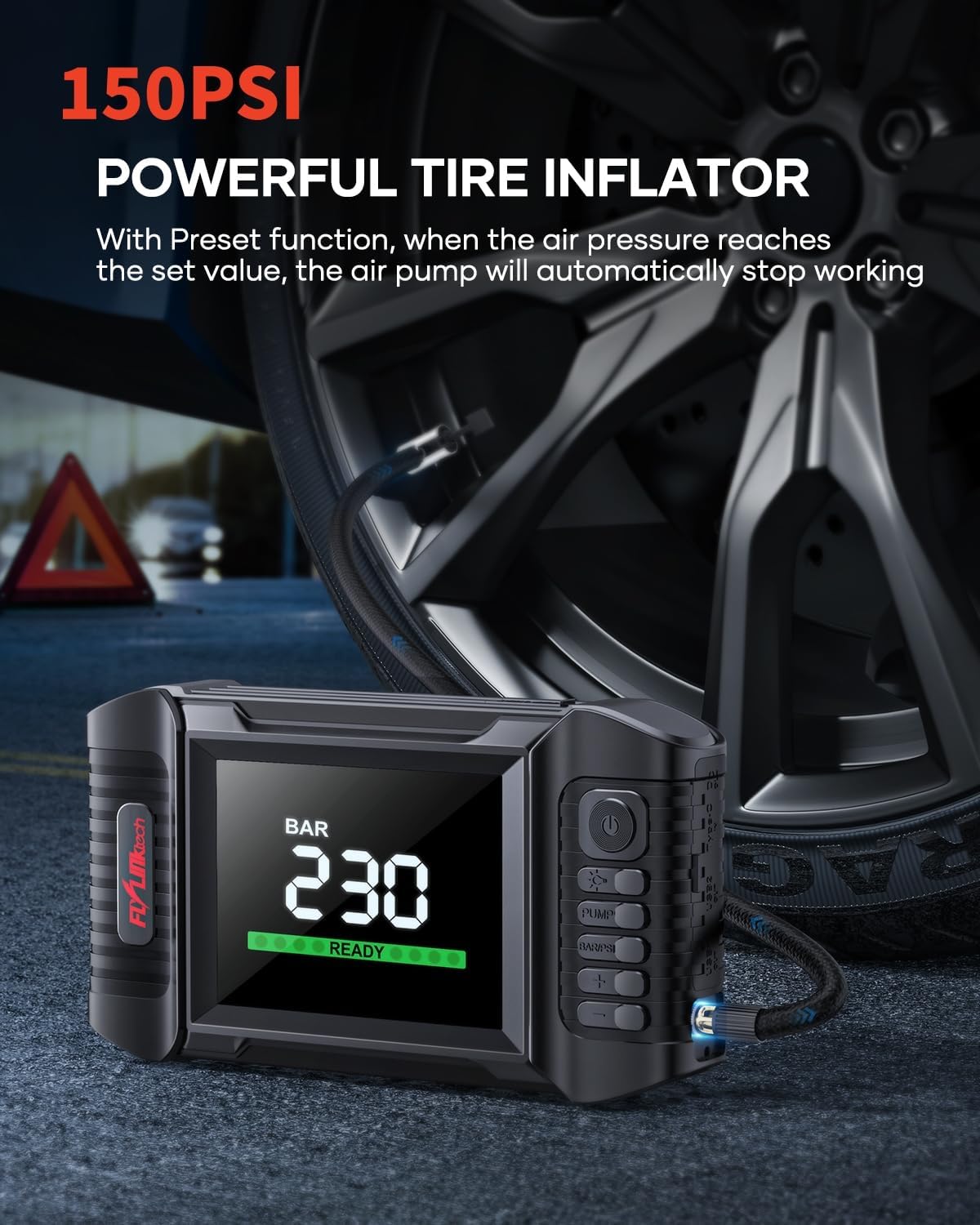
Image: The FLYLINKTECH BD20 unit with its air hose connected to a car tire, displaying '2.30 BAR' on its screen, indicating its function as a tire inflator.

Image: The FLYLINKTECH BD20 unit connected via USB cables to charge a smartphone and a tablet, demonstrating its power bank functionality with a '100% IN' display.

Image: The FLYLINKTECH BD20 unit with its powerful LED light activated, illustrating its use as an emergency light with text overlays 'SOS', 'STABLE', and 'STROBE'.
Configuración
Carga inicial
Before first use, fully charge the FLYLINKTECH BD20. Use the provided USB-C cable to connect the device to a USB wall adapter (not included) or a car charger. The LCD screen will indicate the charging status and battery level. A full charge typically takes several hours.
Comprobación del nivel de batería
Press the power button briefly to check the current battery level on the LCD screen. Ensure the device has at least 50% charge before attempting to jump-start a vehicle.
Instrucciones de funcionamiento
Arrancar un vehículo
- Asegúrese de que el arrancador esté adecuadamente cargado.
- Insert the blue plug of the smart jumper cable into the jump starter's dedicated port. Ensure a firm connection.
- Conecte el rojo (+) clamp al terminal positivo de la batería del vehículo.
- Conecte el negro (-) clamp al terminal negativo de la batería del vehículo.
- Comprueba el cl inteligenteamp's display. If it shows "READY" and a green light, proceed to start the vehicle. If an error message or red light appears, check connections and battery voltage.
- Arranque el motor del vehículo.
- Una vez que el vehículo arranque, retire inmediatamente el cable negro (-)amp de la batería del coche, seguido del rojo (+) clamp.
- Desconecte el cable puente inteligente del arrancador.

Imagen: Diagrama de cuatro paneles que ilustra los pasos para arrancar un automóvil: 1. Inserte el cable inteligenteamp plug into the jump starter. 2. Connect clamps to the car battery. 3. Start the vehicle. 4. Remove clamps.
Usando el compresor de aire
- Connect the air hose to the air output port on the jump starter.
- Attach the appropriate valve adapter to the tire or inflatable object.
- Turn on the jump starter. The LCD screen will display the current pressure.
- Utilice los botones '+' y '-' para establecer la presión objetivo deseada.
- Presione el botón "BOMBA" para iniciar el inflado. El compresor se detendrá automáticamente al alcanzar la presión preestablecida.
- Monitor the pressure on the LCD screen during inflation.
Usar como banco de energía
- Connect your electronic device (smartphone, tablet, etc.) to one of the USB output ports using a compatible USB cable.
- For 12V-16V devices, use the DC output port with the provided DC cigarette lighter adapter.
- The device will automatically begin charging. The LCD screen may show the output status.
Uso de la luz LED
- Press and hold the light button to turn on the LED light in Torch mode.
- Press the light button again to switch to Strobe mode.
- Press the light button a third time to activate SOS mode.
- Presione el botón de luz una cuarta vez para apagar la luz LED.
Mantenimiento
- Recarga: To maintain battery health, recharge the jump starter every 3-6 months, even if not in use.
- Almacenamiento: Store the device in a cool, dry place, away from direct sunlight and moisture. Use the provided EVA carrying case for protection.
- Limpieza: Limpie el dispositivo con un paño suave y seco. No utilice productos químicos agresivos ni materiales abrasivos.
Solución de problemas
Si tiene problemas con su FLYLINKTECH BD20, consulte los siguientes problemas y soluciones comunes:
- El dispositivo no enciende: Asegúrese de que el dispositivo esté cargado. Si la batería está completamente agotada, la pantalla podría tardar unos minutos en cargarse.
- El vehículo no arranca:
- Compruebe que el reloj inteligenteampLos cables están conectados de forma segura a los terminales correctos de la batería (rojo al positivo, negro al negativo).
- Asegúrese de que el arrancador tenga suficiente carga (al menos 50%).
- Si el cl inteligenteamp display shows an error, refer to the clamp's specific error codes (if available) or disconnect and reconnect.
- Wait 30 seconds between jump-start attempts to allow the device to cool.
- El compresor de aire no funciona:
- Compruebe que la manguera de aire esté conectada de forma segura tanto al dispositivo como a la válvula del neumático.
- Ensure the jump starter has enough battery charge.
- Verify that a target pressure has been set.
- Devices not charging via USB/DC: Ensure the jump starter is powered on and has sufficient charge. Check cable connections.
Si los problemas persisten, comuníquese con el servicio de atención al cliente.
Presupuesto
| Característica | Especificación |
|---|---|
| Número de modelo | BD20 |
| Corriente pico | 5000A (Max Output Current: 6000A) |
| Capacidad de la batería | 20000 mAh (74 Wh) |
| Tipo de batería | Iones de litio |
| Presión del compresor de aire | 150 PSI |
| Salida DC | 12V-16V / 10A (160W) |
| Salida USB | 2 Ports (including 1 x Quick Charge 3.0) |
| Tipos de motores compatibles | Todo gasolina/diésel de 10.0 l |
| Temperatura de funcionamiento | -20°C a 60°C |
| Dimensiones (L x An x Al) | 23.5 x 5.5 x 12.5 cm |
| Peso | 1.13 kilogramos |
Garantía y soporte
Disponibilidad de piezas
FLYLINKTECH ensures the availability of spare parts for the BD20 model for a period of 3 years from the date of purchase.
Atención al cliente
If you have any questions, concerns, or require technical assistance with your FLYLINKTECH BD20 Car Jump Starter with Air Compressor, please do not hesitate to contact our customer support team. Refer to the contact information provided in your product packaging or visit the official FLYLINKTECH websitio para detalles de soporte.