
PowerColor RX7800XT 16G-E/OC
Manual del usuario de la tarjeta gráfica PowerColor Red Devil AMD Radeon RX 7800 XT
Model: RX7800XT 16G-E/OC | Brand: PowerColor
Introducción
This manual provides essential information for the installation, operation, and maintenance of your PowerColor Red Devil AMD Radeon RX 7800 XT 16GB GDDR6 Graphics Card. Please read this manual thoroughly before proceeding with installation to ensure optimal performance and longevity of your product.
Características principales
- Memoria de vídeo: 16GB GDDR6 for high-resolution gaming and demanding applications.
- Stream Processor: 3840 Units for powerful parallel processing.
- Reloj de juego: 2255 MHz (OC) / 2210 MHz (Silent) for balanced performance.
- Reloj de impulso: 2565 MHz (OC) / 2520 MHz (Silent) for peak performance when needed.
- Reloj de memoria: 19.5 Gbps for rapid data access.
- BIOS dual: Toggle between OC (Overclocking) and Silent modes for flexible performance and acoustics.
- Refrigeración avanzada: Features a robust cooling solution with multiple fans and heatpipes to maintain optimal temperatures.
- Personalized ARGB Lighting: Customizable RGB lighting effects to match your system's aesthetic.
¿Qué hay en la caja?
The PowerColor Red Devil AMD Radeon RX 7800 XT package includes the following items:
- PowerColor Red Devil AMD Radeon RX 7800 XT Graphics Card
- Manual de usuario / Guía de instalación rápida
- Red Devil Metal Badge / Sticker
- PowerColor Branded USB Drive (or similar accessory)
- GPU Support Bracket Components
- Cable de sincronización ARGB
Video: This official product demonstration video showcases the unboxing of the PowerColor Red Devil AMD Radeon RX 7800 XT, detailing all included accessories and the graphics card itself.
Configuración e instalación
Before installing your new graphics card, ensure your system is powered off and unplugged from the wall outlet. It is recommended to wear an anti-static wrist strap to prevent electrostatic discharge (ESD) damage.
- Prepare su sistema: Open your computer case and locate an available PCI Express x16 slot on your motherboard.
- Retire la tarjeta gráfica antigua (si corresponde): Unscrew any retaining screws and unclip the old card from the PCIe slot. Gently pull the card straight out.
- Instalar nueva tarjeta gráfica: Align the PowerColor Red Devil RX 7800 XT with the PCIe x16 slot. Press down firmly and evenly until the card is fully seated and the retaining clip locks into place. Secure the card with screws to the case.
- Conectar los cables de alimentación: This graphics card requires two 8-pin PCIe power connectors. Connect these cables from your power supply unit (PSU) to the corresponding ports on the top edge of the graphics card. Ensure a secure connection.
- Conectar los cables de pantalla: Conecte su(s) monitor(es) a las salidas DisplayPort o HDMI de la tarjeta gráfica.
- Cerrar la caja y encender: Cierre la carcasa de su computadora, conecte el cable de alimentación y encienda el sistema.

Imagen: Lado view of the PowerColor Red Devil RX 7800 XT, highlighting the dual 8-pin power connectors required for operation.
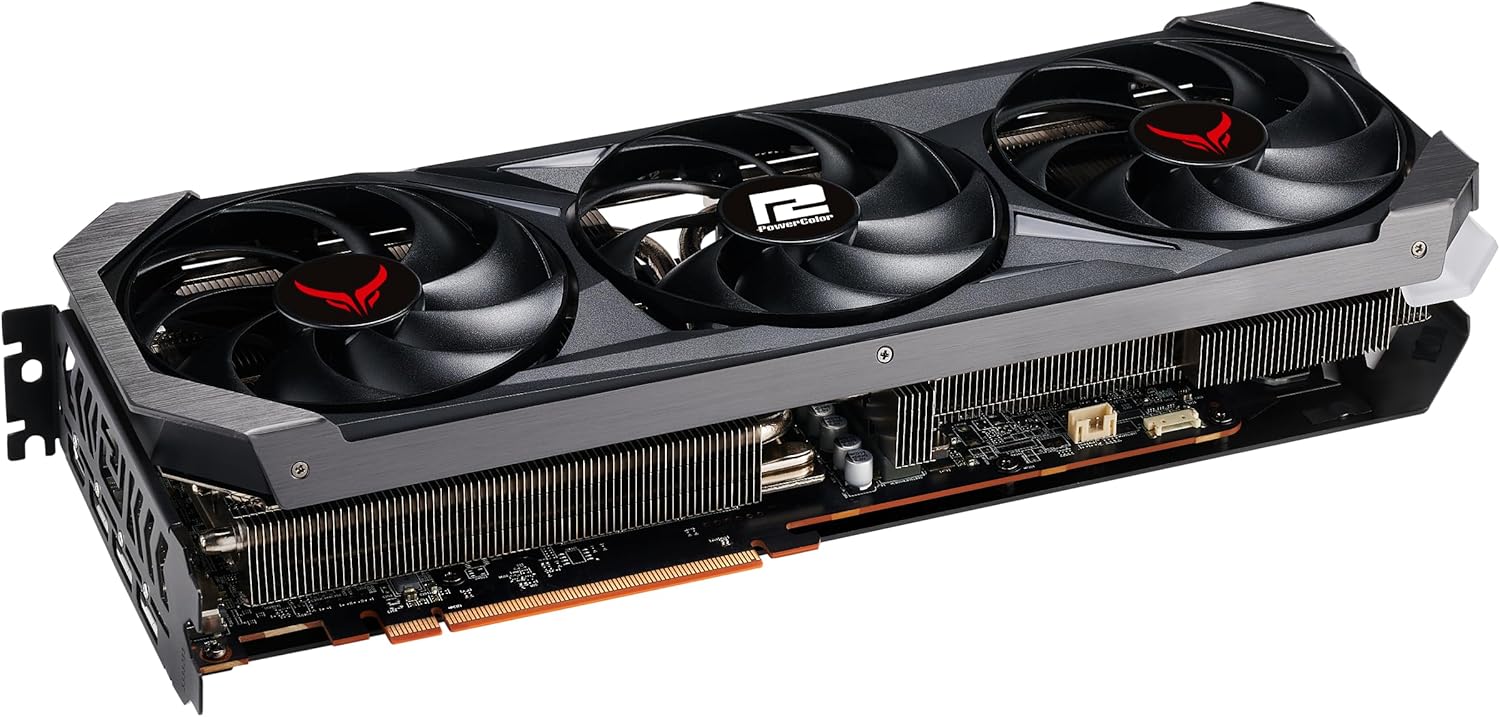
Imagen: Trasero view of the PowerColor Red Devil RX 7800 XT, showing the various display output ports (DisplayPort and HDMI).
Para obtener instrucciones de instalación detalladas, consulte el sitio web oficial. Manual de instalación (PDF) provided by PowerColor.
Instrucciones de funcionamiento
- Instalación del controlador: After physical installation, boot into your operating system. Download and install the latest AMD Radeon drivers from the official AMD websitio. Esto es crucial para un rendimiento y estabilidad óptimos.
- AMD Adrenalin Software: The AMD Adrenalin Software suite provides a comprehensive interface for managing your graphics card settings, including game optimization, performance monitoring, and fan control. Install this software after driver installation.
- Dual BIOS Switch: Your graphics card features a Dual BIOS switch, typically located near the PCIe power connectors.
- OC Mode (Overclocking): Provides higher clock speeds for maximum performance.
- Modo silencioso: Prioritizes quieter operation by reducing fan speeds and slightly lower clock speeds.
Switching between modes requires a system restart to take effect. Ensure the system is powered off before changing the BIOS switch position.
- Control de iluminación ARGB: Utilize compatible motherboard software or PowerColor's dedicated software (if available) to customize the Addressable RGB (ARGB) lighting effects on your graphics card. Connect the included ARGB sync cable to your motherboard's ARGB header.
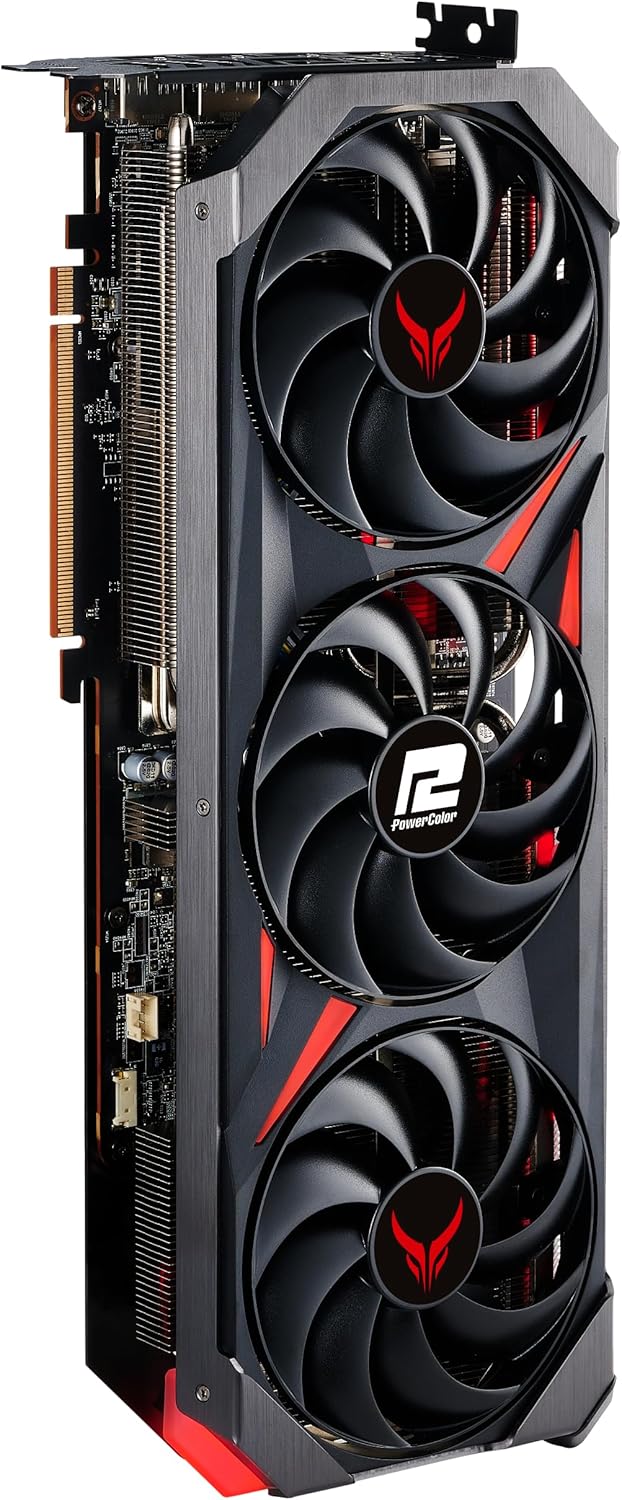
Imagen: The PowerColor Red Devil RX 7800 XT graphics card shown installed within a computer case, demonstrating its physical presence and lighting capabilities.

Imagen: A diagram illustrating the location and function of the Dual BIOS switch on the graphics card, allowing users to select between OC and Silent modes.
Mantenimiento
El mantenimiento regular ayuda a garantizar la longevidad y el rendimiento óptimo de su tarjeta gráfica.
- Mantenga los controladores actualizados: Periodically check the official AMD webSitio para obtener los controladores gráficos más recientes. Los controladores actualizados suelen incluir mejoras de rendimiento, corrección de errores y compatibilidad.
- Clean Fans and Heatsink: Over time, dust can accumulate on the fans and heatsink, impeding airflow and increasintemperaturas g.
- Power off your system and unplug it.
- Carefully open your computer case.
- Use compressed air to gently blow dust out of the fan blades and heatsink fins. Hold the fan blades in place to prevent over-spinning.
- Perform this cleaning every 3-6 months, or more frequently in dusty environments.
- Monitorear temperaturas: Use monitoring software (e.g., AMD Adrenalin Software) to keep an eye on your GPU temperatures during heavy loads. Excessive temperatures can indicate insufficient cooling or dust buildup.

Imagen: A view of the graphics card's backplate and cooling fins, illustrating the areas where dust can accumulate and require cleaning.
Solución de problemas
Si tiene problemas con su tarjeta gráfica, tenga en cuenta los siguientes pasos comunes de solución de problemas:
- Sin salida de pantalla:
- Ensure all power cables (PCIe and monitor) are securely connected.
- Verifique que la tarjeta gráfica esté completamente colocada en la ranura PCIe.
- Pruebe con un cable de pantalla o monitor diferente.
- Compruebe si su monitor está configurado en la fuente de entrada correcta.
- Problemas de rendimiento / FPS bajos:
- Asegúrese de tener instalados los controladores gráficos más recientes.
- Check GPU temperatures; overheating can lead to performance throttling.
- Verify your system meets the game's minimum requirements.
- Adjust in-game graphics settings to a lower preset.
- Confirm the Dual BIOS switch is in the desired mode (OC for performance).
- Fan Noise / Overheating:
- Clean dust from fans and heatsink as described in the Maintenance section.
- Asegúrese de que haya un flujo de aire adecuado dentro de la carcasa de su PC.
- Consider switching to Silent BIOS mode if noise is a primary concern.
- Inestabilidad del sistema/fallos:
- Reinstall graphics drivers using a clean installation method (e.g., DDU).
- Asegúrese de que su unidad de fuente de alimentación (PSU) tenga suficiente aguatage for your system, especially the graphics card.
- Compruebe si hay software o aplicaciones en segundo plano conflictivos.
If these steps do not resolve your issue, please contact PowerColor customer support or consult their official websitio para obtener más ayuda.
Presupuesto
| Característica | Detalle |
|---|---|
| Marca | Color de potencia |
| Serie | 7800 XT Red Devil |
| Número de modelo | RX7800XT 16G-E/OC |
| Coprocesador gráfico | Tarjeta gráfica AMD Radeon RX 7800 XT |
| Marca Chipset | AMD |
| Memoria de video | 16 GB GDDR6 |
| Velocidad de la memoria | 1.95 GHz (19.5 Gbps effective) |
| GPU Clock Speed (Game) | 2255 MHz (OC) / 2210 MHz (Silent) |
| GPU Clock Speed (Boost) | 2565 MHz (OC) / 2520 MHz (Silent) |
| Procesadores de flujo | 3840 unidades |
| Interfaz de salida de vídeo | Puerto de pantalla, HDMI |
| Peso del artículo | 3.3 libras |
| Dimensiones del producto (LxAnxAl) | 13.58 x 5.95 x 0.1 pulgadas |
Garantía y soporte
PowerColor products are backed by a manufacturer's warranty. For specific warranty terms and conditions, please refer to the warranty information included with your product or visit the official PowerColor website. For technical support, driver downloads, and frequently asked questions, please visit the PowerColor Store on Amazon o su portal de soporte oficial.
Ask a question about this manual
Ask about setup, troubleshooting, compatibility, parts, safety, or missing instructions. Manuals+ will review the question and use this page’s manual context to help answer it.