
Introducción
This manual provides detailed instructions for setting up, operating, maintaining, and troubleshooting your Amazon Kindle Paperwhite Signature Edition 32GB. Please read this guide thoroughly to ensure optimal use of your device.
1. Configuración
1.1 Desempaquetado y carga inicial
Upon unboxing, locate the Kindle Paperwhite Signature Edition device and the included USB-C charging cable. It is recommended to fully charge your device before first use.
- Incluido en la caja: Kindle Paperwhite Signature Edition, USB-C charging cable, Quick Start Guide.
- Cargando: Connect the USB-C cable to the Kindle and a compatible USB power adapter (9W adapter recommended, sold separately). A full charge takes less than 2.5 hours.
- Carga inalámbrica: The Signature Edition supports wireless charging. Place the device on a compatible wireless charging dock (sold separately).

Image: Kindle Paperwhite Signature Edition charging wirelessly on a dock. The device can be charged via USB-C or wirelessly for extended battery life.
1.2 Encendido y apagado
- Para encender: Mantenga presionado el botón de encendido ubicado en el borde inferior del dispositivo hasta que la pantalla se ilumine.
- Para apagar: Press and hold the power button until a power dialog appears, then select 'Power Off'. A short press will put the device to sleep.
1.3 Conectividad Wi-Fi
To access the Kindle Store and download content, connect your device to a Wi-Fi network.
- Desde la pantalla de inicio, toque el Ajustes icono (icono de engranaje) o deslícese hacia abajo desde la parte superior de la pantalla y toque Todos los ajustes.
- Seleccionar Wi-Fi y Bluetooth, entonces Redes wifi.
- Seleccione la red deseada de la lista e ingrese la contraseña si se le solicita.
The device supports 2.4 GHz and 5.0 GHz networks with WEP, WPA, WPA2, WPA3, and OWE security.
1.4 Configuración de la cuenta
Register your Kindle to your Amazon account to access your content library and the Kindle Store.
- After connecting to Wi-Fi, follow the on-screen prompts to sign in with your Amazon account credentials.
- If you do not have an Amazon account, you can create one during this process.
2. Funcionamiento del Kindle
2.1 Basic Navigation and Page Turns
The Kindle Paperwhite Signature Edition features a 7-inch glare-free display designed for comfortable reading.
- Pasos de página: Tap the right side of the screen to turn to the next page, or the left side to go back. Swiping left or right also turns pages.
- Pantalla de inicio: Tap the top of the screen to reveal the navigation bar, then tap the Hogar icon to return to your library.

Image: A hand holding the Kindle Paperwhite, displaying a book page. The 7-inch Paperwhite display offers fast page turns for an enhanced reading experience.
2.2 Características de lectura
Customize your reading experience with various display and font settings.
- Adjusting Front Light: The Signature Edition features an auto-adjusting front light. You can also manually adjust the brightness by tapping the top of the screen while reading and using the brightness slider.
- Luz calida: Adjust the warmth of the screen light for comfortable reading in different environments.
- Modo oscuro: Invert screen colors for white text on a black background, ideal for low-light conditions. Access this from the quick settings menu.
- Configuración de fuente: While reading, tap the top of the screen, then select the Aa Icono para ajustar el tamaño de fuente, el tipo de fuente, el interlineado y los márgenes.
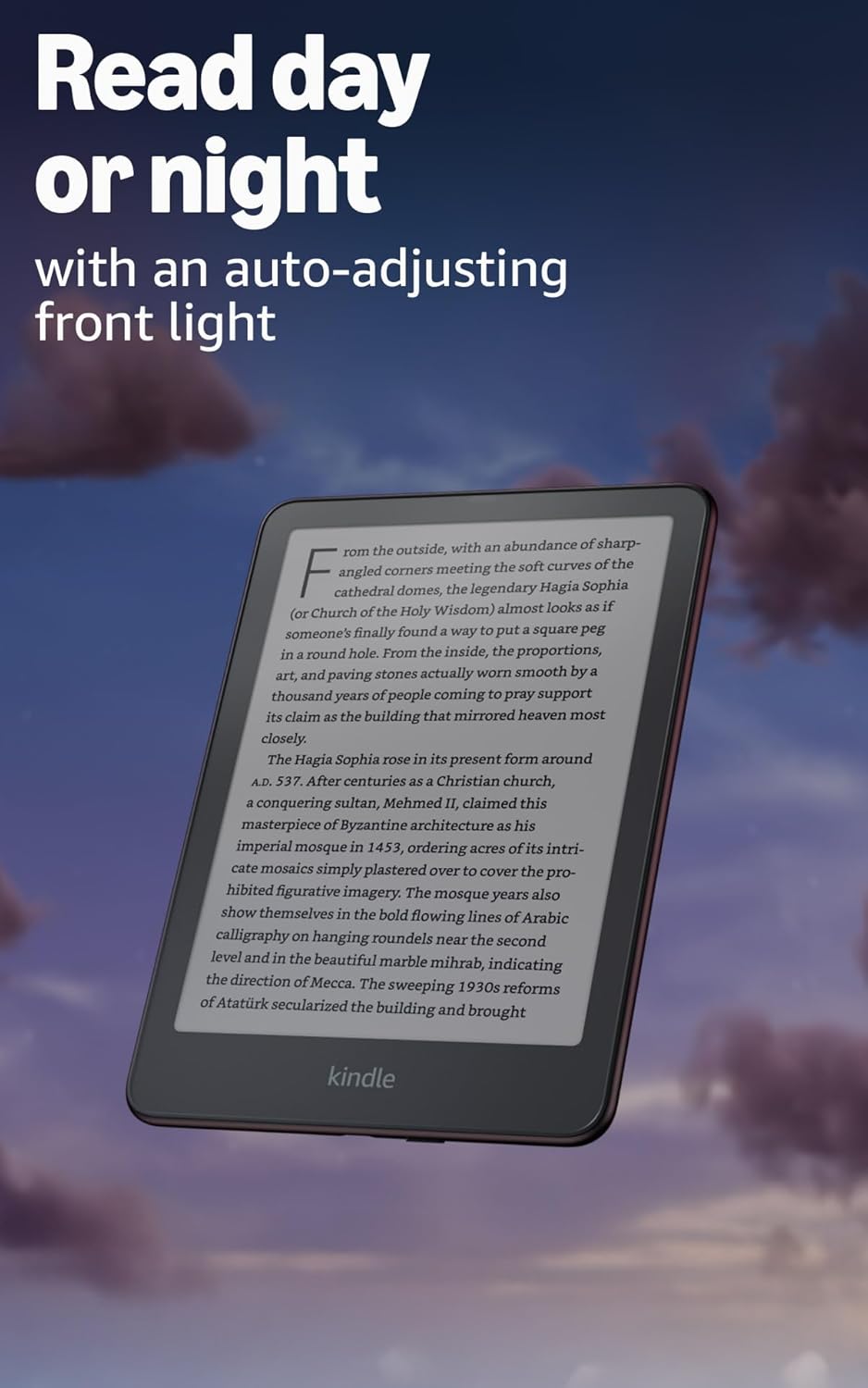
Image: Kindle Paperwhite screen illuminated in a dark room. The auto-adjusting front light allows for comfortable reading day or night.

Image: Close-up of the Kindle Paperwhite screen displaying text. Enjoy a glare-free display without distracting notifications.
2.3 Gestión de contenido
Your Kindle provides access to a vast library of content.
- Tienda Kindle: Desde la pantalla de inicio, toque el Almacenar icon to browse and purchase books.
- Biblioteca: All purchased content is stored in your library and can be downloaded to your device.
- Almacenamiento en la nube: All Amazon content is stored for free in the cloud, allowing you to access it from any compatible device.
- Formatos admitidos: Formato Kindle 8 (AZW3), Kindle (AZW), TXT, PDF, MOBI sin protección, PRC de forma nativa; PDF, DOCX, DOC, HTML, EPUB, TXT, RTF, JPEG, GIF, PNG, BMP mediante conversión; Formato de audio Audible (AAX).

Image: A collage of various book covers. The Kindle Store offers access to over 15 million titles worldwide.
2.4 Audiolibros
Listen to Audible audiobooks on your Kindle Paperwhite Signature Edition.
- Bluetooth: Connect Bluetooth headphones or speakers to your Kindle via the Wi-Fi y Bluetooth ajustes.
- Reproducción de audiolibros: Download Audible audiobooks from the Kindle Store and play them through your connected Bluetooth device.
2.5 Impermeabilización
Your Kindle Paperwhite Signature Edition is waterproof (IPX8 rated).
- It is tested to withstand immersion in 2 meters of fresh water for 60 minutes.
- This makes it suitable for reading by the pool, in the bath, or at the beach.
- After exposure to water, ensure the USB-C port is dry before charging.
3. Mantenimiento
3.1 Limpieza del dispositivo
- Use a soft, lint-free cloth to clean the screen and body of your Kindle.
- Avoid abrasive cleaners, solvents, or aerosol sprays.
- If the device has been exposed to water, gently wipe it dry.
3.2 Cuidado de la batería
- To maximize battery life, avoid exposing your Kindle to extreme temperatures.
- A single charge can last up to twelve weeks, based on half an hour of reading per day with wireless off and the light setting at 13. Heavy use, especially with wireless features or audiobook streaming, will reduce battery life.
- Cargue el dispositivo periódicamente, pero no es necesario descargarlo completamente antes de recargarlo.
3.3 Actualizaciones de software
Your Kindle will periodically receive software updates to improve performance and add new features.
- Ensure your Kindle is connected to Wi-Fi to receive automatic updates.
- You can manually check for updates by going to Ajustes > Opciones del dispositivo > Buscar actualizaciones.
4. Solución de problemas
4.1 El dispositivo no responde
- Si su Kindle está congelado o no responde, mantenga presionado el botón de encendido durante 40 segundos hasta que el dispositivo se reinicie.
4.2 Problemas de conexión Wi-Fi
- Asegúrese de que su enrutador Wi-Fi esté encendido y dentro del alcance.
- Try restarting your Kindle and your Wi-Fi router.
- Verifique que esté ingresando la contraseña de Wi-Fi correcta.
4.3 La batería no se carga
- Check that the USB-C cable is securely connected to both the Kindle and the power adapter.
- Intente utilizar un cable USB-C o un adaptador de corriente diferente.
- Ensure the USB-C port on the Kindle is clean and free of debris.
4.4 Content Not Downloading
- Verifique que su conexión Wi-Fi esté activa y estable.
- Check your Amazon account for any payment issues or content restrictions.
- Ensure your device has sufficient storage space.
5. Especificaciones
| Característica | Descripción |
|---|---|
| Mostrar | 7” Paperwhite display technology with built-in front light, 300 ppi, optimized font technology, 16-level gray scale. |
| Tamaño | 5” x 7” x 0.3” (127.6 x 176.7 x 7.8 mm) |
| Peso | 7.5 oz (214g) |
| Almacenamiento en el dispositivo | 32 GB; contiene miles de libros. |
| Almacenamiento en la nube | Almacenamiento gratuito en la nube para todo el contenido de Amazon. |
| Duración de la batería | Up to twelve (12) weeks (based on 30 mins reading/day, wireless off, light setting 13). |
| Tiempo de carga | Less than 2.5 hours with a 9W USB power adapter. |
| Conectividad Wi-Fi | Supports 2.4 GHz and 5.0 GHz networks with WEP, WPA, WPA2, WPA3, and OWE security. |
| Funciones de accesibilidad | VozView screen reader (Bluetooth audio, English only), dark mode, adjustable font size, font face, line spacing, and margins. |
| Formatos de contenido admitidos | Formato Kindle 8 (AZW3), Kindle (AZW), TXT, PDF, MOBI sin protección, PRC de forma nativa; PDF, DOCX, DOC, HTML, EPUB, TXT, RTF, JPEG, GIF, PNG, BMP mediante conversión; Formato de audio Audible (AAX). |
| Impermeabilización | IPX8 rated (withstands immersion in 2 meters of fresh water for 60 minutes). |
| Generación | 12th Generation (2024 release). |
6. Garantía y soporte
6.1 Información de garantía
Your Kindle Paperwhite Signature Edition comes with a 1-year limited warranty and service. Extended warranty options may be available for purchase separately in some regions.
6.2 Soporte adicional
Para obtener más ayuda e información detallada, consulte los siguientes recursos:
- Guía de inicio rápido: Included in your product packaging.
- Kindle User Guide: Accessible on your device or via the Amazon websitio.
- Accessibility for Kindle: Learn more about accessibility features on the Amazon websitio.
- Manage Your Content and Devices: Visit your Amazon account online to manage your Kindle content and device settings.