
Imagen más nítida 1213014311
Manual del usuario del dron Xtreme Airwave con control remoto de juguete Sharper Image
Brand: Sharper Image | Model: 1213014311
Introducción
Discover the thrill of drone flying with the Sharper Image X-Treme Airwave Drone. This high-performance remote control drone is designed for both beginners and advanced users, offering easy control and exciting stunt capabilities. This manual provides essential information for setup, operation, maintenance, and troubleshooting to ensure a safe and enjoyable flying experience.
Información importante de seguridad
Choking Hazard - Small Part. Not for Children under 3 years. Colors and styles may vary. Adult supervision required.
- Utilice siempre el dron en zonas abiertas y despejadas, lejos de personas, animales y obstáculos.
- No vuele cerca de líneas eléctricas, árboles o agua.
- Ensure the drone's battery is fully charged before each flight.
- Never attempt to modify or repair the drone or its components.
- Mantenga los dedos, el cabello y la ropa suelta alejados de las hélices giratorias.
- Guarde el dron y el control remoto en un lugar fresco y seco cuando no estén en uso.
Contenido del paquete

The package includes all necessary components for immediate use, except for the remote control batteries. Please verify that all items listed below are present and in good condition upon unboxing.
- 1x Sharper Image X-Treme Airwave Drone
- 1x Control remoto inalámbrico
- 4x Palas de rotor de repuesto
- 1x Cable de carga USB-C
- 1x Built-in 3.7V 200mAh Li-Po Rechargeable Battery (non-replaceable)
Nota: El control remoto requiere 3 pilas AAA de 1.5 V (no incluidas).
This image illustrates the drone, its remote, and the included accessories, along with a note about the required AAA batteries for the remote control.
Guía de configuración
1. Carga de la batería del dron
The drone is equipped with a built-in rechargeable Li-Po battery. Before first use, fully charge the drone.
- Connect the small end of the included USB-C charging cable to the drone's charging port.
- Connect the large end of the USB-C charging cable to a USB power source (e.g., computer USB port, USB wall adapter).
- The charging indicator light on the cable will illuminate during charging and turn off when charging is complete.
- La carga suele tardar entre 60 y 90 minutos. No sobrecargue la batería.
Importante: Disconnect the charging cable once the battery is fully charged to prevent damage.
2. Instalación de las pilas del mando a distancia
El control remoto requiere 3 pilas AAA de 1.5 V (no incluidas).
- Ubique el compartimiento de la batería en la parte posterior del control remoto.
- Con un destornillador Phillips pequeño, abra la tapa del compartimiento de la batería.
- Inserte 3 pilas AAA, asegurándose de la polaridad correcta (+ y -).
- Vuelva a colocar la tapa del compartimiento de la batería y asegúrela con el tornillo.
3. Emparejamiento del dron y el control remoto
Follow these steps to establish a connection between the drone and its remote control:
- Coloque el dron sobre una superficie plana y nivelada.
- Turn on the drone by sliding the power switch (usually located on the underside or side of the drone). The drone's LED lights will begin to flash.
- Turn on the remote control by pressing the power button. The remote's indicator light will flash.
- Empuje el joystick izquierdo (acelerador) completamente hacia arriba y luego tire de él completamente hacia abajo.
- The drone's LED lights and the remote's indicator light will turn solid, indicating successful pairing.
- El dron ya está listo para volar.
Instrucciones de funcionamiento
Controles básicos

The remote control features a 2.4 GHz frequency for long-range flights and intuitive controls.
- Joystick izquierdo (acelerador): Controla la altitud (arriba/abajo) y la rotación (izquierda/derecha).
- Joystick derecho (direccional): Controla el movimiento hacia adelante/atrás y hacia la izquierda/derecha.
- Despegue/aterrizaje con un solo botón: Inicia el despegue o aterrizaje automático.
- Botón de velocidad: Toggles between beginner and expert flight modes.
- Stunt Button: Activates stunt maneuvers.
- Botones de recorte: Used to fine-tune drone stability if it drifts.
This image displays the drone alongside its remote control, highlighting the ergonomic design and button layout for easy understanding of the basic controls.
One-Button Take-Off and Landing
The X-Treme Airwave Drone features an easy one-button operation for take-off and landing.
- To Take-Off: After pairing, press the One-Button Take-Off/Landing button. The drone will automatically ascend to a stable hovering height.
- To Land: During flight, press the One-Button Take-Off/Landing button again. The drone will slowly descend and land automatically.
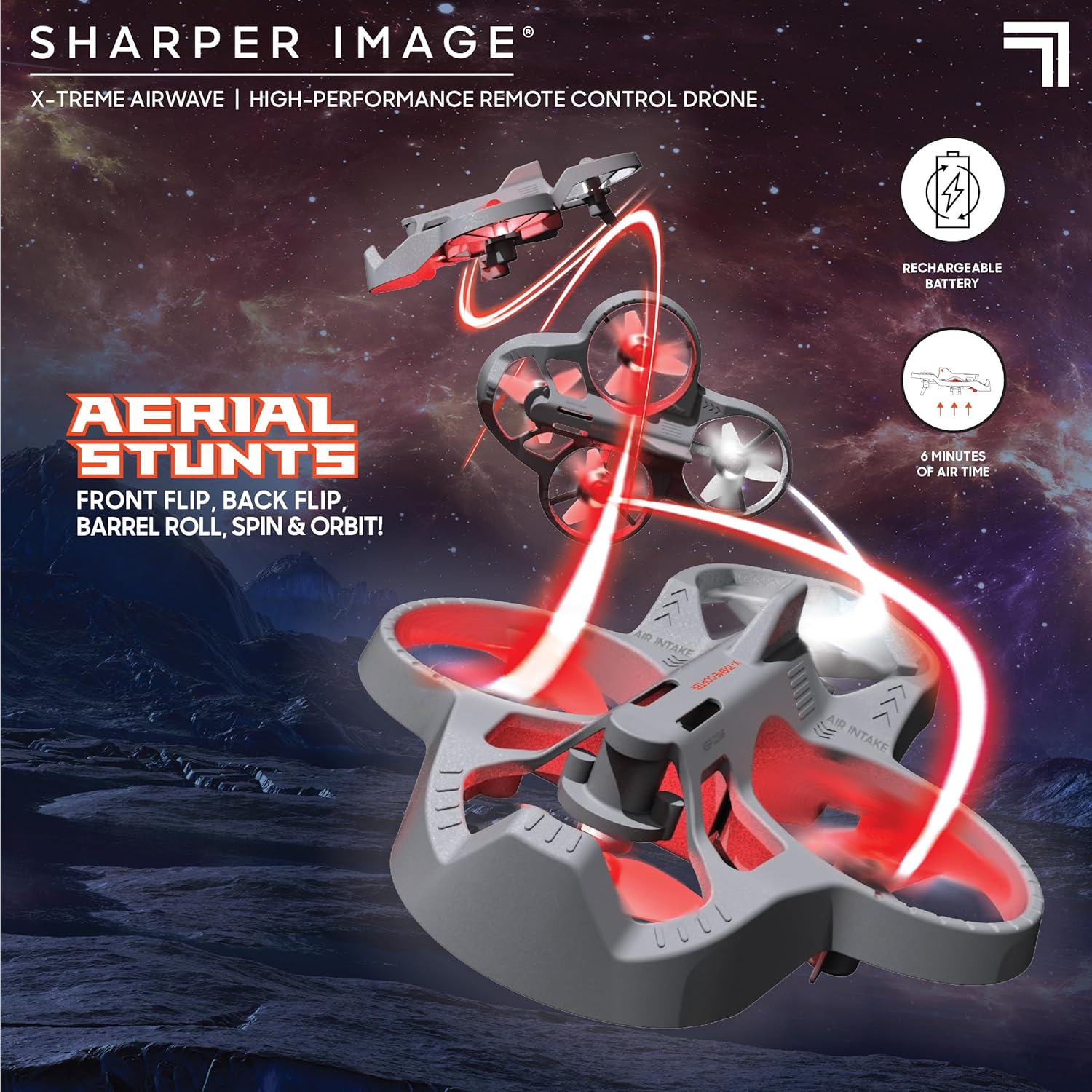
This image demonstrates the drone's agility, showcasing it in mid-air performing various aerial maneuvers, emphasizing its stunt capabilities.
Flight Modes (Beginner & Expert)
The drone offers two distinct flight modes to accommodate different skill levels:
- Modo principiante: Ideal for new pilots, offering more stable and less responsive controls for easier learning.
- Modo experto: Provides increased responsiveness and agility for experienced pilots to perform more dynamic maneuvers.
Presione el Botón de velocidad on the remote control to switch between these modes. The remote will typically indicate the current mode (e.g., with a beep or light change).
Performing Stunts
Elevate your piloting skills with impressive stunts:
- Flips (Front, Back, Left, Right): While flying, press the Botón de truco once, then quickly push the right joystick in the desired flip direction (forward, backward, left, or right).
- Barrel Rolls: Similar to flips, but often involves a more continuous rotation. Consult the specific instructions for your model if it has a dedicated barrel roll function.
- Spins and Orbits: These advanced maneuvers may require specific joystick combinations or dedicated buttons. Practice in an open area.
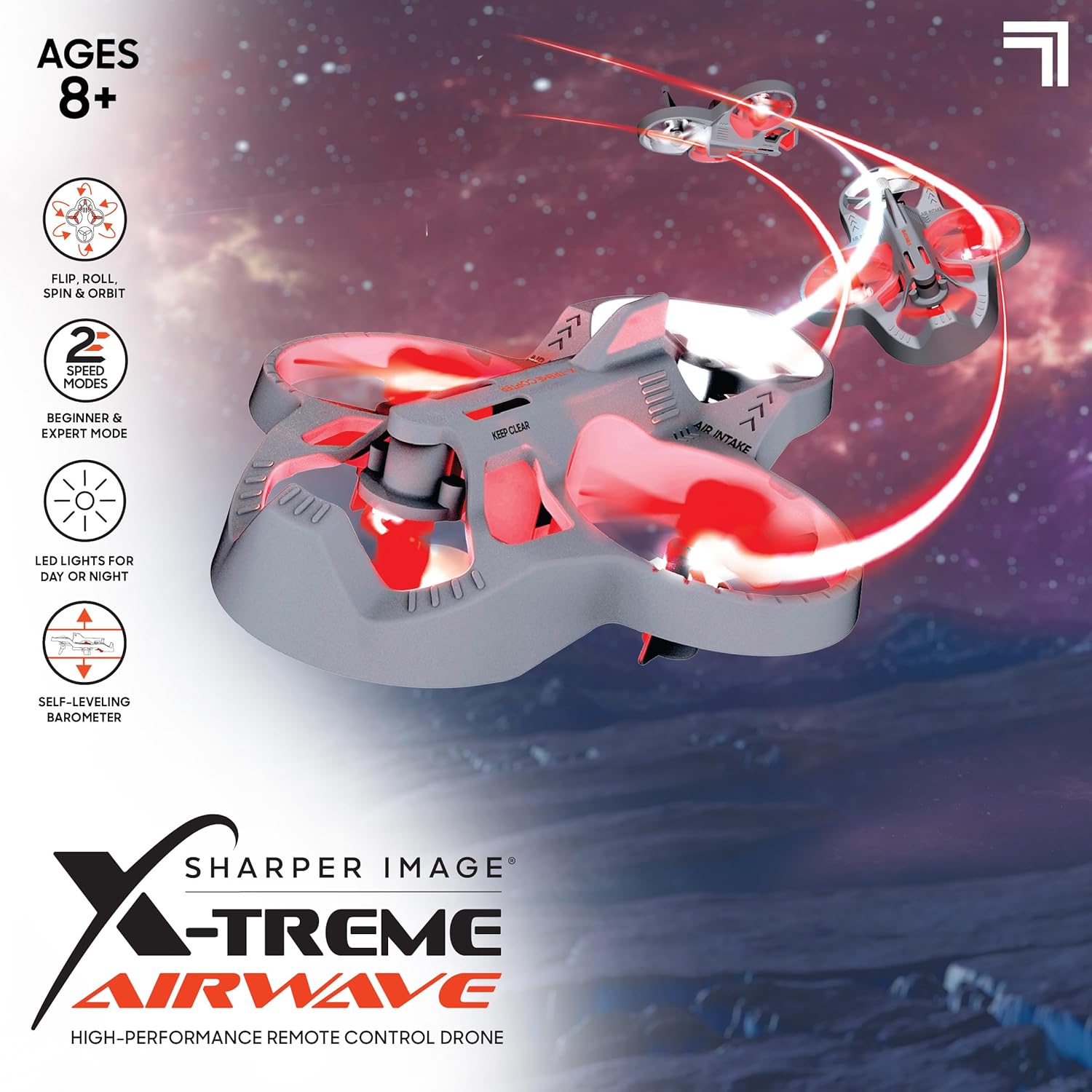
This image visually details the drone's key features, such as its ability to perform flips, rolls, spins, and orbits, along with its two speed modes and LED lights for enhanced visibility.
Faros LED
The drone is equipped with bright LED headlights, allowing for exciting nighttime play and enhanced visibility during flight. These lights typically activate automatically when the drone is powered on.
Mantenimiento
Limpieza
- Gently wipe the drone's body with a clean, dry cloth to remove dust and debris.
- Avoid using water or liquid cleaners, as they can damage electronic components.
- Ensure propellers are free of hair, dust, or other obstructions.
Reemplazo de hélice
If a propeller is damaged, replace it with one of the included spare blades.
- Retire con cuidado la hélice dañada tirando suavemente de ella hacia arriba desde el eje del motor.
- Note the orientation of the propeller (some may be marked 'A' or 'B' and correspond to specific motor positions).
- Presione la nueva hélice firmemente sobre el eje del motor hasta que quede segura.
- Ensure the new propeller spins freely without obstruction.
Cuidado y almacenamiento de la batería
- Cargue siempre completamente la batería del dron antes de cada vuelo.
- No deje la batería cargándose sin supervisión durante períodos prolongados.
- If the drone will not be used for a long time, store the battery with a partial charge (around 50%) to prolong its lifespan.
- Guarde el dron y el control remoto en un ambiente fresco y seco, lejos de la luz solar directa y de temperaturas extremas.
Solución de problemas
| Problema | Posible causa | Solución |
|---|---|---|
| El dron no responde al control remoto. | Not paired; Remote batteries low; Drone battery low. | Vuelva a emparejar el dron y el control remoto; reemplace las baterías del control remoto; cargue la batería del dron. |
| El dron se desplaza durante el vuelo. | Needs calibration; Uneven surface at take-off; Propeller damage. | Perform calibration (refer to specific remote instructions); Take off from a level surface; Check and replace damaged propellers. |
| Drone has short flight time. | Batería no completamente cargada; Batería vieja. | Ensure full charge before flight; Battery lifespan decreases over time. |
| Propellers are not spinning. | Obstruction; Motor issue; Not powered on. | Check for obstructions; Ensure drone is powered on and paired. |
Presupuesto
| Nombre del modelo | Xtreme Airwave |
| Número de modelo | 1213014311 |
| Dimensiones del producto | 26.67 x 14.22 x 7.11 cm; 340 g |
| Tipo de material | Plástico |
| Drone Battery | Built-in 3.7V 200mAh Li-Po (Rechargeable) |
| Batería del control remoto | 3 pilas AAA de 1.5 V (no incluidas) |
| Tipo de control remoto | Control de radio de 2.4 GHz |
| Edad recomendada | 8 - 15 años (recomendado por el fabricante) |
| Características especiales | Weather resistant, shock resistant, LED lights, One-button take-off/landing, Self-leveling barometer |

This image provides a visual reference for the drone's compact size, specifically highlighting its approximate 4-inch width.
Garantía y soporte
Para obtener información sobre la garantía y la atención al cliente, consulte el sitio web oficial de Sharper Image. webSitio web o contacte con el departamento de atención al cliente. Conserve su recibo de compra como comprobante.
- Fabricante: THREE SIXTY GROUP
- Tienda de la marca: Visit the Sharper Image Store on Amazon
- For further assistance, please contact the retailer or manufacturer directly.
Documentos relacionados - 1213014311
 |
Manual de usuario e instrucciones del dron Sharper Image Lyra de 6.68 pulgadas Manual de usuario completo del dron Sharper Image Lyra de 6.68 pulgadas. Incluye instrucciones de instalación de la batería, encendido y emparejamiento, controles de vuelo, precauciones de seguridad, personalización de pegatinas e información sobre el cumplimiento de la FCC. |
 |
Manual de instrucciones del dron jet Schwarz Thunder de la FAO Manual de instrucciones completo para el dron jet FAO Schwarz Thunder (modelo 1015953), que cubre controles previos al vuelo, funcionamiento, modos avanzados, resolución de problemas, carga y advertencias de seguridad. |
 |
Manual de usuario e instrucciones del dron Gamma de 6.9 pulgadas Manual de usuario completo e instrucciones para el dron Sharper Image Gamma de 6.9 pulgadas, que abarca la configuración, la instalación de la batería, los controles, las precauciones de seguridad y la resolución de problemas. Modelo 1018500. |
 |
Manual de instrucciones del dron acrobático Lumo Manual de instrucciones completo del dron acrobático Lumo, que abarca la configuración, el funcionamiento, las advertencias de seguridad y funciones como la orientación automática y los modos acrobáticos. Aprende a volar tu dron de forma segura y eficaz. |
 |
Manual del usuario del dron LUMOFly - Imagen más nítida 1018819 Manual de usuario completo del dron LUMOFLY de Sharper Image (modelo 1018819). Aprenda a cargar, emparejar, volar, realizar acrobacias y realizar el mantenimiento de su dron. Incluye precauciones de seguridad y declaraciones de la FCC. |
 |
Manual del usuario del dron con transmisión de video Sharper Image: configuración, funcionamiento y solución de problemas Manual de usuario completo del dron Sharper Image con transmisión de video. Aprenda a configurar, cargar, emparejar, operar y solucionar problemas de su dron para un vuelo y una transmisión de video óptimos. |
Ask a question about this manual
Ask about setup, troubleshooting, compatibility, parts, safety, or missing instructions. Manuals+ will review the question and use this page’s manual context to help answer it.