
1. Másview
The Retevis RA79 is a versatile dual-band amateur radio designed for reliable communication across various environments. It features multi-frequency reception, including aviation AM band, and offers flexible programming options. This manual provides essential information for setting up, operating, and maintaining your RA79 walkie-talkie.
- Multi-frequency Reception: Supports 2m/70cm/FM/AM bands, including aviation AM reception, for diverse communication needs.
- Batería recargable: Equipped with a 1400mAh Li-ion battery, offering extended standby and usage times. Features a convenient Type-C charging interface and USB charging port.
- Programación flexible: Channels can be programmed manually via the keypad or using software with a data cable and CPS (Customer Programming Software).
- Radio FM integrada: Allows for listening to FM broadcasts, providing entertainment during travel or downtime.
- Comunicación de largo alcance: Utilizes higher power output and a longer antenna to extend its effective range, suitable for amateur radio enthusiasts, hunters, and travelers.
- Diseño fácil de usar: Features an intuitive operating interface and user-friendly design, making it accessible for beginners.
2. ¿Qué hay en la caja?
Upon unpacking your Retevis RA79, please ensure all items listed below are present:
- 2x Retevis RA79 Walkie-Talkie
- 2x clip para cinturón
- 2x Correa de mano
- antena 2x
- 2 cargador de escritorio USB
- 2x Multi-language User's Manual

3. Características del producto
The Retevis RA79 is equipped with several features to enhance your communication experience:
- AM Aviation Receiving: Monitor aircraft and tower communications.
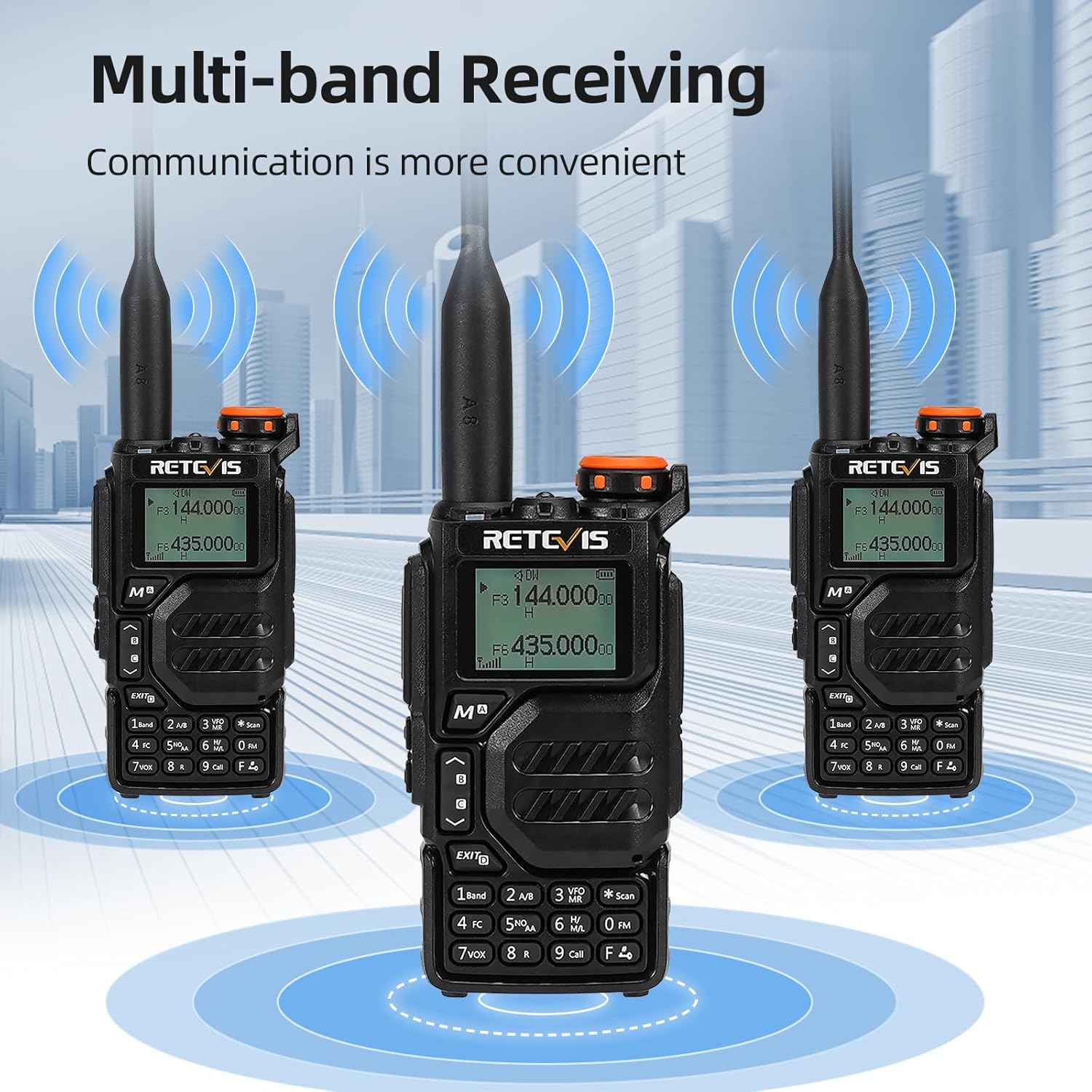
- Multi-band Receiving: Access 2m/70cm/FM/AM frequencies.
- One-Step Channel Capture: Easily pair two-way radios.
- Wireless Frequency Pairing: Convenient for outdoor team use.
- Micrófono del altavoz: Enhances communication clarity and security.
- Carga USB tipo C: Multiple charging options including adapter, power bank, PC, and vehicle.
- VFO Function: Change radio settings directly without a computer.



4. Configuración
4.1 Instalación de la batería
- Alinee el paquete de baterías con la parte posterior de la radio.
- Deslice la batería hacia arriba hasta que encaje en su lugar.
- To remove, press the release latch and slide the battery downwards.
4.2 Conexión de la antena
- Atornille la antena en el sentido de las agujas del reloj en el conector ubicado en la parte superior de la radio hasta que quede firmemente asentada.
- No apriete demasiado.
4.3 Instalación del clip para cinturón
- Alinee el clip del cinturón con las ranuras designadas en la parte posterior de la radio.
- Asegure el clip del cinturón utilizando los tornillos proporcionados.
4.4 Carga de la batería
The RA79 can be charged using the included USB desktop charger or directly via its Type-C port.
- Connect the USB desktop charger to a power source.
- Place the radio (with battery installed) into the charging cradle. The indicator light will show charging status.
- Alternatively, connect a USB Type-C cable directly to the radio's charging port.
5. Instrucciones de funcionamiento
5.1 Encendido/apagado y ajuste del volumen
- To power on, rotate the power/volume knob clockwise.
- Continúe girando para ajustar el volumen.
- Para apagar, gire la perilla en sentido antihorario hasta que haga clic.
5.2 Selección de canales
The RA79 supports both Channel Mode and VFO (Frequency Mode).
- Modo de canal: Use the UP/DOWN arrow keys to select a pre-programmed channel.
- Modo VFO: Enter frequencies directly using the keypad. Press the 'VFO/MR' button to switch between modes.
5.3 Transmisión y recepción
- Para transmitir, mantenga presionado el botón PTT (Push-To-Talk) en el lateral de la radio. Hable con claridad al micrófono.
- Suelte el botón PTT para recibir.
- Ensure the selected channel/frequency is clear before transmitting.
5.4 Funcionamiento de la radio FM
To activate the FM radio function:
- Press the 'FM' button (often a dedicated button or a function key).
- Use the UP/DOWN arrow keys to scan for stations or enter a frequency directly.
5.5 Advanced Programming via Mobile App (Ailunce HA2 Example)
The RA79 may support mobile app connectivity for advanced channel and setting modifications. Refer to the specific app instructions for your model.
6. Mantenimiento
6.1 Limpieza
Limpie periódicamente el exterior de la radio con un paño suave y húmedo.amp paño. Evite el uso de productos químicos agresivos o limpiadores abrasivos.
6.2 Cuidado de la batería
Para prolongar la vida útil de la batería:
- Evite sobrecargar o agotar completamente la batería.
- Guarde la radio y la batería en un lugar fresco y seco cuando no estén en uso.
7. Solución de problemas
| Problema | Posible causa | Solución |
|---|---|---|
| La radio no se enciende | Batería baja o muerta; instalación incorrecta de la batería | Cargue la batería; asegúrese de que esté instalada correctamente. |
| No se puede transmitir ni recibir | Incorrect frequency/channel; antenna not properly attached; out of range | Verifique la configuración de frecuencia/canal; verifique la conexión de la antena; acérquese a otras radios. |
| Mala calidad de audio | Low volume; interference; damaged speaker/microphone | Ajuste el volumen; aléjese de fuentes de interferencia; comuníquese con el soporte técnico si el hardware está dañado. |
8. Especificaciones
- Marca: Retevis
- Número de modelo: RA79
- Color: Negro
- Número de canales: 200
- Característica especial: Doble banda
- Rango de frecuencia: 144-146 MHz; 430-440 MHz
- Alcance máximo: 5 Kilómetros
- Volumentage: 7.4 voltios (CC)
- Nivel de resistencia al agua: No es impermeable
- Dimensiones del producto: 65P x 28l x 115H milímetros
- Número de baterías: 1 batería de iones de litio (incluida)
- Dispositivos compatibles: Two-way radios operating in 144-146 MHz and 430-440 MHz frequency ranges
- Tipo de sintonizador: U;V
- País natal: Porcelana
9. Garantía y soporte
Retevis offers a 2-year warranty for the radio body and a 1-year warranty for accessories. A 30-day return policy is also provided without specific reason required. Beyond the warranty period, maintenance services are available, with buyers responsible for associated costs. For support, please contact Retevis on Amazon, and a response will be provided within 12 hours.