
Nettech AP1868AL
Universal Replacement Remote for Apple TV
Model: AP1868AL
Brand: Nettech
1. Introducción
This manual provides comprehensive instructions for the setup, operation, and maintenance of your new Nettech Universal Replacement Remote, model AP1868AL. This remote is designed to be compatible with various Apple TV models, offering a convenient and functional alternative to your original remote.

Figure 1: Nettech AP1868AL Universal Remote and its compatibility with various Apple TV remote designs.
2. Información de seguridad
- Mantenga el control remoto fuera del alcance de los niños.
- Do not expose the remote to direct sunlight, heat sources, or extreme temperatures.
- Evite dejar caer o someter el control remoto a impactos fuertes.
- No intente desmontar ni modificar el control remoto.
- Deseche las baterías usadas de acuerdo con las normas locales.
3. Contenido del paquete
- 1 x Nettech Universal Replacement Remote (AP1868AL)
- Nota: Se requieren 2 pilas AAA y no están incluidas en el paquete.
4. Producto terminadoview
The Nettech AP1868AL remote is an Infrared (IR) remote designed for ease of use with Apple TV devices. It features dedicated buttons for navigation, playback, volume control, and TV power functions.

Figura 2: Disposición y funciones de los botones.
- Botón de encendido: Turns the TV on/off (requires manual programming for TV).
- Anillo de navegación: Arriba, Abajo, Izquierda, Derecha para navegar por el menú.
- Botón Seleccionar: Confirms selections (center of navigation ring).
- Botón de menú: Regresa a la pantalla anterior o al menú principal.
- TV/Home Button: Accesses the TV app or Home screen (HD & 4K versions).
- Botón de reproducción/pausa: Controla la reproducción de medios.
- Subir/Bajar volumen: Ajusta el volumen.
- Botón de silencio: Silencia/activa el audio.
5. Configuración
5.1. Instalación de la batería
The remote requires two AAA 1.5V dry cell batteries. Open the battery compartment cover on the back of the remote, insert the batteries ensuring correct polarity (+ and -), and close the cover securely.
5.2. Initial Pairing with Apple TV
This remote is designed for immediate use without complex programming. Simply insert new batteries, and it should function directly with your Apple TV. If it does not work immediately, follow these steps to pair:
- Point the Nettech remote directly towards your Apple TV device.
- Mantenga presionadas las teclas Menú botón y el Izquierda navigation button simultaneously for approximately 6 seconds until the pairing is complete.
For visual guidance on pairing, please refer to the product video if available.
5.3. Compatibilidad
This universal remote is compatible with the following Apple TV models:
- Apple TV 4K: A2169 (2nd Gen), A1842 (1st Gen)
- Apple TV HD: A1625 (4th Gen)
- Older Apple TV Models: A1427 (3rd Gen), A1469 (3rd Gen), A1378 (2nd Gen), A1218 (1st Gen)

Figure 3: Remote compatibility with various Apple TV models.
5.4. TV Control Function (Power Key)
The Power key on this remote can control the power of certain TV brands. This function requires manual programming for your specific TV. It is compatible with:
- Samsung
- LG
- Sony
- Casa Westinghouse
- Insignias
- Vizio
- Toshiba
Note: This function is no compatible with any ROKU TV.
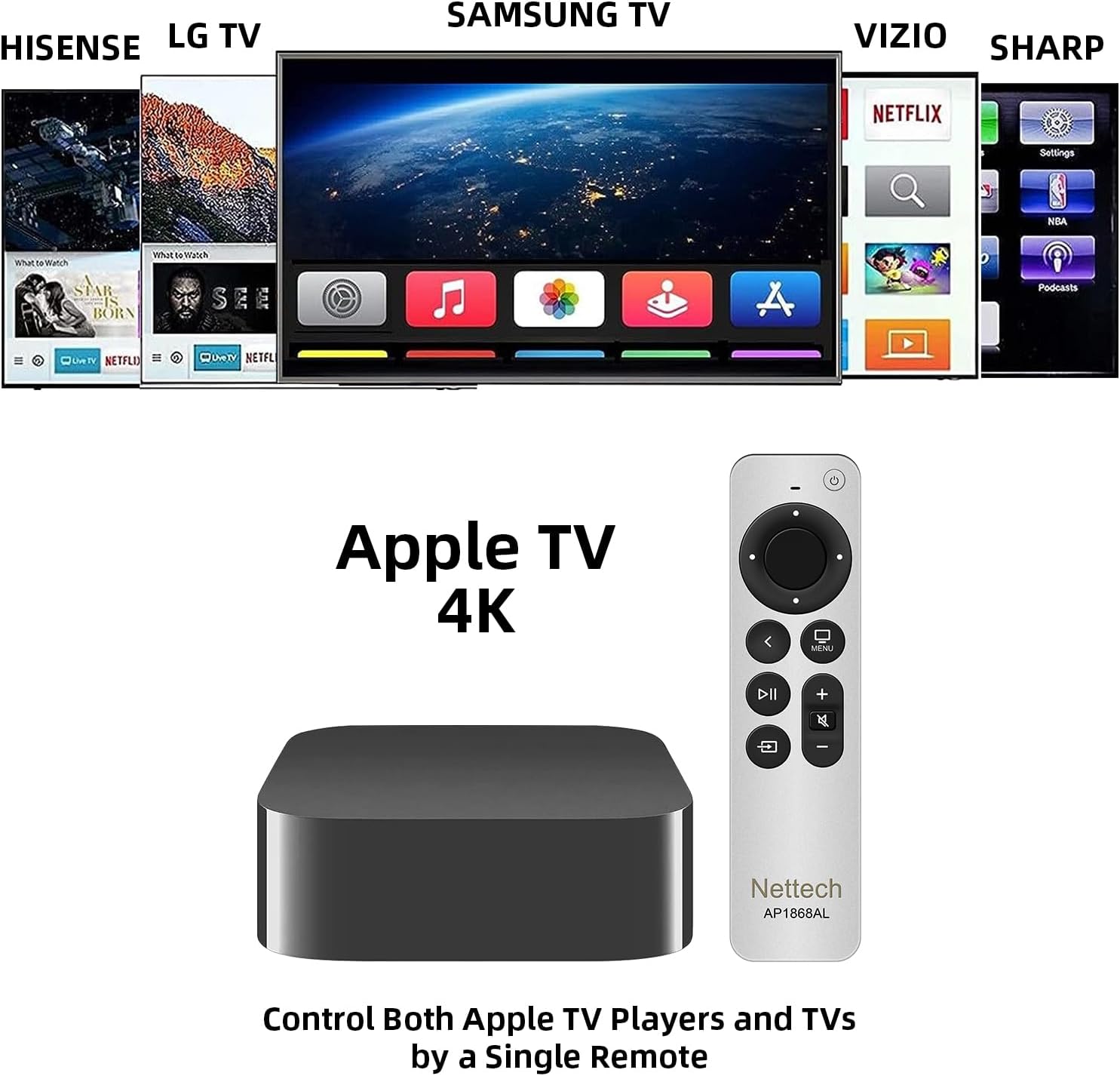
Figure 4: Remote controlling both Apple TV and various TV brands.
6. Instrucciones de funcionamiento
6.1. Navegación básica
Utilice el Anillo de navegación to move through menus and select items. Press the center button of the ring to confirm your selection. The Reproducir/Pausa El botón controla la reproducción multimedia.
6.2. Volume and Mute Control
Ajuste el volumen con el Volumen + y Volumen buttons. The dedicated Silenciar button allows you to quickly silence or restore audio, a feature not present on all older Apple TV remotes.
6.3. TV/Home Button Functionality
El TV/Home button provides quick access to the Apple TV app or the Home screen, depending on your Apple TV model (HD & 4K versions). Press and hold this button to access the Control Center.

Figure 5: The Versatile Home Button functionality.
6.4. Using Multiple Remotes
This Nettech remote can be used in conjunction with your original Apple TV remote, allowing you to have two functional remotes for your device simultaneously.
7. Mantenimiento
- Limpie el control remoto con un paño suave y seco. No utilice limpiadores abrasivos ni disolventes.
- Si no se utilizará el control remoto durante un período prolongado, retire las pilas para evitar fugas.
8. Solución de problemas
- El control remoto no responde: Ensure fresh AAA batteries are correctly installed. Re-attempt the pairing process (Section 5.2).
- Power key not controlling TV: Verify your TV brand is listed as compatible (Section 5.4). Ensure you have manually programmed the power key for your specific TV model.
- Funcionalidad limitada: This is an IR remote and does no support Siri voice control or touchpad functions. Line-of-sight to the Apple TV is required.
9. Especificaciones
| Característica | Detalle |
|---|---|
| Dimensiones del producto | 7 x 5 x 0.5 pulgadas |
| Peso del artículo | 1.76 onzas |
| Pilas necesarias | 2 pilas AAA (no incluidas) |
| Característica especial | Ergonomic, Pre Programmed |
| Color | Blanco / Plateado |
| Número máximo de dispositivos compatibles | 2 (Apple TV + TV Power) |
| Dispositivos compatibles | Apple TV (various generations), Select TV Brands |
10. Garantía y soporte
This Nettech Universal Replacement Remote comes with a Garantía de 30 días a partir de la fecha de compra.
If you have any questions, concerns, or require assistance with your remote, please do not hesitate to contact us. We are committed to helping you resolve any issues you may encounter.
Documentos relacionados - AP1868AL
 |
Ntera Streaming TV: Guía de configuración y selección de la aplicación Amazon Fire TV Stick 4K Comienza a usar Ntera Streaming TV con el Amazon Fire TV Stick 4K. Esta guía te explica paso a paso cómo configurarlo, conectarte a la red wifi, instalar la app Celect Communications y navegar por sus funciones. |
 |
Accesorio de control remoto universal Sideclick para Apple TV: Guía de configuración y programación Aprende a configurar, programar y usar fácilmente tu mando a distancia universal Sideclick para Apple TV 4K (2.ª generación). Incluye instrucciones paso a paso y consejos para una integración perfecta. |
 |
Manual de usuario de la cinta de correr antigravedad AlterG VIA-Gen serie 3 Este manual de usuario proporciona instrucciones completas para el funcionamiento, la configuración y el mantenimiento de la cinta de correr antigravedad AlterG VIA-Gen 3 Series. Incluye precauciones de seguridad, indicaciones de uso y especificaciones técnicas de este avanzado equipo de rehabilitación y fitness. |
 |
Manual del propietario del Honda Fit 2013: guía completa de funcionamiento y características Manual oficial del propietario del Honda Fit 2013. Esta guía proporciona información detallada sobre el funcionamiento del vehículo, las características de seguridad, los controles, el sistema de audio, la conducción, el mantenimiento y la resolución de problemas de su Honda Fit. |
 |
Guía del usuario del Apple Universal Dock Aprende a usar tu base universal de Apple con tu iPhone y iPod para cargar, sincronizar, reproducir audio y ver videos. Incluye instrucciones de configuración y una guía de control remoto. |
 |
Funda con teclado y panel táctil para iPad - Guía del usuario Guía del usuario de una funda delgada con teclado y panel táctil para iPad, compatible con iPad de 9.ª, 8.ª y 7.ª generación de 10.2" y iPad Air de 3.ª y Pro de 10.5". Aprende a acceder al modo de emparejamiento y a usar los gestos de navegación. |
Ask a question about this manual
Ask about setup, troubleshooting, compatibility, parts, safety, or missing instructions. Manuals+ will review the question and use this page’s manual context to help answer it.