
QTshine 5200mAh Portable Charger
Manual del usuario del minicargador portátil QTshine de 5200 mAh
Model: 5200mAh Portable Charger
Marca: QTshine
1. Introducción
This user manual provides detailed instructions for the safe and efficient operation of your QTshine 5200mAh Mini Portable Charger. Please read this manual thoroughly before using the product to ensure optimal performance and longevity. This portable charger is designed to provide on-the-go power for your compatible Apple devices.
2. Características del producto
- Diseño compacto y portátil: Small and lightweight, designed for easy carrying in pockets or small bags.
- Capacidad de 5200 mAh: Provides sufficient power for multiple charges of smaller devices or a significant boost for smartphones.
- Carga rápida PD de 20 W: Admite Power Delivery para una carga rápida de dispositivos compatibles.
- Integrated Lightning Connector: Direct plug-in design eliminates the need for extra cables for iPhone charging.
- Pantalla digital LCD: Muestra claramente el porcentaje de batería restante.tage del banco de energía.
- Carga de transferencia: Allows you to charge your device while simultaneously recharging the power bank.
3. Contenido del paquete
Por favor verifique que todos los artículos estén presentes en su paquete:
- 2 x QTshine 5200mAh Mini Portable Charger
- 1 x cable de carga USB-A a USB-C
- 1 x Manual de usuario (este documento)
4. Configuración
4.1 Cargo inicial
Before first use, it is recommended to fully charge your QTshine Mini Portable Charger. Connect the provided USB-A to USB-C cable to the power bank's USB-C input port and plug the USB-A end into a compatible USB wall adapter (not included). The LCD display will show the charging progress, reaching 100% when fully charged.
4.2 Comprobación del nivel de la batería
To check the remaining battery level, simply press the power button on the side of the power bank. The LCD digital display will illuminate, showing the current percentage.
5. Instrucciones de funcionamiento
5.1 Cómo cargar tu iPhone
- Ensure your portable charger has sufficient battery life (check LCD display).
- Align the integrated Lightning connector of the power bank with the charging port of your iPhone.
- Empuje suavemente el banco de energía sobre el puerto de carga de su iPhone hasta que quede conectado de forma segura.
- The LCD display on the power bank will light up, and your iPhone should indicate that it is charging.
- To stop charging, simply pull the power bank away from your iPhone.

This image illustrates various scenarios for using the portable charger, including charging on the go, cordless charging, and simultaneously charging while playing games. The compact design allows for convenient power access anywhere.

This infographic demonstrates the 5200mAh capacity of the portable charger, indicating approximately 5 charges for earphones, 1.57 charges for an iPhone 8, 0.92 charges for an iPhone 11, and 0.87 charges for an iPhone 14.

This image highlights the compatibility of the portable charger with various iPhone series, specifically iPhone 14, 13, 12/11, X, and 8/7/6 Series. It also explicitly states that the charger is not compatible with USB-C devices.
5.2 Recarga del banco de energía
To recharge your QTshine Mini Portable Charger:
- Connect the provided USB-A to USB-C charging cable to the USB-C input port on the side of the power bank.
- Plug the USB-A end of the cable into a 5V-2A wall charger or a computer's USB port.
- La pantalla LCD mostrará el porcentaje de batería.tage increasing as it recharges. A full recharge typically takes approximately 3 hours with a 5V-2A charger.
- The power bank supports pass-through charging, meaning you can charge your iPhone while the power bank itself is being recharged.
Nota: El cargador de pared no está incluido.

This image demonstrates the pass-through charging capability, where the power bank can charge a phone while being recharged itself. It also notes that a full charge takes about 3 hours with a 5V-2A charger and that pressing the power bank wakes it up.
6. Mantenimiento
- Mantenga el banco de energía alejado del agua, el fuego y las altas temperaturas.
- Evite dejar caer o someter el dispositivo a impactos fuertes.
- No intente desmontar ni reparar el banco de energía usted mismo.
- Limpie la superficie con un paño suave y seco. No utilice productos químicos agresivos ni materiales abrasivos.
- Guárdelo en un lugar fresco y seco cuando no lo utilice durante períodos prolongados.
7. Solución de problemas
| Problema | Posible causa | Solución |
|---|---|---|
| El banco de energía no carga el dispositivo. | Low battery on power bank; improper connection; incompatible device. | Recharge power bank; ensure secure connection; verify device compatibility (Lightning port only). |
| El banco de energía no se recarga. | Cable o adaptador de carga defectuoso; conexión suelta. | Try a different USB-C cable or wall adapter; ensure cable is firmly inserted. |
| La pantalla LCD no funciona. | Mal funcionamiento del dispositivo. | Contacte con atención al cliente. |
8. Especificaciones
- Modelo: Cargador portátil 5200mAh
- Capacidad de la batería: 5200 mAh
- Producción: Suministro de potencia (PD) de 20 W
- Aporte: 5V-2A (USB-C)
- Dimensiones: 3.03 x 1.45 x 1.05 pulgadas (aprox.)
- Peso: Aproximadamente 110g
- Compatibilidad: iPhone 6/7/8/X/11/12/13/14 Series (Lightning port devices)
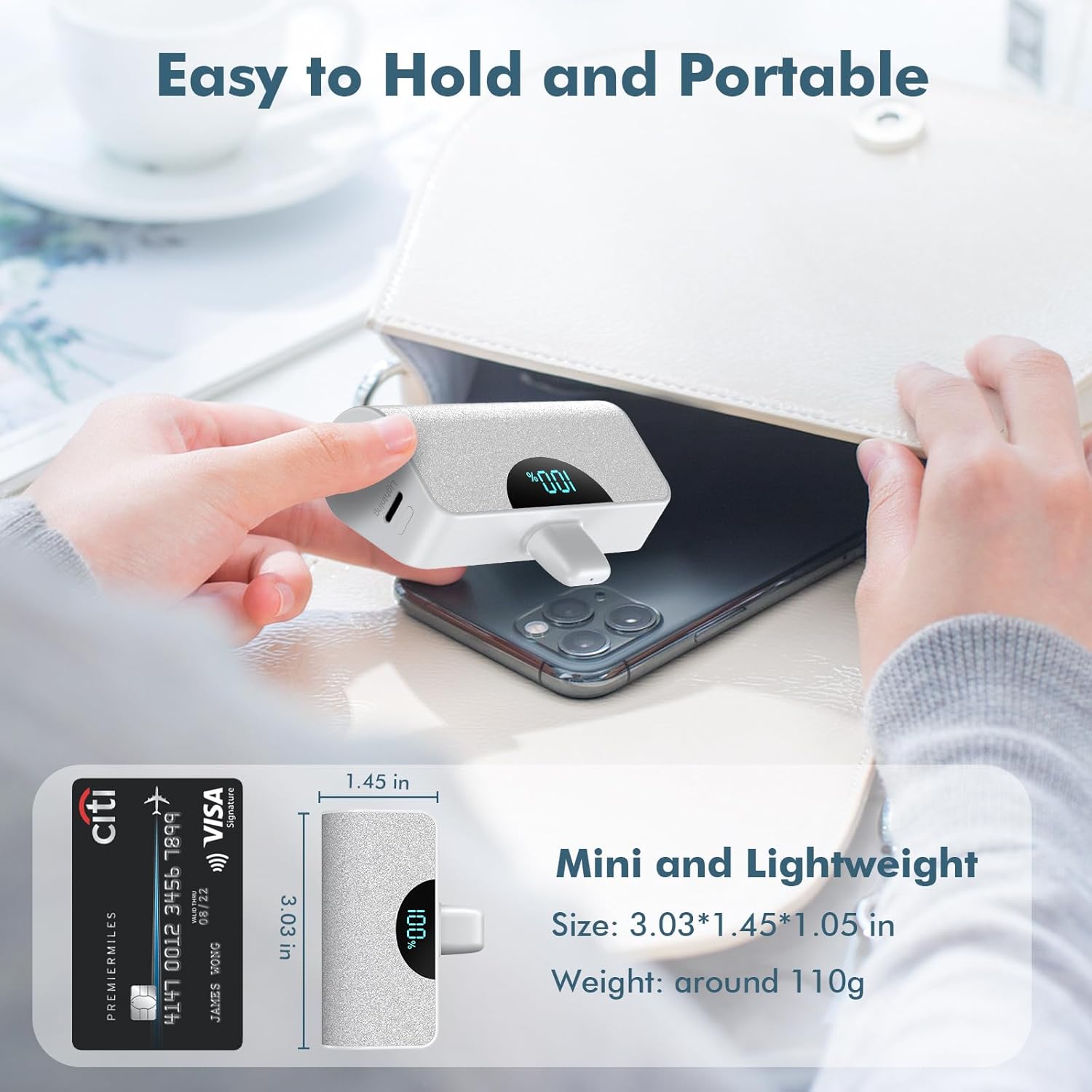
This image provides a visual representation of the charger's compact size, comparing it to a credit card, and details its dimensions (3.03 x 1.45 x 1.05 inches) and lightweight nature (around 110g).

This image displays both the black and white versions of the QTshine mini portable charger, each with its LCD screen indicating a full 100% charge.
9. Garantía y soporte
QTshine products come with a standard manufacturer's warranty. For detailed warranty information, product support, or any inquiries, please contact our customer service team through the retailer where you purchased the product or visit the official QTshine websitio.
Estamos comprometidos a proporcionar productos de alta calidad y un excelente servicio al cliente.
Ask a question about this manual
Ask about setup, troubleshooting, compatibility, parts, safety, or missing instructions. Manuals+ will review the question and use this page’s manual context to help answer it.