
1. Introducción
The XTUGA SEM100 is a professional wireless in-ear monitor system designed for stage performers, studio musicians, and lecturers. It provides crystal-clear, low-latency audio monitoring through UHF digital transmission, offering freedom of movement and reliable performance. This system features a rechargeable bodypack receiver, multiple frequency options, and versatile connectivity including Bluetooth and USB playback.
2. Contenido del paquete
Verifique que todos los artículos enumerados a continuación estén incluidos en su paquete. Si falta algún artículo o está dañado, comuníquese con atención al cliente.
- Transmisor × 1
- Receptor de bolsillo × 1
- Antena × 1
- Auricular × 2
- Cable Line × 4
- Adaptador de corriente × 1
- Manual de usuario × 1
3. Producto terminadoview
Familiarize yourself with the components of your XTUGA SEM100 system.

Figure 3.1: XTUGA SEM100 Wireless In-Ear Monitor System, showing the transmitter, bodypack receiver, and earphones.
3.1 Receptor de bolsillo

Figura 3.2: detallada view of the bodypack receiver, highlighting the power light, charging connector, and earphone jack.
- Luz de encendido: Indicates power status and connection.
- Conector de carga: Puerto tipo C para recargar la batería interna.
- Enchufe de audífonos: 3.5mm output for connecting in-ear monitors.
- Pantalla LCD: Displays channel, group, stereo mode, and lock status.
- Botones de control: For navigation, volume adjustment, and frequency selection.
3.2 Transmisor

Figura 3.3: Parte delantera y trasera view of the transmitter, showing input/output connectors, volume knobs, USB socket, and control buttons.
- Botón de configuración de funciones: Used to access and adjust system settings.
- Up/Down Selection Buttons: Para navegar por los menús y ajustar valores.
- Pantalla LCD: Displays frequency, group, channel, and other operational information.
- Indicador de Bluetooth: Se ilumina cuando se conecta Bluetooth.
- Interruptor de alimentación: Enciende o apaga el transmisor.
- Last/Next Song Buttons: For controlling media playback via USB or Bluetooth.
- Botón de reproducción/pausa: Para controlar la reproducción de medios.
- Toma USB: Para reproducción de unidad USB.
- Perilla de volumen: Ajusta el volumen de salida.
- Earphone Monitoring Socket: 3.5mm jack for direct monitoring from the transmitter.
- 6.35mm Output Connector: Salida de audio.
- Conectores de entrada: For audio input sources.
- Toma de corriente: Para conectar el adaptador de corriente.
- Antena: Para transmisión de señal inalámbrica.
4. Guía de configuración
4.1 Carga inicial
Before first use, ensure the bodypack receiver is fully charged. Connect the Type-C charging cable to the bodypack and a suitable USB power source. A full charge takes approximately 2.5 hours and provides up to 6 hours of operation.
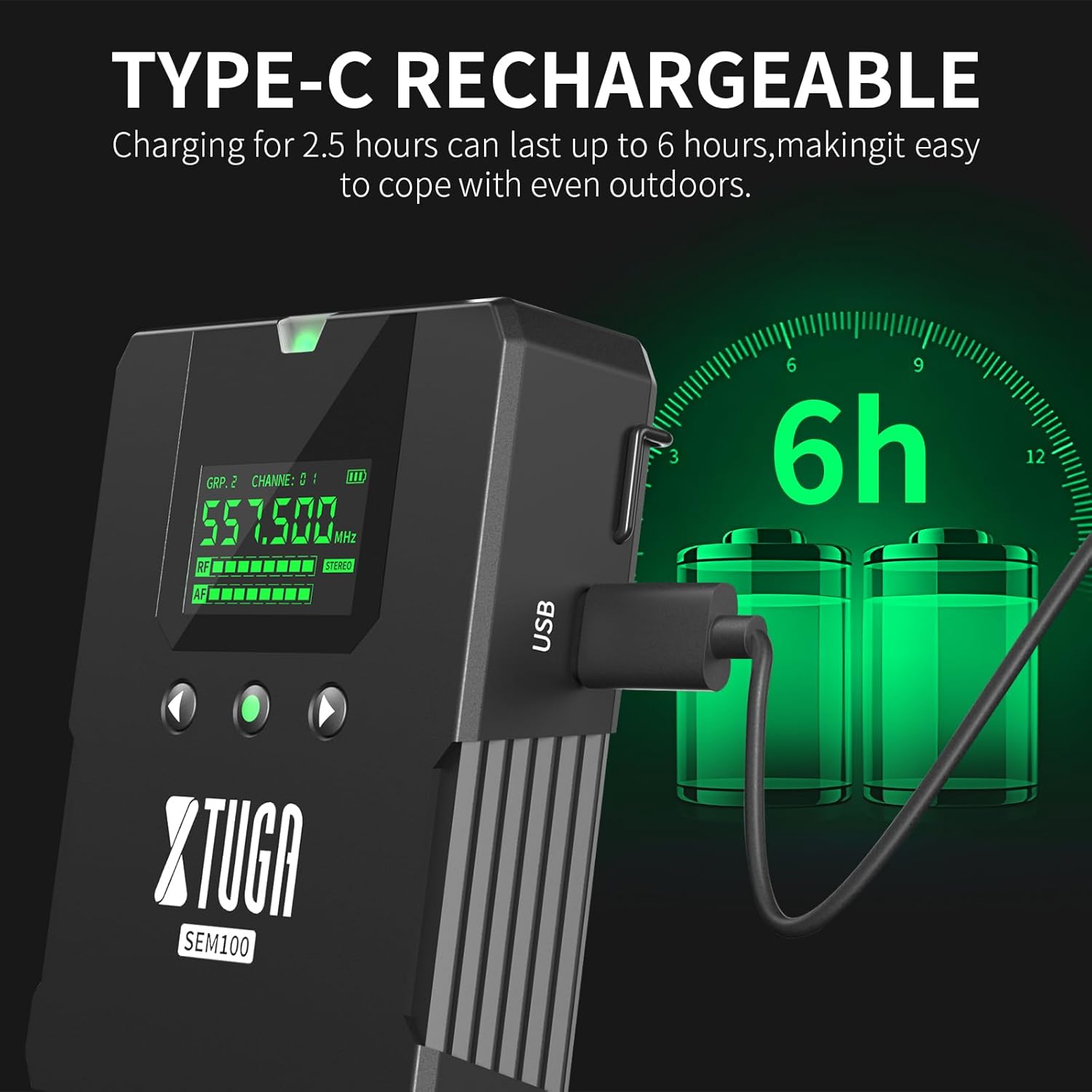
Figure 4.1: The bodypack receiver charging via its Type-C port, indicating a 2.5-hour charge time for 6 hours of use.
4.2 Conexión del transmisor
- Connect the provided antenna to the ANT connector on the rear of the transmitter.
- Connect the power adapter to the Power Socket on the transmitter and plug it into an electrical outlet.
- Connect your audio source (e.g., mixing console, instrument) to the Input Connectors on the transmitter.
4.3 Connecting the Bodypack Receiver
- Connect your in-ear monitors to the 3.5mm Earphone Jack on the bodypack receiver.
4.4 Sincronización de frecuencia
The system supports 40 frequency options, organized into 4 groups with 10 frequencies each. To ensure proper operation, the bodypack receiver must be synchronized with the transmitter's frequency.

Figure 4.2: The transmitter and two bodypack receivers displaying synchronized frequencies.
- Power on both the transmitter and the bodypack receiver.
- On the transmitter, use the Up/Down selection buttons to choose your desired frequency group and channel.
- On the bodypack receiver, long-press the middle button (often labeled 'SET' or similar) to initiate synchronization. The bodypack will automatically scan and lock onto the transmitter's frequency. The indicator light on the bodypack will remain on after successful connection.
5. Operación
Video 5.1: Demonstrates the setup, frequency selection, Bluetooth connection, and monitoring features of the XTUGA SEM100 system.
5.1 Encendido y apagado
- Transmisor: Press the Power Switch button on the front panel.
- Receptor de bolsillo: Long-press the power button on the top of the bodypack.
5.2 Ajuste del volumen
- Receptor de bolsillo: Use the left and right navigation buttons on the bodypack to adjust the volume. The bodypack offers twelve levels of volume adjustment.
- Transmisor: Use the Volume Knob on the front panel to adjust the overall output volume.
5.3 Conmutador mono/estéreo
The bodypack receiver allows switching between mono and stereo monitoring modes.

Figure 5.1: The bodypack receiver's screen showing the option to switch between mono and stereo modes.
- On the bodypack receiver, press the appropriate button (refer to the bodypack's screen for indication) to toggle between mono and stereo modes.
5.4 Bluetooth/USB Playback
The transmitter supports playing accompaniment directly via Bluetooth or a USB drive.
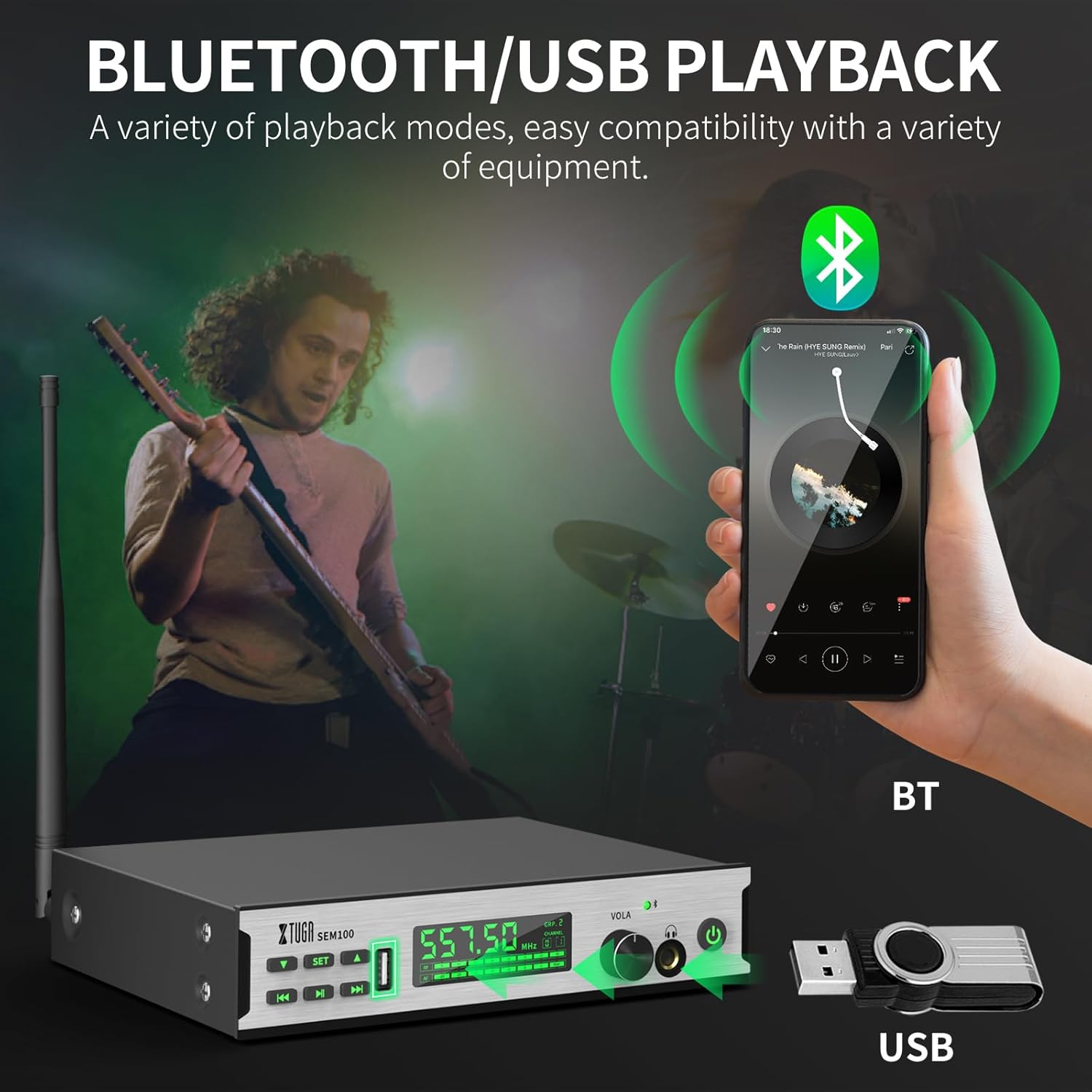
Figure 5.2: The transmitter connected to a smartphone via Bluetooth and a USB drive for accompaniment playback.
- Bluetooth: Enable Bluetooth on your smartphone or other device and pair with "XTUGA-SEM". The Bluetooth indicator on the transmitter will light up upon successful connection. Use the Play/Pause and Last/Next Song buttons on the transmitter to control playback.
- Reproducción USB: Inserte una unidad USB que contenga audio files into the USB Socket on the transmitter. Use the Play/Pause and Last/Next Song buttons to control playback.
5.5 Función de pantalla de bloqueo
To prevent accidental changes during performance, the bodypack receiver features a lock screen function.

Figure 5.3: The bodypack receiver displaying a lock icon on its screen, indicating the lock function is active.
- Long-press the middle button on the bodypack receiver to activate or deactivate the lock screen function. When locked, a locking pattern or icon will appear on the screen, and controls will be unresponsive to prevent unintended adjustments.
6. Mantenimiento
Proper maintenance ensures the longevity and optimal performance of your XTUGA SEM100 system.
- Limpieza: Use a soft, dry cloth to clean the surfaces of the transmitter and bodypack receiver. Avoid using liquid cleaners or solvents.
- Almacenamiento: Store the system in a cool, dry place away from direct sunlight and extreme temperatures. When not in use for extended periods, ensure the bodypack receiver is charged periodically to maintain battery health.
- Cuidado de la batería: Avoid fully discharging the bodypack's battery frequently. Recharge it regularly to prolong its lifespan.
7. Solución de problemas
If you encounter issues with your XTUGA SEM100 system, refer to the following common troubleshooting steps:
- Sin sonido:
- Ensure both the transmitter and bodypack receiver are powered on.
- Verify that the frequencies of the transmitter and bodypack are synchronized.
- Check all cable connections (audio input to transmitter, earphones to bodypack).
- Adjust volume levels on both the transmitter and bodypack.
- Ensure the bodypack is not in lock screen mode.
- Interferencia/Estática:
- Change the frequency channel on the transmitter and re-synchronize the bodypack. The system offers 40 frequency options to avoid clashes.
- Ensure the transmitter and receiver are within the operating range (up to 213ft/65m).
- Minimizar las obstrucciones entre el transmisor y el receptor.
- Busque otros dispositivos inalámbricos que operen en frecuencias similares cerca.
- Duración corta de la batería:
- Ensure the bodypack is fully charged (2.5 hours for 6 hours of use).
- El rendimiento de la batería puede degradarse con el tiempo debido al uso prolongado.
8. Especificaciones
Key technical specifications for the XTUGA SEM100 Wireless In-Ear Monitor System:
| Característica | Especificación |
|---|---|
| Marca | XTUGA |
| Número de modelo | SEM100 |
| Color | Negro |
| Colocación de orejas | En el oído |
| Factor de forma | En el oído |
| Impedancia | 4 ohmios |
| Toma de auriculares | 3.5 mm Jack |
| Tecnología de conectividad | Inalámbrico |
| Tecnología inalámbrica | Bluetooth |
| Alcance de Bluetooth | 65 metros (213 pies) |
| Versión de Bluetooth | 4.0 |
| Tipo de control | Control de volumen, botón pulsador |
| Control de ruido | Ninguno |
| Rango de frecuencia | 550 MHz-580 MHz |
| Tipo de controlador de audio | Conductor de armadura equilibrada |
| Material del recinto | Metal |
| Peso del artículo | 3.25 kilogramos (peso total del paquete) |
9. Garantía y soporte
XTUGA products are designed for reliability and performance. For warranty information, technical support, or service inquiries, please refer to the contact details provided in your product packaging or visit the official XTUGA webSitio. Conserve su recibo de compra como comprobante para reclamaciones de garantía.
For additional support, you may visit the XTUGA Store on Amazon: Tienda XTUGA