
Producto terminadoview
The Delton S12 Ergonomic Vertical Wireless Mouse is designed for comfort and efficiency, promoting a natural hand and wrist posture. It features a 2.4GHz wireless connection, six buttons, and three adjustable DPI levels for precise control. This manual provides instructions for setup, operation, maintenance, and troubleshooting.

Image: The Delton S12 Ergonomic Vertical Wireless Mouse, showcasing its vertical design.
Configuración
1. Desembalaje
Carefully remove the mouse and its accessories from the packaging. Ensure all components are present: the Delton S12 Vertical Wireless Mouse and the USB dongle.
2. Instalación de la batería
The Delton S12 mouse requires two (2) AAA batteries (not included). Follow these steps to install them:
- Ubique el compartimiento de la batería en la parte inferior del mouse.
- Deslice suavemente la tapa del compartimiento de la batería para abrirla.
- Inserte dos pilas AAA, asegurándose de la polaridad correcta (+/-).
- Cierre la tapa del compartimiento de la batería hasta que encaje firmemente en su lugar.
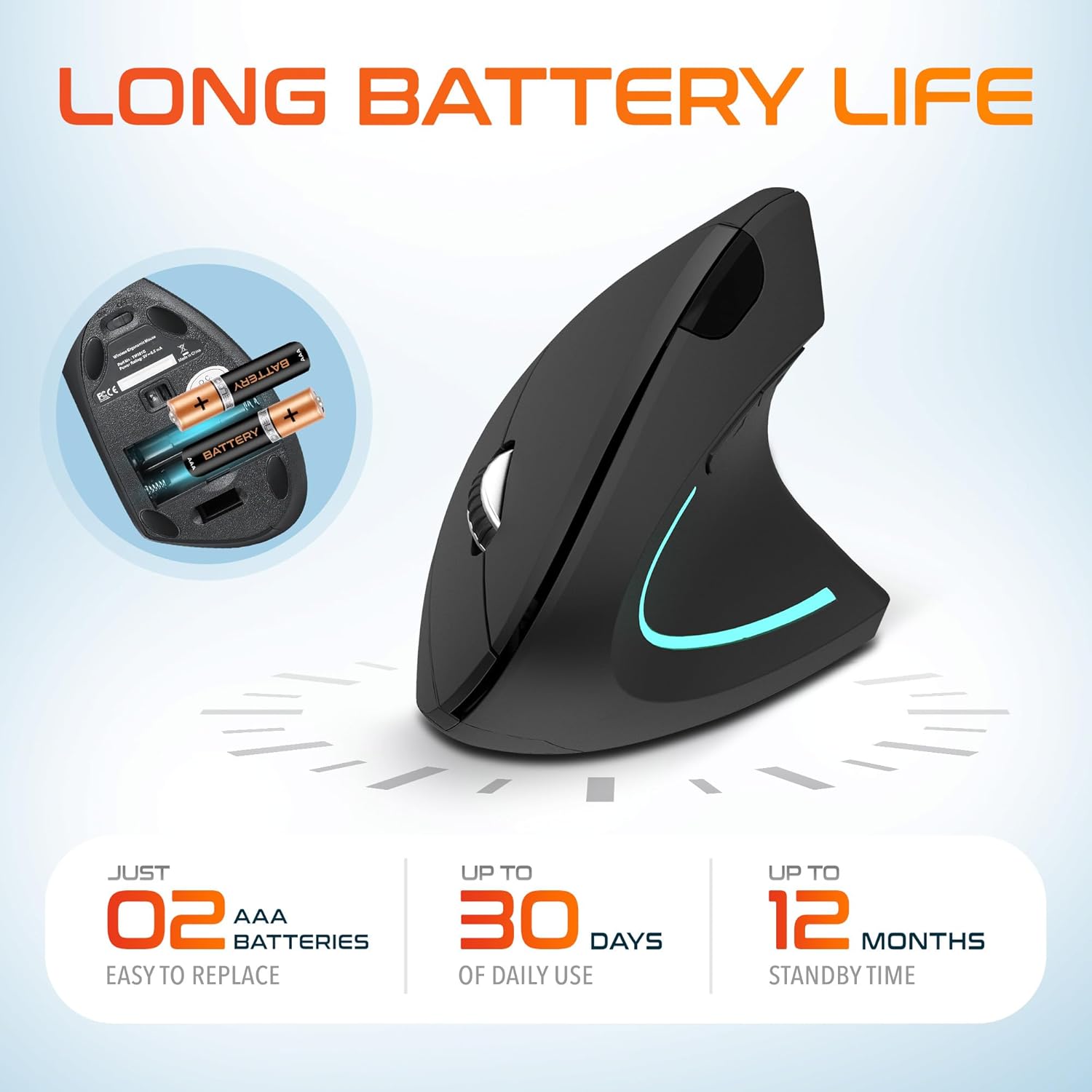
Image: The underside of the Delton S12 mouse with the battery compartment open, showing the correct placement for two AAA batteries.
3. Conexión del adaptador USB
The mouse connects wirelessly via a 2.4GHz USB dongle. No drivers are typically required for most operating systems.
- Remove the USB dongle from its storage slot, usually located near the battery compartment.
- Plug the USB dongle into an available USB port on your computer (PC, Laptop, Mac, Chromebook, etc.).
- The computer should automatically detect and install the necessary drivers. The mouse is ready for use once detected.

Image: The Delton S12 mouse positioned next to its USB dongle, ready for connection to a computer.
Cómo utilizar el ratón
The Delton S12 mouse features six buttons and a scroll wheel for enhanced functionality.
1. Funciones de los botones
- Click izquierdo: Primary selection and activation button.
- Botón derecho del ratón: Accede a los menús contextuales.
- Rueda de desplazamiento: Se desplaza verticalmente a través de los documentos y web páginas. También se puede hacer clic para la funcionalidad del clic central.
- Botón de cambio de DPI: Ajusta la sensibilidad del cursor (DPI).
- Botón de avance: Navega hacia adelante en web navegadores o file exploradores.
- Botón de retroceso: Navega hacia atrás en web navegadores o file exploradores.

Image: Diagram illustrating the location and function of the six buttons on the Delton S12 Ergonomic Vertical Wireless Mouse.
2. Ajuste de DPI
The mouse offers three adjustable DPI levels (800, 1200, 2400) to suit different tasks and preferences. Press the DPI Switch Button (located behind the scroll wheel) to cycle through the settings. An indicator LED will change color to show the current DPI level:
- LED azul: 800 DPI (Lower sensitivity, suitable for precise work)
- LED rojo: 1200 DPI (Medium sensitivity, standard use)
- LED verde: 2400 DPI (Higher sensitivity, suitable for faster cursor movement)

Image: Close-up of the Delton S12 mouse showing the DPI indicator LED changing colors (blue, red, green) for different sensitivity settings.
Mantenimiento
1. Limpieza
Para mantener un rendimiento óptimo, limpie el ratón con regularidad. Utilice un paño suave y seco para limpiar la superficie. Para la suciedad persistente, utilice un paño ligeramente seco.amp Se puede usar un paño, pero asegúrese de que no entre humedad en los componentes internos. Evite productos químicos agresivos o limpiadores abrasivos.
2. Reemplazo de la batería
When the mouse performance degrades or it stops responding, it's time to replace the batteries. Follow the battery installation steps outlined in the Setup section. Dispose of used batteries responsibly according to local regulations.
Solución de problemas
El ratón no responde:
- Asegúrese de que el mouse esté encendido.
- Compruebe que las baterías estén correctamente instaladas y tengan suficiente carga. Reemplácelas si es necesario.
- Verify the USB dongle is securely plugged into a working USB port on your computer. Try a different USB port.
- Move the mouse closer to the USB dongle to ensure it's within the 30-foot operating range.
- Reinicie su computadora.
Movimiento errático del cursor:
- Limpie el sensor óptico en la parte inferior del mouse con un paño suave y seco.
- Asegúrese de usar el ratón sobre una superficie adecuada. Evite superficies muy reflectantes o transparentes. Se recomienda usar una alfombrilla.
- Compruebe si hay interferencias de otros dispositivos inalámbricos.
DPI Indicator Light Not Changing:
- Press the DPI switch button firmly. If the issue persists, ensure batteries are fresh.
Presupuesto
| Marca | Delton |
| Número de modelo | S12 |
| Tecnología de conectividad | Conexión inalámbrica de 2.4 GHz (dongle USB) |
| Tecnología de detección de movimiento | Óptico |
| Niveles de DPI | 800, 1200, 2400 |
| Número de botones | 6 |
| Orientación de la mano | Bien |
| Fuente de poder | Funciona con pilas (se requieren 2 pilas AAA) |
| Duración media de la batería | Up to 30 days (daily use) |
| alcance inalámbrico | Hasta 30 pies |
| Dispositivos compatibles | PC, Laptop, Mac, Chromebook, iOS devices |
| Sistema operativo | Windows 11/10/9/8/7/XP, Mac OS 9/8/7, Linux, Chrome OS |
| Material | Plástico |
Garantía y soporte
Información de garantía:
This Delton S12 Ergonomic Vertical Wireless Mouse comes with a 1-Year Manufacturer Warranty. This warranty covers defects in materials and workmanship under normal use. For warranty claims, please retain your proof of purchase.
Atención al cliente:
For technical assistance, troubleshooting, or any questions regarding your Delton S12 mouse, please contact Delton customer support. Refer to the product packaging or the official Delton webSitio para obtener la información de contacto más actualizada.