
Información importante de seguridad
Please read this manual carefully before operating your Tenamic safe box. Retain this manual for future reference.
- No guarde las llaves de emergencia dentro de la caja fuerte. Guárdelas en un lugar seguro y separado.
- Asegúrese de que la caja fuerte esté montada de forma segura en una pared o en el piso para evitar su extracción no autorizada.
- Reemplace las baterías rápidamente cuando aparezca el indicador de batería baja para evitar quedarse bloqueado.
- This safe is designed for security against theft and unauthorized access. It is not water-resistant.
- Evite exponer la caja fuerte a temperaturas extremas o humedad.
Contenido del paquete
Verifique que todos los artículos estén presentes en el paquete:
- 1 x Tenamic Electronic Digital Security Safe Box (2.0 Cuft)
- 2 llaves de emergencia
- 1 x External Battery Compartment
- 2 x tornillos de montaje
- 1 x Manual de usuario

Figura 1: Contenido del paquete incluido
The package includes the main safe unit, two emergency keys for manual access, an external battery compartment for emergency power, two mounting screws for securing the safe, and this user manual for instructions.
Producto terminadoview
The Tenamic HB42 Electronic Digital Security Safe Box is designed to protect your valuables with a robust alloy steel construction and an advanced electronic locking system.
Características principales:
- Material más resistente: Constructed from solid alloy steel with a pry-resistant steel door and concealed hinges for enhanced security.
- Sistema de bloqueo confiable: Features an electronic keypad that supports two user-defined passwords and an emergency key override.
- Luz interna: A built-in LED light illuminates the interior automatically upon opening, aiding visibility in low-light conditions.
- Sistema de alarma: Activates an audio alarm after three consecutive incorrect password entries.
- Carpeted Interior: Protects stored items from scratches and damage.
- Capacidad de montaje: Pre-drilled holes allow for secure mounting to a wall or floor.

Figure 2: Tenamic Safe Box with Door Open
This image displays the safe with its door open, showcasing the spacious interior suitable for various valuables. The electronic keypad is visible on the door.
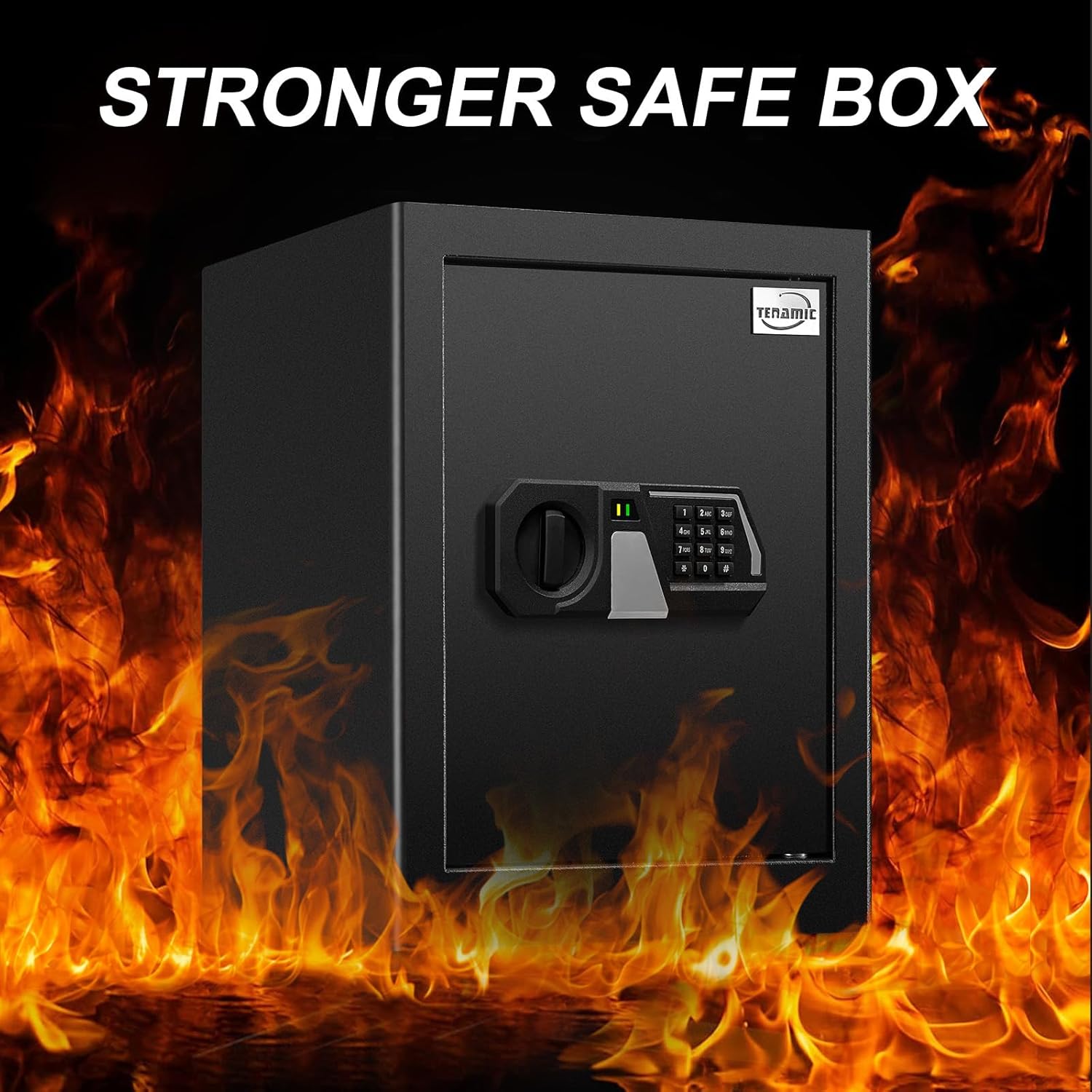
Figure 3: Stronger Safe Box Construction
This image highlights the robust construction of the safe, indicating its durability and resistance to external forces.

Figure 4: Reliable Locking System Features
The image details the electronic keypad, illustrating its physical buttons for faster response, the ability to set two passwords, and the wrong entry alert system to prevent unauthorized access.

Figure 5: Internal LED Light and Reset Button
This diagram points out the location of the internal LED light, which provides illumination, and the reset button, used for programming the safe.
Configuración
1. Instalación de la batería
The safe requires 4 AA batteries (not included) for the electronic keypad to function. Install them before first use.
- Open the safe door using the emergency key (refer to 'Opening the Safe for the First Time' section if needed).
- Localice el compartimiento de la batería en el interior de la puerta de la caja fuerte.
- Inserte 4 pilas AA, asegurándose de la polaridad correcta (+/-).
- Cierre la tapa del compartimento de la batería.

Figura 6: Pasos de instalación de la batería
This diagram illustrates the process of inserting batteries into the external battery compartment and then connecting it to the safe's keypad for initial power.
2. Montaje de la caja fuerte
For optimal security, it is recommended to mount the safe to a solid surface such as a wall or floor.
- Elija una ubicación adecuada para el montaje.
- Abra la puerta de la caja fuerte y localice los orificios de montaje pretaladrados en el panel posterior o inferior.
- Marque los puntos de perforación en la pared o el suelo a través de los agujeros.
- Perfore agujeros piloto utilizando una broca adecuada para el tipo de superficie.
- Align the safe with the drilled holes and secure it using the provided mounting screws.
- Asegúrese de que la caja fuerte esté firmemente sujeta y estable.

Figure 7: Safe Dimensions and Mounting Hardware
This image provides the external dimensions of the safe and displays the mounting screws included for secure installation.
Instrucciones de funcionamiento
1. Opening the Safe for the First Time (Emergency Key)
Before setting your personal password, you will need to open the safe using the emergency key.
- Locate the keyhole cover on the electronic keypad.
- Remove the keyhole cover.
- Inserte una de las llaves de emergencia en la cerradura.
- Turn the key clockwise while simultaneously rotating the knob clockwise to open the door.
- Once open, remove the key and replace the keyhole cover.

Figure 8: Opening with Emergency Key
This diagram illustrates the three steps to open the safe using the emergency key: removing the cover, inserting and turning the key, and then rotating the knob.
2. Setting/Changing User Passwords
The safe allows you to set two different passwords. The default initial password is '159'.
- With the safe door open, press the red reset button located on the inside of the door (refer to Figure 5).
- The keypad will beep, and the indicator light will flash.
- Introduzca la nueva contraseña deseada (3-8 dígitos) en el teclado.
- Press the '#' key to confirm. The safe will beep twice, indicating successful password change.
- To set a second password, repeat steps 1-4.
- Pruebe la nueva contraseña con la puerta abierta antes de cerrarla.
3. Opening the Safe with Password
- Introduzca su contraseña programada en el teclado.
- Presione la tecla '#'.
- The indicator light will turn green. Within 5 seconds, rotate the knob clockwise to open the door.

Figure 9: Opening with Password
This image illustrates the two simple steps to open the safe using the electronic keypad: first, entering the correct password, and then rotating the knob to unlock the door.
4. Emergency Opening (External Battery Compartment)
If the internal batteries are depleted and you cannot open the safe with your password, use the external battery compartment.
- Insert 4 AA batteries into the external battery compartment.
- Plug the external battery compartment's cable into the emergency power port on the keypad.
- Enter your password on the keypad and press '#'.
- Gire la perilla en el sentido de las agujas del reloj para abrir la puerta.
- Una vez abierto, reemplace las baterías internas inmediatamente.
Mantenimiento
- Reemplazo de batería: Replace all 4 AA batteries when the low battery indicator light appears on the keypad. Always use new, high-quality alkaline batteries.
- Limpieza: Limpie el exterior de la caja fuerte con un paño suave.amp paño. Evite limpiadores abrasivos o disolventes que puedan dañar el acabado.
- Mantenimiento del ojo de la cerradura: Keep the emergency keyhole clean and free of debris. Do not lubricate the lock mechanism unless specifically instructed by the manufacturer.
- Cuidado del interior: The carpeted interior can be vacuumed or wiped gently to remove dust.
Solución de problemas
| Problema | Posible causa | Solución |
|---|---|---|
| La caja fuerte no se abre con contraseña. | Incorrect password entered; Batteries are low or dead. | Re-enter the correct password. Replace batteries or use the external battery compartment. |
| El teclado no responde. | Baterías agotadas; Conexión de batería suelta. | Replace batteries. Ensure batteries are correctly inserted and connections are secure. |
| La alarma suena después de varios intentos. | Three consecutive incorrect password entries. | The alarm will stop after a short period. Use the correct password or emergency key to open. |
| Door does not open after entering correct password. | Knob not rotated within 5 seconds; Mechanical obstruction. | Ensure the knob is rotated clockwise immediately after the green light appears. Check for any obstructions. |
| La llave de emergencia no gira. | Key not fully inserted; Obstruction in keyhole. | Ensure the key is fully inserted and aligned. Check for any debris in the keyhole. |
Presupuesto
| Característica | Detalle |
|---|---|
| Marca | Tenámico |
| Número de modelo | HB42 Safe Box |
| Dimensiones exteriores (profundidad x anchura x altura) | 12.99" x 13.78" x 17.72" |
| Dimensiones interiores (profundidad x anchura x altura) | 12.8" x 13.58" x 17.52" |
| Capacidad | 2.0 pies cúbicos |
| Tipo de bloqueo | Teclado electrónico con llave de emergencia |
| Material | Acero aleado |
| Color | Negro |
| Fuente de poder | 4 pilas AA (no incluidas) |
| Tipo de montaje | Montaje en suelo, montaje en pared |
| Alarma | Audio Alert for incorrect password entries |
| Nivel de resistencia al agua | No resistente al agua |
Figura 10: Dimensiones del producto
This image provides a visual representation of the safe's external dimensions, crucial for planning its placement and installation.
Garantía y soporte
Tenamic products are manufactured to high-quality standards. For specific warranty details, please refer to the documentation included with your purchase or contact Tenamic customer support.
If you encounter any issues or have questions regarding your Tenamic HB42 Electronic Digital Security Safe Box, please contact our customer support team for assistance. Contact information can typically be found on the Tenamic official websitio o a través de su plataforma de compra.