
1. Introducción
Thank you for choosing the FLEXISPOT EF1 Basic Plus Electric Height-Adjustable Desk. This manual provides essential information for the safe and efficient assembly, operation, and maintenance of your new desk. Please read these instructions thoroughly before use and retain them for future reference.
Advertencias de seguridad
- Always follow the assembly instructions carefully to prevent accidents and ensure proper function.
- Do not exceed the maximum load capacity of 70 kg (154 lbs) on the desktop. Overloading can compromise stability and cause damage.
- To prevent tipping, especially when the desk is at its maximum height (121 cm), ensure the desk is anchored correctly to a stable wall.
- Keep children and pets away from the desk during operation to avoid injury from moving parts.
- Asegúrese de que no haya obstrucciones en el camino del escritorio durante el ajuste de altura.
- No se siente ni se pare sobre el escritorio.
- Desconecte la alimentación antes de limpiar o realizar cualquier mantenimiento.
2. Configuración y montaje
The FLEXISPOT EF1 Basic Plus desk requires assembly. Please ensure all components are present before beginning. Refer to the included assembly guide for detailed step-by-step instructions.
Desembalaje y comprobación de componentes
Carefully unpack all parts and lay them out on a soft, clean surface to prevent scratches. Verify that all components listed in the packing list are present.
Montaje terminadoview
- Attach the lifting columns to the desk feet.
- Conecte la barra transversal a las columnas de elevación.
- Fije el escritorio al marco ensamblado.
- Install the control panel and cable management tray (if included).
- Connect all motor and control cables according to the wiring diagram.
- Enchufe el cable de alimentación en un tomacorriente con conexión a tierra.

Figura 1: The FLEXISPOT EF1 Basic Plus Electric Height-Adjustable Desk with a black tabletop and white frame, set up in a home office environment.

Figura 2: This image illustrates the smooth, single-piece desktop construction of the FlexiSpot desk, contrasting it with typical multi-piece desktops that may have uneven surfaces.

Figura 3: An illustrative diagram detailing various desktop size and color options, along with key specifications for the desk frame, including adjustable height range, static and dynamic load capacities, and lifting noise levels.
3. Instrucciones de funcionamiento
Panel de control sobreview

Figura 4: Un detallado view of the desk's Smart Control Panel, highlighting the LED display, the up and down adjustment buttons, and four numbered buttons for memory presets.
The desk is equipped with an advanced all-in-one keypad for easy height adjustment and memory functions.
- Pantalla LED: Muestra la altura actual del escritorio en centímetros.
- Botones arriba/abajo (⌃ / ⌄): Mantenga pulsado el botón para ajustar manualmente la altura del escritorio hacia arriba o hacia abajo. Suelte el botón para detenerlo en la altura deseada.
- Ajustes preestablecidos de memoria (1, 2, 3, 4): Four programmable buttons to save and recall your preferred sitting and standing heights.
Configuración de ajustes preestablecidos de memoria
- Ajuste el escritorio a la altura deseada utilizando los botones Arriba/Abajo.
- Press the "M" or "SET" button (if available, otherwise proceed to step 3) to activate memory mode.
- Press one of the numbered preset buttons (1, 2, 3, or 4) within 3 seconds. The LED display will show "S-1", "S-2", etc., indicating the height has been saved to that preset.
Recuperación de ajustes preestablecidos de memoria
Simplemente presione el botón preestablecido numerado deseado (1, 2, 3 o 4). El escritorio se moverá automáticamente a la altura guardada.
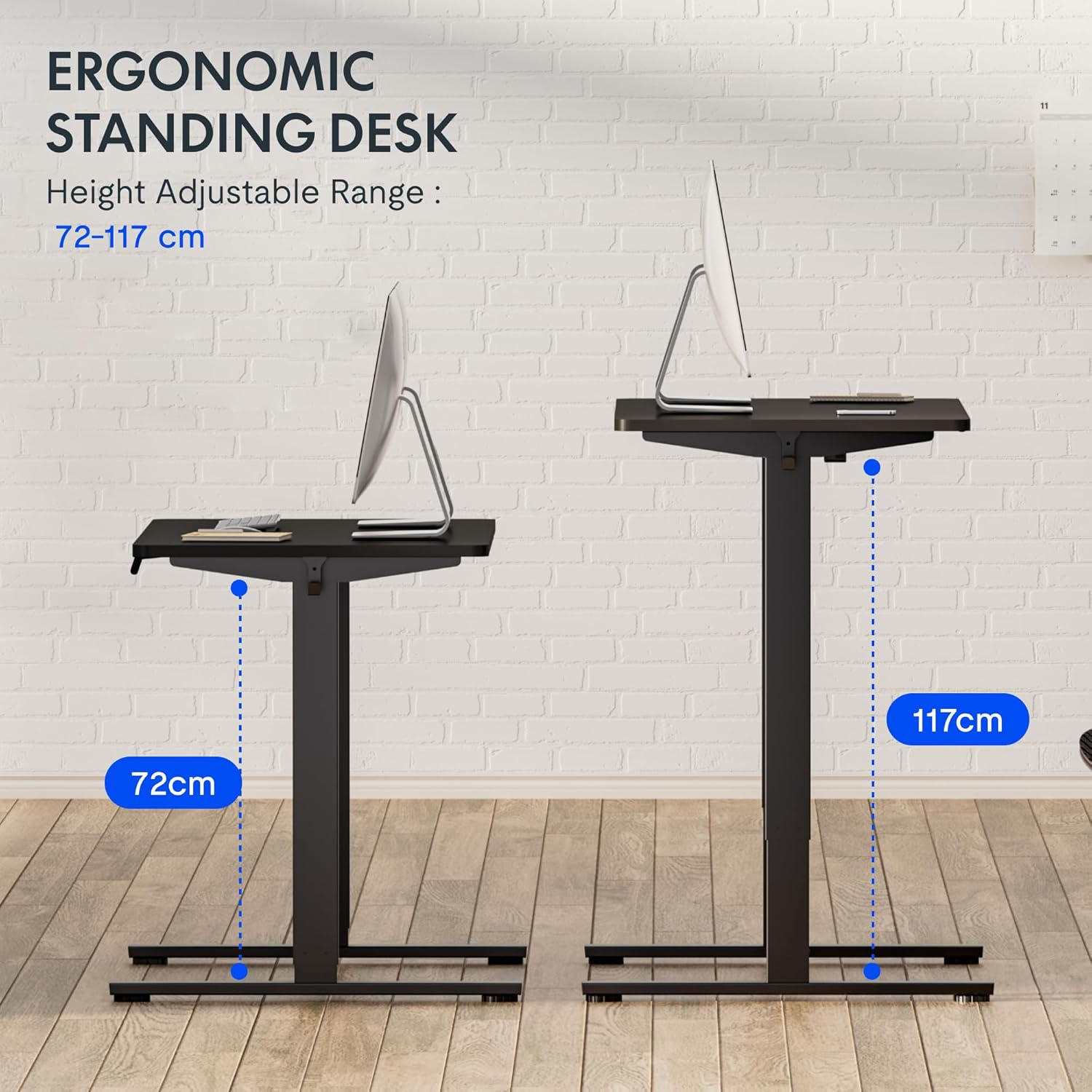
Figura 5: This image demonstrates the height adjustment capabilities of the desk, showing a range from 72 cm (sitting height) to 117 cm (standing height). Note that the full adjustable range for this model is 71 cm to 121 cm.
4. Mantenimiento
El mantenimiento regular garantiza la longevidad y el rendimiento óptimo de su escritorio FLEXISPOT.
- Limpieza: Limpie el escritorio y el marco con un paño suave.amp paño. Evite limpiadores abrasivos o productos químicos fuertes que puedan dañar el acabado.
- Sistema de organización de cables: Periodically check and organize cables to prevent tangles and ensure smooth operation.
- Inspección: Inspeccione periódicamente todos los tornillos y pernos para asegurarse de que estén bien apretados. Vuelva a apretarlos si es necesario.
- Lubricación: The lifting columns are generally maintenance-free. Do not attempt to lubricate internal components unless specifically instructed by customer support.
5. Solución de problemas
Si encuentra algún problema con su escritorio, consulte los siguientes problemas y soluciones comunes.
| Problema | Posible causa | Solución |
|---|---|---|
| El escritorio no se mueve. |
|
|
| El escritorio se mueve de manera desigual o hace ruidos inusuales. |
|
|
| Código de error mostrado en el LED. |
|
|
Procedimiento de reinicio
If the desk is not functioning correctly, a reset may resolve the issue.
- Press and hold the "Down" button until the desk reaches its lowest position and slightly retracts, then releases.
- If this does not initiate a reset, unplug the desk from the power outlet for at least 10 seconds, then plug it back in.
- Repeat step 1. The desk should now be reset.
6. Especificaciones
| Marca | FLEXISPOT |
| Número de modelo | HU-XI-201 |
| Desktop Dimensions (L x W x Thickness) | 120 x 80 x 2.5 cm |
| Adjustable Height Range (without tabletop) | 71 cm - 121 cm |
| Max Lifting Speed | 2.5 cm/s |
| Capacidad de carga máxima | 70 kg (154 libras) |
| Nivel de ruido de elevación | <50dB |
| Material de escritorio | Engineered Wood (MDF) with High-Pressure Laminate |
| Material del marco | Acero con recubrimiento en polvo |
| Color | Black tabletop + White frame |
| Características | Electric height adjustment, 4 memory presets |
7. Garantía y soporte
Información de garantía
FLEXISPOT stands behind the quality of its products. Your EF1 Basic Plus desk comes with the following warranty:
- Garantía de 3 años: Covers controllers and motors.
- Garantía de 5 años: Covers the desk frame.
Conserve su comprobante de compra para reclamaciones de garantía. La garantía cubre defectos de fabricación en condiciones normales de uso. No cubre daños causados por mal uso, accidentes, modificaciones no autorizadas o incumplimiento de las instrucciones de este manual.

Figura 6: An image outlining the warranty coverage for FlexiSpot desks, specifically mentioning a 3-year warranty for controllers and motors, and a 5-year warranty for the desk frame.
Atención al cliente
For technical assistance, warranty claims, or any questions regarding your FLEXISPOT EF1 Basic Plus desk, please contact FLEXISPOT customer support.
Websitio: www.flexispot.com (o equivalente regional)
Correo electrónico: Refer to your purchase documentation or the official FlexiSpot webSitio para correo electrónico de contacto.
Teléfono: Refer to your purchase documentation or the official FlexiSpot webSitio para número de teléfono de contacto.