
1. Introducción
This manual provides essential instructions for the safe and effective use of your Easy@Home Bluetooth Smart Blood Pressure Monitor, Model EBP08B. Please read this manual thoroughly before use and retain it for future reference.

Image 1.1: Easy@Home EBP08B Blood Pressure Monitor and accessories.
2. Características del producto
- Conectividad Bluetooth: Connects to the free MyHeartPal app for iOS and Android devices.
- Visualización de pantalla clara: Large backlit LCD for easy reading of measurements.
- Automatic Cuff Detection: Provides prompts if the cuff is not worn correctly.
- Detección de movimiento: Notifies the user to remain still for accurate results if movement is detected during measurement.
- Multiple User Modes: Supports 3 independent users (User 1, User 2, and Guest mode).
- Almacenamiento de memoria: Stores up to 500 records (250 for each of User 1 and User 2) on the device, with unlimited storage in the MyHeartPal app.
- Operación con un solo botón: Simple interface for ease of use.
- Puño ajustable: Fits arm circumferences from 8.6 to 16.5 inches (22 to 42 cm).
- Opciones de energía: Operates on 4 AAA batteries (included) or via USB cable (for power, not charging).
- Portabilidad: Includes a storage bag for convenient transport.
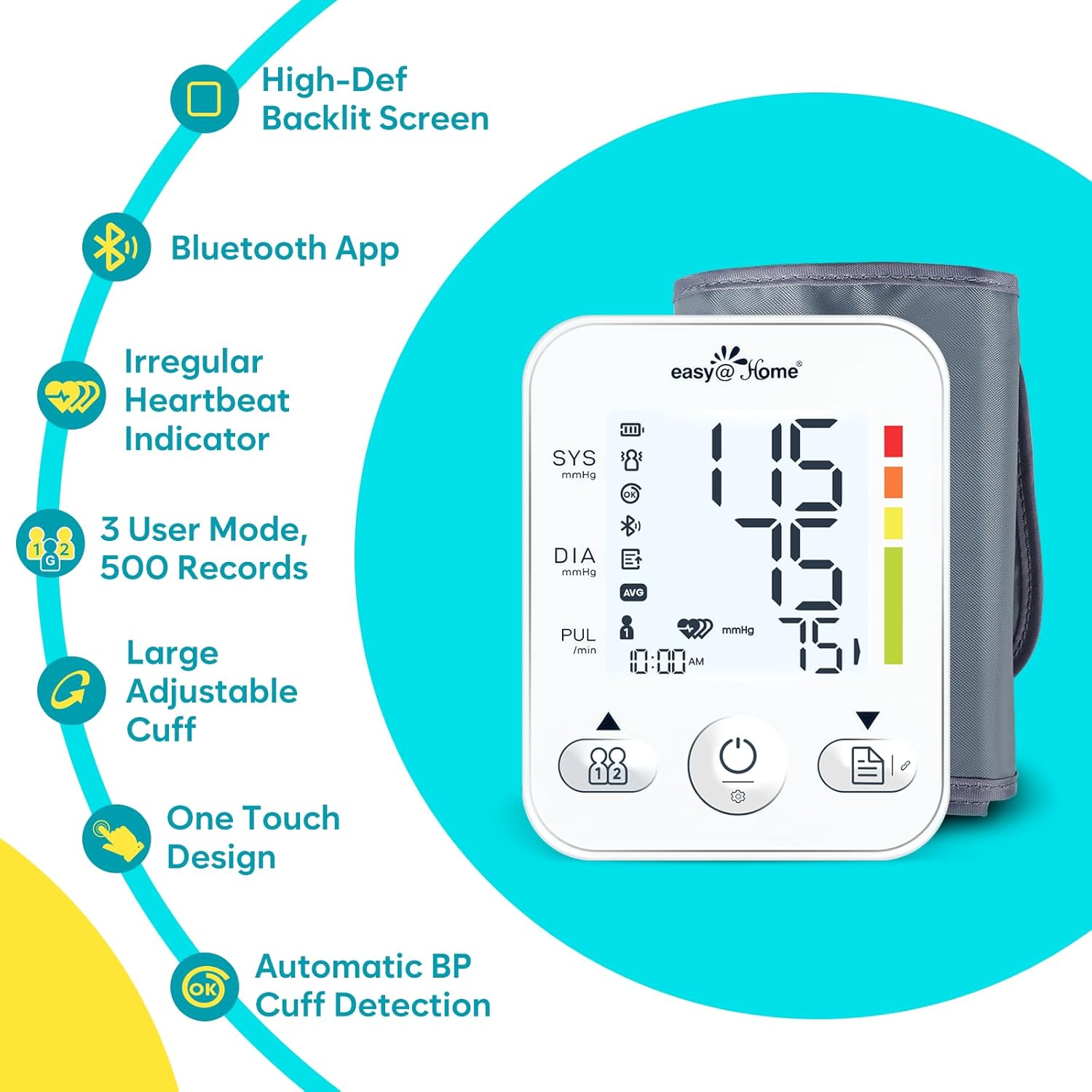
Image 2.1: Key features of the EBP08B monitor.
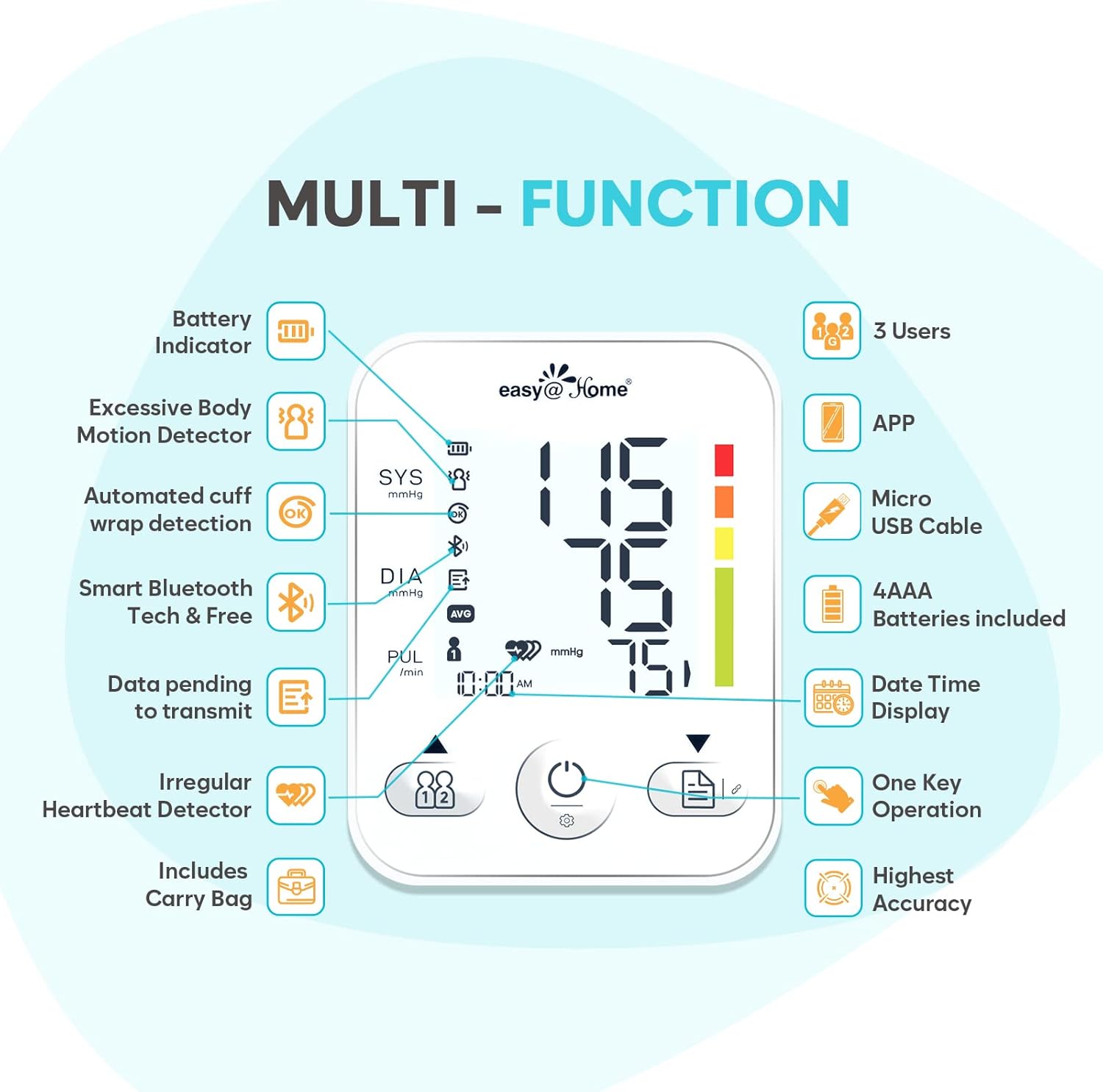
Image 2.2: Multi-function overview of the EBP08B monitor.
3. Configuración
3.1 Encendido del dispositivo
The monitor can be powered using either AAA batteries or a USB cable.
- Baterías: Insert four AAA batteries into the battery compartment on the back of the device. Ensure correct polarity.
- Cable USB: Connect the provided USB cable to the monitor and a USB power source (e.g., wall adapter, computer USB port). Note that the USB cable powers the device but does not charge it.

Image 3.1: Powering the monitor with USB cable or AAA batteries.
3.2 Installing the MyHeartPal App
The Easy@Home EBP08B monitor is designed to sync with the free MyHeartPal app for comprehensive data tracking and analysis.
- Download the 'MyHeartPal' app from the Apple App Store (for iOS) or Google Play Store (for Android).
- Instala la aplicación en tu teléfono inteligente.
- Siga las instrucciones de la aplicación para crear una cuenta y configurar su cuenta profesional.file.
3.3 Pairing with the MyHeartPal App
To pair your monitor with the MyHeartPal app via Bluetooth:

Image 3.2: Pairing the monitor with the MyHeartPal app.
- Asegúrese de que Bluetooth esté habilitado en su teléfono inteligente.
- Open the MyHeartPal app.
- On the monitor, press the memory button (often indicated by a document icon or 'M').
- In the app, navigate to the pairing section and select 'Add Automatically'.
- Confirme la solicitud de emparejamiento en su teléfono.
- Select the corresponding user ID (User 1 or User 2) in the app to link the device to your profile.
4. Instrucciones de funcionamiento
4.1 Important Notes Before Measurement
Para obtener lecturas precisas, tenga en cuenta las siguientes pautas:

Image 4.1: Important considerations before taking a measurement.
- Rest for at least 15 minutes before measurement to avoid tension or anger.
- Avoid strenuous exercise before the measurement.
- Avoid drinking tea, coffee, and smoking before the measurement.
- Do not move your body during the measurement.
- It is recommended to take the average of three consecutive measurements for a more representative blood pressure value.
- This device is not intended for use by pregnant women.
4.2 Colocación del manguito
La colocación adecuada del manguito es fundamental para obtener lecturas precisas.

Image 4.2: Steps for applying the cuff and starting a measurement.
- Tie the cuff securely on your upper left arm, ensuring your palm is facing upwards.
- Verify that you can comfortably insert 1 or 2 fingers between the cuff and your arm.
- Position the bottom edge of the cuff approximately 2-3 cm (about 1 inch) above your elbow.
- The monitor features automatic cuff detection. If the cuff is not worn correctly, the screen will prompt you to readjust it until an 'OK' symbol appears.
4.3 Realización de una medición
- After applying the cuff, power on the device.
- Select your User ID (User 1, User 2, or Guest) by pressing the user selection button (often indicated by two person icons).
- Press the 'START' button to begin the measurement. The cuff will inflate automatically.
- Remain still and silent during the measurement. If body movement is detected, the machine will notify you to stay still for an accurate result.
- Once the measurement is complete, your systolic pressure (SYS), diastolic pressure (DIA), and pulse rate (PUL) will be displayed on the screen.
- The results will automatically be stored in the device's memory and, if paired, synced to the MyHeartPal app.
4.4 Using Multiple User Modes
The monitor supports up to 3 users:
- User 1 & User 2: Each has 250 memory spaces on the device. Select the appropriate user before taking a measurement to ensure data is stored correctly.
- Modo invitado: This mode does not store any readings on the device. It is suitable for one-time measurements or for users who do not wish to save their data.
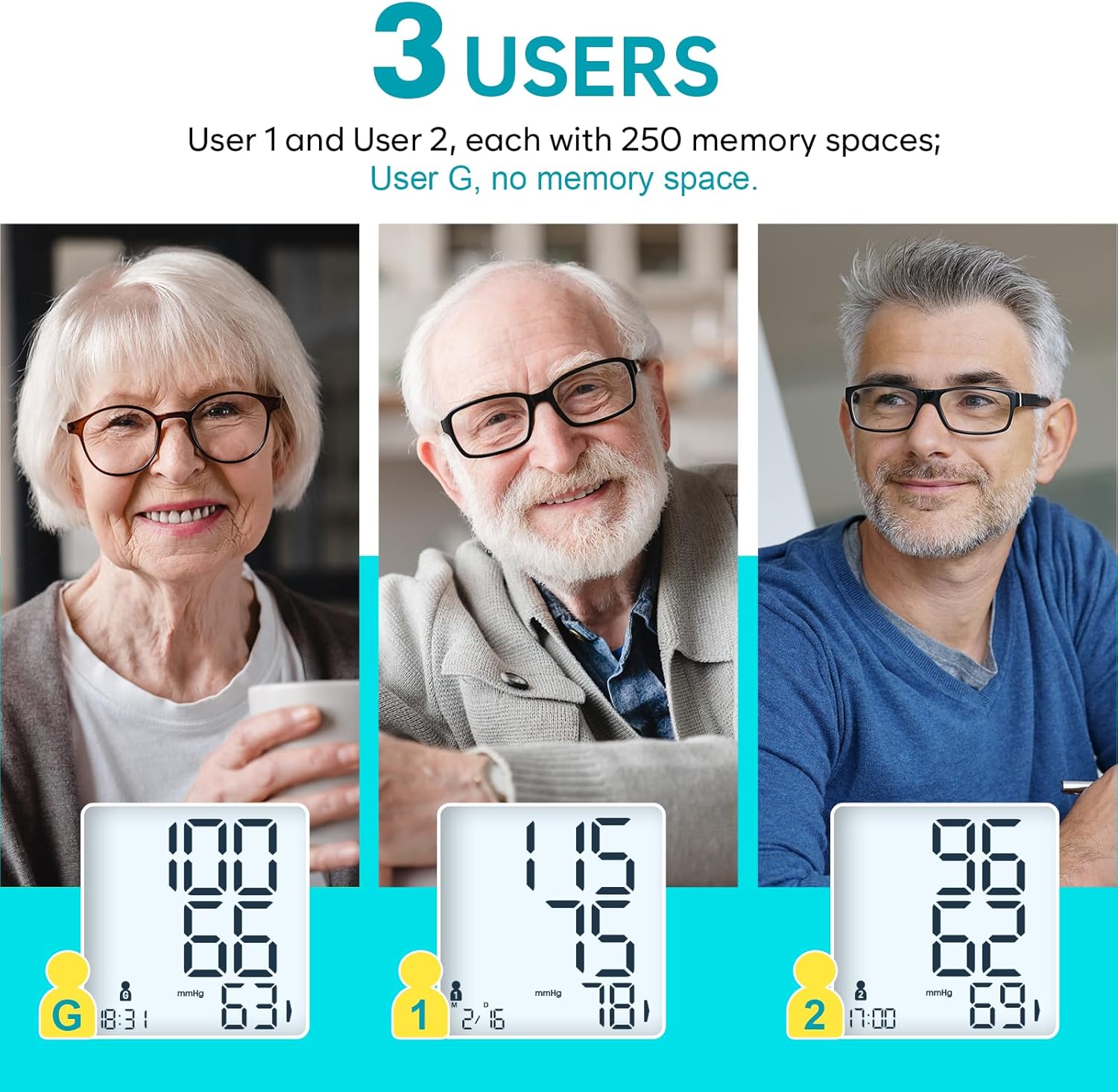
Image 4.3: Multi-user functionality of the EBP08B monitor.
5. Mantenimiento
5.1 Limpieza
- Limpie el monitor y el brazalete con un paño suave y seco.
- Si es necesario, utilice un paño ligeramente seco.ampLimpie con agua o un detergente suave. No utilice limpiadores abrasivos ni sumerja el dispositivo en agua.
5.2 Almacenamiento
- Store the device in its provided storage bag when not in use.
- Keep the monitor in a cool, dry place, away from direct sunlight, extreme temperatures, and humidity.
- Si el dispositivo no se utilizará durante un período prolongado, retire las baterías para evitar fugas.
5.3 Reemplazo de batería
When the battery indicator appears on the display, replace all four AAA batteries with new ones. Ensure correct polarity during installation.
6. Solución de problemas
| Problema | Posible causa | Solución |
|---|---|---|
| Error message / No reading | Cuff not applied correctly. | Readjust the cuff according to section 4.2 until 'OK' appears on the screen. |
| Lecturas inexactas | Movimiento durante la medición. | Remain still and silent during the measurement. The device will prompt you if movement is detected. |
| Lecturas inexactas | Measurement taken too soon after activity or consuming stimulants. | Follow the 'Important Notes Before Measurement' in section 4.1. |
| El dispositivo no enciende | Baterías bajas o instalación incorrecta de las baterías. | Replace batteries with new AAA batteries, ensuring correct polarity. Alternatively, use the USB power cable. |
| Problemas de emparejamiento de Bluetooth | Bluetooth not enabled on phone, app not open, or incorrect pairing steps. | Ensure phone Bluetooth is on, MyHeartPal app is open, and follow pairing steps in section 3.3. |
7. Especificaciones
- Modelo: EBP08B
- Dimensiones del producto: 3.94" de largo x 5.12" de ancho x 1.57" de espesor (10 x 13 x 4 cm)
- Peso: 1.15 libras (aprox. 0.52 kg)
- Tamaño de puño: Large, adjustable for arm circumferences 8.6" ~ 16.5" (22 ~ 42 cm)
- Fuente de energía: 4 AAA batteries (included) or Micro USB cable (for power, not charging)
- Tipo de pantalla: Pantalla LCD
- Memoria: 500 records (250 for User 1, 250 for User 2), unlimited in MyHeartPal app
- Fabricante: Fácil en casa
- Código postal: 810038634647
8. Garantía y soporte
8.1 Información de garantía
For specific warranty details, please refer to the warranty card included with your product or contact Easy@Home customer service. Warranty terms may vary by region and retailer.
8.2 Atención al cliente
If you encounter any issues or have questions regarding your Easy@Home EBP08B Blood Pressure Monitor, please contact Easy@Home customer support. You can also find additional resources and FAQs within the MyHeartPal app or on the official Easy@Home websitio.