
1. Introducción
This manual provides essential instructions for the setup, operation, and maintenance of your SPC KEOPS 7310BS cordless phone. Please read this manual thoroughly before using the device to ensure proper functionality and safety.
2. Contenido del paquete
Verifique que todos los artículos estén presentes en el paquete:
- SPC KEOPS 7310BS Handset
- Estación base
- Adaptador de corriente para estación base
- Cable de línea telefónica
- 2 pilas recargables AAA
- Manual de usuario (este documento)
3. Configuración
3.1. Instalación de la batería
- Localice la tapa del compartimiento de la batería en la parte posterior del teléfono.
- Deslice la cubierta hacia abajo para abrirla.
- Inserte las dos pilas recargables AAA, observando la polaridad correcta (+ y -).
- Vuelva a colocar la tapa del compartimiento de la batería.
- Place the handset on the base station to charge for at least 12 hours before first use.
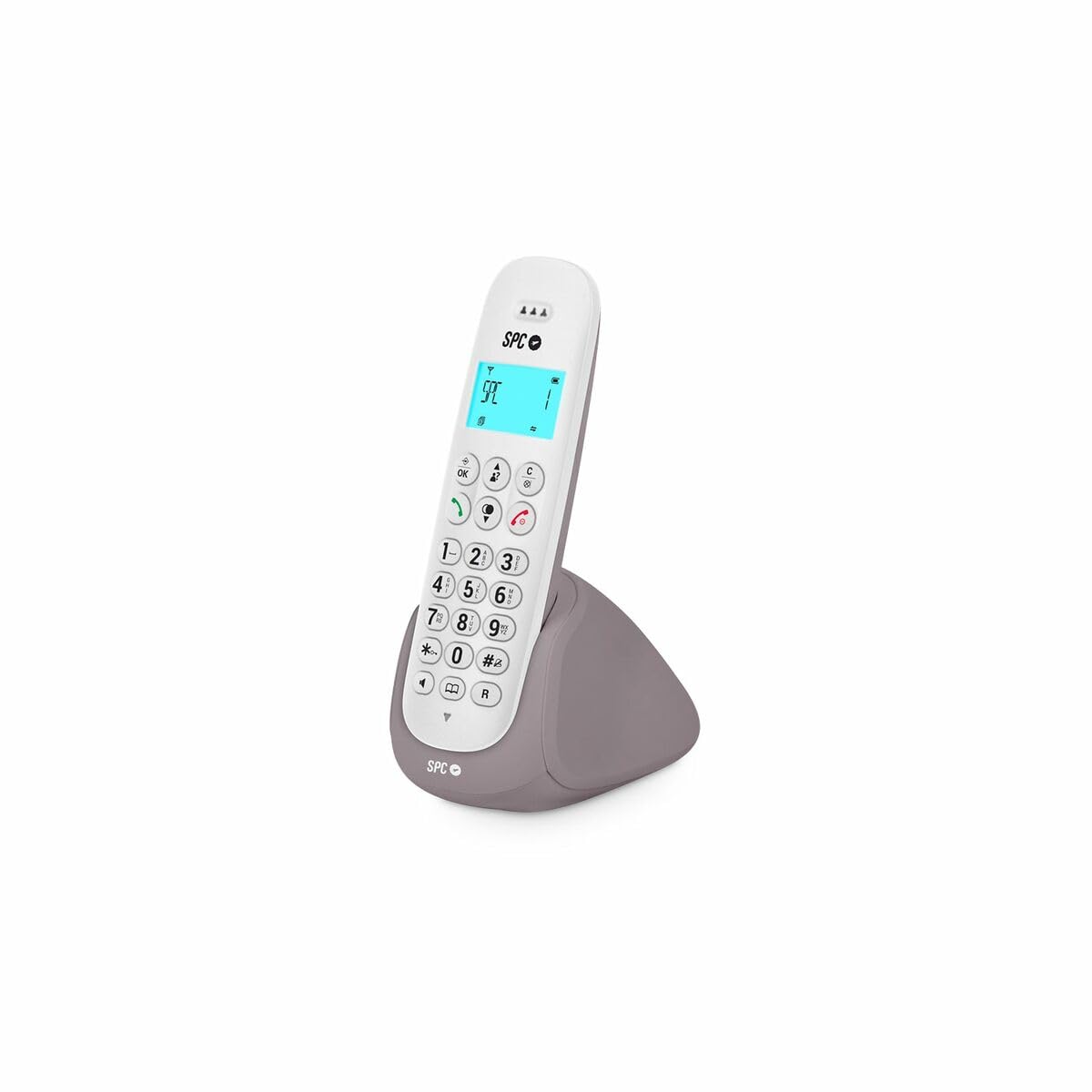
Image: The SPC KEOPS 7310BS cordless phone in white, showing the handset and base station. This image represents the product for which batteries are being installed.
3.2. Conexión de la estación base
- Connect one end of the telephone line cord to the LINE port on the base station.
- Conecte el otro extremo del cable de la línea telefónica a la toma de pared de su teléfono.
- Connect the power adapter to the POWER port on the base station.
- Conecte el adaptador de corriente a una toma de corriente estándar.
- Ensure the base station is placed on a flat, stable surface, away from heat sources and other electronic devices that may cause interference.
3.3. Registro del teléfono (para teléfonos adicionales)
The SPC KEOPS 7310BS supports up to 5 handsets with a single base station. If you are adding an additional handset, follow these steps:
- On the base station, press and hold the registration button (usually marked with a symbol like ☎ or PAR) for approximately 3 seconds until the indicator light flashes.
- On the new handset, access the menu, navigate to the "Register Handset" or "Add Handset" option, and confirm.
- Enter the system PIN (default is usually 0000 or 1234, refer to the handset's display for confirmation).
- Once registered, the handset display will show its assigned number (e.g., HS 1, HS 2).
4. Instrucciones de funcionamiento
4.1. Hacer una llamada
- Presione el HABLAR or VERDE botón.
- Marque el número de teléfono deseado.
- Para finalizar la llamada, presione la tecla FIN or ROJO button, or place the handset back on the base station/charger.
4.2. Contestar una llamada
Cuando suene el teléfono, presione el HABLAR or VERDE botón para responder.
4.3. Función manos libres
Durante una llamada, presione el Manos libres button (often marked with a speaker icon) to activate the speakerphone. Press it again to switch back to the earpiece.
4.4. Función de silencio
To temporarily mute your microphone during a call, press the MUTE button. Your caller will not hear you, but you can still hear them. Press the MUTE botón de nuevo para desactivar el silencio.
4.5. Visualización del identificador de llamadas
The 35 x 22 mm backlit display shows the caller's number or name (if available and subscribed to Caller ID service from your telephone provider), along with the date and time of the call, and battery status.
4.6. Intercom and Call Transfer
If you have multiple registered handsets, you can:
- Make Intercom Calls: Call another handset directly without using the external phone line.
- Transferir llamadas: Transfer an incoming external call to another handset.
- Llamadas en conferencia: Set up a three-way conference call between two internal handsets and one external caller.
Refer to the handset's on-screen menu for specific steps to perform these functions, as they may vary slightly.
5. Mantenimiento
5.1. Limpieza
Limpie el teléfono y la estación base con un paño suave.amp cloth. Do not use abrasive cleaners or solvents. Ensure the device is unplugged from the power outlet before cleaning.
5.2. Cuidado de la batería
The SPC KEOPS 7310BS features ECO technology, which helps optimize battery life and reduce energy consumption. To maintain optimal battery performance:
- Utilice siempre las pilas AAA recargables suministradas.
- Place the handset on the base station when not in use to ensure it remains charged.
- Evite exponer las baterías a temperaturas extremas.
- Si el teléfono no se utilizará durante un período prolongado, retire las baterías.
6. Solución de problemas
| Problema | Posible causa | Solución |
|---|---|---|
| Sin tono de marcado | El cable de la línea telefónica está desconectado o defectuoso. | Check the telephone line cord connections. Try a different phone line cord. |
| El teléfono no se carga | Handset not properly seated on the base station; dirty charging contacts; faulty batteries. | Ensure the handset is correctly placed. Clean charging contacts with a dry cloth. Replace batteries if necessary. |
| No puedo hacer ni recibir llamadas | Handset out of range; base station not powered; handset not registered. | Move closer to the base station. Check base station power. Register the handset (see Section 3.3). |
| Mala calidad de sonido/interferencias | Too far from base station; interference from other electronic devices. | Move closer to the base station. Relocate the base station away from other electronics (Wi-Fi routers, microwaves). |
7. Especificaciones
- Marca: CEP
- Modelo: KEOPS 7310BS
- Tipo: Teléfono inalámbrico
- Color: Blanco (blanco)
- Baterías: 2 x AAA recargables (incluidas)
- Material: Plástico
- Fuente de energía: Battery operated (handset), AC adapter (base station)
- Tipo de marcador: Teclado único
- Dimensiones (L x An x Al): 50 x 50 x 28 cm (Base station and handset combined, approximate)
- Sistema de contestación: Digital (if applicable)
- Redes compatibles: Traditional Telephone Networks (PSTN)
- Identificador de llamadas: Yes (requires subscription from service provider)
- Operación multi-línea: Operación de una sola línea
- ECO Technology: Yes, for reduced energy consumption and radiation.
- Mostrar: Backlit 35 x 22 mm display
- Máximo de teléfonos: Up to 5 handsets per base station
8. Garantía y soporte
For warranty information, please refer to the documentation provided at the time of purchase or contact your retailer. SPC products typically come with a manufacturer's warranty covering defects in materials and workmanship.
For technical support or further assistance, please visit the official SPC websitio o contacte con su departamento de atención al cliente. Los datos de contacto suelen encontrarse en la ficha del fabricante. websitio o en el embalaje del producto.


