
Lenovo XT81-BK
Manual de usuario de los auriculares Bluetooth Lenovo Thinkplus XT81
1. Producto terminadoview
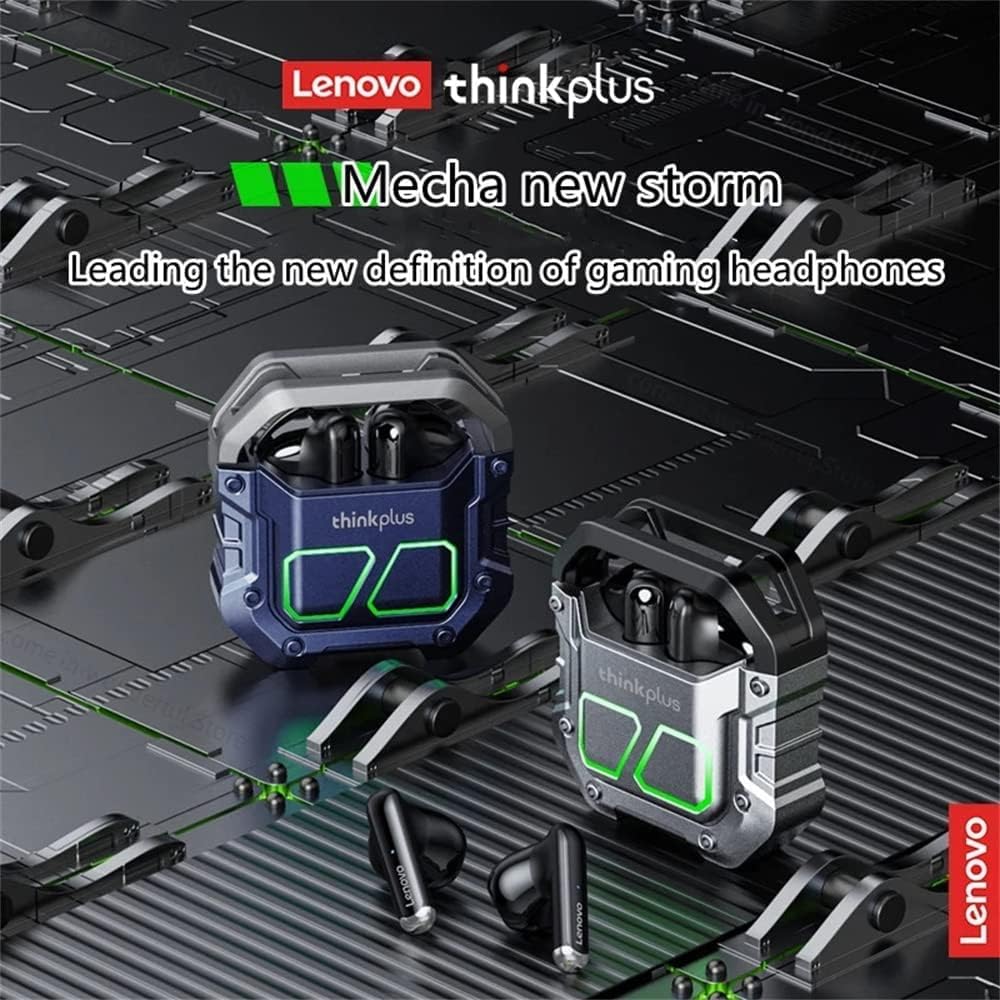
The Lenovo Thinkplus XT81 Bluetooth Earphones are designed for a superior audio experience with advanced features. They offer stable connectivity, intuitive controls, and a comfortable in-ear fit.

Key features include Bluetooth 5.1 for efficient data transfer and stable connection, a true wireless design allowing single or dual earbud use, and touch controls for easy operation.


2. Configuración
2.1 Carga de los auriculares y el estuche
Before first use, fully charge the earphones and the charging case. Place the earphones into the charging case. Connect the charging case to a power source using a compatible USB-C cable. The charging case has a 450mAh capacity, and each earphone has a 40mAh battery.

2.2 Emparejamiento con su dispositivo
- Abre el estuche de carga y retira ambos auriculares. Se encenderán automáticamente y entrarán en modo de emparejamiento.
- En su dispositivo (teléfono inteligente, tableta, etc.), habilite Bluetooth.
- Buscar available Bluetooth devices and select "Lenovo XT81" from the list.
- Una vez conectado, un mensaje de voz confirmará que el emparejamiento se realizó correctamente.
The earphones support automatic re-connection to the last paired device when removed from the case.
3. Instrucciones de funcionamiento
3.1 Controles táctiles
The Lenovo Thinkplus XT81 earphones feature intuitive touch controls on each earbud:
- Reproducir/Pausa: Un solo toque en cualquiera de los auriculares.
- Pista siguiente: Toque dos veces el auricular derecho.
- Pista anterior: Toque dos veces el auricular izquierdo.
- Responder/Finalizar llamada: Un solo toque en cualquiera de los auriculares.
- Rechazar llamada: Mantenga presionado cualquiera de los auriculares durante 2 segundos.
- Activar asistente de voz: Toque tres veces cualquiera de los auriculares.
3.2 Realizar llamadas
With built-in microphones on both earphones, you can enjoy clear stereo calls hands-free. Ensure both earbuds are connected for the best call quality.
4. Mantenimiento
To ensure the longevity and optimal performance of your Lenovo Thinkplus XT81 earphones, follow these maintenance guidelines:
- Limpieza: Limpie periódicamente los auriculares y el estuche de carga con un paño suave, seco y sin pelusa. No utilice limpiadores abrasivos ni disolventes.
- Almacenamiento: Cuando no los utilice, guarde los auriculares en su estuche de carga para protegerlos del polvo y de daños.
- Evite condiciones extremas: No exponga los auriculares a temperaturas extremas, humedad o luz solar directa.
- Cargando: Utilice únicamente el cable de carga incluido o uno equivalente certificado. Evite la sobrecarga.
5. Solución de problemas
Si tiene problemas con sus auriculares, pruebe las siguientes soluciones:
- Los auriculares no se emparejan: Ensure both earphones are removed from the case and are charged. Turn off and on your device's Bluetooth, then try pairing again.
- Solo funciona un auricular: Place both earbuds back into the charging case, close the lid, wait a few seconds, then remove them again. This often re-syncs them.
- Sin sonido: Check the volume level on your device and on the earphones. Ensure the earphones are properly connected to your device.
- Problemas de carga: Verify the charging cable and power adapter are working. Clean the charging contacts on both the earphones and the case.
- Mala calidad de llamada: Ensure the microphones are not obstructed. Try moving closer to your connected device.
6. Especificaciones
| Característica | Detalle |
|---|---|
| Marca | Lenovo |
| Nombre del modelo | XT81 BK |
| Número de modelo del artículo | XT81-BK |
| Tecnología de conectividad | Inalámbrico |
| Tecnología de comunicación inalámbrica | Bluetooth |
| Colocación de orejas | En la oreja |
| Factor de forma de los auriculares | En la oreja |
| Control de ruido | Cancelación activa de ruido |
| Color | Negro |
| Componentes incluidos | Estuche de carga inalámbrica |
| Dimensiones del paquete | 13.9 x 9.2 x 3.4 cm |
| Peso del artículo | 80 gramos |
| Primera fecha disponible | 1 de octubre de 2022 |
| Rango de edad (descripción) | Adulto |
7. Garantía y soporte
For warranty information and customer support, please refer to the documentation included with your purchase or visit the official Lenovo support webSitio. Conserve su comprobante de compra para cualquier reclamación de garantía.
Ask a question about this manual
Ask about setup, troubleshooting, compatibility, parts, safety, or missing instructions. Manuals+ will review the question and use this page’s manual context to help answer it.