
1. Introducción
La letra de DYMOTag 200B Bluetooth Label Maker is designed for easy and efficient label creation directly from your smartphone or tablet. This compact, lightweight and battery-operated device offers automatic Bluetooth connection, making it highly portable for various labeling needs, from home organization to office tasks. It utilizes authentic DYMO LetraTag labels, available in a variety of colors and types.

Figure 1: DYMO LetraTag 200B Label Maker and accessories.
2. ¿Qué hay en la caja?
La letra de DYMOTag 200B Value Pack typically includes:
- DYMO LetraTag Etiquetadora 200B
- 1 White Paper Label Tape
- 1 White Plastic Label Tape
- 1 Clear Plastic Label Tape
Note: 4 AA batteries are required for operation and are not included with the original purchase.
3. Configuración
3.1. Instalación de la batería
Para instalar baterías:
- Open the battery compartment cover on the underside of the label maker.
- Inserte 4 pilas AA, asegurándose de la polaridad correcta (+/-).
- Cierre bien la tapa del compartimento de la batería.

Figure 2: Battery and label cassette compartment.
3.2. Label Cassette Installation
To install a label cassette:
- Open the label maker's top cover.
- Insert the desired LetraTag label cassette into the compartment, ensuring it clicks into place.
- Cierre la cubierta superior.
3.3. Descarga y conexión de la aplicación
La letra de DYMOTag 200B connects wirelessly to your smartphone or tablet via Bluetooth.
- Download the "DYMO LetraTag Connect" app from your device's app store (available for iOS and Android).
- Asegúrese de que Bluetooth esté habilitado en su teléfono inteligente/tableta.
- Turn on the label maker by pressing the power button. The indicator light will illuminate.
- Open the "DYMO LetraTag Connect" app. The app will automatically search for and connect to your label maker. No manual Bluetooth pairing is typically required.

Figure 3: App interface for label creation.
3.4. Unboxing and Initial Setup Video
Video 1: An unboxing and initial setup guide for the DYMO LetraTag 200B Label Maker, demonstrating how to open the device and its components.
4. Operating the Label Maker
4.1. Creación de etiquetas
The "DYMO LetraTag Connect" app provides an intuitive interface for designing your labels:
- Entrada de texto: Type your desired text directly into the app.
- Personalización: Utilize the app's features to customize your labels, including 5 font sizes, 15 box styles, and over 100 icons. You can also underline text, create multiple text lines, or insert the current date.
- Plantillas: The app includes 8 pre-saved templates for quick label creation and organization tips. You can also save your own custom labels for future use.

Figura 4: Examples of labels created with the device on different items.
4.2. Impresión de etiquetas
Una vez que el diseño de su etiqueta esté completo en la aplicación:
- Ensure the label maker is powered on and connected via Bluetooth.
- Tap the "Print" button within the app. The app will send the data to the label maker.
- The label will print from the side slot of the device.
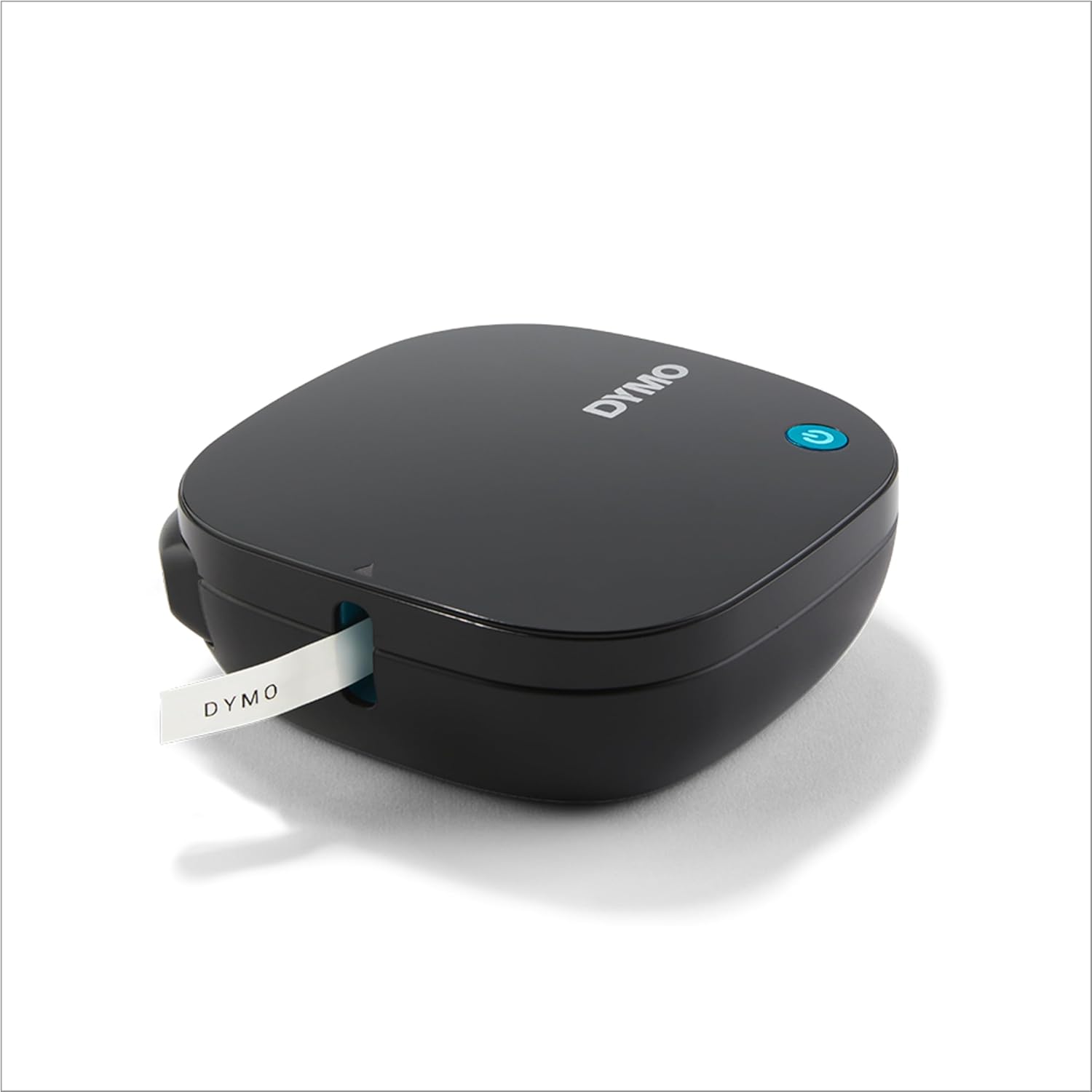
Figure 5: Label exiting the printer after printing.
4.3. Cortar etiquetas
After printing, you can manually cut the label using the integrated cutter:
- Locate the cutter button on the side of the label maker.
- Press the cutter button firmly to cleanly cut the printed label.
4.4. Label Maker Demonstration Video
Video 2: A demonstration of the DYMO LetraTag 200B Label Maker in use, showcasing the app interface, printing process, and label cutting.
4.5. Portable Labeling Video
Video 3: This video highlights the portability of the DYMO LetraTag 200B, demonstrating its compact size and ease of use for on-the-go labeling.
5. Mantenimiento
5.1. Replacing Label Cassettes
When a label cassette runs out or you wish to change label types:
- Abra la cubierta superior de la etiquetadora.
- Remove the empty or unwanted label cassette.
- Insert a new authentic DYMO LetraTag label cassette, ensuring it is properly seated.
- Cierre la cubierta superior.

Figure 6: Label cassette housing, made from 80% recycled materials.
5.2. Reemplazo de la batería
Replace the 4 AA batteries when the label maker's performance declines or the power indicator light changes (refer to app for battery status). Follow the steps outlined in Section 3.1.
6. Solución de problemas
If you encounter issues with your DYMO LetraTag 200B, consider the following general troubleshooting steps:
- Problemas de conectividad: Ensure Bluetooth is enabled on your device and the label maker is powered on and within range. Try restarting both the app and the label maker.
- Calidad de impresión: Check if the label cassette is correctly installed and if there is sufficient tape. Ensure batteries have enough power.
- Atascos de etiquetas: Carefully open the label maker and remove any jammed tape. Ensure the tape is properly aligned when re-inserting the cassette.
For more detailed troubleshooting, refer to the official user guide or contact DYMO support.
7. Especificaciones
| Característica | Especificación |
|---|---|
| Nombre del modelo | LetraTag 200B |
| Número de modelo del artículo | 2177407 |
| Marca | DYMO |
| Tecnología de conectividad | Bluetooth |
| Tecnología de impresión | Térmico |
| Tamaño máximo de medios | 12 milímetros |
| Dispositivos compatibles | Teléfonos inteligentes, tabletas (iOS, Android) |
| Fuente de poder | 4 pilas AA (no incluidas) |
| Peso del artículo | 11.3 onzas (0.32 kilogramos) |
| Dimensiones del producto | 7.87 x 7.87 x 3.94 pulgadas |
| Fabricante | Marcas Newell |
| Fecha de primera disponibilidad | 12 de diciembre de 2022 |
8. Garantía y soporte
8.1. Planes de protección
Optional protection plans may be available for your DYMO LetraTag 200B, including 3-Year and 4-Year protection plans. Please refer to your purchase documentation for details on available plans and coverage.
8.2. User Guide & Support
For a comprehensive user guide and additional support, please refer to the official PDF user guide provided by DYMO:
Descargar la Guía del Usuario (PDF)
You can also visit the official DYMO websitio o póngase en contacto con su servicio de atención al cliente para obtener más ayuda.