
1. Introducción
Gracias por la compraasing the Aiwa AW-LED55XVC-RM 55-inch Ultra HD Frameless Android TV. This television combines a stunning 4K UHD display with the versatility of the Android 9.0 operating system, offering a comprehensive entertainment experience. It features a built-in soundbar, DVB T2 digital tuner, Chromecast functionality, and multiple connectivity options. This manual provides essential information for the safe and efficient use of your new television.
2. Información de seguridad
Please read all safety instructions carefully before using the television and retain this manual for future reference. Failure to follow these instructions may result in electric shock, fire, or damage to the product.
- Fuente de energía: Asegúrese de que el televisor esté conectado a una fuente de alimentación dentro del volumen especificado.tagrango e (220 voltios).
- Ventilación: No bloquee las aberturas de ventilación. Deje suficiente espacio alrededor del televisor para una correcta circulación del aire y evitar el sobrecalentamiento.
- Agua y humedad: No exponga el televisor a la lluvia, a la humedad ni coloque objetos llenos de líquidos sobre él o cerca de él.
- Limpieza: Desconecte el televisor de la toma de corriente antes de limpiarlo. Utilice un paño suave y seco. No utilice limpiadores líquidos ni en aerosol.
- Colocación: Place the TV on a stable, level surface or mount it securely to a wall using a VESA compatible mount (200mm x 200mm). Keep it away from direct sunlight, heat sources, and strong magnetic fields.
- Niños: Supervise a los niños para asegurarse de que no se suban ni jueguen con el televisor.
- Servicio: No intente reparar este producto usted mismo. Refiera todo el servicio a personal de servicio calificado.
3. Contenido del paquete
Verifique que todos los artículos enumerados a continuación estén incluidos en su paquete. Si falta algún artículo o está dañado, comuníquese con su vendedor.
- 1 x Aiwa AW-LED55XVC-RM 55-inch Ultra HD Frameless Android TV
- 1 x Control remoto (con pilas)
- 1 x Cable de Alimentación
- 1 x Manual de usuario (este documento)
- 2 x Soportes de TV (para montaje en mesa)
- Tornillos para soportes de TV
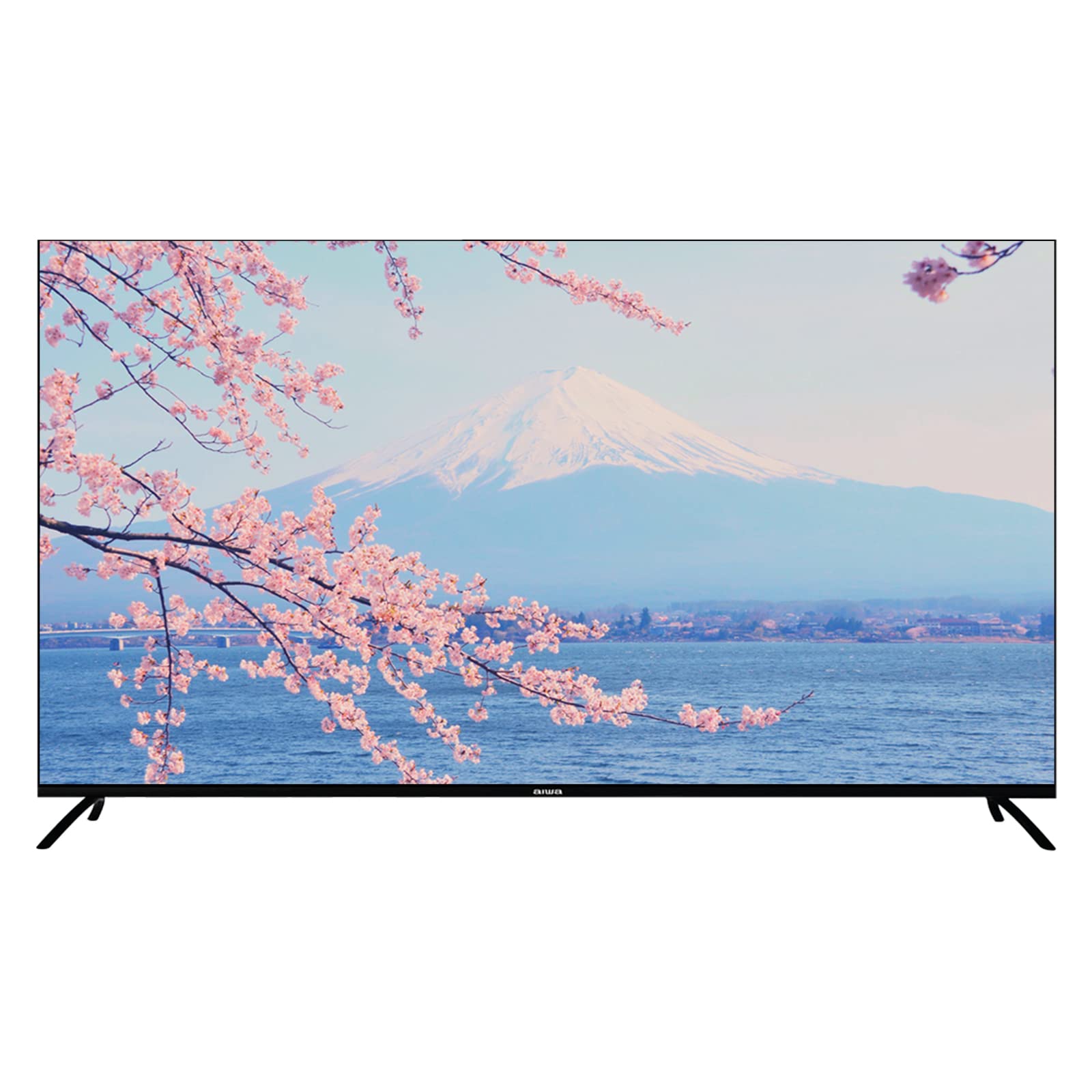
Image: Aiwa AW-LED55XVC-RM TV and included accessories. This image shows the television unit, remote control, and detachable stands.
4. Configuración
4.1 Attaching the TV Stands (Table Mount)
- Coloque con cuidado el televisor boca abajo sobre una superficie suave y limpia para evitar dañar la pantalla.
- Alinee cada soporte con los orificios para tornillos correspondientes en la parte inferior del televisor.
- Fije los soportes con los tornillos incluidos. Asegúrese de que estén bien apretados.
- Levante con cuidado el televisor a su posición vertical sobre una superficie estable y nivelada.
4.2 Montaje en pared (opcional)
This TV supports VESA standard wall mounts (200mm x 200mm). Wall mount hardware is not included. Please consult a professional for wall mounting installation to ensure safety and proper setup.
4.3 Conexión de dispositivos externos
El televisor cuenta con varios puertos para conectar dispositivos externos:
- HDMI (3 puertos): For connecting Blu-ray players, game consoles, set-top boxes, etc. Use HDMI 2.0 compatible cables for optimal 4K performance.
- USB 2.0 (2 ports): For connecting USB storage devices (e.g., flash drives) to play media or for service updates.
- AV IN (1 port): Para conectar dispositivos más antiguos mediante cables de audio estéreo y vídeo compuesto.
- Fibre Optic (1 port): For digital audio output to a sound system or home theater receiver.
- Entrada de antena/cable: For connecting a DVB T2 compatible antenna for digital terrestrial television.
Imagen: Trasera view of the Aiwa AW-LED55XVC-RM TV. This image illustrates the location of various input/output ports such as HDMI, USB, AV IN, and Fibre Optic.
4.4 Encendido inicial y configuración de la red
- Conecte el cable de alimentación al televisor y luego a una toma de pared.
- Presione el botón de encendido en el control remoto o en el televisor.
- Siga las instrucciones en pantalla para completar la configuración inicial, incluida la selección de idioma, la zona horaria y la conexión de red.
- For network connection, select your Wi-Fi network and enter the password, or connect an Ethernet cable to the LAN port (if available).
- Tune in DVB T2 channels by following the on-screen prompts for channel scanning.
5. Uso de su televisor
5.1 Interfaz de Android TV
Your Aiwa TV runs on Android 9.0, providing access to a wide range of apps and services. Navigate the interface using the directional buttons and OK button on your remote control. The Home screen displays recommended content, installed apps, and input sources.
5.2 Using Chromecast
The built-in Chromecast allows you to cast content (videos, music, photos) from your compatible smartphone, tablet, or computer directly to your TV. Ensure your device and TV are connected to the same Wi-Fi network. Look for the Cast icon (example icon) within supported apps on your mobile device.
5.3 DVB T2 Digital Television
With the integrated DVB T2 tuner, you can receive free-to-air digital terrestrial television channels. After connecting an antenna and performing a channel scan during initial setup, you can access these channels via the TV's input selection or dedicated TV app.
5.4 Built-in Soundbar
The TV features a built-in soundbar with Dolby Surround System support, providing enhanced audio quality. You can adjust audio settings through the TV's sound menu to customize your listening experience.
6. Mantenimiento
6.1 Limpieza del televisor
- Desenchufe siempre el televisor antes de limpiarlo.
- Utilice un paño suave, seco y sin pelusa para limpiar la pantalla y el gabinete.
- Para marcas difíciles en la pantalla, limpie ligeramenteampHumedezca el paño con agua o un limpiador de pantallas específico (que sea apto para pantallas LED) y límpielo suavemente. No rocíe el líquido directamente sobre la pantalla.
- Evite utilizar limpiadores abrasivos, ceras o disolventes.
6.2 Actualizaciones de software
Your Android TV may receive software updates periodically to improve performance and add new features. Ensure your TV is connected to the internet. You can check for updates manually in the TV's settings menu (typically under "About" or "System Updates").
7. Solución de problemas
Si tiene problemas con su televisor, consulte los siguientes problemas y soluciones comunes antes de comunicarse con el servicio de atención al cliente.
| Problema | Posible causa / solución |
|---|---|
| No hay energía / el televisor no enciende |
|
| No hay imagen, pero hay sonido |
|
| No hay sonido, pero hay imagen |
|
| El control remoto no funciona |
|
| No se puede conectar al wifi |
|
8. Especificaciones
Below are the technical specifications for the Aiwa AW-LED55XVC-RM 55-inch Ultra HD Frameless Android TV.
| Característica | Detalle |
|---|---|
| Modelo | AW-LED55XVC-RM |
| Tamaño de pantalla | 55 pulgadas |
| Tecnología de visualización | CONDUJO |
| Resolución | 3840 x 2160 (4K UHD) |
| Frecuencia de actualización | 60 Hz |
| Tiempo de respuesta | 6.5 ms |
| Sistema operativo | Androide 9.0 |
| Tecnología de sintonizador | DVB-T2 Digital Ready |
| Modo de salida de audio | Surround (Dolby Surround System) |
| Puertos HDMI | 3 (HDMI2.0) |
| Puertos USB | 2 (USB 2.0) |
| AV IN | 1 |
| fibra óptica | 1 |
| VESA Distance | 200 mm x 200 mm |
| Volumentage | 220 voltios |
| Dimensiones del producto (W x D x H) | 123.1 x 8.9 x 71.3 cm (without stand) / 123.1 x 31.3 x 79.9 cm (with stand) |
| Peso del artículo | 13.3 kilogramos |
| Características especiales | Frameless Design, Built-in Soundbar, 10 Bit High Dynamic Range Imaging Decoder, Chromecast, Incredibly Fluid Motion |
9. Garantía y soporte
Para obtener información sobre la garantía y asistencia al cliente, consulte la tarjeta de garantía incluida con su producto o visite el sitio web oficial de Aiwa. webSitio. Conserve su recibo de compra como comprobante para reclamaciones de garantía.
If you require technical assistance or have questions not covered in this manual, please contact Aiwa customer service.