
1. Introducción
Welcome to the user manual for your Yamaha TW-ES5A True Wireless Sport Earbuds. These earbuds are designed to provide high-quality audio with features tailored for an active lifestyle, including advanced noise cancellation, ambient sound modes, and a waterproof design. Please read this manual thoroughly to ensure proper use and maintenance of your device.

2. ¿Qué hay en la caja?
Verifique que todos los siguientes elementos estén incluidos en su paquete:
- TW-ES5A Earbuds (Left and Right)
- Estuche protector de carga
- Cable de carga de CA USB
- 5 sets of Eartips (XS, S, M, L, XL)
- 4 sets of Stabilizer Ear Fins (XS, S, M, L)

3. Producto terminadoview
The Yamaha TW-ES5A earbuds are designed for comfort and performance. Familiarize yourself with the earbud and charging case components.
Diseño de auriculares

Each earbud features a compact design with integrated controls and a stabilizer ear fin for a secure fit during physical activity. The earbuds are lightweight, weighing approximately 0.28 ounces each.
Estuche de carga
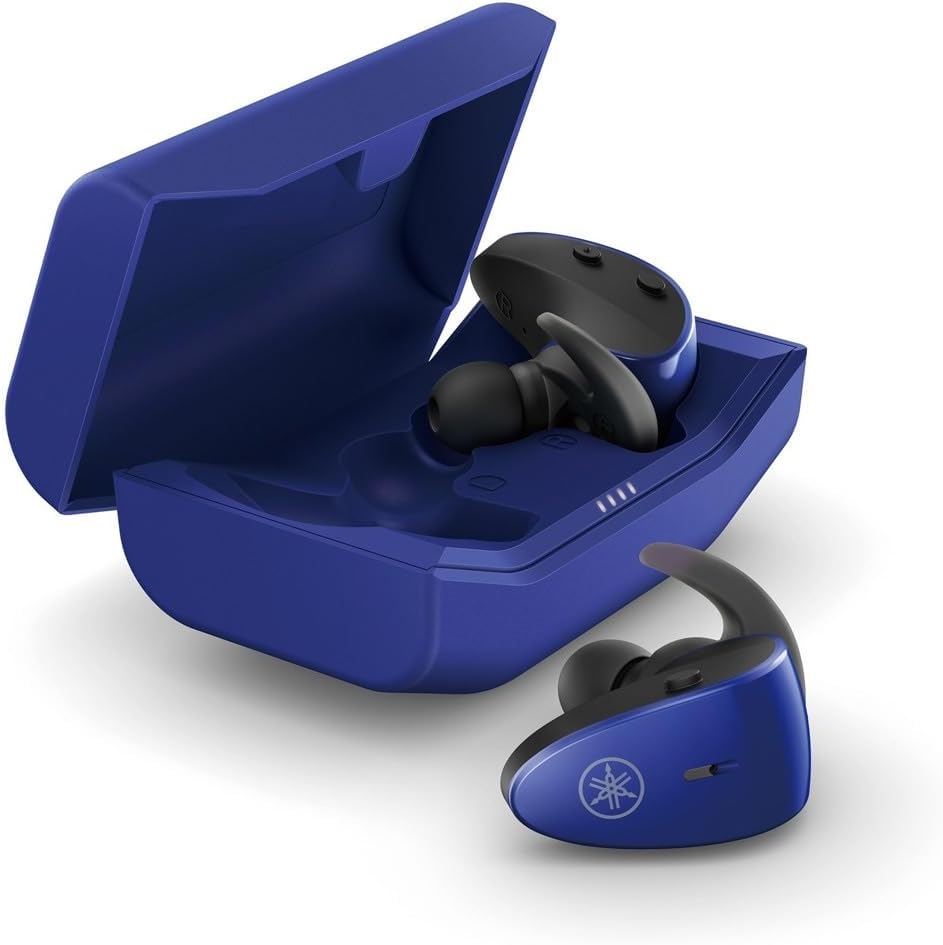
The protective charging case not only stores your earbuds but also recharges them, providing extended battery life. LED indicators on the case show the charging status.
Característica impermeable
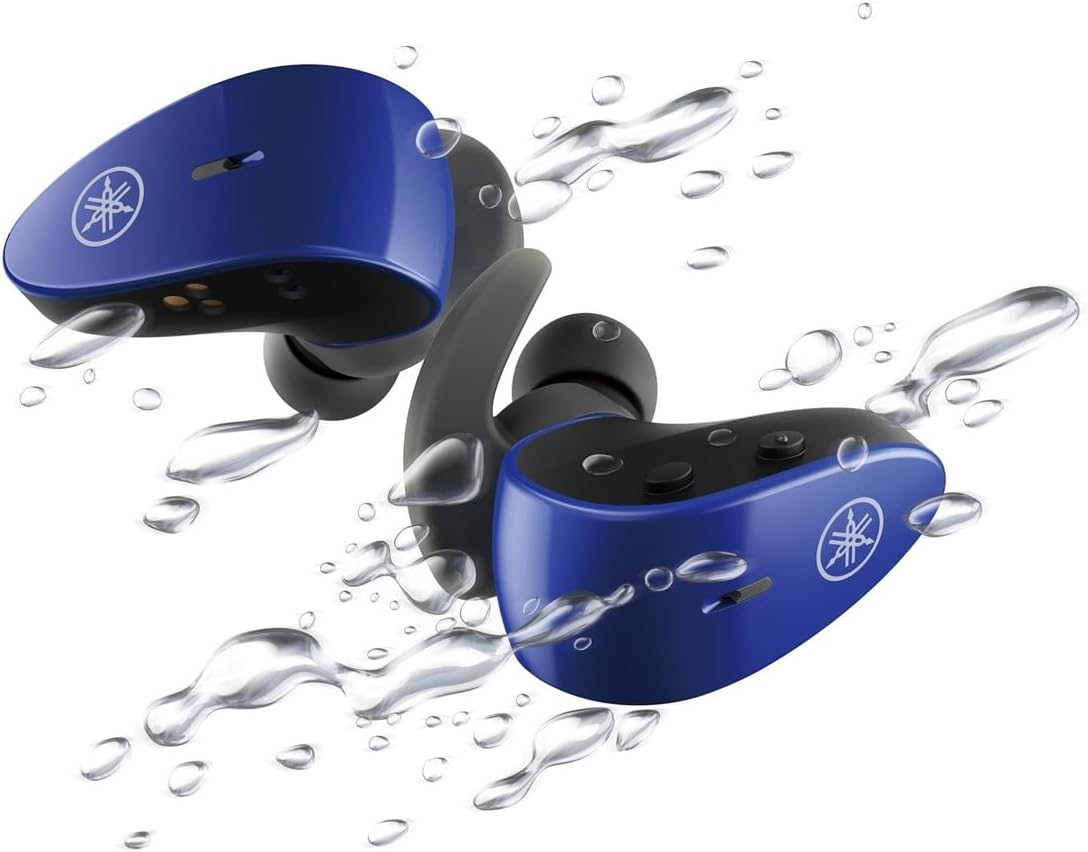
With an IPX7 waterproof rating, these earbuds are protected against immersion in water up to 1 meter for 30 minutes, making them ideal for workouts and outdoor activities.
Vídeo oficial del producto
4. Configuración
4.1 Carga de los auriculares y el estuche
- Coloque los auriculares en el estuche de carga. Asegúrese de que estén correctamente colocados; los indicadores LED se iluminarán para confirmar la carga.
- Connect the USB A-C charging cable to the charging case and then to a USB power source (e.g., computer, USB wall adapter).
- The charging case LEDs will indicate the charging status. A full charge provides up to 34 hours of total battery life (earbuds + case).
4.2 Selecting Eartips and Stabilizer Ear Fins
For optimal sound quality, comfort, and a secure fit, it is crucial to select the correct size of eartips and stabilizer ear fins.
- Consejos para los oídos: Experiment with the 5 provided sizes (XS, S, M, L, XL). The correct size should create a good seal in your ear canal, blocking out external noise and providing rich bass.
- Stabilizer Ear Fins: Choose from the 4 provided sizes (XS, S, M, L). The fin should fit snugly into the concha of your ear, preventing the earbud from falling out during movement.
4.3 Emparejamiento Bluetooth
- Abre el estuche de carga. Los auriculares entrarán automáticamente en modo de emparejamiento (las luces LED parpadearán).
- En su dispositivo (teléfono inteligente, tableta, computadora portátil), vaya a la configuración de Bluetooth y habilite Bluetooth.
- Buscar available devices and select "Yamaha TW-ES5A" from the list.
- Una vez conectado, los LED de los auriculares dejarán de parpadear y su dispositivo confirmará la conexión.
- Para usos posteriores, los auriculares se conectarán automáticamente al último dispositivo emparejado cuando se retiren del estuche.
5. Instrucciones de funcionamiento
The TW-ES5A earbuds feature touch controls for various functions.
5.1 Encendido y apagado
- Encendido: Abra el estuche de carga y los auriculares se encenderán automáticamente.
- Apagado: Vuelve a colocar los auriculares en el estuche de carga y cierra la tapa. Se apagarán automáticamente.
5.2 Reproducción de música
- Reproducir/Pausa: Un solo toque en cualquiera de los auriculares.
- Pista siguiente: Toque dos veces el auricular derecho.
- Pista anterior: Toque dos veces el auricular izquierdo.
- Sube el volumen: Toque tres veces el auricular derecho.
- Bajar volumen: Toque tres veces el auricular izquierdo.
5.3 Gestión de llamadas
- Responder/Finalizar llamada: Un solo toque en cualquiera de los auriculares.
- Rechazar llamada: Mantenga presionado cualquiera de los auriculares durante 2 segundos.
5.4 Modos de control de ruido
The TW-ES5A offers two noise control modes:
- Cancelación activa de ruido (ANC): Reduce el ruido ambiental para una experiencia auditiva inmersiva.
- Sonido ambiental: Le permite escuchar su entorno mientras escucha audio, mejorando la conciencia.
Modos de conmutación: Press and hold the touch control on the left earbud for 2 seconds to cycle between ANC, Ambient Sound, and Off modes.
5.5 Asistente de voz
Activate your device's voice assistant (Siri or Google Assistant) by pressing and holding the touch control on the right earbud for 2 seconds. This allows for hands-free control of your device.
6. Mantenimiento
6.1 Limpieza
- Limpie periódicamente los auriculares, las almohadillas y los contactos de carga con un paño suave, seco y que no suelte pelusa.
- Remove eartips and wash them with mild soap and water if necessary. Ensure they are completely dry before reattaching.
- No utilice limpiadores abrasivos ni disolventes.
6.2 Almacenamiento
- Guarde siempre los auriculares en su estuche de carga cuando no los utilice para protegerlos y mantenerlos cargados.
- Guarde el dispositivo en un lugar fresco y seco, alejado de temperaturas extremas y de la luz solar directa.
7. Solución de problemas
If you encounter issues with your TW-ES5A earbuds, try the following solutions:
| Problema | Posible causa | Solución |
|---|---|---|
| Earbuds won't power on | Batería baja | Coloque los auriculares en el estuche de carga y cárguelos por completo. |
| No se puede emparejar con el dispositivo | Bluetooth off, earbuds not in pairing mode, or previously paired device interference | Ensure Bluetooth is on. Open case to enter pairing mode. Forget device on your phone and re-pair. Turn off Bluetooth on other nearby devices. |
| Sin sonido o volumen bajo | Volume too low, improper fit, or earbud obstruction | Increase volume on earbuds and device. Adjust eartips for a secure seal. Clean earbud mesh. |
| La calidad de la llamada es mala | Microphone obstruction or environmental noise | Ensure microphone is clear. Try moving to a quieter environment. |
| Los auriculares se desconectan con frecuencia | Distance from device, interference, or low battery | Keep earbuds close to your device. Avoid strong electromagnetic interference. Charge earbuds fully. |
If the issue persists, please refer to the Warranty & Support section for further assistance.
8. Especificaciones
Key technical specifications for the Yamaha TW-ES5A True Wireless Sport Earbuds:
| Característica | Detalle |
|---|---|
| Nombre del modelo | TW-ES5A |
| Tecnología de conectividad | Bluetooth 5.2, Qualcomm aptX Adaptive TrueWireless Mirroring with Clear Voice |
| Nivel de resistencia al agua | IPX7 (impermeable) |
| Control de ruido | Active Noise Cancellation, Ambient Sound |
| Duración de la batería | Up to 34 hours total (earbuds + charging case) |
| Peso del artículo | 0.28 onzas (por auricular) |
| Dimensiones del producto | 1.32 x 2.78 x 0.67 pulgadas |
| Tipo de controlador de audio | Controlador dinámico |
| Códecs compatibles | AptX Adaptive, AAC |
| Dispositivos compatibles | Android, Laptops, Mac Book, Tablets, iPhone |
| Características especiales | Android Phone Control, iOS Phone Control, Fast Charging, Microphone included, Sweatproof, Volume Control, Sports & Exercise, Lightweight, Wireless, Firm Secure Fit |
9. Garantía y soporte
Para obtener información detallada sobre la garantía, el registro del producto y la asistencia técnica, visite el sitio web oficial de Yamaha. webSitio web o contacte con el servicio de atención al cliente. Conserve su comprobante de compra para cualquier reclamación de garantía.
También puede considerar comprarasing extended protection plans for your device. Details on available protection plans can often be found at the point of purchase or on the retailer's websitio.