
Ancla A1710
Manual del usuario del cargador portátil Anker Powerhouse 90
Modelo: A1710
Introducción
The Anker Powerhouse 90 is a versatile portable power bank designed to provide reliable power for a wide range of electronic devices. With an 87.6Wh capacity, it features a 100W AC outlet and a 45W USB-C Power Delivery port, making it suitable for charging smartphones, tablets, laptops, and other small appliances. This manual provides essential information for the safe and efficient use of your Powerhouse 90.
Contenido del paquete
Verifique que todos los artículos estén presentes en su paquete:
- Anker Powerhouse 90 Portable Charger
- Cargador de pared de 45 W
- Cable USB-C a USB-C
- Manual de usuario (este documento)

Producto terminadoview
The Anker Powerhouse 90 features multiple output ports and a built-in flashlight for various power needs.

- Toma de CA: Provides up to 100W of pure sine wave AC power.
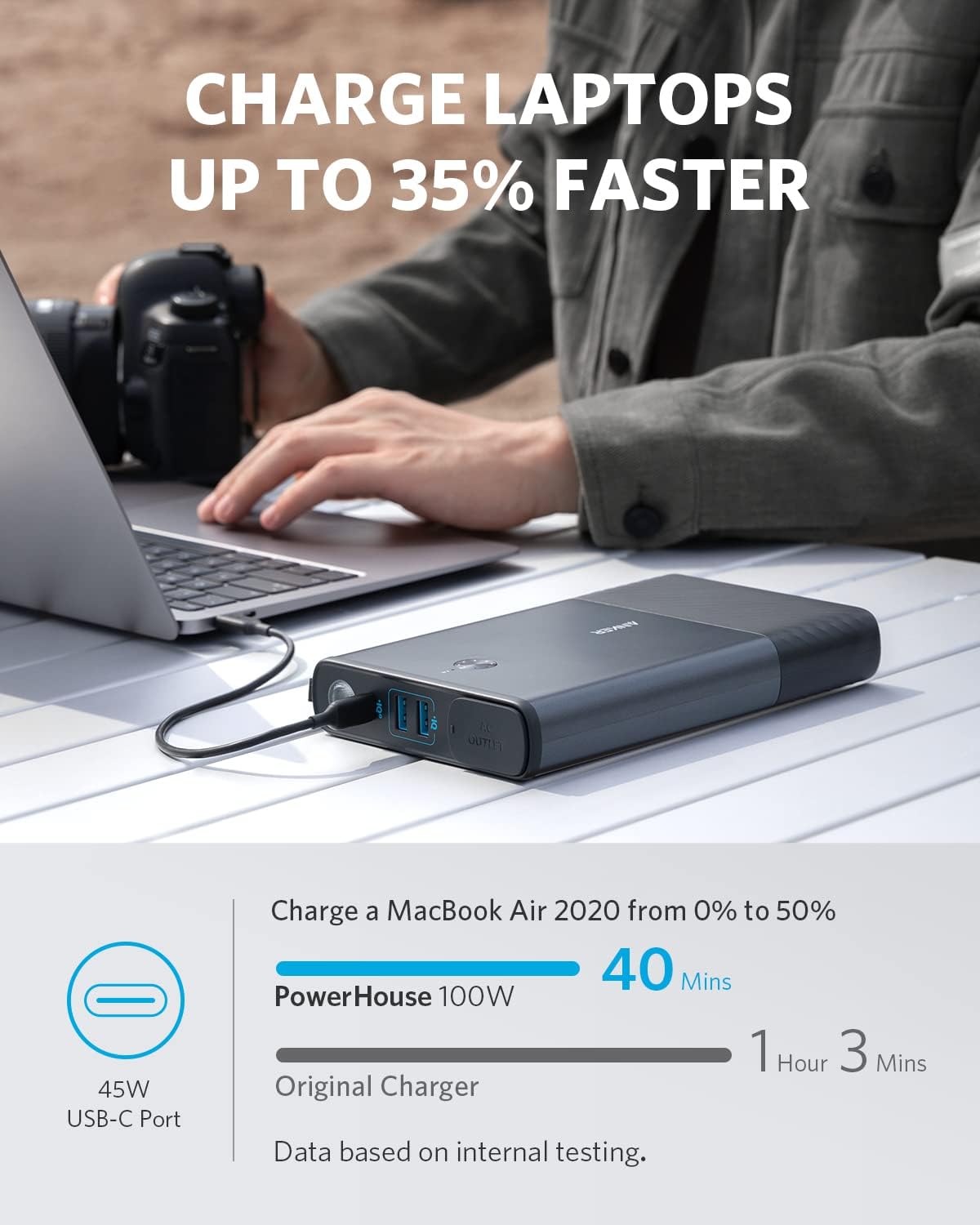
- Puerto USB-C: 45W Power Delivery input/output for fast charging.
- Puertos USB-A (x2): Share 15W output for charging smaller devices.
- Flash: Integrated light with multiple modes (Full, Low, SOS).
- Botón de encendido: Activa la unidad y controla la linterna.
- Indicadores LED: Muestra el nivel de la batería y el estado de carga.
Configuración
Carga inicial
Before first use, fully charge your Anker Powerhouse 90. This ensures optimal battery performance and longevity.
- Connect the provided 45W wall charger to the USB-C port on the Powerhouse 90.
- Conecte el cargador de pared a una toma de corriente CA estándar.
- The LED indicators will illuminate to show the charging progress. The unit is fully charged when all LEDs are solid.

It is recommended to fully charge the Powerhouse 90 at least once every 1-2 months if not in regular use to maintain battery health.
Instrucciones de funcionamiento
Encendido/apagado
- To power on the unit, press and hold the power button for 2 seconds. The LED indicators will light up.
- To power off the unit, press and hold the power button for 2 seconds. The LEDs will turn off.
- Importante: Turn off the power button after use to prevent battery drain, even if no devices are connected.
Dispositivos de carga
The Powerhouse 90 can charge up to four devices simultaneously using its various output ports.
Uso de la toma de CA
- Open the protective cover of the AC outlet.
- Plug your device's power adapter into the AC outlet.
- The AC outlet provides a pure sine wave output, suitable for sensitive electronics.
- Nota: The maximum power output of the AC port is 100W. If you connect a device requiring more than 100W, the Powerhouse 90 will automatically shut down to prevent damage.
- If the blue LED next to the AC outlet is on, the AC converter is active. If not using the AC outlet, ensure this light is off to conserve power.

Usando el puerto USB-C
- Conecte su dispositivo al puerto USB-C utilizando un cable USB-C a USB-C compatible.
- This port supports 45W Power Delivery for fast charging of laptops, tablets, and smartphones.

Uso de los puertos USB-A
- Connect your device to either of the two USB-A ports using a compatible USB-A cable.
- These ports share a combined 15W output, ideal for charging smartphones, smartwatches, and other small USB-powered devices.
Usando la linterna
- With the Powerhouse 90 powered on, press the flashlight button once to turn on the light.
- Press again to cycle through brightness modes: Full, Low, and SOS.
- Press and hold the flashlight button to turn off the flashlight.

Mantenimiento
- Limpieza: Use a soft, dry cloth to clean the exterior of the Powerhouse 90. Do not use abrasive cleaners or solvents.
- Almacenamiento: Guarde la unidad en un lugar fresco y seco, alejado de la luz solar directa y de temperaturas extremas.
- Estado de la batería: If the unit will be unused for more than one month, fully charge it, then discharge and recharge it at least once every month to maintain battery health.
- Evite la sobrecarga: Do not attempt to power devices that exceed the Powerhouse 90's rated output (100W for AC outlet).
Solución de problemas
Unit Not Charging / Not Powering On
- Ensure the provided 45W wall charger and USB-C to USB-C cable are used for recharging.
- Verifique que el tomacorriente de pared funcione.
- Press and hold the power button for 2 seconds to ensure the unit is powered on.
- If the unit has been stored for a long time, it may require a longer initial charge.
Los dispositivos no se cargan
- Ensure the Powerhouse 90 is powered on.
- Check if the device's charging cable is securely connected to both the Powerhouse 90 and the device.
- Verify that the device's power requirement does not exceed the Powerhouse 90's output capacity for the specific port (e.g., 100W for AC, 45W for USB-C).
- For AC output, ensure the blue LED indicator for the AC outlet is illuminated.
Apagado automático
- The unit may shut down if the connected device draws more than 100W from the AC outlet. Disconnect the device and use a lower-power alternative or a different power source.
- The AC power source will automatically stop after 1 hour if the AC load is less than 8W. This is a power-saving feature. If continuous low-power AC output is required, you may need to reactivate the AC output periodically.
- The unit may also shut down if it overheats or if there is a short circuit. Allow the unit to cool down and check for any faulty cables or devices.
Compatibilidad de la máquina CPAP
- Nota: The Anker Powerhouse 90 is not recommended for charging CPAP machines due to its power-saving feature that may cause the AC output to turn off after 1 hour if the load is below 8W. This can interrupt CPAP operation.
Presupuesto
| Característica | Detalle |
|---|---|
| Número de modelo | A1710 |
| Capacidad de la batería | 87.6Wh (Nominal: 4,000mAh; Max: 24,000mAh at 3.65V) |
| Salida de CA | 100W Max (Pure Sine Wave) |
| Entrada/salida USB-C | Entrega de potencia de 45 W |
| Salida USB-A | 15W Shared (2 ports) |
| Dimensiones | 7.91 x 4.74 x 1.21 pulgadas |
| Peso | 1.9 libras |
| Características especiales | Flashlight (Full, Low, SOS modes), Slim Design |
Garantía y soporte
Anker provides a limited warranty for this product. For detailed warranty information, product registration, and technical support, please visit the official Anker websitio o póngase en contacto con su servicio de atención al cliente.
Anker Support: www.anker.com/support
Tenga a mano el número de modelo (A1710) y la información de compra cuando se comunique con el soporte.