
1. Introducción
Thank you for choosing the cimetech Wireless Keyboard and Mouse Combo. This product is designed to provide a comfortable and efficient typing and navigation experience for your computer. This manual will guide you through the setup, operation, and maintenance of your new wireless combo.

Figure 1: cimetech Wireless Keyboard and Mouse Combo (Dark Blue)
2. Características principales
- Slim and Ergonomic Design: The keyboard features a tilt angle for comfortable typing. The mouse has a contoured, sweat-resistant, skin-friendly finish for extended use.
- Full Size & Ultra-thin Keyboard: Measuring 14.5x5.8x0.2 inches with 99 keys, this ultra-thin keyboard is portable and suitable for various environments. It includes multi-media hotkeys for quick access to music, internet, email, and volume controls.
- Less Noise & Low Profile Llaves: The keyboard's noise-reduced keys and the silent click of the mouse minimize disturbance. Both devices feature auto-sleeping mode and on/off switches to conserve battery life.
- Fast Operation 2.4G Wireless Plug and Play: Connect both the keyboard and mouse with a single USB receiver for a strong, reliable wireless connection up to 10 meters (33 ft) without delays or dropouts.
- Amplia compatibilidad: Works with PC, desktop computers, laptops, or notebooks running Windows XP / Vista / 7 / 8 / 10 operating systems.
3. Guía de configuración
3.1. Instalación de la batería
The mouse requires one (1) AA battery, and the keyboard requires two (2) AA batteries (not included). Ensure correct polarity when inserting batteries.
- Para el ratón: Open the battery compartment cover on the underside of the mouse. Insert one AA battery, observing the polarity markings. Close the cover.
- Para el teclado: Open the battery compartment cover on the underside of the keyboard. Insert two AA batteries, observing the polarity markings. Close the cover.
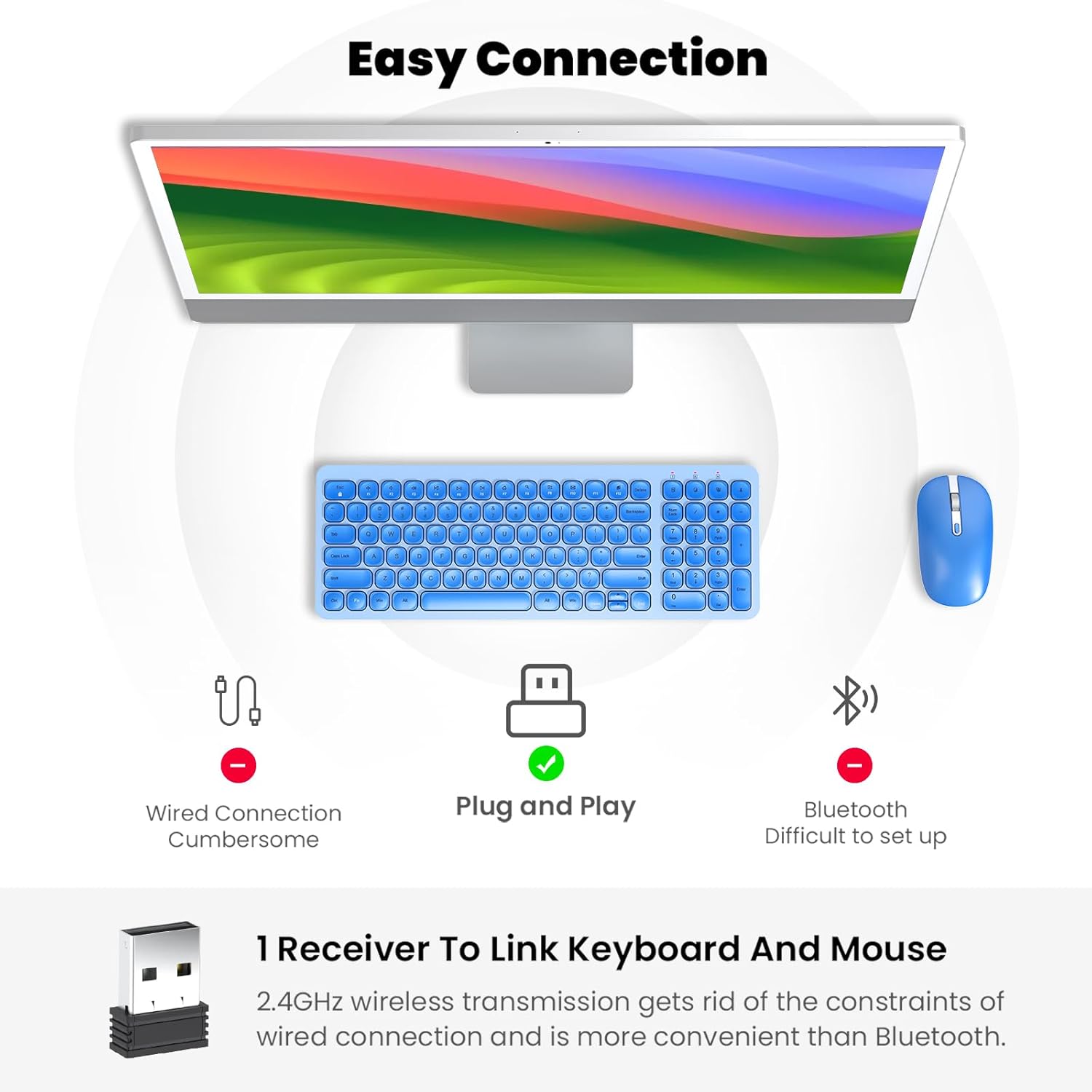
Figure 2: Mouse battery compartment showing AA battery insertion.

Figure 3: Keyboard battery compartment showing two AA batteries.
3.2. Conexión del receptor USB
The 2.4G USB receiver is conveniently stored inside the mouse's battery compartment.
- Locate and remove the USB receiver from the mouse's battery compartment.
- Conecte el receptor USB a un puerto USB disponible en su computadora.
- Encienda el mouse utilizando el interruptor ON/OFF ubicado en su parte inferior.
- Turn on the keyboard using the ON/OFF switch located on its underside.
- Su computadora debería detectar e instalar automáticamente los controladores necesarios. El teclado y el ratón ya están listos para usar.

Figure 4: USB receiver stored within the mouse battery compartment.
3.3. Vídeo de demostración de configuración
Video 1: Demonstration of battery installation and USB receiver setup for the cimetech Wireless Keyboard.
Video 2: Detailed look at the cimetech Wireless Keyboard and Mouse Combo, including battery and dongle placement.
4. Instrucciones de funcionamiento
4.1. Uso del teclado
- Mecanografía: El bajo profesionalfile scissor-switch keys provide a quiet and comfortable typing experience with uniform force distribution.
- Teclas de acceso rápido multimedia: Use the 'Fn' key in combination with the F1-F12 keys for quick access to various functions such as media control, volume adjustment, and internet browsing. Refer to the keycap icons for specific functions.
- Teclado numérico: The full-size keyboard includes a dedicated numeric keypad for efficient data entry.
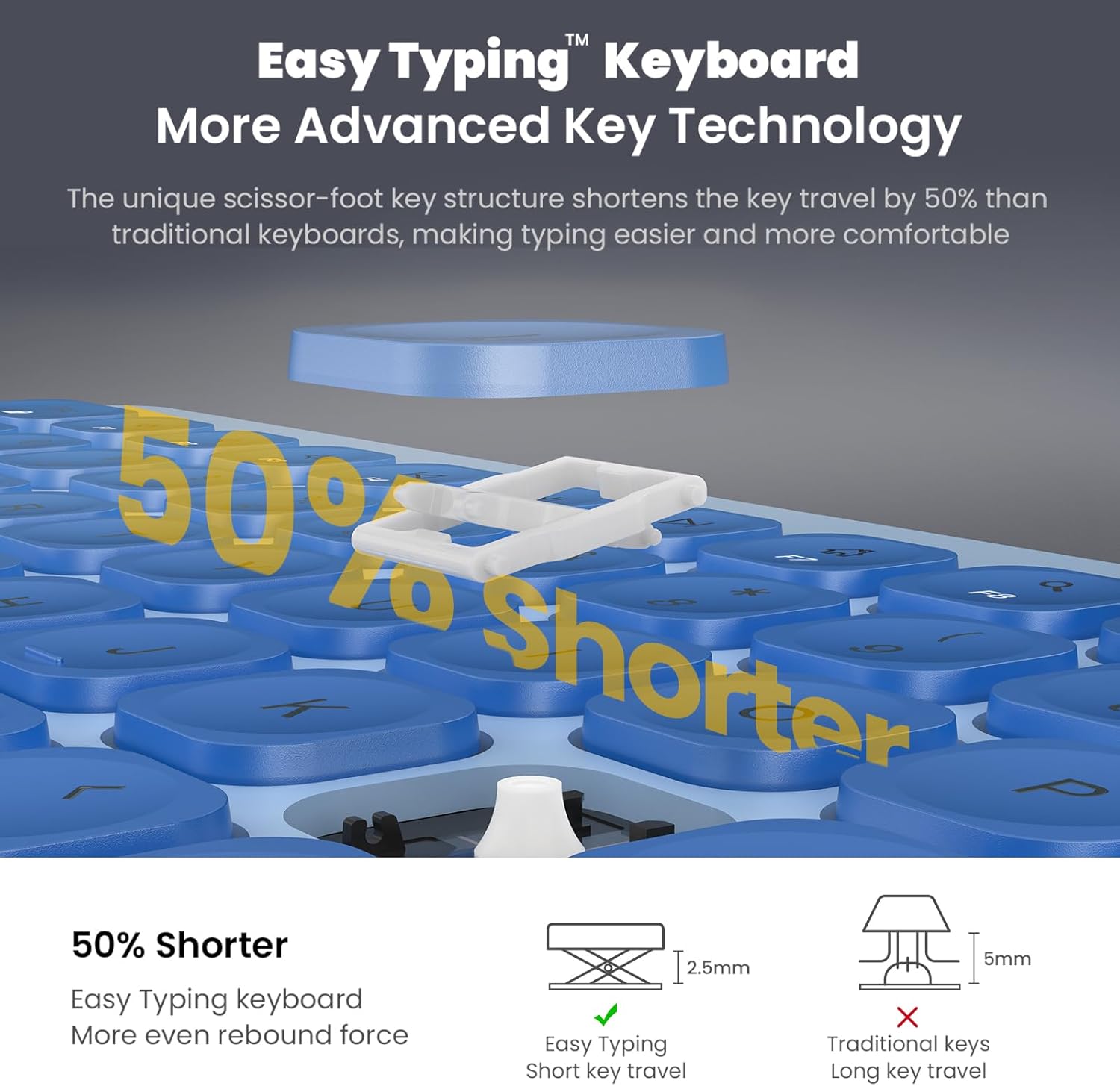
Figure 5: Close-up of the keyboard keys, highlighting the scissor-switch mechanism for comfortable typing.
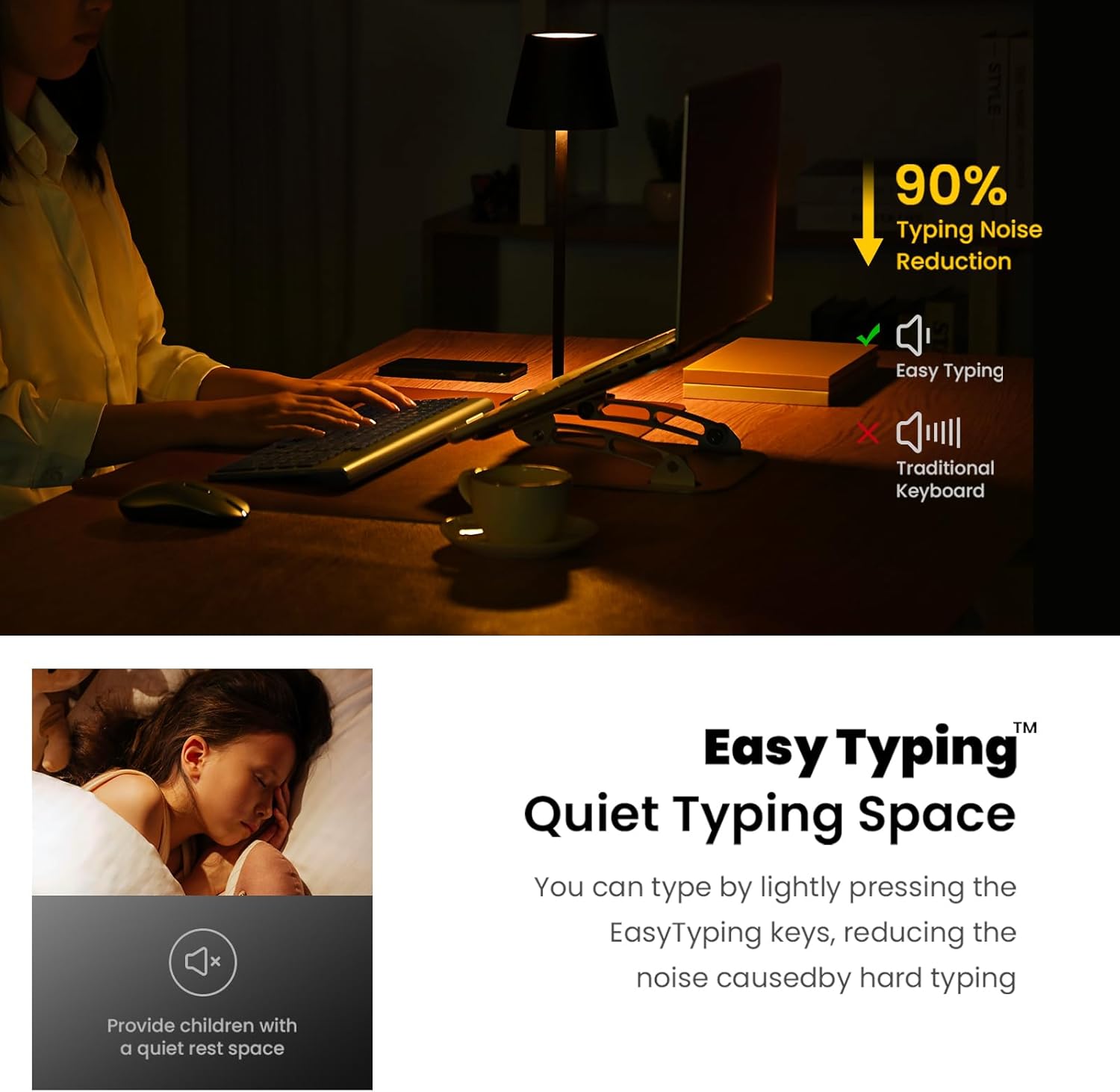
Figure 6: The keyboard's quiet keys reduce typing noise, ideal for shared spaces.
4.2. Uso del ratón
- Ajuste de PPP: The mouse features adjustable DPI settings (800/1200/1600) to customize cursor sensitivity. Press the DPI button (usually located near the scroll wheel) to cycle through settings.
- Clic silencioso: The mouse is designed with silent click buttons to minimize noise.
- Rueda de desplazamiento: Use the metal scroll wheel for smooth vertical scrolling.
4.3. Funciones de ahorro de energía
- Modo de suspensión automática: The keyboard enters sleep mode after 10 minutes of inactivity, and the mouse after 15 minutes, to conserve battery. Press any key or click the mouse to wake them up.
- Interruptores de encendido y apagado: For extended periods of non-use, turn off the keyboard and mouse using their respective ON/OFF switches.
5. Mantenimiento
- Limpieza: Utilice un paño suave y seco para limpiar las superficies del teclado y el ratón. Evite utilizar productos químicos agresivos o materiales abrasivos.
- Reemplazo de batería: Replace batteries when performance degrades. Always use new AA batteries and dispose of old batteries responsibly.
- Almacenamiento: Cuando no lo utilice durante períodos prolongados, guarde el receptor USB dentro del compartimiento de la batería del mouse para evitar perderlo.
6. Solución de problemas
- No hay respuesta del teclado/ratón:
- Ensure both devices are turned ON using their respective switches.
- Compruebe que las baterías estén correctamente instaladas y tengan suficiente carga. Reemplácelas si es necesario.
- Verifique que el receptor USB esté conectado correctamente a un puerto USB que funcione en su computadora. Pruebe con otro puerto USB.
- Reinicie su computadora.
- Conexión retardada o intermitente:
- Ensure the distance between the devices and the USB receiver is within 10 meters (33 ft).
- Evite colocar el receptor cerca de fuentes de interferencia electromagnética fuertes (por ejemplo, otros dispositivos inalámbricos, objetos metálicos grandes).
- Reemplace las baterías si están bajas.
- Mouse Cursor Movement is Erratic:
- Limpie el sensor óptico en la parte inferior del mouse.
- Asegúrese de utilizar el ratón sobre una superficie adecuada (no muy reflectante ni transparente).
- Adjust the DPI setting to a lower sensitivity if the cursor is too fast.
7. Especificaciones
| Característica | Detalle |
|---|---|
| Dimensiones del producto | 14.57 x 5.31 x 1.97 pulgadas |
| Peso del artículo | 1.21 libras |
| Tecnología de conectividad | Radio Frequency, USB (2.4G Wireless) |
| Características especiales | Ergonomic, Lightweight, Portable, Silent Keys, Auto-Sleep |
| Dispositivos compatibles | Laptop, Personal Computer (Windows XP / Vista / 7 / 8 / 10) |
| Batería del teclado | 2 pilas AA (no incluidas) |
| Batería del ratón | 1 pilas AA (no incluidas) |
8. Garantía y soporte
For information regarding product warranty, returns, or technical support, please refer to the retailer's policy or contact cimetech customer service directly. Optional protection plans may be available for purchase separately to extend coverage beyond the standard warranty period.
- Protection Plan Options:
- Plan de protección de 3 años
- Plan de protección de 4 años
- Complete Protect (plan mensual que cubre compras pasadas y futuras elegibles)