
1. Introducción
This manual provides essential information for the safe and efficient use of your HP Envy x360 13.3-inch 2-in-1 laptop. Please read this manual thoroughly before operating your device to ensure optimal performance and longevity. This device combines the functionality of a traditional laptop with the versatility of a tablet, featuring a responsive touchscreen and a 360-degree hinge.
2. Características del producto
- 13.3-inch Full HD IPS Touch-Screen Display: Experience vibrant visuals and intuitive interaction with the responsive touch display.
- 11th Generation Intel Core i5-1135G7 Processor: Delivers efficient performance for multitasking, productivity, and entertainment.
- 8 GB de RAM DDR4: Provides substantial memory for smooth operation of multiple applications.
- 256GB PCIe NVMe SSD: Offers fast boot-up times and quick data access with solid-state storage.
- Teclado retroiluminado: Enables comfortable typing in various lighting conditions.
- Lector de huellas dactilares: Enhances security and provides quick, convenient login.
- Sistema operativo Windows 10 Home: Pre-installed for a familiar and productive user experience.
- 360-degree Hinge: Allows the device to transform between laptop, tent, stand, and tablet modes.
- Intel Iris Xe Graphics: Integrated graphics for clear visuals and light creative tasks.
- Bang & Olufsen Audio with Three Speakers: Delivers rich and immersive sound.
- HP Wide Vision HD Camera with Camera Shutter: For video calls and privacy.
3. Exceso de físicoview
Familiarize yourself with the various components and ports of your HP Envy x360 laptop.

Figura 3.1: Angulado view of the HP Envy x360 laptop in traditional laptop mode, displaying the keyboard and screen.
Puertos y Conectores:
- Puertos USB 3.0 Tipo A (x2): Para conectar dispositivos externos como unidades USB, ratones o teclados.
- Puerto HDMI (x1): Para conectar a pantallas o proyectores externos.
- Micro SD Card Reader (x1): For reading and writing data to Micro SD cards.
- Conector combinado para auriculares y micrófono (x1): For connecting headphones or an external microphone.
- Puerto USB-C (x1): For data transfer, charging, and display output (Thunderbolt compatible).
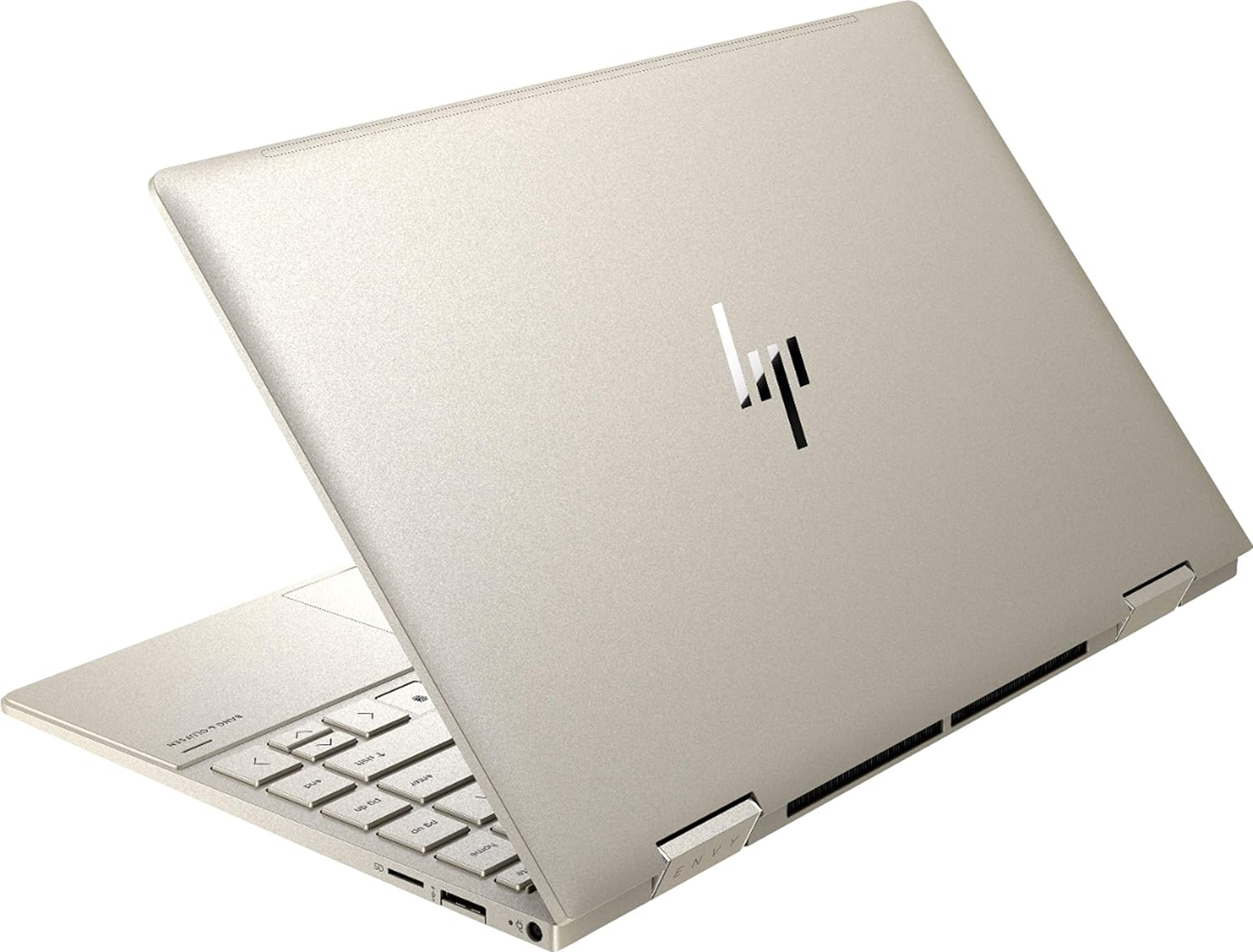
Figura 3.2: Posterior view of the HP Envy x360 laptop, highlighting the sleek design and port placement on the sides.
4. Configuración
4.1 Encendido inicial
- Unpack your HP Envy x360 laptop and included accessories.
- Conecte el adaptador de corriente al puerto de carga de la computadora portátil y luego a una toma de corriente.
- Press the power button, typically located on the side or keyboard deck, to turn on the laptop.
- Siga las instrucciones en pantalla para completar la configuración de Windows 10 Home, incluida la selección de idioma, la conexión de red y la creación de la cuenta de usuario.
4.2 Conexión de periféricos
Connect your mouse, external display, or other USB devices to the available ports as described in Section 3. For wireless devices, enable Bluetooth in Windows settings and pair your devices.
5. Instrucciones de funcionamiento
5.1 Using the 2-in-1 Modes
Your HP Envy x360 features a versatile 360-degree hinge, allowing for multiple usage modes:
- Modo portátil: Traditional laptop orientation for typing and productivity.
- Modo tienda: Pliega la pantalla hacia atrás para formar una “V” invertida, ideal para ver videos o presentaciones en espacios reducidos.
- Modo de espera: Fold the screen back further, resting the keyboard face down, to use the display for media consumption or touch-based applications.
- Modo tableta: Fold the screen completely back against the base, transforming the device into a tablet for touch interaction.

Figure 5.1: The HP Envy x360 laptop configured in tent mode, suitable for media viewEn.

Figure 5.2: The HP Envy x360 laptop fully folded into tablet mode, ready for touch input.
5.2 Touchscreen and Keyboard Usage
- Pantalla táctil: Use gestures similar to a smartphone or tablet for navigation, zooming, and interaction with applications.
- Teclado retroiluminado: Press the function key (Fn) and the appropriate F-key (usually F5 or F4, check keyboard icons) to toggle the keyboard backlight on/off or adjust brightness.
- Lector de huellas dactilares: Enroll your fingerprint through Windows Hello settings for secure and fast login.
6. Mantenimiento
Regular maintenance helps prolong the life of your laptop.
- Limpieza: Utilice un paño suave que no deje pelusa para limpiar la pantalla y el chasis. Para manchas difíciles,ampEnjuague el paño con agua o un limpiador de pantallas. Evite productos químicos agresivos.
- Actualizaciones de software: Regularly update Windows and HP drivers to ensure optimal performance and security.
- Cuidado de la batería: Evite descargar la batería por completo con frecuencia. Para un almacenamiento prolongado, cárguela al 50-70 % aproximadamente.
- Ventilación: Ensure the laptop's vents are not obstructed to prevent overheating. Use on a hard, flat surface when possible.
7. Solución de problemas
Esta sección aborda problemas comunes que podrías encontrar.
7.1 Problemas de energía
- La computadora portátil no enciende: Ensure the power adapter is securely connected and the outlet is functional. Try a different outlet or power adapter if available.
- La batería no se carga: Verify the power adapter connection. Check for any damage to the cable or port.
7.2 Problemas de visualización
- La pantalla está en blanco: Conecte un monitor externo para comprobar si el problema está en la pantalla de la laptop. Intente reiniciarla.
- La pantalla táctil no responde: Restart the laptop. Ensure all drivers are up to date via Windows Update or HP Support Assistant.
7.3 Problemas de rendimiento
- Rendimiento lento: Close unnecessary applications. Check Task Manager for resource-intensive processes. Ensure sufficient free space on the SSD.
- Calentamiento excesivo: Clean vents. Ensure proper airflow. Reduce workload if consistently hot.
8. Especificaciones
| Característica | Detalle |
|---|---|
| Marca | HP |
| Nombre del modelo | HP Envy x360 |
| Tamaño de pantalla | 13.3 pulgadas |
| Resolución de pantalla | 1920 x 1080 (Full HD) |
| Tipo de pantalla | LED IPS Touch Screen |
| Procesador | 11th Generation Intel Core i5-1135G7 (2.4 GHz, up to 4.2 GHz with Turbo Boost) |
| Memoria RAM | 8 GB DDR4 |
| Almacenamiento | SSD de 256 GB |
| Sistema operativo | Inicio de Windows 10 |
| Gráficos | Gráficos Intel Iris Xe (integrados) |
| Características especiales | Teclado retroiluminado, lector de huellas dactilares |
| Audio | Bang & Olufsen Audio with Three speakers |
| Conectividad | Wireless-AX, Bluetooth, USB, HDMI |
| Puertos | 2x USB 3.0 Type-A, 1x HDMI, 1x Micro SD Card Reader, 1x Headphone/Microphone Combo, 1x USB-C |
| Dimensiones (L x An x Al) | 12.07" x 7.66" x 0.65" |
| Peso | 2.92 libras |
| Color | Oro pálido |
9. ¿Qué hay en la caja?
The following items are included with your HP Envy x360 laptop:
- HP Envy x360 13.3-inch 2-in-1 Laptop
- Adaptador de corriente
- Alfombrilla de ratón

Figure 9.1: The HP Envy x360 laptop shown alongside the included mouse pad.
10. Garantía y soporte
Your HP Envy x360 laptop comes with a standard manufacturer's warranty. For detailed warranty information, please refer to the warranty card included in your product packaging or visit the official HP support webSitio. Para asistencia técnica, descargas de controladores o solicitudes de servicio, comuníquese con el Soporte al Cliente de HP.
Soporte HP Websitio: soporte.hp.com