1. Introducción
The Vicks FilterFree Plus Cool Mist Plus Humidifier (VUL565) is designed to add necessary moisture to the air, helping to maintain optimal indoor humidity levels between 40-60%. This can provide temporary relief from dry air discomfort, cough, and congestion, especially during cold and flu season or when the air is dry. Ideal for medium-sized rooms, this humidifier is filter-free, easy to use, and compatible with Vicks VapoPads for enhanced soothing comfort.
2. Características del producto
- Funcionamiento sin filtro: No replacement filters are required, simplifying maintenance.
- 1.2 Gallon Tank: Provides up to 40 hours of continuous cool mist output.
- Control táctil electrónico: Features 5 mist settings and auto-dimming lights for customized output.
- 180-Degree Mist Nozzle: Allows you to direct the mist precisely where needed.
- Funcionamiento silencioso: Designed for minimal noise, making it suitable for bedrooms and nurseries.
- Apagado automático: Automatically turns off when the tank is empty for safety.
- VapoPad Compatibility: Includes a compartment for two Vicks VapoPads (sample included) to release soothing vapors.
- Fácil de llenar y limpiar: Features a wide tank opening for convenient refilling and thorough cleaning.
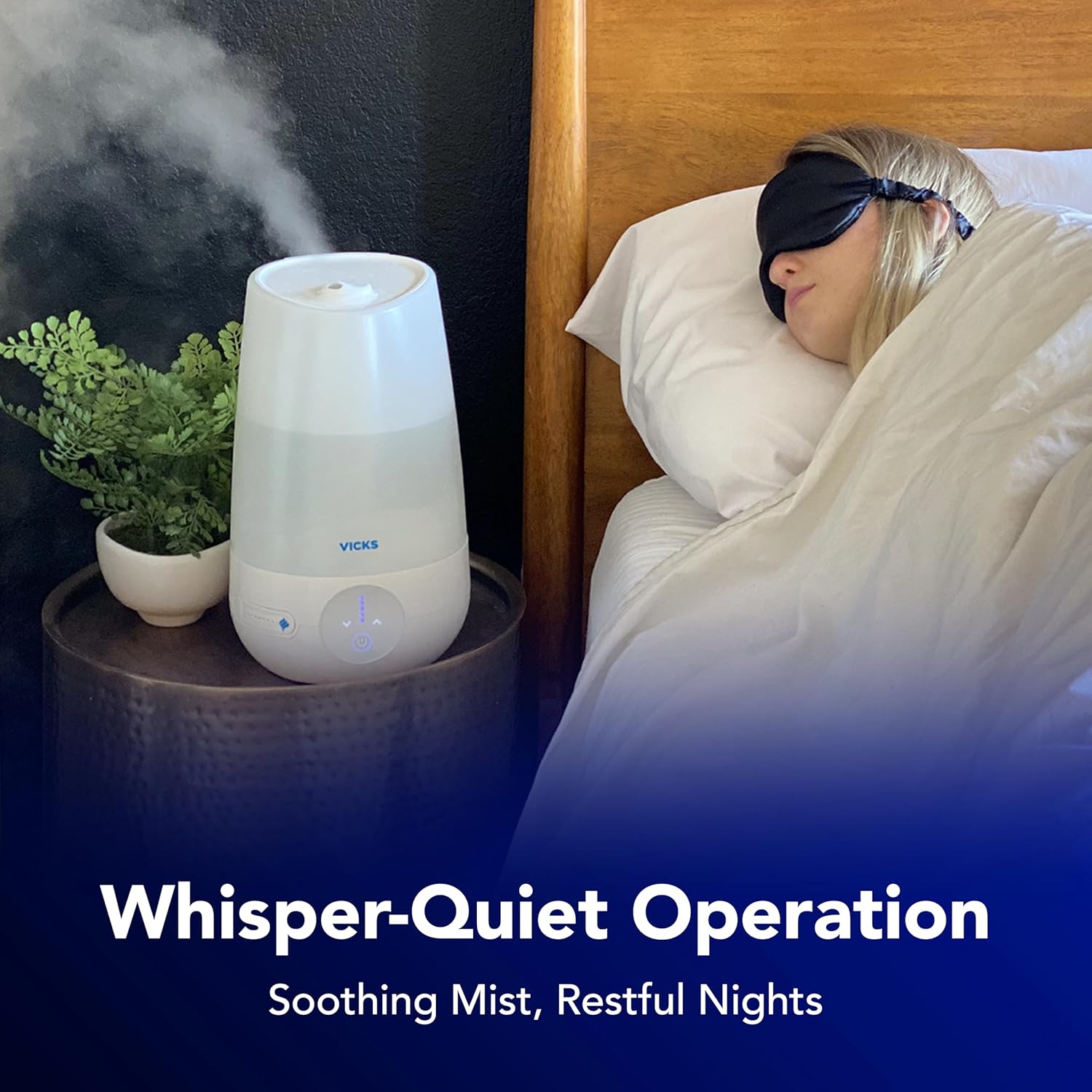
Image: The Vicks VUL565 humidifier showcasing its compact design with dimensions (7.88" width, 13.07" height) and key features: Comfortable Cool Mist, Electronic Controls, Filter-Free Operation, Up to 40 Hour Runtime, 1.2 Gallon Capacity, and Accepts 2 VapoPads.

Image: A collage of close-up images highlighting the humidifier's user-friendly design. One image shows the wide tank opening for easy cleaning, another illustrates the 180-degree mist nozzle being adjusted, and a third displays the touch control panel for adjusting mist levels.
3. Configuración
- Colocación: Place the humidifier on a firm, flat, waterproof surface at least 12 inches (30 cm) from any walls and 3 feet (0.9 m) from heat sources. Do not place on carpet or towels.
- Llenado del tanque de agua:
- Retire el tanque de agua de la base.
- Desenrosque la tapa del tanque en la parte inferior del tanque.
- Fill the tank with cool, clean tap water. Distilled water is recommended to minimize mineral buildup.
- Coloque de forma segura la tapa del tanque.
- Coloque nuevamente el tanque de agua lleno sobre la base del humidificador, asegurándose de que esté asentado correctamente.
- VapoPad Insertion (Optional): Open the VapoPad door on the front of the humidifier. Insert up to two Vicks VapoPads into the slots and close the door.
- Conexión de energía: Enchufe el cable de alimentación a una toma eléctrica de 120 V CA.
Vídeo: Un overview of the Vicks FilterFree Plus Cool Mist Plus Humidifier, demonstrating its features and ease of use, including tank removal and refilling.
4. Instrucciones de funcionamiento
- Encendido/apagado: Press the power button on the electronic touch control panel to turn the humidifier on or off.
- Ajustar la salida de niebla: Use the mist setting buttons (indicated by dots) to select your desired mist level from 1 (lowest) to 5 (highest).
- Ajustar la dirección de la niebla: Rotate the 180-degree mist nozzle on top of the unit to direct the mist flow.
- Auto-Dimming Lights: The control panel lights will automatically dim after a period of inactivity to minimize disturbance in dark rooms.
- Apagado automático: The humidifier will automatically turn off when the water tank is empty. Refill the tank to resume operation.
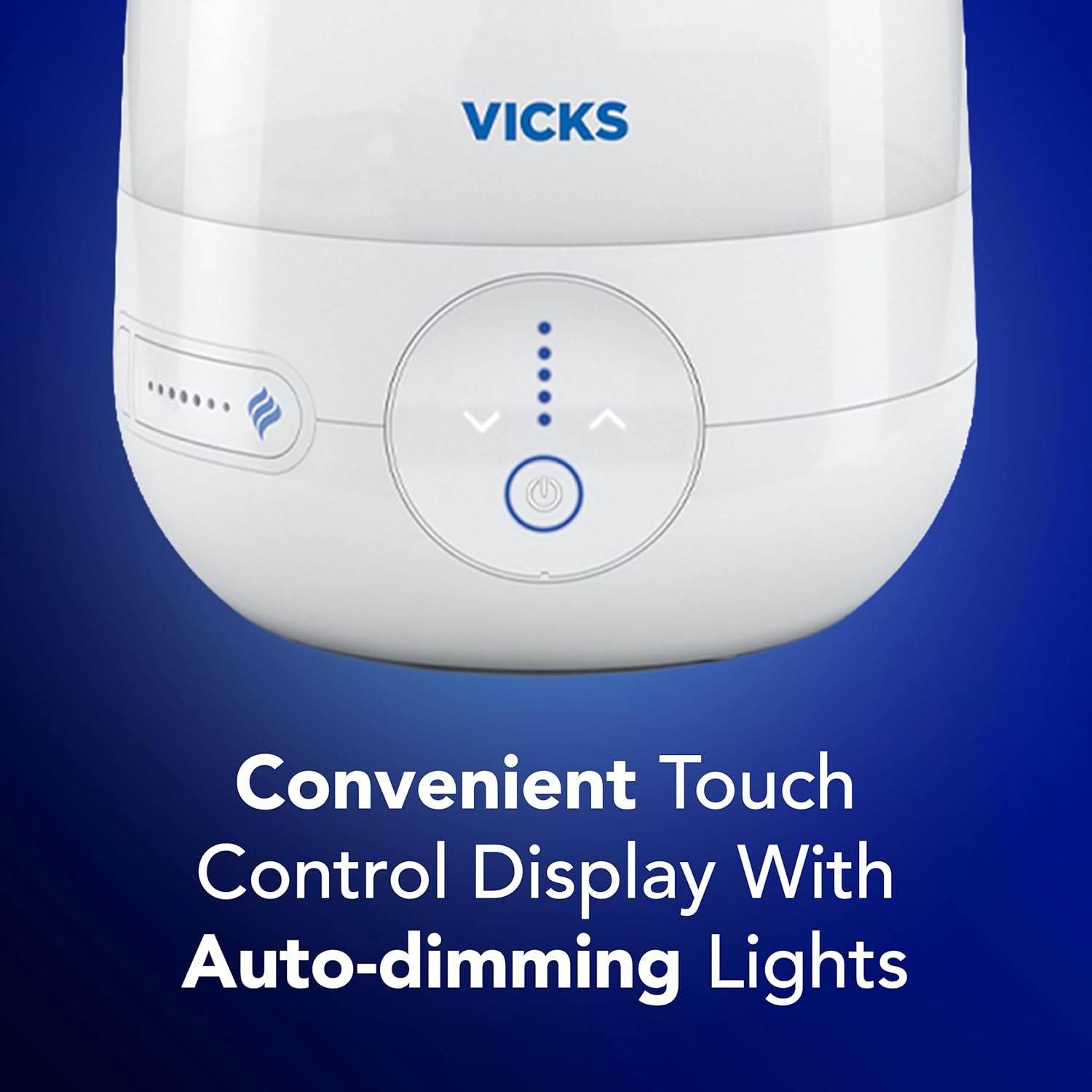
Imagen: Un detalle view of the humidifier's electronic touch control panel, showing the power button, mist level indicators (dots), and the auto-dimming light feature.
5. Mantenimiento
Regular cleaning is essential to prevent mineral buildup and ensure optimal performance. This humidifier is filter-free, simplifying the cleaning process.
- Mantenimiento diario:
- Turn off the humidifier and unplug it.
- Remove the water tank and empty any remaining water from the tank and base.
- Enjuague bien el tanque y la base con agua limpia.
- Deje que todas las piezas se sequen al aire antes de volver a ensamblarlas o guardarlas.
- Limpieza semanal (para eliminar la acumulación de minerales):
- Apague y desenchufe el humidificador.
- Vacíe el tanque de agua y la base.
- Fill the water tank with 1 cup (250 ml) of undiluted white vinegar. Swish the vinegar around in the tank to wet all interior surfaces.
- Pour some vinegar into the base and let it soak for 20 minutes.
- After soaking, gently scrub the interior of the tank and base with a soft brush or cloth to remove mineral deposits.
- Enjuague bien todas las piezas con agua limpia hasta que desaparezca el olor a vinagre.
- Deje que todas las piezas se sequen al aire por completo antes de volver a montarlas.
- VapoPad Compartment: Remove used VapoPads and wipe the compartment clean with a damp paño según sea necesario.
6. VapoPads Usage
The Vicks FilterFree Plus Cool Mist Humidifier is designed to work with Vicks VapoPads to provide soothing, aromatic vapors. A sample VapoPad is included with your humidifier.
- Open the VapoPad door located on the front of the humidifier.
- Tear open the VapoPad sachet and insert up to two VapoPads into the designated slots.
- Close the VapoPad door securely.
- When the humidifier is operating, the warm mist will activate the VapoPads, releasing their soothing vapors into the air.
- Replace VapoPads after 8 hours of use or when the scent is no longer noticeable.

Image: A hand is shown inserting a Vicks VapoPad into the small, pull-out compartment located on the side of the humidifier's base.

Image: The Vicks VUL565 humidifier is shown next to a box of Vicks VapoPads, emphasizing its compatibility with the soothing menthol vapors for enhanced comfort.
7. Solución de problemas
| Problema | Posible causa | Solución |
|---|---|---|
| Sin salida de niebla | No water in tank; Unit not plugged in; Tank not seated correctly. | Refill water tank; Ensure power cord is securely plugged in; Re-seat tank firmly on base. |
| Ruido inusual | Mineral buildup; Unit not on a level surface. | Clean the humidifier as per weekly cleaning instructions; Place humidifier on a firm, level surface. |
| Leaking or condensation around unit | Mist output setting too high for room size; Tank cap not secured. | Lower mist output setting; Ensure tank cap is tightly screwed on. |
| Salida de niebla débil | Mineral buildup; Air vents blocked. | Clean the humidifier; Ensure air vents on the base are not obstructed. |
8. Especificaciones
- Número de modelo: VUL565
- Capacidad: 1.2 galones
- Tiempo de ejecución: Up to 40 hours (depending on setting)
- Tamaño de la habitación: Medio
- Características especiales: Adjustable Humidity Control, Auto Shut Off, Removable Tank, Filter-Free, 180-Degree Mist Nozzle, VapoPad Compatible
- Color: Blanco
- Dimensiones (aproximadas): 15 x 9 x 9 pulgadas
- Peso (aproximado): 2.09 libras
- Fabricante: Vicks
9. Información importante de seguridad
- Always unplug the humidifier before filling, cleaning, or moving.
- No opere el humidificador sin agua en el tanque.
- Do not add essential oils or medication directly into the water tank or base. Use only Vicks VapoPads in the designated compartment.
- Mantener fuera del alcance de los niños y las mascotas.
- No bloquee las salidas de aire.
- Ensure the humidifier is placed on a stable, level, and water-resistant surface.
- If you experience any issues not covered in the troubleshooting section, discontinue use and contact customer support.
10. Garantía y soporte
For warranty information, product registration, or customer support, please refer to the documentation included with your product or visit the official Vicks webSitio. Conserve su recibo de compra como comprobante de compra.