1. Introducción
Thank you for choosing the EVTSCAN BK7019 Portable 7-Inch E-Book Reader. This device is designed to provide a comfortable and versatile reading experience, supporting various e-book formats and multimedia functions. This manual provides essential information for setting up, operating, and maintaining your e-reader.

Image 1.1: The EVTSCAN BK7019 E-Book Reader with its protective case, shown in a reading scenario.
2. Producto terminadoview
2.1 Contenido del paquete
Asegúrese de que todos los artículos estén presentes en su paquete:
- 1 x EVTSCAN BK7019 E-Book Reader
- 1 x cable de carga
- 1 x Auriculares
- 1 x Estuche de cuero
- 1 x Manual de usuario
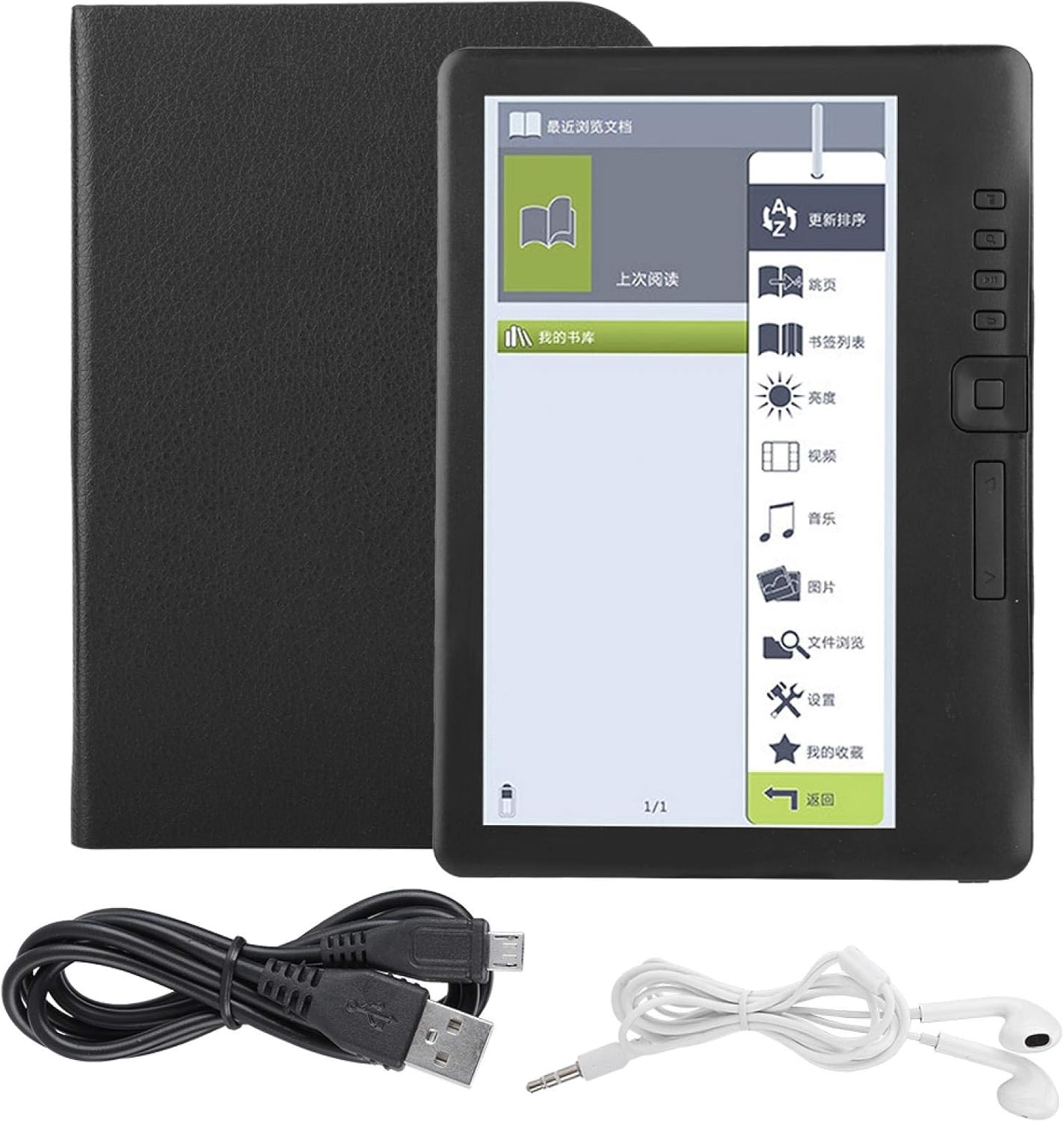
Image 2.1: All components included in the EVTSCAN BK7019 E-Book Reader package.
2.2 Características principales
- 7-Inch TFT LCD Display: Provides a clear reading experience.
- Diseño resistente al agua: Offers protection against splashes. This device is not designed for immersion in water.
- Rendimiento de alta velocidad: Equipped with an integrated ARM9 high-speed core for responsive operation.
- Interfaz fácil de usar: Features independent page-turn buttons and thumbnail previews for easy navigation.
- Convenient Reading Functions: Includes page skipping, bookmarking, and automatic memory of the last read page.
- Soporte multimedia: Integrated functions for music, video, and photo playback.
- Almacenamiento expandible: Supports external TF cards up to 16GB.
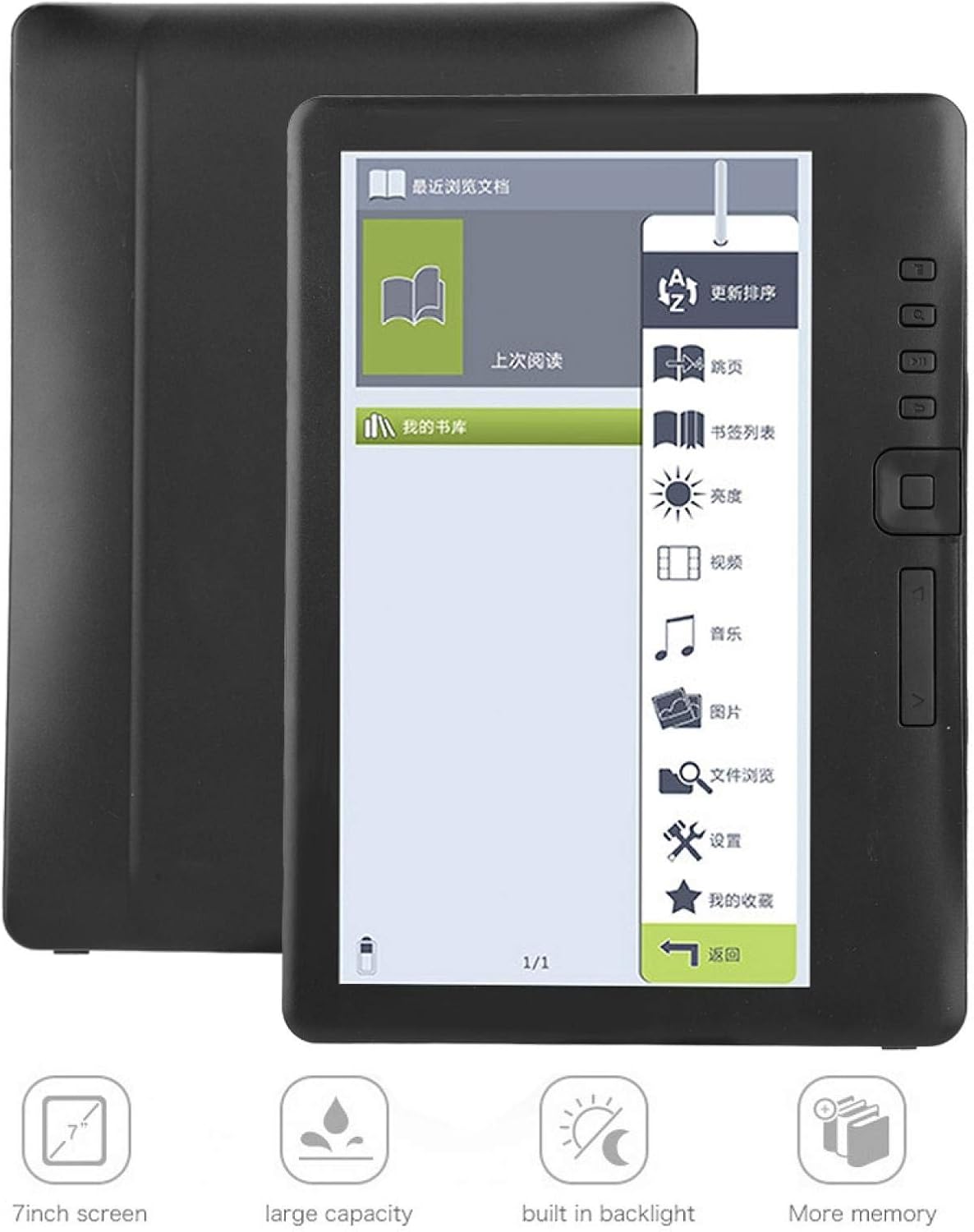
Image 2.2: Visual representation of the EVTSCAN BK7019's key features, including its 7-inch screen and expandable storage.
3. Configuración
3.1 Carga del dispositivo
- Connect the charging cable to the e-reader's charging port.
- Plug the other end of the charging cable into a compatible USB power adapter (not included) or a computer's USB port.
- El indicador de carga se iluminará. Una carga completa tarda aproximadamente 10 horas.
- Una vez cargada por completo, desconecta el cable.
3.2 Encendido / Apagado
- Para encender: Mantenga presionado el botón de encendido hasta que la pantalla se ilumine.
- Para apagar: Press and hold the power button until a power-off prompt appears, then confirm.
3.3 Inserción de una tarjeta TF
The device supports external TF (MicroSD) cards up to 16GB for expanded storage.
- Locate the TF card slot on the side or back of the device.
- Inserte suavemente la tarjeta TF en la ranura hasta que encaje en su lugar.
- Para quitarla, empuje suavemente la tarjeta hacia adentro hasta que salga.

Imagen 3.1: Trasera view of the EVTSCAN BK7019 E-Book Reader, showing the sleek design and potential location for ports.
4. Instrucciones de funcionamiento
4.1 Navegación por la interfaz
The e-reader features a main menu with icons for various functions. Use the physical buttons on the side of the device to navigate and select options.
4.2 Lectura de libros electrónicos
- From the main menu, select the 'E-Book' or 'My Library' icon to access your stored books.
- Seleccione un libro para abrirlo.
- Use the independent flip-book buttons on the side to turn pages forward or backward.
- Adjusting Reading Settings: While reading, access the reading assistant to adjust font size, brightness, and other display options for comfort.
- Marcadores: To bookmark a page, use the designated bookmark function. The device will remember your last read page automatically.
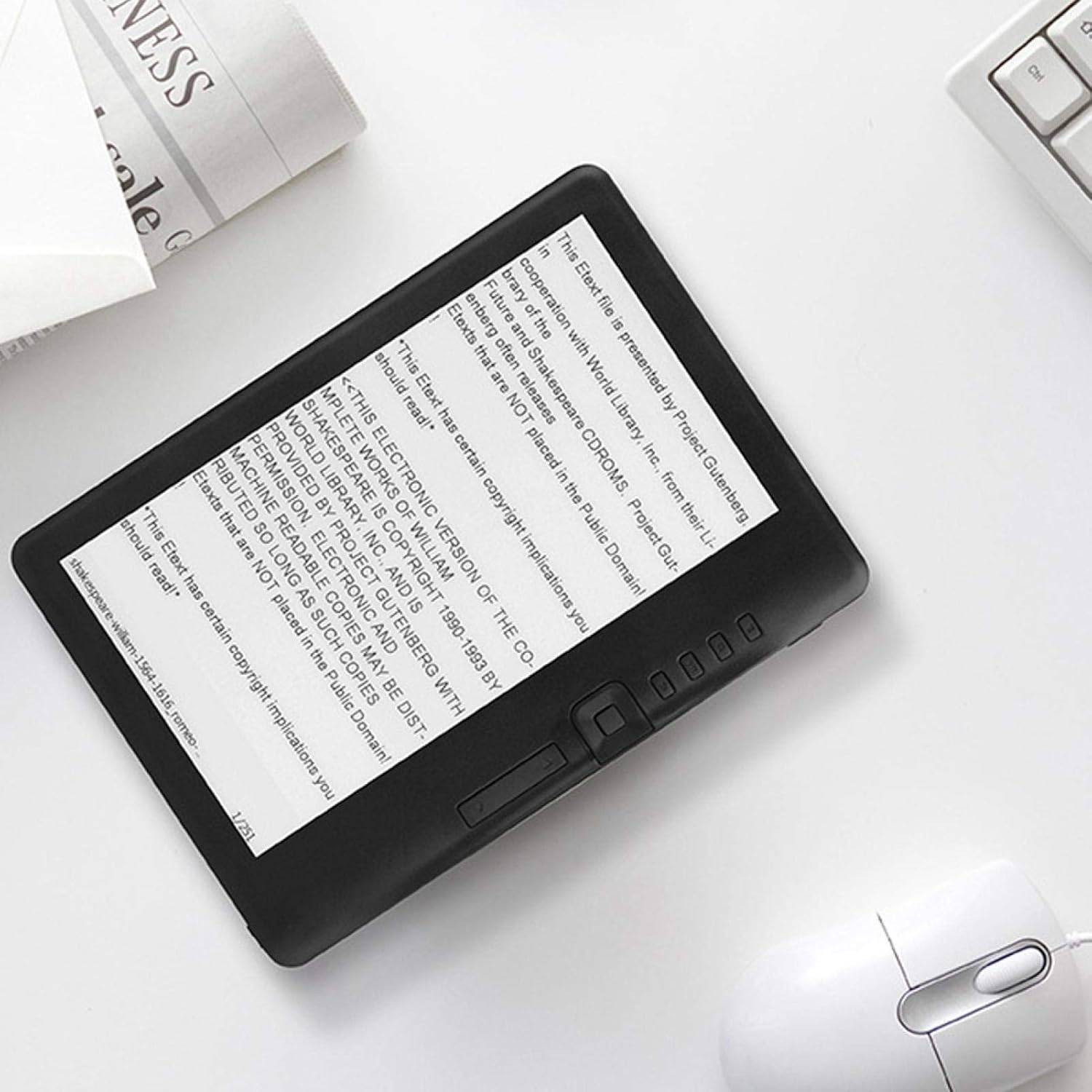
Image 4.1: The EVTSCAN BK7019 E-Book Reader displaying an e-book, with the physical navigation buttons clearly visible.
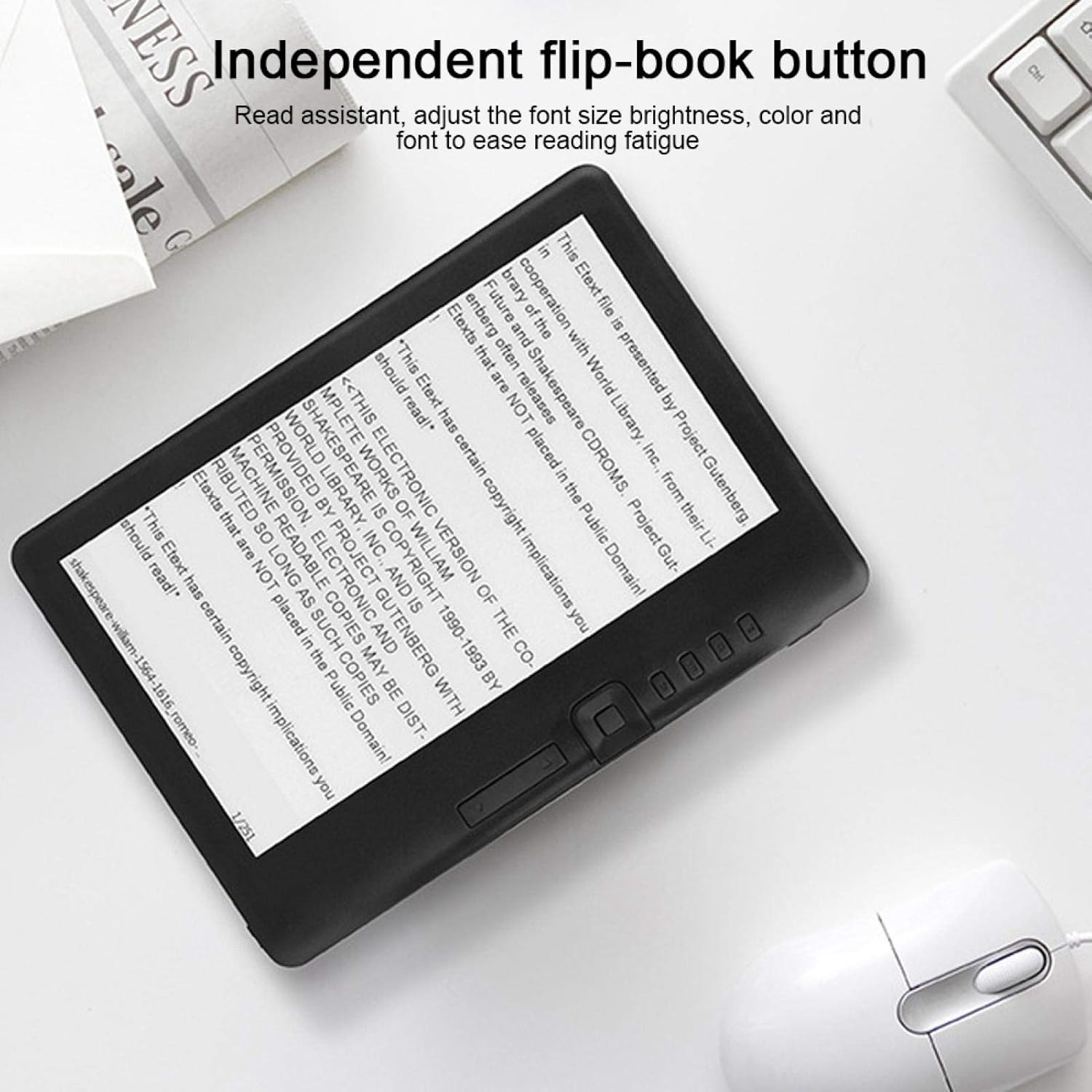
Image 4.2: Close-up of the EVTSCAN BK7019 E-Book Reader highlighting the independent flip-book buttons for page navigation.
4.3 Reproducción multimedia
The e-reader supports music, video, and photo playback.
- Música: Select the 'Music' icon from the main menu. Browse and play audio files. Connect the included earphones for private listening.
- Video: Select the 'Video' icon. Browse and play supported video files.
- Fotos: Select the 'Photos' icon. View imagen compatible files.
4.4 Transferencia Files
To transfer e-books, music, videos, or photos to your device:
- Connect the e-reader to your computer using the charging cable.
- El dispositivo debería aparecer como una unidad de almacenamiento extraíble en su computadora.
- Arrastre y suelte el elemento deseado. files into the appropriate folders on the e-reader or inserted TF card.
- Expulse de forma segura el dispositivo de su computadora antes de desconectar el cable.
5. Mantenimiento
- Limpieza: Use a soft, dry, lint-free cloth to clean the screen and body of the device. Do not use liquid cleaners or aerosols.
- Almacenamiento: Guarde el dispositivo en un lugar fresco y seco, alejado de la luz solar directa y de temperaturas extremas.
- Cuidado de la batería: Para una vida útil óptima de la batería, evite descargarla por completo con frecuencia. Cargue el dispositivo regularmente.
- Exposición al agua: While the device is water-resistant against splashes, avoid submerging it in water or exposing it to heavy rain.
6. Solución de problemas
6.1 El dispositivo no se enciende
- Asegúrese de que la batería esté cargada. Conecte el dispositivo a una fuente de alimentación y déjelo cargar durante al menos 30 minutos antes de volver a intentar encenderlo.
- Intente realizar un reinicio suave presionando y manteniendo presionado el botón de encendido durante 10 a 15 segundos.
6.2 Problemas con la pantalla
- Si la pantalla no responde o está congelada, intente reiniciar el dispositivo.
- Adjust the brightness settings if the screen appears too dim or too bright.
6.3 Cannot Read Files
- Verificar que el file format is supported (EPUB, PDF, TXT, FB2, PDB for e-books; JPG, BMP, GIF, PNG for photos; MPEG1, MPEG2, MPEG4XVID, DIVX, H.264, H.263, RM/RMVB, MKV, MOV, VOB, FLV for videos).
- Asegúrese de que files are not corrupted. Try opening them on another device.
- Comprueba si el files are stored in the correct directory on the device or TF card.
6.4 Dispositivo no detectado por la computadora
- Ensure the charging cable is securely connected to both the e-reader and the computer.
- Pruebe con un puerto USB diferente en su computadora.
- Ensure your computer meets the minimum system requirements (Windows XP/Vista/Win 7/Mac 10.0+/Linux).
7. Especificaciones
| Característica | Especificación |
|---|---|
| Nombre del modelo | BK7019 |
| Velocidad del procesador | 380 MHz (ARM9 core) |
| RAM | 512 MB |
| Sistema operativo | UCOS |
| Tipo de pantalla | LCD TFT 7-inch |
| Resolución | 800 x 480 píxeles |
| Relación de aspecto | 16:9 |
| Contraste | 400 (típico) |
| Brillo | 250 cd/m² (típico) |
| Almacenamiento externo | TF Card, up to 16 GB |
| Capacidad de la batería | 2100 mAh |
| Battery Life (E-book) | Hasta 20 horas |
| Duración de la batería (Música) | Up to 10 hours (backlight off) |
| Battery Life (E-book + Music) | Hasta 6 horas |
| Duración de la batería (vídeo) | Hasta 5 horas |
| Tiempo de carga | Approx. 10 hours (5V, 500mA) |
| Requisitos del sistema | Windows XP/Vista/Win 7/Mac 10.0 and above/Linux |
| Temperatura de funcionamiento | -10 °C a 40 °C (14 °F a 104 °F) |
| Temperatura de almacenamiento | -20 °C a 50 °C (-4 °F a 122 °F) |
| Humedad relativa | 5% a 95% (sin condensación) |
| Formatos de libros electrónicos compatibles | EPUB, PDF, TXT, FB2, PDB |
| Formatos de fotos compatibles | JPG, BMP, GIF y PNG |
| Formatos de vídeo compatibles | MPEG1, MPEG2, MPEG4XVID, DIVX, H.264, H.263, RM/RMVB, MKV, MOV, VOB, FLV |
| Conectividad Wi-Fi | No soportado |
8. Garantía y soporte
Information regarding product warranty and availability of spare parts is not provided in the product details. Please refer to your point of purchase or the manufacturer's official webSitio para conocer los términos de garantía específicos y las opciones de soporte.