
Introducción
Gracias por la compraasing the Hoco HC4 5.0 Wireless Bluetooth Sport Speaker. This manual provides detailed instructions for the proper setup, operation, and maintenance of your device. Please read this manual thoroughly before use to ensure optimal performance and to prevent damage.
Producto terminadoview
The Hoco HC4 is a portable wireless speaker designed for outdoor and sport use, featuring Bluetooth 5.0 connectivity, multiple playback options, and a robust design.
Contenido del paquete:
- Hoco HC4 Wireless Bluetooth Speaker
- Cable de carga USB
- Manual de usuario
Controles y Puertos:
Familiarícese con los botones y los puertos de conexión del altavoz:

Imagen: Close-up of the Hoco HC4 speaker showing the AUX port, DC-5V charging port, USB port, TF card slot, and control buttons.
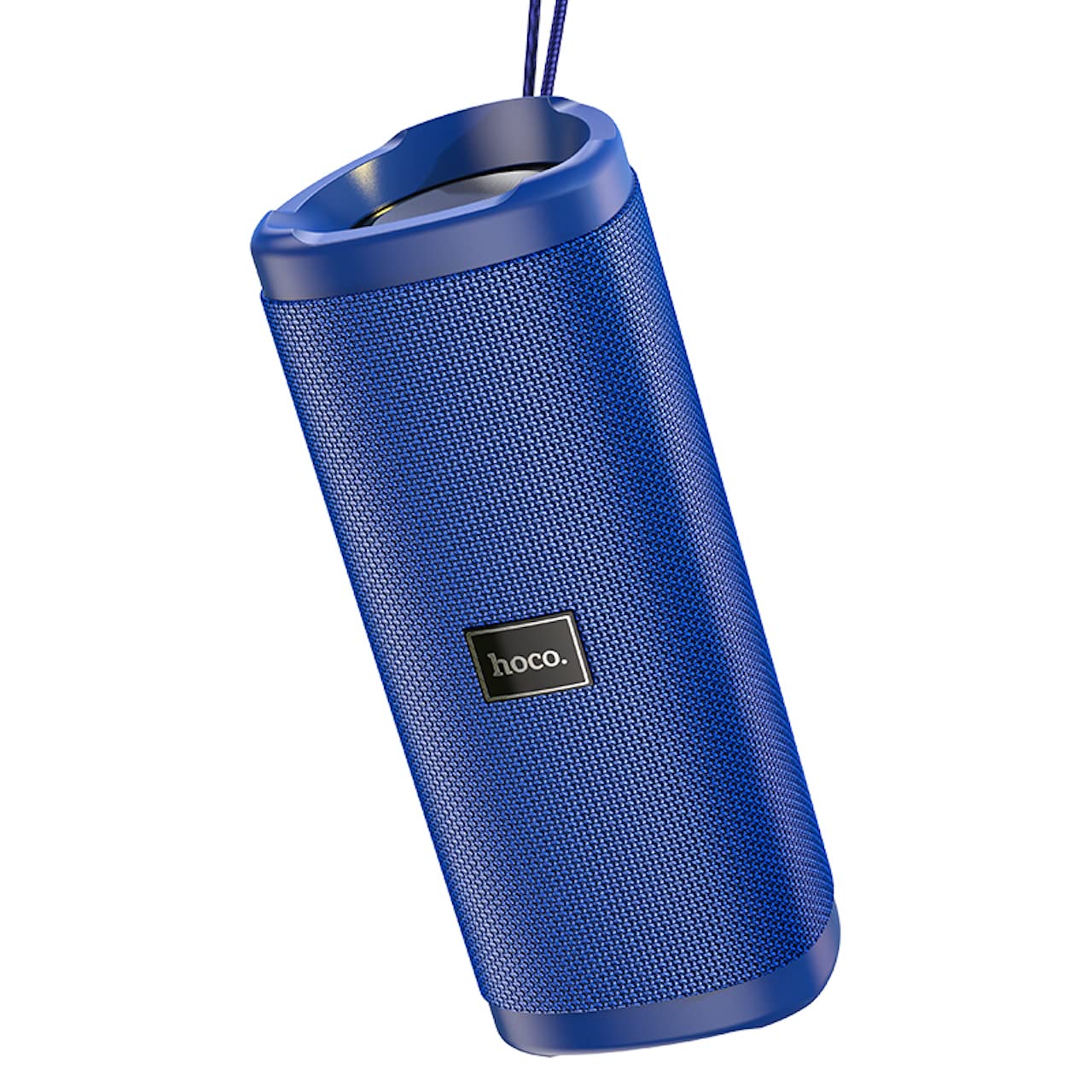
Imagen: Un ángulo view of the Hoco HC4 blue wireless speaker, highlighting its cylindrical design and fabric mesh.
- Botón de encendido: Mantenga pulsado para encender o apagar. Pulse brevemente para reproducir o pausar.
- Botón de modo (M): Presione brevemente para cambiar entre los modos Bluetooth, radio FM, tarjeta TF, USB y AUX.
- Botón para bajar el volumen/pista anterior (-): Presione brevemente para ir a la pista anterior, presione prolongadamente para disminuir el volumen.
- Botón para subir volumen/siguiente pista (+): Presione brevemente para pasar a la siguiente pista, presione prolongadamente para aumentar el volumen.
- Puerto AUX: Para conexión de audio por cable mediante un cable de audio de 3.5 mm.
- Puerto DC-5 V: Para cargar el altavoz utilizando el cable USB proporcionado.
- Puerto USB: Para reproducir audio desde una unidad flash USB.
- Ranura para tarjetas TF: Para reproducir audio desde una tarjeta TF (MicroSD).
Configuración
Carga inicial:
- Antes del primer uso, cargue completamente el altavoz.
- Connect the small end of the USB charging cable to the DC-5V port on the speaker.
- Connect the larger end of the USB cable to a USB power adapter (5V/1A recommended) or a computer's USB port.
- La luz indicadora de carga se iluminará durante la carga y se apagará cuando esté completamente cargada.
Instrucciones de funcionamiento
Encendido/apagado:
- Para encender: Mantenga presionado el botón de encendido durante aproximadamente 3 segundos. Oirá una señal sonora.
- Para apagar: Mantenga presionado el botón de encendido durante aproximadamente 3 segundos. Oirá una señal sonora.
Emparejamiento Bluetooth:
- Ensure the speaker is powered on and in Bluetooth mode (indicated by a flashing blue LED and an audible prompt). If not, short press the 'M' (Mode) button to switch to Bluetooth mode.
- Habilite Bluetooth en su dispositivo móvil (teléfono inteligente, tableta, etc.).
- Buscar available Bluetooth devices. Select "HC4" from the list.
- Once paired, the blue LED will stop flashing and remain solid, and you will hear a confirmation sound.
- Ahora puedes reproducir audio desde tu dispositivo a través del altavoz.
Modo de radio FM:
- Short press the 'M' (Mode) button until you hear the FM radio prompt.
- Para buscar y guardar automáticamente las estaciones disponibles, presione brevemente el botón de encendido. El altavoz buscará y guardará las estaciones automáticamente.
- Use the '-' and '+' buttons to navigate between saved stations.
Reproducción de tarjeta TF/USB:
- Insert a TF (MicroSD) card or USB flash drive into the respective slot.
- El altavoz cambiará automáticamente al modo tarjeta TF o USB y comenzará a reproducir audio. files. If not, short press the 'M' (Mode) button to select the correct mode.
- Use the Power button to play/pause, and the '-' and '+' buttons for track navigation and volume control.
Modo AUX:
- Conecte un extremo de un cable de audio de 3.5 mm (no incluido) al puerto AUX del altavoz.
- Conecte el otro extremo a la salida de audio de su dispositivo (por ejemplo, computadora portátil, reproductor MP3).
- Presione brevemente el botón 'M' (Modo) para cambiar al modo AUX.
- Audio will now play through the speaker. Volume can be controlled via the speaker or your connected device.
Función estéreo inalámbrica verdadera (TWS):
The TWS function allows you to pair two Hoco HC4 speakers together for a stereo sound experience.
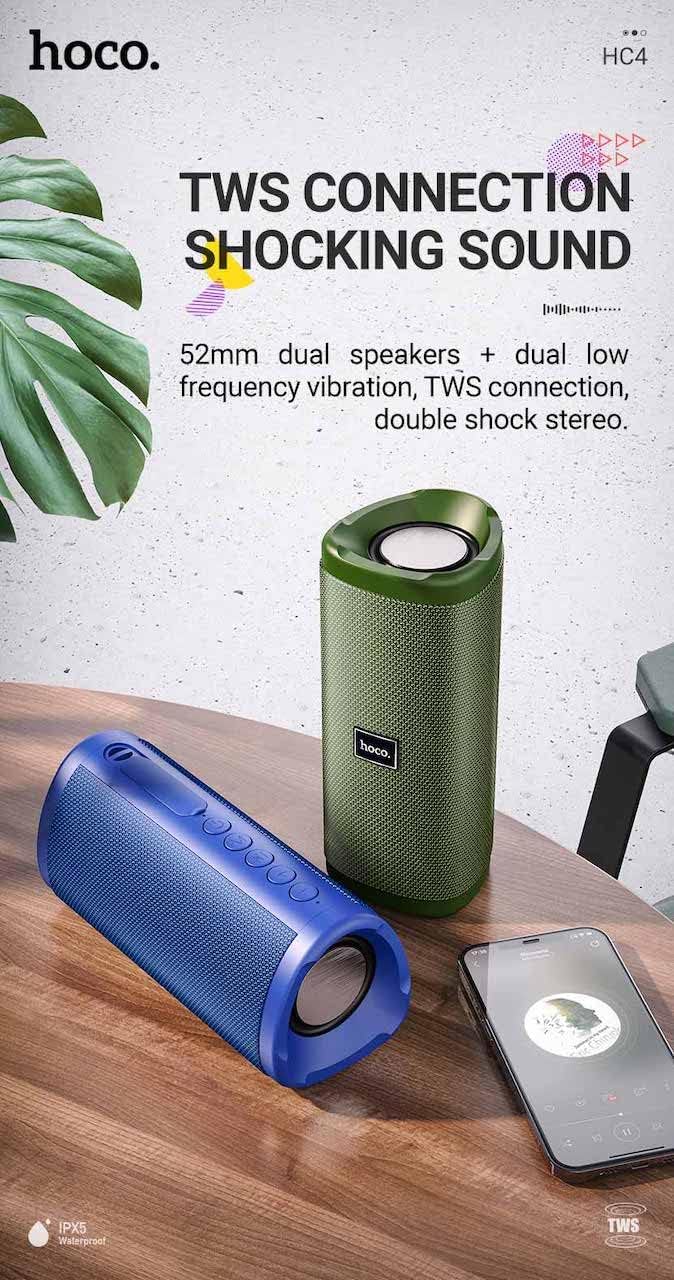
Imagen: A promotional image showing two Hoco HC4 speakers (blue and green) connected via TWS, with a smartphone playing music. The image also highlights 'IPX5 Waterproof'.
- Ensure both HC4 speakers are powered on and in Bluetooth pairing mode (flashing blue LED).
- On one of the speakers (this will be the primary speaker), double-press the Power button. You will hear a tone indicating it is searching for another speaker.
- The two speakers will automatically connect to each other. Once connected, you will hear a confirmation sound, and the LED on the primary speaker will flash, while the secondary speaker's LED will be solid.
- Ahora, conecte su dispositivo móvil al altavoz principal a través de Bluetooth como se describe en la sección "Emparejamiento Bluetooth".
- El audio ahora se reproducirá en estéreo a través de ambos altavoces.
Cargando
When the battery is low, the speaker will emit an audible warning. Connect the speaker to a power source using the provided USB cable to recharge. A full charge takes approximately 2-3 hours. The speaker provides up to 3 hours of playtime on a full charge, depending on volume level and usage.
Mantenimiento
Limpieza:
Limpie el altavoz con un paño suave y seco. No utilice limpiadores abrasivos, alcohol ni otros disolventes químicos, ya que podrían dañar la superficie.
Almacenamiento:
Store the speaker in a cool, dry place away from direct sunlight and extreme temperatures. If storing for an extended period, charge the battery at least once every three months to prolong its lifespan.
Resistencia al agua (IPX5):
The Hoco HC4 speaker features an IPX5 water resistance rating, meaning it is protected against low-pressure water jets from any direction. This makes it suitable for outdoor use and resistant to splashes and light rain. No sumerja el altavoz en agua. Asegúrese de que la tapa del puerto esté bien cerrada para mantener la resistencia al agua.
Solución de problemas
| Problema | Posible causa | Solución |
|---|---|---|
| El altavoz no se enciende | Batería baja; el botón de encendido no se presionó el tiempo suficiente | Cargue el altavoz; mantenga presionado el botón de encendido durante 3 segundos |
| Sin sonido | Volumen demasiado bajo; Modo incorrecto; Dispositivo no conectado | Increase volume; Switch to correct mode (Bluetooth, AUX, etc.); Ensure device is paired/connected |
| El emparejamiento de Bluetooth falla | El altavoz no está en modo de emparejamiento; el Bluetooth del dispositivo está desactivado; está demasiado lejos del altavoz | Ensure speaker is in Bluetooth mode (flashing LED); Turn on device Bluetooth; Move device closer (within 10m) |
| El emparejamiento de TWS falla | Los altavoces no están en modo de emparejamiento TWS; están demasiado separados | Ensure both speakers are in Bluetooth mode, then double-press Power button on one; Keep speakers close during TWS pairing |
Presupuesto

Imagen: The Hoco HC4 speaker with its dimensions clearly marked: 20 cm in length, 8.8 cm in height, and 8.1 cm in width.
- Marca: Hoco
- Modelo: HC4
- Versión de Bluetooth: 5.0
- Potencia de salida: 10 W
- Tamaño del altavoz: 52 mm
- Capacidad de la batería: 1500 mAh
- Recreo: Aproximadamente 3 horas (al 80% del volumen)
- Tiempo de carga: Aproximadamente 2-3 horas
- Dimensiones: 200 x 88 x 81 mm (Length x Height x Width)
- Peso: 540 gramos
- Opciones de conectividad: Bluetooth, radio FM, tarjeta TF, USB, AUX
- Resistencia al agua: IPX5 (a prueba de salpicaduras)
- Tipo de control: Botón
Información de seguridad
- No exponga el altavoz a temperaturas extremas ni a la luz solar directa durante períodos prolongados.
- Evite dejar caer o someter el altavoz a impactos fuertes.
- Keep the speaker away from water and liquids, especially when ports are open.
- No intente desmontar, reparar ni modificar el altavoz usted mismo. Esto anulará la garantía y podría causar daños.
- Utilice únicamente el volumen de carga especificadotage (DC 5V) and the provided charging cable.
- Mantener fuera del alcance de los niños.
Garantía y soporte
This product is covered by a standard manufacturer's warranty. For specific warranty terms and conditions, please refer to the warranty card included with your purchase or contact your local retailer. For technical support or service inquiries, please contact Hoco customer service or the authorized distributor in your region.