Introducción
Gracias por la compraasing the BIGFUN 61-Key Multifunction Electric Piano Keyboard. This educational instrument toy is designed for children aged 3-12 years, offering a fun and engaging way to learn music. With 61 keys, multiple tones, rhythms, and recording functions, it provides a comprehensive musical experience. Please read this manual carefully before use to ensure proper operation and maintenance.
Instrucciones de seguridad
- No exponga el teclado al agua ni a la humedad.
- Evite dejar caer o someter el teclado a impactos fuertes.
- Utilice únicamente el adaptador de corriente o las baterías especificadas.
- Mantener fuera del alcance de los niños muy pequeños para evitar peligro de asfixia por piezas pequeñas.
- Do not attempt to disassemble or repair the keyboard yourself. Contact customer support if issues arise.
- Asegúrese de que haya una ventilación adecuada durante su uso.
Contenido del paquete
Por favor revise el paquete para asegurarse de que todos los artículos estén presentes:
- 1 x BIGFUN 61-Key Electric Piano Keyboard
- 1 x micrófono
- Cable de alimentación 1 x USB
- 1 x cable de audio (conector de 3.5 mm)
- 1 x Small Screwdriver (for battery compartment, if applicable)
- 1 x Manual de usuario (este documento)

Image: The BIGFUN 61-Key Electric Piano Keyboard shown with its packaging and included accessories: a microphone, USB power cable, audio cable, and a small screwdriver.
Producto terminadoview
Familiarize yourself with the different parts of your BIGFUN keyboard:

Imagen: Una vista de arriba hacia abajo view of the BIGFUN 61-Key Electric Piano Keyboard, highlighting the 61 keys, control panel, and integrated speakers.
- Botón de encendido: Enciende/apaga el teclado.
- Control de volumen: Ajusta la salida de sonido general.
- Tone Selection Buttons: Allows selection of various instrument sounds (e.g., Piano, Organ, Violin). The keyboard features 16 tones.
- Rhythm Selection Buttons: Allows selection of various rhythm patterns (e.g., Disco, March, Waltz). The keyboard features 5 rhythms.
- Pantalla LED: Shows the currently selected tone, rhythm, or other settings.
- Botones de grabación/reproducción: For recording and playing back your melodies.
- Botón de demostración: Plays pre-programmed demonstration songs.
- Entrada de micrófono: Jack for connecting the included microphone.
- Puerto de alimentación USB: Para conectar el cable de alimentación USB.
- Oradores: Integrated stereo speakers for sound output.
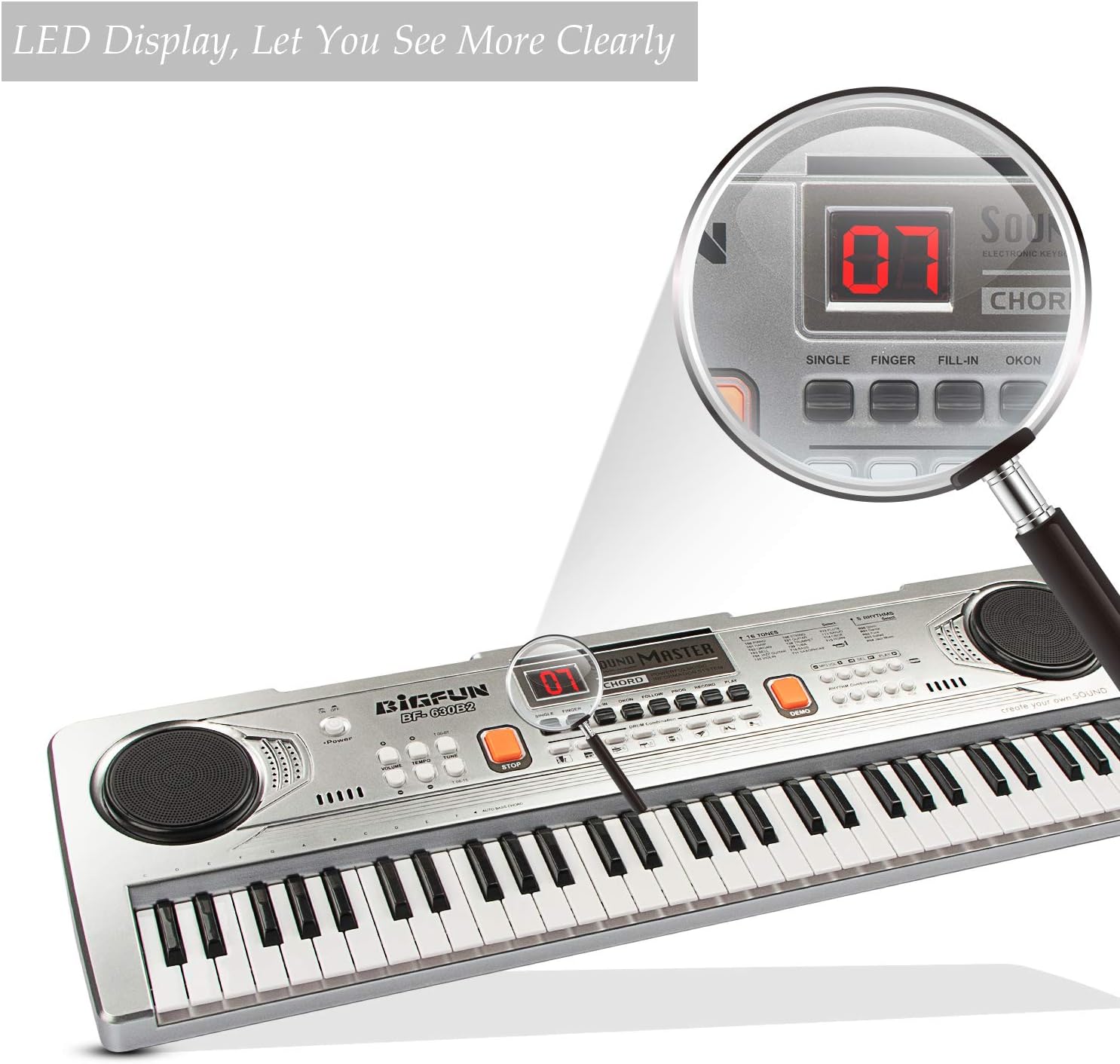
Imagen: Una imagen ampliada view of the LED display on the keyboard's control panel, showing a clear digital readout for selected functions.

Image: A child enthusiastically playing the BIGFUN keyboard, with a graphic overlay emphasizing the "HI-FI SPEAKERS DESIGN" and its ability to produce amazing sound and clearer scales.

Image: A visual comparison illustrating the "Large piano keys" feature of the BIGFUN keyboard (2.7x0.63in key size) compared to a keyboard with smaller keys, indicating a more comfortable playing experience.
Configuración
Encendido del teclado
El teclado se puede alimentar de dos maneras:
- Energía del USB: Connect the provided USB power cable to the USB port on the keyboard and plug the other end into a compatible USB power adapter (not included) or a computer USB port.
- Energía de la batería: (If applicable, check battery compartment) Insert 4 x AA batteries (not included) into the battery compartment located on the underside of the keyboard. Ensure correct polarity.
Conexión del micrófono
Plug the microphone's 3.5mm jack into the microphone input port on the keyboard. The microphone allows you to sing along while playing.
Instrucciones de funcionamiento
Turning On/Off and Volume Adjustment
- Presione el Fuerza button to turn the keyboard on.
- Girar el Volumen Perilla para ajustar el nivel de sonido.
- Presione el Fuerza button again to turn the keyboard off.
Selección de tonos (sonidos de instrumentos)
- Presione el Tone Select buttons to cycle through the 16 available instrument sounds. The selected tone number will be displayed on the LED screen.
- Experiment with different tones to find your favorite sounds.
Selección de ritmos
- Presione el Rhythm Select buttons to choose from the 5 built-in rhythm patterns. The selected rhythm number will appear on the LED screen.
- Utilice el Tempo control (if available) to adjust the speed of the rhythm.
Grabación y reproducción
- Presione el Registro Botón para empezar a grabar tu interpretación. El teclado grabará las notas que toques.
- Presione el Jugar Botón para escuchar tu melodía grabada.
- To record a new melody, simply press Registro again. The previous recording will be overwritten.
Canciones de demostración
- Presione el Manifestación button to play through the pre-programmed demonstration songs.
- Prensa Manifestación again to stop playback or cycle to the next song.
Mantenimiento
- Limpieza: Limpie el teclado con un paño suave y seco. No utilice limpiadores abrasivos ni disolventes.
- Almacenamiento: Guarde el teclado en un lugar fresco y seco, alejado de la luz solar directa y de temperaturas extremas.
- Cuidado de la batería: Si no utiliza el teclado durante un período prolongado, retire las baterías para evitar fugas.
Solución de problemas
| Problema | Posible causa | Solución |
|---|---|---|
| El teclado no se enciende. | No power, low batteries, or faulty connection. | Ensure USB cable is securely connected or replace batteries. |
| No hay sonido de los altavoces. | Volumen demasiado bajo, función de silencio activa o problema con el altavoz. | Increase volume. Check if any mute button is pressed (if applicable). |
| El micrófono no funciona. | Microphone not plugged in correctly or faulty microphone. | Ensure microphone is fully inserted into the jack. Test with another microphone if possible. |
| Las teclas no responden. | Internal malfunction or debris under keys. | Turn off and on again. If problem persists, contact customer support. |
Presupuesto
- Marca: GRAN DIVERSIÓN
- Modelo: BF-630B2
- Número de llaves: 61
- Tipo de material: Acrilonitrilo Butadieno Estireno, Plástico
- Fuente de energía: Eléctrico (USB)
- Tecnología de conectividad: Auxiliary (for microphone)
- Peso del artículo: 2.29 libras
- Dimensiones del paquete: 25 x 8 x 2.75 pulgadas
- Nivel de dificultad: Principiante
- Rango de edad (descripción): Kid (3-12 Years Old)
- Característica especial: Portátil
Garantía y soporte
BIGFUN products are manufactured with high quality standards. For any questions, technical support, or warranty claims, please contact our customer service team. Please have your product model and purchase date ready when contacting support.
For more information, visit the official BIGFUN store: BIGFUN Store on Amazon