
1. Introducción
Gracias por la compraasing the AGPTEK A19 MP3 Player. This compact and versatile digital audio player is designed to provide a high-quality music experience with advanced features like Bluetooth 5.2, a vibrant 2.4-inch display, and extensive storage options. Please read this manual carefully to understand how to operate your device and enjoy all its functionalities.
2. Producto terminadoview


Contenido del paquete:
- AGPTEK A19 MP3 Player x 1
- Wired Earphones x 1
- Cable de carga USB x 1
- Correa x 1
- Manual de usuario x 1
3. Características principales
- Conectividad Bluetooth 5.2: Enjoy stable and fast wireless connection with Bluetooth headphones or speakers. Supports resume playback, fast forward, and rewind functions in Bluetooth mode. Features automatic reconnection after initial pairing.
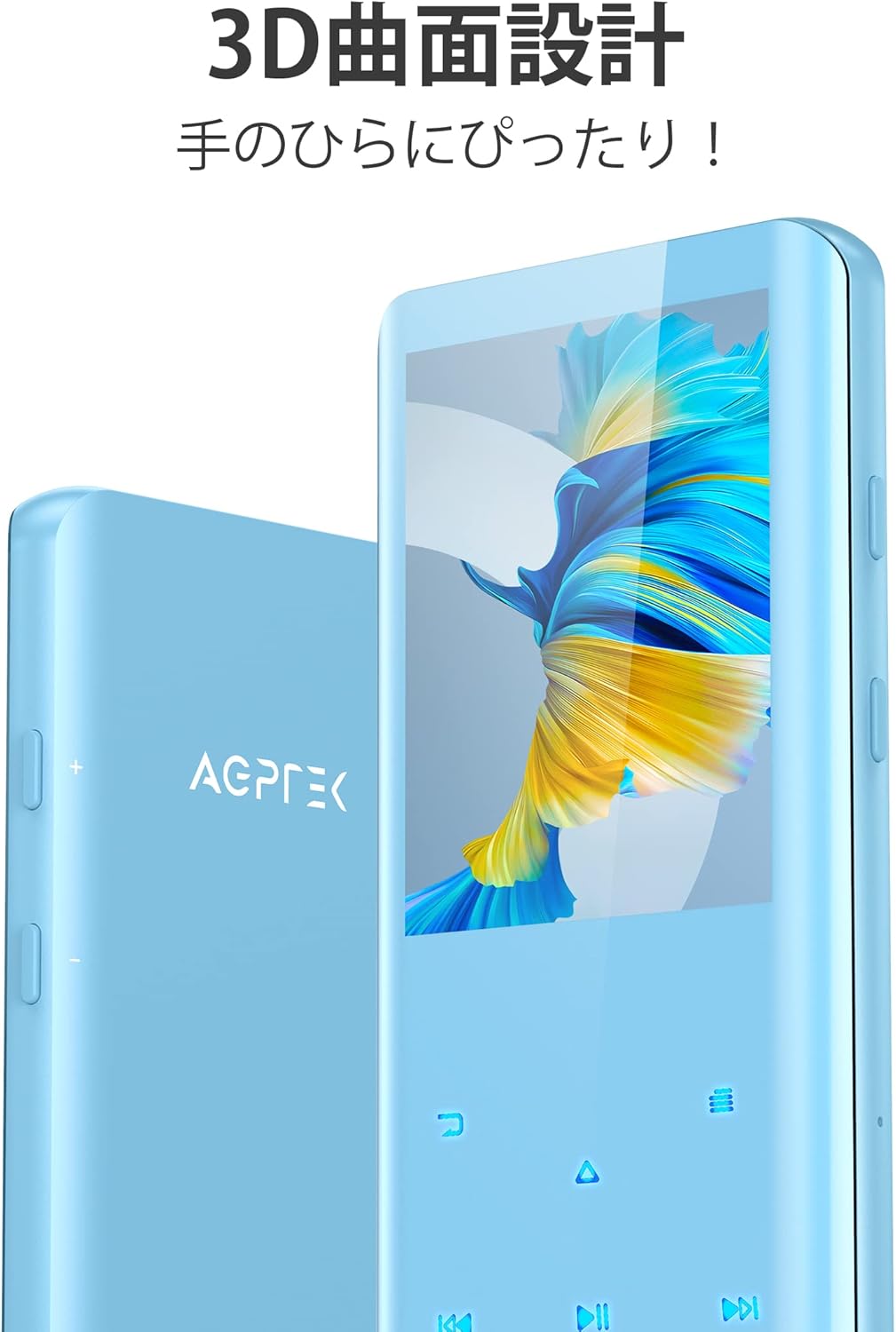
- 3D Curved Design & 2.4-inch TFT Display: The player boasts a sleek 3D curved surface for a comfortable grip and a 2.4-inch TFT color screen for clear navigation.
- HIFI Sound Quality with Noise Reduction: Equipped with a high-quality intelligent audio chip and digital noise cancellation technology for an immersive and clear audio experience.
- Ample Storage & Long Battery Life: Comes with 32GB of built-in memory, expandable up to 128GB via a microSD card (not included). The built-in rechargeable battery provides up to 48 hours of continuous music playback with wired earphones on a single charge.
- Dispositivo multifuncional: Beyond music playback, it includes FM radio, built-in speaker playback, sleep timer, direct recording (without PC), e-book reader, pedometer, video playback, screen saver, variable speed playback, random playback, resume playback, and A-B repeat for language learning.
4. Configuración
4.1 Carga del dispositivo
Before first use, fully charge the MP3 player. Connect the device to a computer's USB port or a USB wall adapter (5V/1A recommended) using the provided USB cable. The battery indicator on the screen will show charging status. A full charge typically takes a few hours.
Important: To prolong battery life, avoid letting the battery completely drain before recharging.
4.2 Transferencia de música y Files
Connect the MP3 player to your computer using the provided USB cable. The device will appear as a removable disk. You can drag and drop music files (MP3, WMA, APE, FLAC, WAV, DRM, ACELP), videos, e-books, and other supported files directly into the player's internal storage or a inserted microSD card.
4.3 Inserción de una tarjeta MicroSD
If you wish to expand the storage, insert a microSD card (up to 128GB, not included) into the designated slot on the side of the player until it clicks into place. Ensure the card is inserted correctly to avoid damage.
5. Instrucciones de funcionamiento
5.1 Encendido y apagado
- Encendido: Mantenga presionado el botón de encendido (generalmente en el costado) durante unos segundos hasta que la pantalla se ilumine.
- Apagado: Press and hold the Power button for a few seconds until the power-off prompt appears, then confirm.
5.2 Navegación básica
The player features a 2.4-inch screen with touch-sensitive buttons below it for navigation. The main menu displays various functions as icons.
- Utilice los botones táctiles direccionales (arriba, abajo, izquierda, derecha) para navegar por los menús.
- The center button typically acts as 'Enter' or 'Confirm'.
- The 'Back' button (often an arrow or 'return' symbol) takes you to the previous screen.
5.3 Reproducción de música
- Desde el menú principal, seleccione 'Música'.
- Explora tu música por artista, álbum, canciones, listas de reproducción o carpetas.
- Seleccione una canción para comenzar la reproducción.
- During playback, use the touch buttons for Play/Pause, Next/Previous Track, Fast Forward/Rewind.
- Supported audio formats: MP3, WMA, APE, FLAC, WAV, DRM, ACELP.
5.4 Emparejamiento Bluetooth
- Asegúrese de que sus auriculares o altavoz Bluetooth estén en modo de emparejamiento.
- On the MP3 player, go to 'Bluetooth' from the main menu.
- Active Bluetooth y seleccione “Buscar dispositivo”.
- Select your device from the list to pair. Once paired, the player will automatically reconnect to this device when Bluetooth is enabled.
5.5 Radio FM
Connect wired earphones to the player as they act as the antenna for FM radio reception.
- Desde el menú principal, seleccione 'Radio FM'.
- Perform an automatic search for stations or manually tune.
5.6 Grabadora de voz
- Select 'Record' from the main menu.
- Seleccione “Iniciar grabación de voz” para comenzar.
- Press the 'Stop' button to end and save the recording.
5.7 Otras funciones
- E-book: Leer libros electrónicos en formato TXT.
- Podómetro: Sigue tus pasos
- Video: Play supported video formats.
- Tiempo de dormir: Set a timer for the player to automatically turn off.
- Repetir AB: Repeat a specific section of an audio track, useful for language learning.
- Ecualizador: Ajustar el sonido profesionalfiles. You can select from various presets or customize your own.

6. Mantenimiento
- Limpieza: Utilice un paño suave y seco para limpiar el dispositivo. Evite el uso de limpiadores abrasivos o disolventes.
- Cuidado de la batería: To maximize battery lifespan, avoid completely discharging the battery frequently. Charge the device regularly, even if not in use for extended periods.
- Almacenamiento: Guarde el reproductor en un lugar fresco y seco, alejado de la luz solar directa y de temperaturas extremas.
- Manejo: Manipule el dispositivo con cuidado para evitar caídas o impactos que puedan dañar la pantalla o los componentes internos.
7. Solución de problemas
- El dispositivo no se enciende: Asegúrese de que la batería esté cargada. Conéctela a una fuente de alimentación y vuelva a intentarlo.
- no se puede transferir files: Use the original USB cable provided. Some third-party cables may only support charging, not data transfer. Ensure the device is properly connected and recognized by your computer.
- Poor sound quality / distorted audio: Check the earphones or speaker connection. Try different earphones. Adjust the equalizer settings. Ensure the audio files no están dañados.
- Problemas de conexión Bluetooth: Ensure both the player and the Bluetooth device are in pairing mode and within range (up to 10 meters without obstacles). Try unpairing and re-pairing the devices.
- Screen visibility outdoors: The screen may be difficult to see in bright sunlight due to its design. Try to use it in shaded areas or adjust screen brightness if available.
- Buttons unresponsive / slow: Ensure your fingers are clean and dry when using touch buttons. If the device is frozen, try a soft reset by pressing and holding the power button until it restarts.
8. Especificaciones
| Característica | Especificación |
|---|---|
| Nombre del modelo | A19 |
| Tamaño de pantalla | 2.4 pulgadas |
| Memoria interna | 32 GB |
| Memoria expandible | Up to 128GB (microSD card) |
| Versión de Bluetooth | 5.2 |
| Tiempo de reproducción continua | Up to 48 hours (wired earphones) |
| Formatos de audio compatibles | MP3, WMA, APE, FLAC, WAV, DRM, ACELP |
| Dimensiones | 10.59 x 4.8 x 0.89 cm |
| Peso | 0.1 kilogramos (100 gramos) |
| Otras funciones | FM Radio, Voice Recorder, E-book, Pedometer, Video Playback, Sleep Timer |
9. Vídeos oficiales del producto
10. Garantía y soporte
AGPTEK products come with a standard manufacturer's warranty. For specific warranty details, please refer to the warranty card included in your package or visit the official AGPTEK website. If you encounter any issues or have questions regarding your AGPTEK A19 MP3 Player, please contact AGPTEK customer support through their official channels or the retailer where you purchased the product.
Para obtener más ayuda, también puede consultar la AGPTEK Brand Store on Amazon.