
1. Introducción
Thank you for choosing the HoneyGuaridan Automatic Pet Feeder. This device is designed to provide scheduled and portion-controlled meals for your pets, ensuring they maintain healthy eating habits. It features a versatile design that can accommodate one or two pets, a large 7-liter food capacity, and a reliable dual power supply system.
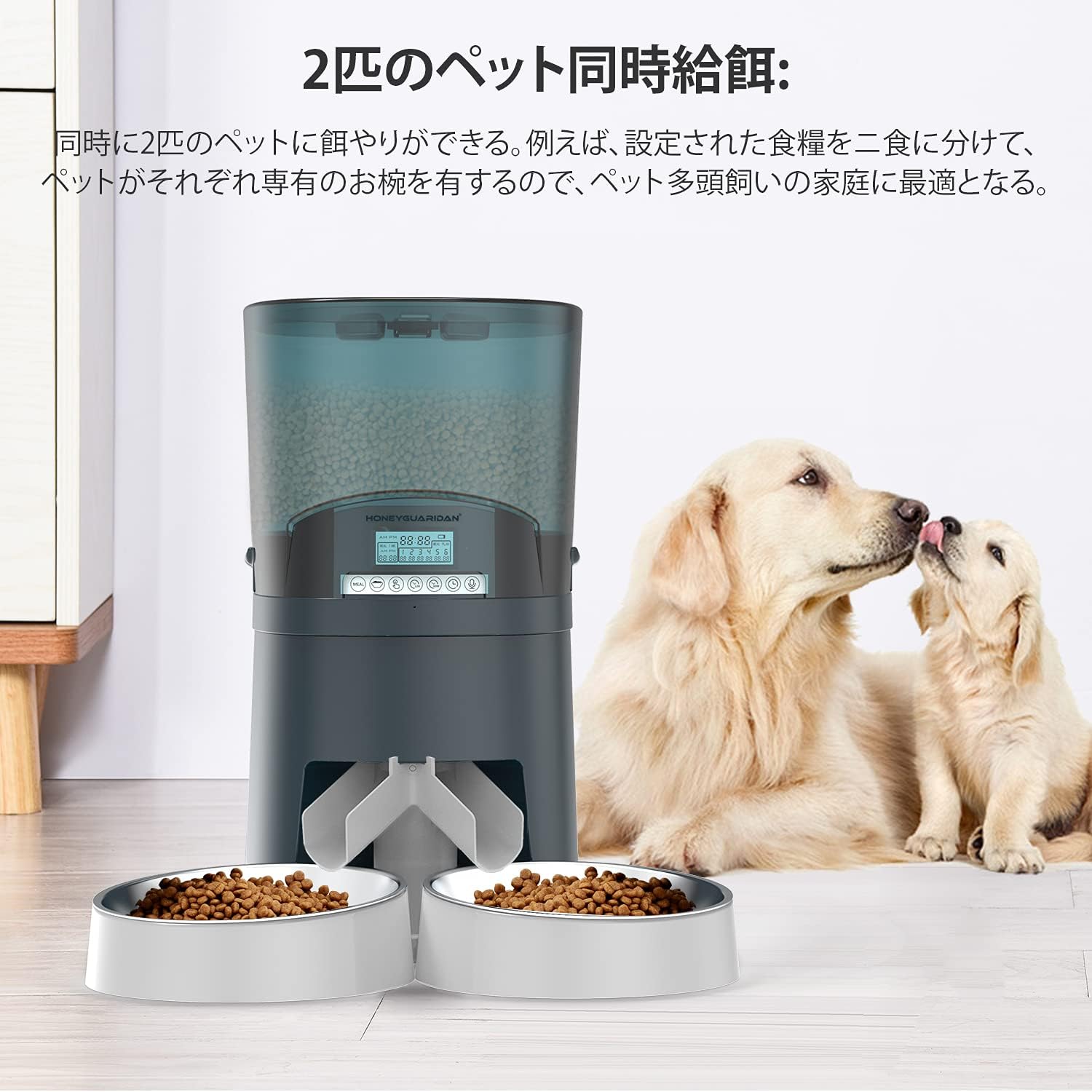
Image: The HoneyGuaridan A68D feeder in a dual-bowl configuration, with two golden retriever puppies nearby, illustrating its use for multiple pets.
2. Información de seguridad
- Lea todas las instrucciones atentamente antes de utilizar el alimentador.
- Mantenga el comedero fuera del alcance de los niños y las mascotas cuando no esté en uso o durante el montaje.
- Use only dry pet food with a particle size between 0.5cm and 1.8cm to prevent clogging.
- Do not immerse the main unit in water. Only removable parts are washable.
- Ensure the power adapter cable is not damaged and is placed where pets cannot chew on it.
- If using batteries, ensure they are inserted correctly and replaced when low to avoid interruptions.
3. Contenido del paquete
Verifique que todos los componentes estén presentes en el paquete:
- Unidad de alimentación principal
- Food Container (7L)
- Tapa
- Food Splitter (for dual-bowl feeding)
- Cuencos de acero inoxidable (x2)
- Porta cuencos (x2)
- Adaptador de corriente alterna
- Manual de usuario

Imagen: Una explosión view showing all individual components of the HoneyGuaridan A68D automatic pet feeder, including the main unit, food container, lid, splitter, bowls, and power adapter.
4. Producto terminadoview Y características clave
The HoneyGuaridan A68D feeder is designed with several features for convenience and reliability:
- Transparent Food Hopper: Allows easy monitoring of food levels.
- Sensor infrarojo: Detects food blockages and triggers motor reversal to prevent clogging.
- Panel de control fácil de usar: Intuitive buttons and display for programming.
- Tapa de bloqueo: Helps maintain food freshness and prevents pets from accessing food prematurely.
- Removable Stainless Steel Bowls: Easy to clean and hygienic.
- Fuente de alimentación dual: Operates via AC adapter or D-cell batteries for backup.

Imagen: Un detalle view of the feeder highlighting the transparent food container, the control panel, the infrared sensor at the food outlet, and the locking mechanism on the lid.
5. Configuración
5.1 Asamblea
- Coloque la unidad de alimentación principal sobre una superficie plana y estable.
- Insert the food container onto the main unit, ensuring it is securely seated.
- Attach the lid to the food container.
- Decide on single or dual bowl configuration (see section 5.2).
- Place the stainless steel bowls into their respective holders and attach them to the feeder's base.
5.2 Bowl Configuration (Single/Dual)
The feeder can be configured for one or two pets:
- For Dual-Pet Feeding: Attach the food splitter to the food outlet before placing the two bowl holders and stainless steel bowls.
- For Single-Pet Feeding: Do not attach the food splitter. Use only one bowl holder and stainless steel bowl, centered under the food outlet.
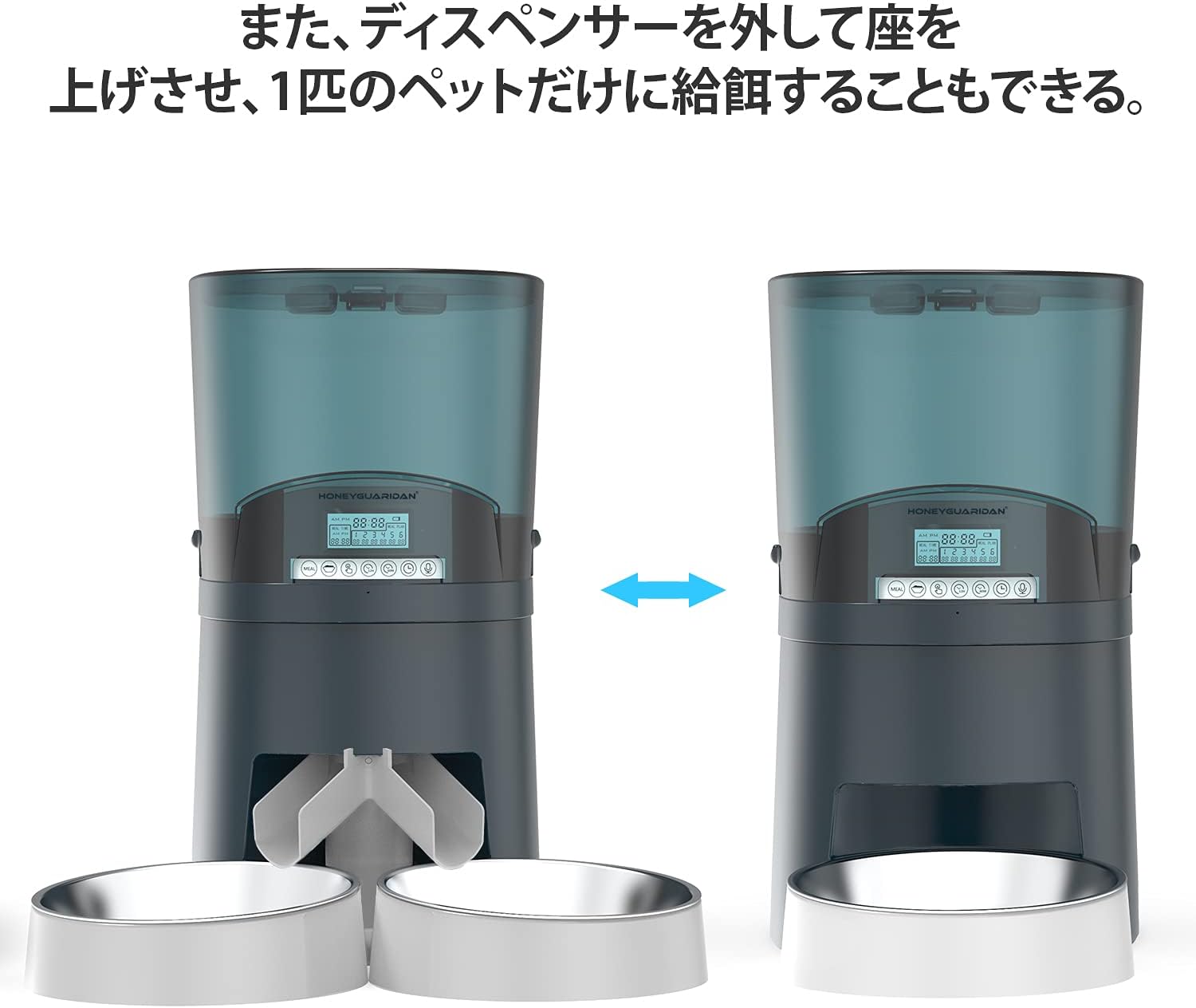
Image: The feeder shown in two configurations: on the left, with a splitter for two bowls; on the right, without a splitter for a single bowl, demonstrating its versatility.
5.3 Fuente de alimentación
The feeder can be powered by an AC adapter or D-cell batteries:
- Adaptador de CA: Plug the adapter into the power port on the back of the feeder and into a wall outlet.
- Copia de seguridad de la batería: Para el poder outages or portable use, insert 4 D-cell batteries (not included) into the battery compartment at the bottom of the unit. Ensure correct polarity.

Image: A close-up of the battery compartment located at the bottom of the feeder, showing slots for four D-cell batteries and the power adapter connection.
5.4 Carga de alimentos
Open the lid and pour dry pet food into the transparent hopper. Ensure the food level is below the maximum fill line. Close the lid securely to maintain freshness.
6. Instrucciones de funcionamiento
6.1 Configuración de la hora actual
Refer to the control panel and use the designated buttons (usually 'SET' and arrow keys) to set the current time. Confirm the setting to save.
6.2 Programming Meal Schedules
The feeder allows up to 6 meals per day. For each meal:
- Enter programming mode (usually by pressing 'SET' or 'PROGRAM').
- Select the meal number (1-6).
- Set the desired feeding time using the arrow keys.
- Set the portion size (1-48 units, approximately 12g per unit).
- Repeat for all desired meals. Exit programming mode to save.
6.3 Alimentación manual
Press the 'MANUAL' button to dispense a single portion of food instantly. This is useful for extra treats or to test the feeder.
6.4 Grabación de voz
Record a short voice message (e.g., "Time to eat!") that will play at each scheduled mealtime to call your pets. Refer to the manual for specific recording steps.

Image: A golden retriever dog looking towards the feeder, with a speech bubble indicating a recorded voice message, demonstrating the voice recording feature.
6.5 Bloqueo del panel de control
To prevent accidental changes by pets or children, activate the control panel lock function. Refer to the manual for instructions on how to enable and disable this feature.
7. Mantenimiento
7.1 Limpieza
Regular cleaning ensures hygiene and proper operation:
- Desconecte el adaptador de corriente y retire las baterías antes de limpiar.
- Remove the food container, lid, food splitter, and stainless steel bowls. These parts are washable with soap and water. Rinse thoroughly and dry completely before reassembly.
- Limpie la unidad de alimentación principal con adamp tela. No lo sumerja en agua.
- Ensure all parts are completely dry before adding food and reconnecting power.
8. Solución de problemas
- El comedero no dispensa comida: Check if the food hopper is empty. Ensure food particle size is within 0.5cm-1.8cm. Check for blockages at the food outlet; the infrared sensor should trigger a motor reversal to clear minor clogs.
- El alimentador no se enciende: Verify the AC adapter is securely plugged in. If using batteries, ensure they are correctly inserted and not depleted.
- La configuración no se guarda: Ensure you exit the programming mode correctly after making changes. The feeder is designed to retain settings even during power source changes.
- Food dispensing unevenly (dual bowls): Ensure the food splitter is correctly installed and not obstructed.
9. Especificaciones
| Característica | Detalle |
|---|---|
| Marca | MielGuaridan |
| Número de modelo | A68D |
| Capacidad | 7 litros (aprox. 4.5 kg de alimento seco) |
| Especies objetivo | Dogs, Cats (all breeds and sizes) |
| Modo de operación | Automático, Manual |
| Comidas por día | Hasta 6 |
| Tamaño de la porción | 1-48 units (approx. 12g per unit) |
| Fuente de alimentación | AC Adapter, 4 x D-cell batteries (not included) |
| Color | Blue (7L model) |
| ASIN | B08SWC3YM2 |
10. Garantía y soporte
For warranty information and customer support, please refer to the product packaging or contact HoneyGuaridan directly through their official webSitio web o tienda donde se compró el producto. Conserve el recibo de compra para reclamaciones de garantía.