
Producto terminadoview
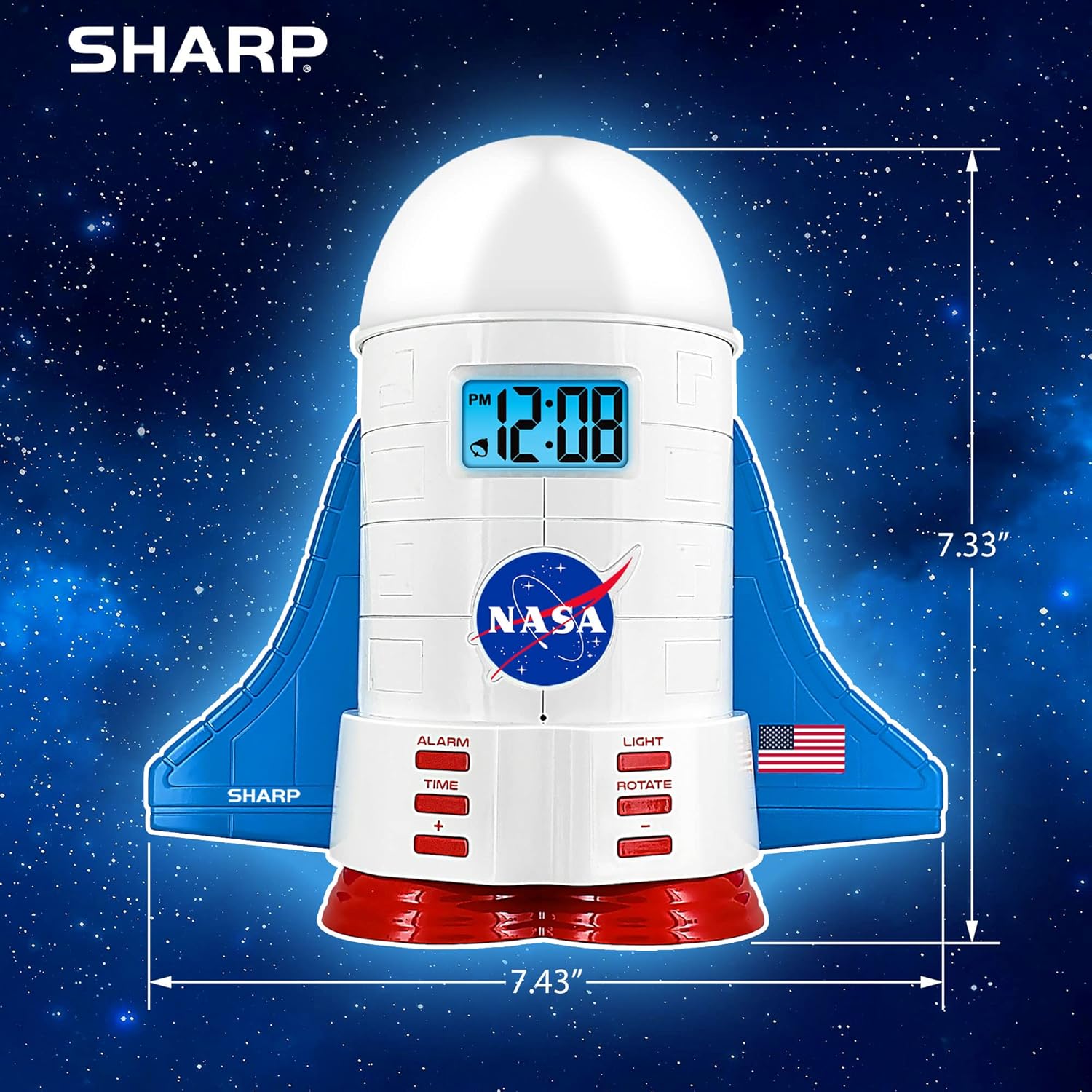
This manual provides instructions for the Sharp NASA Space Shuttle Night Light Alarm Clock. This device combines an alarm clock with a space-themed nightlight and projection feature, designed to enhance a child's bedroom environment.

Configuración
Desembalaje
- Retire con cuidado todos los componentes del embalaje.
- Verifique que todos los elementos enumerados en la sección "Qué hay en la caja" estén presentes.
Conexión de energía
The alarm clock can be powered via the included electric adapter. For continuous operation of all features, including the nightlight and projection, direct power is recommended.
For battery backup, insert appropriate batteries (not included) into the battery compartment located at the base of the unit. This ensures timekeeping and alarm function during power outages.

Instrucciones de funcionamiento
Ajuste de la hora
- Presione el TIEMPO botón.
- Utilice el + y - Botones para ajustar la hora y los minutos.
- Prensa TIEMPO De nuevo para confirmar.
Configuración de la alarma
- Presione el ALARMA botón.
- Utilice el + y - Botones para configurar la hora de alarma deseada.
- Prensa ALARMA de nuevo para activar la alarma. Aparecerá un icono de alarma en la pantalla.
Función de repetición
To temporarily silence the alarm, tap the top of the unit. The alarm will sound again after a short interval.
Nightlight and Projection Features
The unit features light-up wings and a rocket booster base, along with a rotating projection cap.

Activación de luces
Presione el LUZ button to cycle through the 4 color options for the wings and booster lights.
Projection Caps
The device includes two interchangeable space-themed projection caps and a frosted nightlight cap. Twist counter-clockwise to attach or remove caps.

Proyección giratoria
Presione el GIRAR button to activate or deactivate the rotation of the projected images.
Mantenimiento
- Clean the unit with a soft, dry cloth. Avoid abrasive cleaners or solvents.
- Ensure the projection caps are free from dust or smudges for clear image projection.
- Replace batteries in the backup compartment as needed to maintain time settings during power interruptions.
Solución de problemas
| Problema | Posible causa | Solución |
|---|---|---|
| Clock not displaying time | Sin poder | Ensure the electric adapter is securely plugged in. Check battery backup. |
| La alarma no suena | Alarm not set or deactivated | Verify alarm time is set and activated (alarm icon visible). |
| Projection unclear or dim | Dust on cap or insufficient darkness | Clean the projection cap. Ensure the room is sufficiently dark for optimal projection. |
| La proyección no gira | Rotate function off | Presione el GIRAR button to activate the rotation feature. |
Presupuesto
- Marca: Afilado
- Número de modelo: Sharp NASA e Shuttle Alarm Clock
- Fuente de energía: Electric Adapter (Battery backup for timekeeping)
- Tipo de fuente de luz: CONDUJO
- Nightlight Colors: 4 opciones
- Projection Themes: 2 interchangeable space scenes
- Mostrar: LCD con retroiluminación azul
- Dimensiones: 7.43 x 1.5 x 7.43 pulgadas
- Peso: 1.33 libras
- Material: Plástico
- Características especiales: Color Changing, Snooze Function, Rotating Projection
Garantía y soporte
Para obtener información sobre la garantía o asistencia técnica, consulte el sitio web oficial del fabricante. websitio o póngase en contacto con su servicio de atención al cliente.
Fabricante: Afilado
Código postal: 049353005447
ASIN: B08PL6K2C5