
Introducción
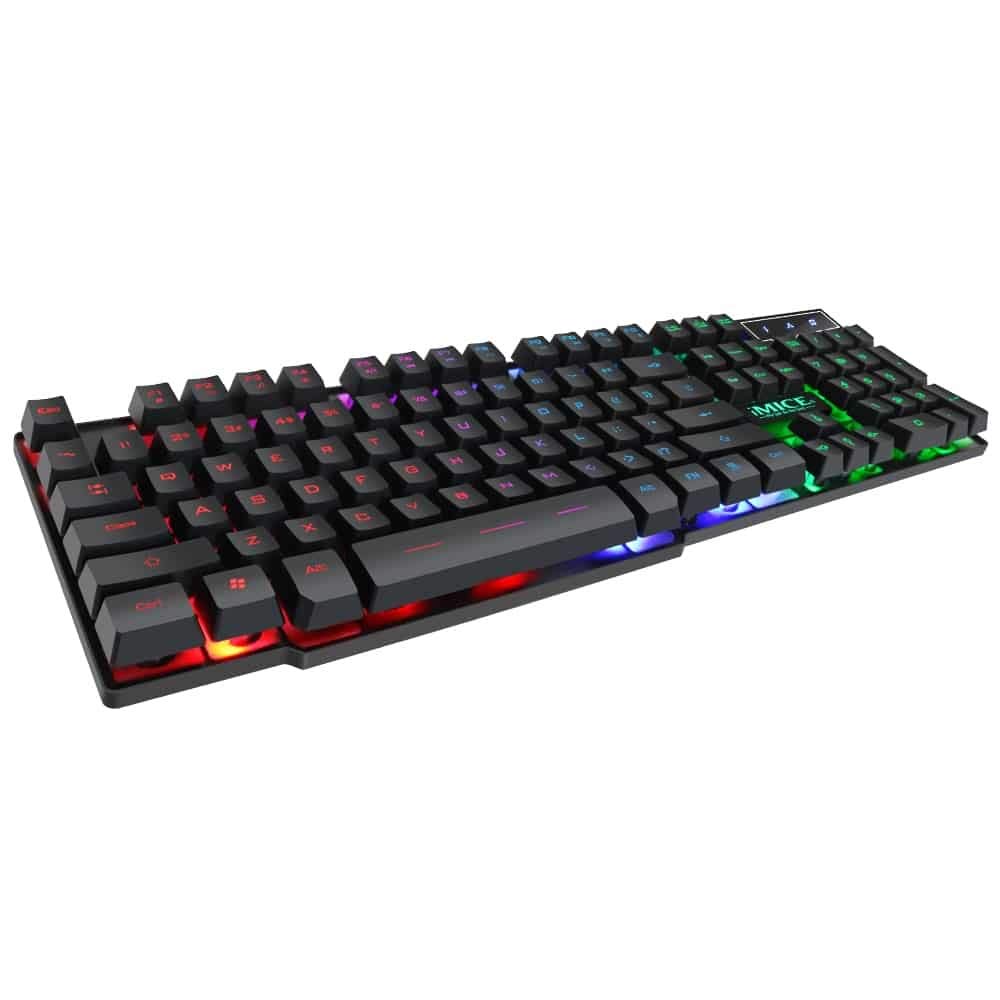
This manual provides instructions for the iMICE AK-600 Backlit USB Wired Gaming Keyboard. It covers setup, operation, maintenance, and troubleshooting to ensure optimal performance and longevity of your device. Please read this manual thoroughly before using the keyboard.
Configuración
¿Qué hay en la caja?
The iMICE AK-600 keyboard package includes:
- iMICE AK-600 Backlit USB Wired Gaming Keyboard (with integrated USB cable)
Conexión del teclado
To connect your iMICE AK-600 keyboard:
- Ubique un puerto USB disponible en su computadora.
- Plug the integrated USB cable from the keyboard into the USB port.
- The keyboard is plug-and-play and should be automatically recognized by your operating system without requiring additional drivers for basic functionality.
Instrucciones de funcionamiento
Funciones básicas del teclado
The iMICE AK-600 features a standard 104-button layout, providing all essential keys for typing and gaming.
Control de luz de fondo
The keyboard is equipped with a three-color backlight system (red, blue, green). The key characters are illuminated for visibility in low-light conditions.
- To change the backlight color or cycle through modes, use the dedicated backlight control key (often labeled with a light bulb icon or similar).
- Pressing the key repeatedly will switch between red, blue, green, and off modes.
Teclas multimedia
The keyboard includes 12 groups of multimedia function keys, typically accessed by pressing the Fn Tecla en combinación con las teclas F1-F12. Estas proporcionan acceso rápido a funciones como control de volumen, reproducción multimedia y más.
Anti-efecto fantasma
The iMICE AK-600 supports 19-key anti-ghosting. This feature ensures that multiple key presses are registered simultaneously and accurately, preventing input conflicts during fast-paced gaming or typing.
Mantenimiento y cuidado
Un mantenimiento adecuado prolongará la vida útil de su teclado:
- Limpieza: Regularly wipe the keyboard surface with a soft, dry, lint-free cloth to remove dust and debris. For deeper cleaning, use a slightly damp paño con jabón suave, asegurándose de que no entre líquido en el teclado.
- Derrames de líquidos: The keyboard features an integrated liquid guide hole design to help with minor spills. However, it is not fully waterproof. In case of a spill, immediately disconnect the keyboard from your computer and allow it to dry completely before reconnecting.
- Evite los productos químicos agresivos: Do not use abrasive cleaners, solvents, or strong detergents, as these can damage the keyboard's finish and key legends.
- Cuidado de cables: Ensure the USB cable is not excessively bent, twisted, or placed under heavy objects, which could damage the internal wires.
Solución de problemas
Teclado no responde
- Ensure the USB cable is securely connected to both the keyboard and an active USB port on your computer.
- Intente conectar el teclado a un puerto USB diferente en su computadora.
- Reinicie su computadora.
- Pruebe el teclado en otra computadora para determinar si el problema está en el teclado o en el puerto USB o los controladores de la computadora.
La luz de fondo no funciona
- Verifique que el teclado esté conectado correctamente y recibiendo energía.
- Press the backlight control key (often labeled with a light bulb icon) to cycle through backlight modes and ensure it is not turned off.
Claves específicas que no se registran
- Gently clean around the affected keys to remove any dust or debris that might be obstructing the key mechanism.
- Si el problema persiste, comuníquese con el servicio de atención al cliente para obtener más ayuda.
Presupuesto
| Característica | Detalle |
|---|---|
| Marca | OEM (iMICE) |
| Modelo | AK-600 |
| Tecnología de conectividad | USB (con cable) |
| Descripción del teclado | Juego de azar |
| Característica especial | Backlit (Red, Blue, Green) |
| Material | Plástico |
| Componentes incluidos | Cable USB integrado |
| Tipo de interruptor | Táctil |
| Orientación de la mano | Ambidextro |
| Número de botones/teclas | 104 |
| Sistemas operativos compatibles | Windows (XP/2000/Vista/7/8/10), Android, Linux |
| Longitud del cable | 1.3 metros |
| Vida útil de la clave | Hasta 5 millones de prensas |
Garantía y soporte
For information regarding product warranty, returns, or technical support, please refer to the retailer's policy where the product was purchased. It is recommended to retain your purchase receipt as proof of purchase for any warranty claims. For direct manufacturer support, please visit the official OEM or iMICE websitio.