
aPerfectLife BF-420
Kids Keyboard Piano - Instruction Manual
Model: BF-420 | Brand: aPerfectLife
1. Introducción
Thank you for choosing the aPerfectLife Kids Keyboard Piano. This 37-key portable electronic keyboard is designed to provide an engaging and educational musical experience for children aged 3 to 8 years. It features a variety of tones, rhythms, and interactive functions to foster creativity and develop musical skills.
2. Información de seguridad
Lea y comprenda todas las instrucciones de seguridad antes de usar el producto. Conserve este manual para futuras consultas.
- No exponga el teclado al agua ni a la humedad.
- Evite dejar caer o someter el teclado a impactos fuertes.
- Use only the specified power adapter (DC 5V-1A) or 3 AA batteries.
- Se recomienda la supervisión de un adulto durante el juego.
- This product is made from non-toxic, environmentally friendly ABS plastic and is certified by CPC children and conforms to RoHS safety certification.

Image: Product certifications for child safety and environmental standards.
3. Contenido del paquete
- 1 x 37-Key Kids Keyboard Piano
- 1 cable de alimentación USB
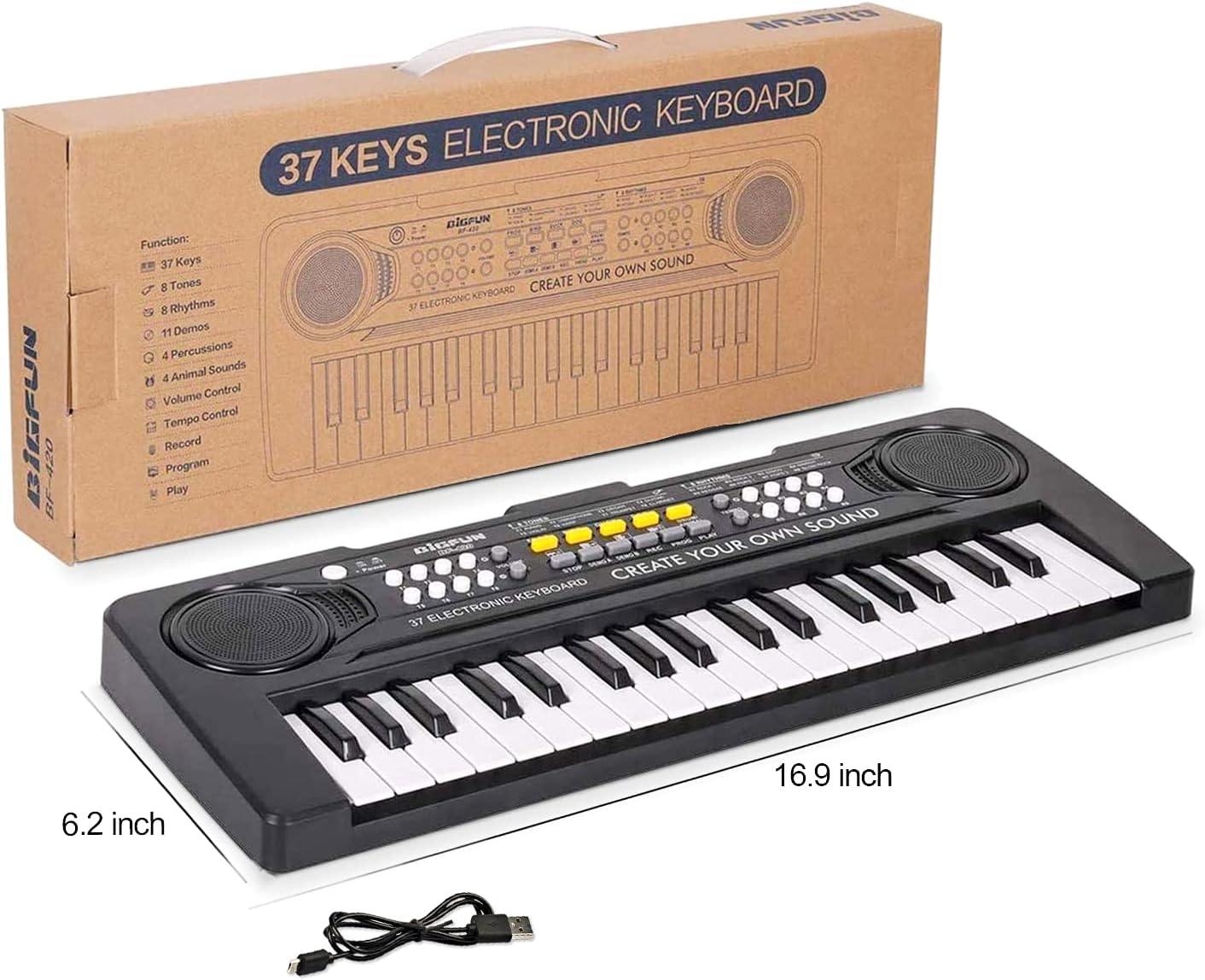
Image: The keyboard piano shown with its included USB power cable and product dimensions.
4. Configuración
4.1 Encendido del teclado
El teclado se puede alimentar de dos maneras:
- Cable de alimentación USB: Connect the DC power connector of the USB power cord to the power jack at the back of the keyboard. Connect the other end to a USB power adapter with a DC 5V-1A power output (adapter not included).
- Baterías: Insert 3 x AA batteries (not included) into the battery compartment located on the underside of the keyboard. Ensure correct polarity.

Imagen: Detallada view of the USB power input and the battery compartment for 3 AA batteries.
4.2 Encendido/Apagado
Locate the 'Power' button on the top left side of the keyboard. Press it to turn the keyboard ON or OFF.
5. Instrucciones de funcionamiento
The keyboard offers a variety of functions to enhance the playing experience:
- Control de volumen: Adjust the overall sound volume using the 'Volume' buttons (T1-T8) located on the left side of the control panel.
- Tonos: Select from 8 different instrument tones (e.g., Piano, Vibraphone, Organ, Guitar, Violin, Harp, Trumpet, Clarinet) by pressing the corresponding 'T' buttons (T1-T8).
- Ritmos: Choose from 8 different rhythms (e.g., Rock 1, Rock 2, Disco, March, Reggae, Pops 1, Pops 2, Slow Rock) by pressing the 'R' buttons (R1-R8).
- Control de tempo: Adjust the speed of the selected rhythm using the 'Tempo' Up and Down buttons.
- Canciones de demostración: The keyboard includes 11 demo songs. Press 'DEMO A' or 'DEMO B' to play pre-recorded melodies.
- Percussion/Animal Sounds: Explore 4 percussion sounds and 4 animal sounds (Frog, Bird, Duck, Dog) using the dedicated buttons.
- Grabación y reproducción: Use the 'REC' button to record your own melodies and 'PLAY' to listen to them.
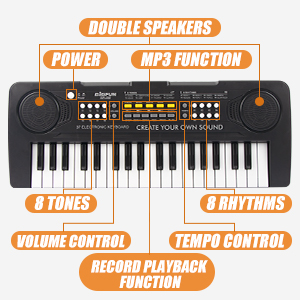
Imagen: Detallada view of the keyboard's control panel, highlighting various function buttons.

Image: Visual representation of the keyboard's key features including 37 keys, record, play, tones, and demo functions.
6. Mantenimiento
6.1 Limpieza
Limpie el teclado con un paño suave y seco. No utilice limpiadores abrasivos ni disolventes.
6.2 Almacenamiento
Guarde el teclado en un lugar fresco y seco, alejado de la luz solar directa y de temperaturas extremas. Si lo va a guardar durante un periodo prolongado, retire las pilas para evitar fugas.
7. Solución de problemas
| Problema | Posible causa | Solución |
|---|---|---|
| Sin sonido | Low volume; No power; Batteries drained | Increase volume; Check power connection; Replace batteries |
| Las teclas no responden | Low power; Malfunction | Check power/batteries; Restart keyboard; Contact support if issue persists |
| Sonido distorsionado | Low batteries; Speaker issue | Replace batteries; Contact support |
8. Especificaciones
- Llaves: 37 Electronic Keys
- Tamaño del producto: 16.9 x 6.2 x 2.1 pulgadas (largo x ancho x alto)
- Material: ABS (Non-toxic environmental protection plastic)
- Fuente de alimentación: DC 5V-1A via USB power cord or 3 x AA batteries (not included)
- Edad recomendada: 3-8 años
- Características: Dual Speakers, 8 Tones, 8 Rhythms, 11 Demos, 4 Percussion, Record/Playback, Tempo Control, Animal Sounds

Image: The aPerfectLife Kids Keyboard Piano, showcasing su diseño compacto.
9. Garantía y soporte
For warranty information or product support, please contact aPerfectLife customer service through the retailer where the product was purchased. Please retain your proof of purchase.
Thank you for choosing aPerfectLife!