
Klipsch 1068774
Klipsch Cinema 400 Sound Bar + 8-Inch Wireless Subwoofer User Manual
Modelo: 1068774
Introducción
This manual provides comprehensive instructions for the setup, operation, and maintenance of your Klipsch Cinema 400 Sound Bar and 8-Inch Wireless Subwoofer. Designed to seamlessly upgrade your television viewing to a home theater experience, this system delivers powerful, clear audio. Please read this manual thoroughly before using your product to ensure proper function and safety.
Información importante de seguridad
ADVERTENCIA:
- No exponga este aparato a goteos ni salpicaduras.
- No coloque objetos llenos de líquido, como jarrones, sobre el aparato.
- Asegúrese de que haya una ventilación adecuada. No bloquee ninguna abertura de ventilación.
- No lo instale cerca de fuentes de calor como radiadores, rejillas de calefacción, estufas u otros aparatos (incluidos ampificadores) que producen calor.
- Proteja el cable de alimentación para que no sea pisado ni aplastado, especialmente en los enchufes, receptáculos y en el punto donde sale del aparato.
- Utilice únicamente accesorios especificados por el fabricante.
- Desenchufe este aparato durante tormentas eléctricas o cuando no lo utilice durante períodos prolongados.
- Encargue todas las tareas de mantenimiento a personal técnico cualificado. Se requiere realizar el mantenimiento cuando el aparato haya sufrido algún daño, como por ejemplo si el cable de alimentación o el enchufe están dañados, si se ha derramado líquido o han caído objetos en el interior del aparato, si el aparato ha estado expuesto a la lluvia o la humedad, si no funciona con normalidad o si se ha caído.
¿Qué hay en la caja?
- Klipsch Cinema 400 Sound Bar
- Subwoofer inalámbrico de 8 pulgadas
- Control remoto (requiere 2 pilas AA, no incluidas)
- Power Cords (for sound bar and subwoofer)
- Cable HDMI
- Wall Mounting Hardware (brackets, screws, template)
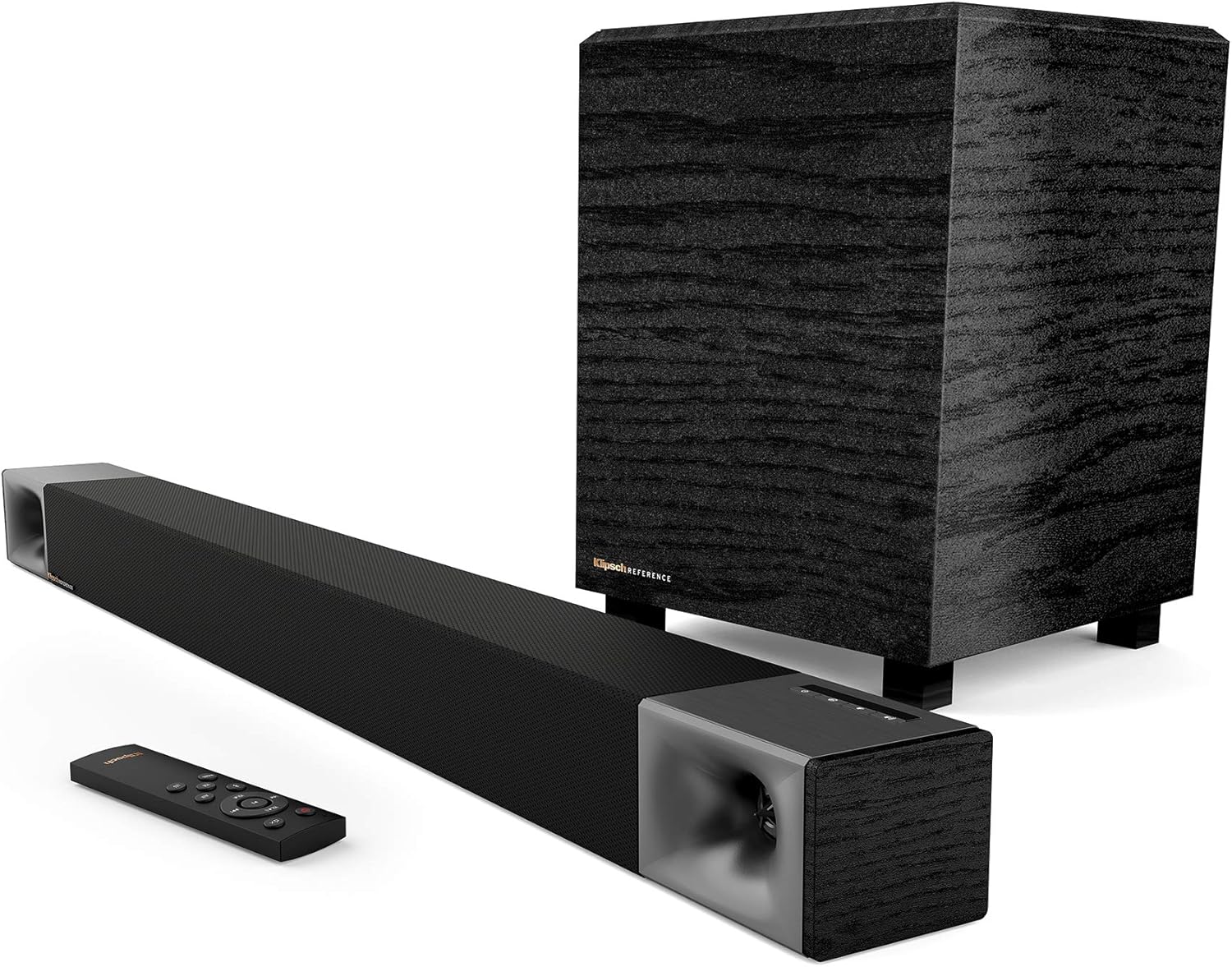
Image: Klipsch Cinema 400 Sound Bar, 8-inch wireless subwoofer, and remote control, showing all main components included in the package.
Configuración
1 Colocación
Place the sound bar directly below your television, centered for optimal sound dispersion. The wireless subwoofer can be placed anywhere in the room, ideally within 30 feet of the sound bar, for best bass response. Avoid placing the subwoofer directly against a wall or in a corner if the bass becomes too boomy.
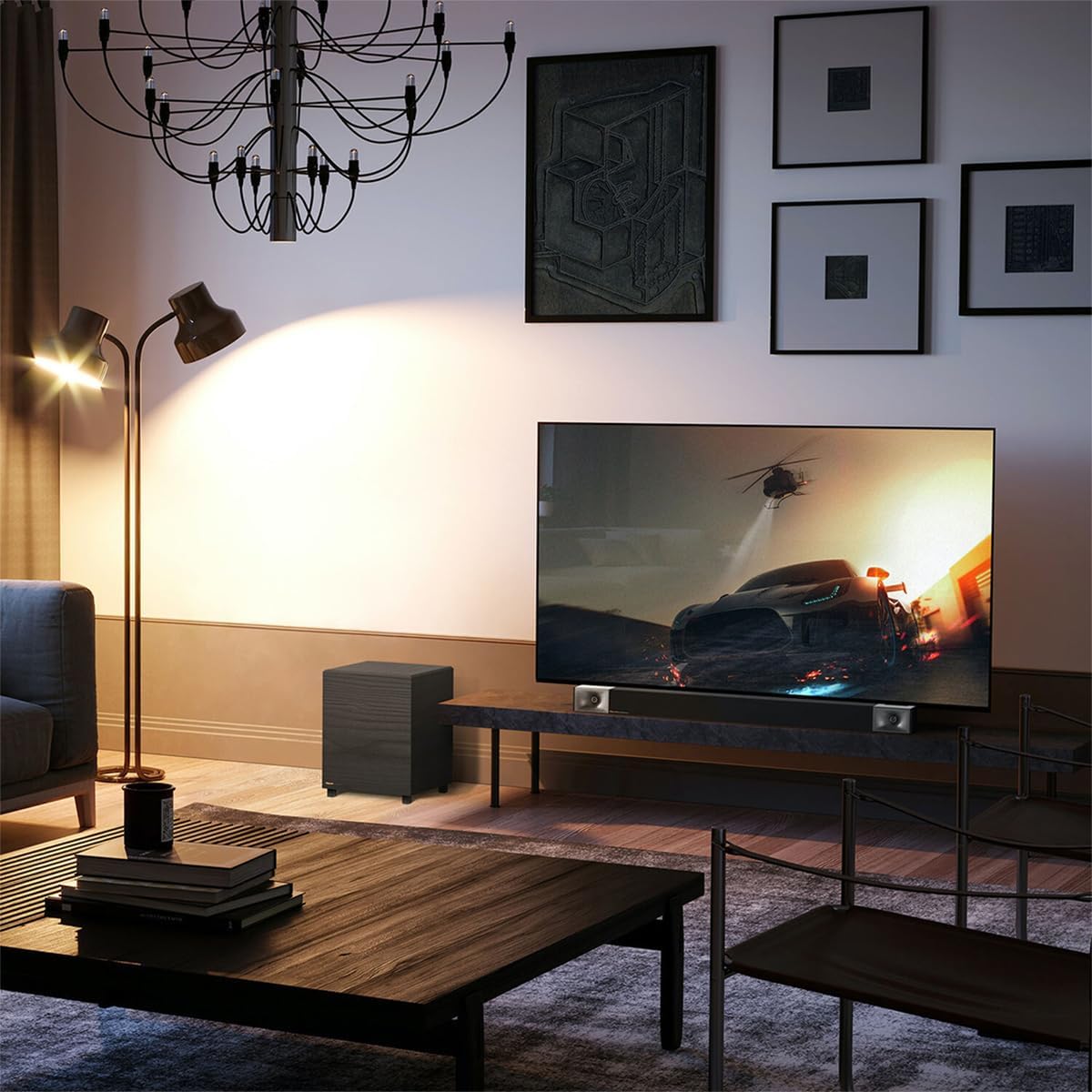
Image: A Klipsch Cinema 400 Sound Bar and Subwoofer integrated into a living room setup, positioned below a television.
2. Conexiones
- Conexión HDMI ARC (recomendada): Connect one end of the included HDMI cable to the HDMI ARC port on your sound bar and the other end to the HDMI ARC port on your television. This allows for single-cable audio and control.
- Conexión óptica (alternativa): If your TV does not have an HDMI ARC port, connect an optical cable (not included) from your TV's optical output to the OPTICAL input on the sound bar.
- Fuerza: Connect the power cords to the sound bar and the wireless subwoofer, then plug them into a wall outlet. The sound bar and subwoofer will automatically pair.

Imagen: Un primer plano view of the Klipsch Cinema 400 Sound Bar's connection panel, highlighting the HDMI input for simple setup.
3. Montaje en pared (opcional)
The sound bar can be wall-mounted using the included hardware and template. Ensure the wall can support the weight of the sound bar and follow the instructions provided with the mounting kit for secure installation.

Image: The rear panel of the Klipsch Cinema 400 Sound Bar, displaying its various input ports and mounting points for wall installation.
Instrucciones de funcionamiento
1. Encendido y apagado
Press the power button on the sound bar's top panel or the remote control to turn the system on or off. The LED indicator on the sound bar will illuminate when powered on.

Imagen: Un detalle view of the Klipsch Cinema 400 Sound Bar's top-mounted control buttons, including power, input, and volume.
2. Selección de entrada
Press the "Input" button on the sound bar or remote to cycle through available audio sources (HDMI ARC, Optical, Bluetooth).
3. Control de volumen
Use the "VOL+" and "VOL-" buttons on the remote control to adjust the master volume. The subwoofer volume can be adjusted independently using the "SUB+" and "SUB-" buttons.

Image: The remote control for the Klipsch Cinema 400 Sound Bar, showing buttons for power, volume, input, and sound modes.
4. Modos de sonido
- DIÁLOGO: Enhances vocal clarity for movies and TV shows.
- RODEAR: Activates virtualized surround sound for an immersive experience.
- NOCHE: Reduces dynamic range for late-night listening, minimizing loud sounds.
- REFUERZO DE GRAVES: Increases the low-frequency output for more impactful bass.

Image: The Klipsch Cinema 400 Sound Bar positioned below a television, emphasizing its "True Clarity" and "Dialog Enhancement Mode" features.

Image: A close-up of the Klipsch 8-inch wireless subwoofer, highlighting its "Bigger Bass" capability and the size of its driver.

Image: The Klipsch Cinema 400 Sound Bar and Subwoofer with abstract sound waves emanating, illustrating the "True Entertainment" experience.
5. Emparejamiento Bluetooth
To pair a new Bluetooth device, press and hold the Bluetooth button on the remote control until the LED on the sound bar flashes. Select "Klipsch Cinema 400" from your device's Bluetooth settings. Once paired, the LED will turn solid blue.
Mantenimiento
- Limpieza: Utilice un paño suave y seco para limpiar las superficies de la barra de sonido y el subwoofer. No utilice limpiadores líquidos ni aerosoles.
- Ventilación: Asegúrese de que las aberturas de ventilación de la barra de sonido y del subwoofer no estén bloqueadas para evitar el sobrecalentamiento.
- Cable de alimentación: Regularly inspect the power cords for any damage. If damaged, discontinue use and contact qualified service personnel.
Solución de problemas
| Problema | Posible causa | Solución |
|---|---|---|
| Sin sonido |
|
|
| El subwoofer no se empareja |
|
|
| El control remoto no funciona |
|
|
Presupuesto
- Nombre del modelo: Cine 400
- Tipo de altavoz: Barra de sonido, subwoofer
- Potencia máxima de salida del altavoz: 400 vatios (pico)
- Diámetro del subwoofer: 8 pulgadas
- Tecnología de conectividad: Optical, HDMI, Wireless (for subwoofer)
- Tecnología de comunicación inalámbrica: Inalámbrico
- Modo de salida de audio: Rodear
- Dimensiones del producto: 9.5" de profundidad x 39.9" de ancho x 9.5" de alto
- Peso del artículo: 12.7 kilogramos (27.9 libras)
- Componentes incluidos: Sound Bar and subwoofer
- Método de control: Remoto
- Voltaje de entrada de potenciatage: 240 voltios
- Respuesta de frecuencia: 35 kHz
- Tipo de montaje: Wall Mount, Bar Mount
- Baterías: 2 AA batteries required for remote

Image: The Klipsch 8-inch wireless subwoofer, showcasing its compact design and textured finish.
Garantía y soporte
Klipsch products are designed for years of enjoyment. For detailed warranty information, please refer to the warranty card included with your product or visit the official Klipsch website. For technical support, troubleshooting assistance, or to inquire about service, please contact Klipsch customer support through their official channels.
Puede encontrar más información y soporte en Klipsch Store.
Ask a question about this manual
Ask about setup, troubleshooting, compatibility, parts, safety, or missing instructions. Manuals+ will review the question and use this page’s manual context to help answer it.