
1. Producto terminadoview
The Baseus W09 TWS Wireless Earphones (Model: Encok W09) are designed for convenient audio playback and communication. These in-ear earphones feature touch control and connect wirelessly via Bluetooth, offering a stereo bass sound experience.

Image 1: The Baseus W09 TWS Wireless Earphones securely placed within their charging case. The case is open, revealing both earbuds.
2. Configuración
2.1 Carga de los auriculares y el estuche
Before initial use, ensure both the earphones and the charging case are fully charged. The charging case contains a built-in Lithium Ion battery.
- Coloque los auriculares en el estuche de carga.
- Connect the charging case to a power source using a compatible charging cable (not specified, assume USB).
- Una carga completa suele tardar aproximadamente 1.5 horas.
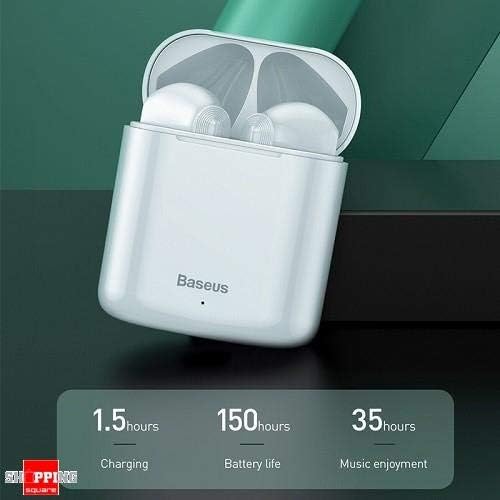
Image 2: The Baseus W09 charging case, illustrating its charging time of 1.5 hours, a standby battery life of 150 hours, and 35 hours of music enjoyment.
2.2 Emparejamiento Bluetooth
The Baseus W09 earphones are designed for quick and instant connection.
- Asegúrese de que los auriculares estén cargados.
- Abra el estuche de carga.
- Saca los auriculares del estuche de carga. Entrarán automáticamente en modo de emparejamiento.
- En tu dispositivo (teléfono inteligente, tableta, etc.), activa el Bluetooth y busca dispositivos disponibles.
- Select "Baseus Encok W09" or a similar name from the list to connect.
- Una vez conectado, escuchará un aviso de audio y los auriculares estarán listos para usar.
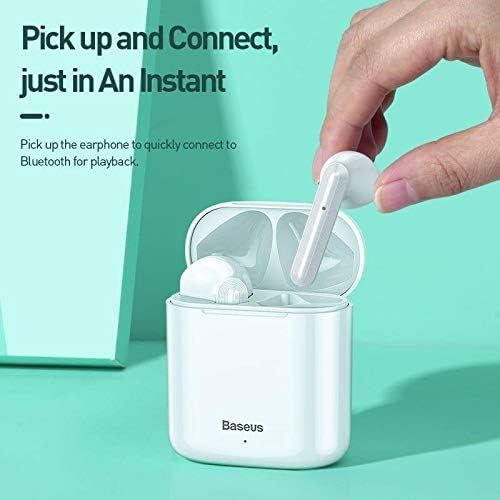
Image 3: A hand demonstrating the "Pick up and Connect" feature, showing an earphone being removed from its charging case, initiating quick Bluetooth connection.
3. Instrucciones de funcionamiento
3.1 Cómo usar los auriculares
Gently insert each earphone into the corresponding ear canal (L for left, R for right). Adjust them for a comfortable and secure fit to ensure optimal sound quality and stability.
3.2 Funciones de control táctil
The Baseus W09 earphones feature intelligent touch controls for various functions. Specific gestures may vary; please refer to the product packaging or the official Baseus website for detailed touch control instructions.
- Reproducir/Pausa: Generalmente un solo toque en cualquiera de los auriculares.
- Responder/Finalizar llamada: Usually a single tap during an incoming call.
- Pista siguiente / anterior: Often a double or triple tap on a specific earphone.
- Activar asistente de voz: May involve a long press or specific tap sequence.
3.3 Duración de la batería
The Baseus W09 earphones and charging case offer extended usage times:
- Music Enjoyment: Hasta 35 horas (con estuche de carga).
- Tiempo en espera: Hasta 150 horas.
4. Mantenimiento
4.1 Limpieza
- Utilice un paño suave, seco y sin pelusa para limpiar los auriculares y el estuche de carga.
- No utilice limpiadores abrasivos, alcohol ni disolventes químicos.
- Ensure no moisture enters the earphone speakers or charging ports.
4.2 Almacenamiento
- Cuando no los utilice, guarde los auriculares en su estuche de carga para protegerlos y mantenerlos cargados.
- Conservar en un lugar fresco y seco, alejado de la luz solar directa y de temperaturas extremas.
5. Solución de problemas
If you encounter issues with your Baseus W09 earphones, try the following steps:
- Sin sonido: Asegúrese de que los auriculares estén cargados, conectados a su dispositivo y que el volumen esté alto tanto en los auriculares como en su dispositivo.
- No se puede emparejar: Make sure Bluetooth is enabled on your device and the earphones are in pairing mode. Try turning Bluetooth off and on again on your device.
- Conexión intermitente: Ensure there are no obstructions between the earphones and your device. Try moving closer to your device.
- Problemas de carga: Check the charging cable and power adapter. Ensure the charging contacts on the earphones and case are clean.
- Reset: If issues persist, try resetting the earphones. Refer to the official Baseus website or product packaging for specific reset instructions.
6. Especificaciones
| Característica | Detalle |
|---|---|
| Marca | Baseus |
| Número de modelo | Encok W09 |
| Tipo | En el oído |
| Tecnología de conectividad | Inalámbrico (Bluetooth) |
| Método de control | Tocar |
| Micrófono incluido | Sí |
| Cancelación de ruido | No |
| Tipo de batería | Ion de litio (incluido) |
| Tiempo de carga | Aproximadamente 1.5 horas |
| Music Enjoyment Time | Hasta 35 horas (con estuche de carga) |
| Tiempo de espera | Hasta 150 horas |
| Compatible con | Todos los dispositivos habilitados para Bluetooth |
| Color | Blanco |
| Dimensiones del paquete | 14.6 x 11 x 4 cm |
| Peso del artículo | 170 gramos |
7. Garantía y soporte
For warranty information, technical support, or further assistance, please refer to the documentation included with your product or visit the official Baseus webSitio. Conserve su comprobante de compra para reclamaciones de garantía.