
1. Introducción
This manual provides detailed instructions for the installation, operation, and maintenance of your Axis Communications M3064-V Mini Dome Camera. This camera is designed for indoor surveillance, offering HDTV 720p video quality, dust resistance, and IK08 impact protection. Please read this manual thoroughly before using the product to ensure proper functionality and safety.
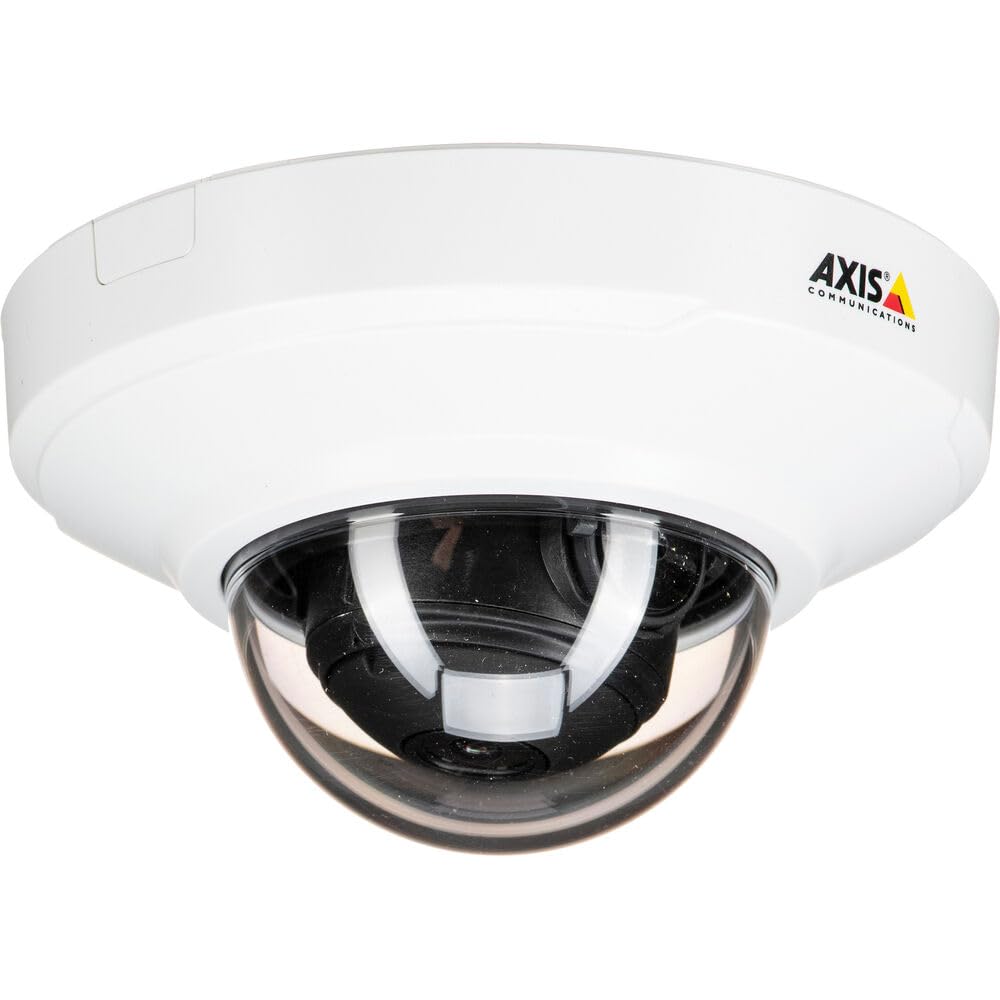
Figura 1: Frente view of the Axis M3064-V Mini Dome Camera. This image shows the compact dome design suitable for discreet indoor surveillance.
2. Información de seguridad
- Fuente de alimentación: Use only the specified power supply (AC/DC, 220 Volts, 1.6 Watts) to prevent damage or fire.
- Instalación: Installation should be performed by qualified personnel and comply with all local electrical codes. Ensure the mounting surface can support the camera's weight.
- Ambiente: This camera is designed for indoor use. While dust-resistant and IK08 rated, avoid exposing it to extreme temperatures, direct water spray, or corrosive substances.
- Limpieza: Desconecte la alimentación antes de limpiar. Utilice un paño suave y seco. No utilice limpiadores líquidos ni en aerosol.
- Servicio: No intente reparar este producto usted mismo. Refiera todo el servicio a personal de servicio calificado.
3. Contenido del paquete
Verifique que el paquete contenga todos los artículos. Si falta algún artículo o está dañado, contacte a su proveedor.
- Axis M3064-V Mini Dome Camera (1 unit)
- Guía de instalación
- Soporte de montaje
- Tornillos de montaje y tacos de pared
- Llave en L Resistorx
4. Configuración e instalación
4.1 Montaje de la cámara
The Axis M3064-V camera can be mounted on a ceiling or wall. Ensure the mounting surface is stable and can support the camera's weight.
- Prepare la superficie: Choose a suitable location. Use the mounting bracket as a template to mark drill holes.
- Perforar agujeros: Drill pilot holes for the mounting screws. Insert wall plugs if necessary.
- Adjuntar soporte: Fije el soporte de montaje a la superficie utilizando los tornillos proporcionados.
- Conectar cables: Route the network cable (wired connectivity) through the bracket and connect it to the camera's Ethernet port.
- Adjuntar cámara: Secure the camera body to the mounting bracket. Ensure it clicks into place or is fastened according to the specific bracket design.

Figure 2: Illustrative diagram of the camera mounting process on a ceiling. This shows the steps from marking holes to securing the camera.
4.2 Encendido y conexión de red
- Conexión por cable: Connect an Ethernet cable from your network switch or router to the camera's Ethernet port. The camera supports Power over Ethernet (PoE), simplifying power delivery.
- Conexión Wi-Fi: The camera supports Wi-Fi connectivity. After initial wired setup, you can configure wireless settings via the camera's web interfaz.
- Fuente de alimentación: If not using PoE, connect a compatible AC/DC power adapter (220V, 1.6W) to the camera's power input.
- Acceso inicial: Once powered, the camera will obtain an IP address from your network (DHCP). Use an Axis IP Utility tool or your network router's client list to find the camera's IP address.
5. Instrucciones de funcionamiento
5.1 Accessing the Camera Interface
Abrir una web browser (e.g., Chrome, Firefox) and enter the camera's IP address in the address bar. You will be prompted to create a new password for the root user upon first access. Follow the on-screen instructions.
5.2 en vivo View and Video Settings
- Vivir View: The main interface provides a live video feed. You can adjust the viewing angle remotely if the camera supports pan/tilt/zoom (PTZ) functions, though this model features a fixed dome with 3x optical zoom.
- Resolución: The camera supports HDTV 720p video capture resolution. You can configure streaming profiles for different quality and frame rate needs.
- Visión nocturna: The camera includes Night Color functionality, providing enhanced visibility in low-light conditions. This feature can be configured in the image settings.
- Zoom óptico: Utilize the 3x optical zoom feature through the web interface to focus on specific areas within the 83-degree viewángulo de ing.
5.3 Grabación y almacenamiento
La cámara admite varias opciones de grabación:
- Almacenamiento perimetral: The camera has 128 GB of flash memory installed for local recording. Insert a compatible microSD card (not included) for additional storage.
- Grabadora de vídeo en red (NVR): Integrate the camera with an NVR or video management system (VMS) for centralized recording and management.
- Grabación basada en eventos: Configure motion detection or other event triggers to start recording, saving storage space.
6. Mantenimiento
6.1 Limpieza de la cámara
La limpieza regular ayuda a mantener una calidad de imagen óptima.
- Apagado: Always disconnect the camera from its power source before cleaning.
- Lente: Gently wipe the lens cover with a soft, lint-free cloth. For stubborn dirt, slightly dampen the cloth with water or a mild lens cleaning solution. Avoid abrasive materials.
- Alojamiento: Wipe the camera housing with a soft, dry cloth. Do not use strong detergents or solvents.
6.2 actualizaciones de firmware
Compruebe periódicamente las comunicaciones del eje website for firmware updates. Keeping your camera's firmware up-to-date ensures optimal performance, security, and access to new features. Follow the instructions provided with the firmware update package.
7. Solución de problemas
| Problema | Posible causa | Solución |
|---|---|---|
| La cámara no enciende | No power supply; Faulty PoE switch/injector; Damaged cable. | Check power connection. Verify PoE functionality. Test with a different Ethernet cable or power adapter. |
| Sin transmisión de vídeo | Network connectivity issue; Incorrect IP address; Firewall blocking access; Camera not configured. | Verify network connection. Confirm camera's IP address. Check firewall settings. Ensure camera is properly configured via its web interfaz. |
| Mala calidad de imagen | Lente sucia; Enfoque incorrecto; Condiciones de poca luz; Problemas de ancho de banda de red. | Clean the lens. Adjust focus settings in the web interface. Ensure adequate lighting or verify Night Color settings. Check network bandwidth. |
| No se puede acceder web interfaz | Incorrect IP address; Network issue; Browser compatibility. | Confirm IP address. Ping the camera's IP. Try a different web Navegador. Borrar caché del navegador. |
8. Especificaciones
| Característica | Detalle |
|---|---|
| Nombre del modelo | M3064-V |
| Número de modelo | 01716-001 |
| Marca | Comunicaciones del eje |
| Factor de forma | Cúpula |
| Tecnología de conectividad | Con cable, Wi-Fi |
| Resolución de captura de video | 720p (HDTV) |
| Resolución de imágenes fijas efectiva | 64 MP (Note: This might refer to sensor resolution, actual video output is 720p) |
| Resolución del sensor fotográfico | 5 MP |
| Viewángulo de ing | 83 grados |
| Zoom óptico | 3x |
| Visión nocturna | Color de la noche |
| Clasificación de impermeabilidad | IP42 (Dust-resistant) |
| Protección contra impactos | IK08 |
| Fuente de poder | CA/CC, PoE |
| Volumentage | 220 voltios |
| Quétage | 1.6 vatios |
| Tamaño de la memoria flash instalada | 128 GB |
| Dimensiones del artículo (LxWxH) | 3.98 x 3.98 x 2.2 pulgadas |
| Peso del artículo | 150 gramos |
| Color | Negro / Blanco |
9. Garantía y soporte
9.1 Garantía del producto
Axis Communications products typically come with a limited manufacturer's warranty. Please refer to the warranty card included with your product or visit the official Axis Communications website for detailed warranty terms and conditions specific to the M3064-V model. Keep your proof of purchase for warranty claims.
9.2 Soporte técnico
For technical assistance, troubleshooting beyond this manual, or service inquiries, please contact Axis Communications customer support. You can find contact information, FAQs, and additional resources on the official Axis Communications support website. When contacting support, please have your product model number (M3064-V or 01716-001) and serial number ready.
Recursos en línea: www.axis.com/support