
1. Introducción
Thank you for choosing the Skechers SR5132 Digital Black Dial Men's Watch. This manual provides detailed instructions to help you understand and operate your new timepiece effectively. Please read this manual thoroughly before using the watch to ensure proper function and longevity. Keep this manual for future reference.
For optimal performance, ensure the watch is handled with care and maintained according to the guidelines provided herein.
2. Producto terminadoview
The Skechers SR5132 Hosford digital watch combines modern style with practical functionality. It features a durable plastic case and a black stainless steel band, complemented by a negative digital display. Key functions include an alarm, chime, 1/1100 chronograph stopwatch, and backlight.
2.1 Características principales
- Tamaño de la caja: 40 milímetros; Tamaño de la banda: 24 mm
- LCD movement with digital display
- Mineral crystal face for durability
- Black plated polycarbonate case and black dial
- Black plated alloy bracelet with 2 pusher foldover clasp closure
- Interchangeable with Skechers 24mm watch straps
- Resistencia al agua: 165 feet (50 meters) - suitable for short periods of exposure to water (e.g., washing hands, showering/bathing). Not suitable for recreational swimming, diving, or snorkeling.
- Functions: Alarm, Chime, 1/1100 Chronograph Stopwatch, Backlight
2.2 Componentes del reloj
Familiarícese con los componentes principales de su reloj:
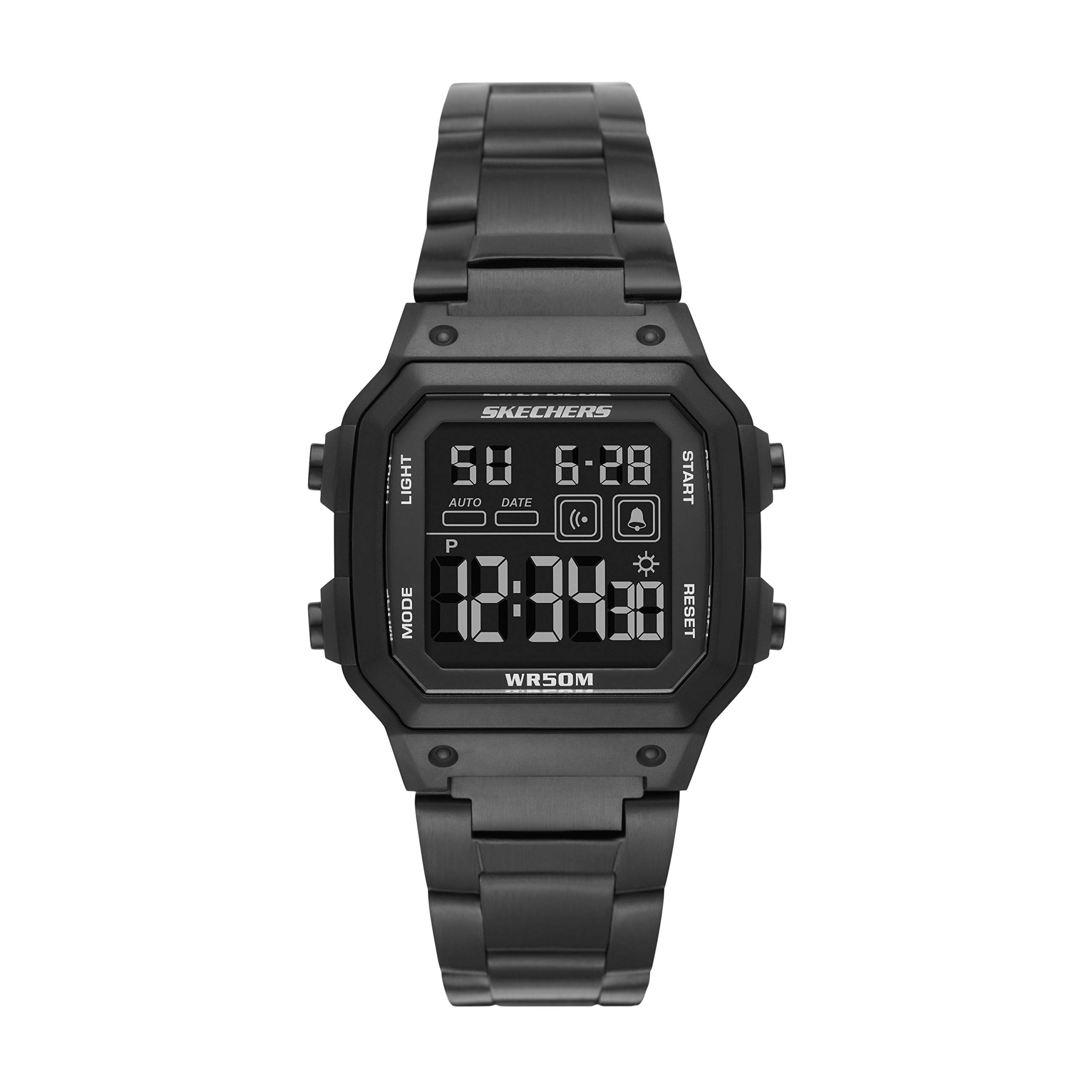
Figura 1: Frente view of the Skechers SR5132 Digital Watch, showcasing the black dial and case.
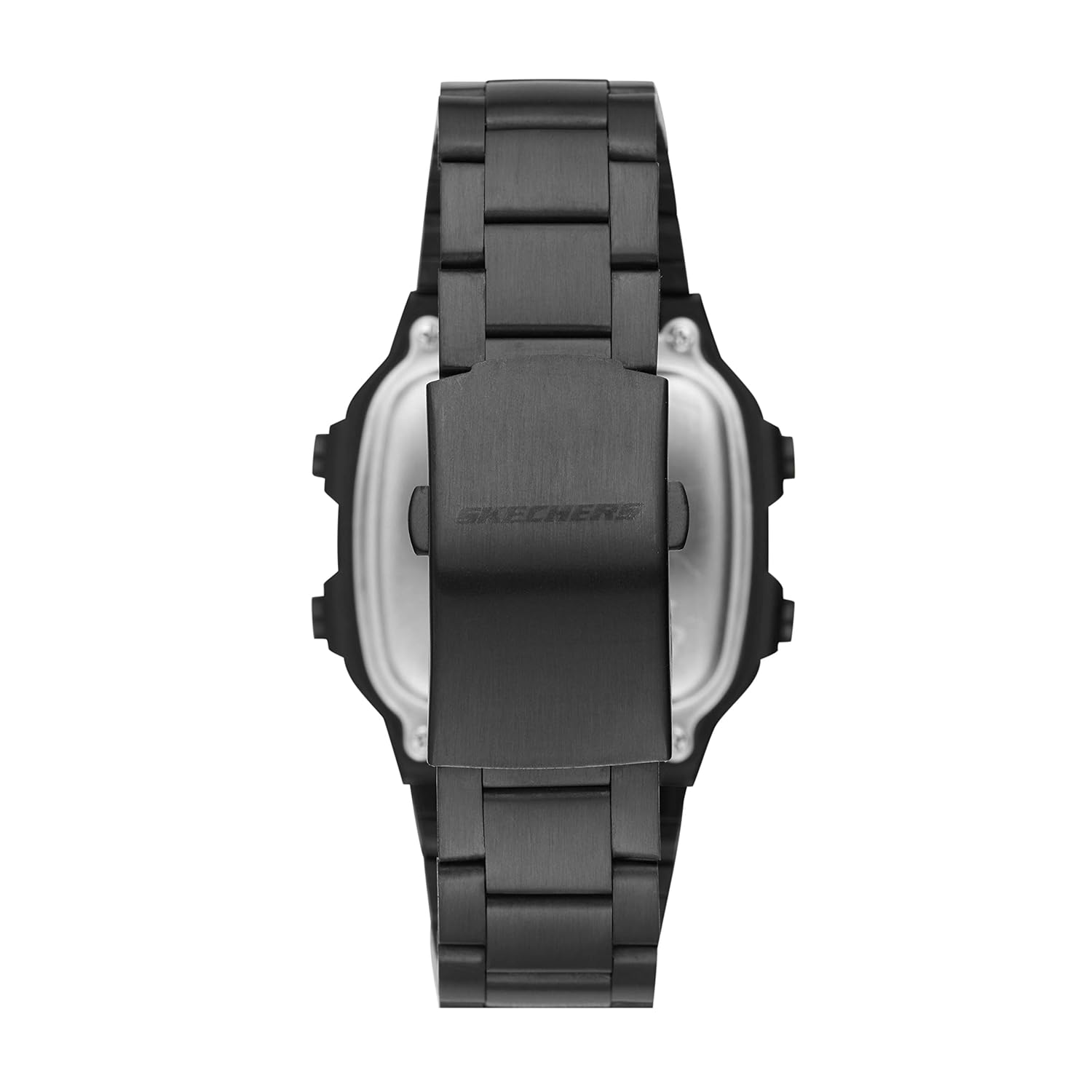
Figura 2: Lado view of the Skechers SR5132 Digital Watch, highlighting the control buttons on the right side of the case. These buttons are used for setting and operating various functions.

Figura 3: Posterior view of the Skechers SR5132 Digital Watch, showing the stainless steel band and the double locking foldover clasp.

Figure 4: The Skechers watch packaging box.
3. Configuración
3.1 Encendido inicial y batería
Your Skechers SR5132 watch comes with one product-specific battery included and pre-installed. The watch should be operational upon removal from its packaging. If the display is blank, gently press any button to activate it. If it remains unresponsive, refer to the Troubleshooting section.
3.2 Configuración de hora y fecha
The watch features multiple buttons, typically labeled A, B, C, D (refer to Figure 2 for button locations). The exact procedure for setting time and date may vary slightly, but generally follows these steps:
- Presione el MODO button (often 'B' or 'C') repeatedly until the time setting mode is displayed (usually indicated by flashing digits).
- Utilice el AJUSTAR or COLOCAR button (often 'A' or 'D') to select the digit you wish to change (e.g., hours, minutes, year, month, day).
- Utilice el INICIAR/DETENER or ARRIBA/ABAJO button (often 'D' or 'A') to increase or decrease the selected value.
- Repita los pasos 2 y 3 hasta que todos los ajustes de fecha y hora deseados sean correctos.
- Presione el MODO Presione nuevamente el botón para salir del modo de configuración y volver a la visualización de la hora normal.
3.3 Ajuste de la correa del reloj
The black plated alloy bracelet features a 2-pusher foldover clasp closure. To adjust the band length, it may be necessary to remove or add links. This process typically requires specialized tools and is best performed by a professional jeweler or watch repair service to avoid damage to the band or clasp. The band is interchangeable with other Skechers 24mm watch straps.
4. Funcionamiento del reloj
4.1 Visualización básica de la hora
In normal mode, the watch displays the current time (hours, minutes, seconds) and often the day of the week and date. Pressing the MODO button cycles through different display modes.
4.2 Uso de la alarma
- Presione el MODO button until the alarm setting mode is displayed (often indicated by 'AL' or an alarm icon).
- Utilice el AJUSTAR Botón para seleccionar los dígitos de la hora o los minutos.
- Utilice el INICIAR/DETENER Botón para configurar la hora de alarma deseada.
- Presione un botón dedicado ALARMA ENCENDIDA / APAGADA botón o el AJUSTAR Botón para activar o desactivar la alarma. Aparecerá un icono de alarma en la pantalla cuando se active.
- Presione el MODO Botón para salir.
4.3 Activating the Chime
The chime function, also known as the hourly time signal, can be activated or deactivated. Typically, this is done in the alarm setting mode or a dedicated chime setting mode. Look for an icon resembling a bell or a 'CHIME' indicator on the display. Use the AJUSTAR or INICIAR/DETENER botón para activarlo o desactivarlo.
4.4 Operating the Chronograph Stopwatch
Your watch features a 1/1100 chronograph stopwatch for measuring elapsed time.
- Presione el MODO button until the stopwatch mode is displayed (often indicated by 'STW' or 'CHRONO').
- Presione el INICIAR/DETENER Botón para comenzar a cronometrar.
- Presione el INICIAR/DETENER Presione nuevamente el botón para pausar la sincronización.
- Para reanudar, presione INICIAR/DETENER de nuevo.
- Para poner a cero el cronómetro, pulse el botón REINICIAR button (often 'A' or 'D') while the stopwatch is paused.
- Presione el MODO Botón para salir del modo cronómetro.
4.5 Uso de la luz de fondo
Para iluminar la pantalla en condiciones de poca luz, presione el botón LUZ button (often 'A' or 'D'). The backlight will typically stay on for a few seconds before automatically turning off.
4.6 Pautas de resistencia al agua
The Skechers SR5132 watch is water resistant to 50 meters (165 feet). This means it is suitable for:
- Lavarse las manos
- Ducharse o bañarse
Es no Adecuado para:
- Recreational swimming
- Buceo
- Snorkel
Importante: No opere ningún botón mientras el reloj esté mojado o sumergido, ya que esto puede comprometer el sello de resistencia al agua.
5. Mantenimiento
5.1 Limpieza de su reloj
Para mantener la apariencia de su reloj:
- Limpie la caja y la correa periódicamente con un paño suave y seco.
- Para suciedad difícil, utilice un limpiador ligeramenteamp Paño y jabón suave, luego séquelo inmediatamente.
- Evite utilizar productos químicos agresivos, disolventes o limpiadores abrasivos, ya que pueden dañar el acabado del reloj.
5.2 Cuidado de la batería
The watch uses a product-specific battery. When the display becomes dim or the watch stops functioning, it may be time to replace the battery. Battery replacement should ideally be performed by a qualified watch technician to ensure the water resistance seal is properly re-established.
5.3 Cuidado de la resistencia al agua
Para preservar la resistencia al agua de su reloj:
- Evite exponer el reloj a cambios extremos de temperatura (por ejemplo, duchas calientes seguidas de agua fría).
- Ensure the crown (if applicable) and all buttons are fully pushed in before any contact with water.
- Haga que un profesional revise periódicamente los sellos de resistencia al agua, especialmente después de reemplazar la batería.
6. Solución de problemas
If you encounter any issues with your Skechers SR5132 watch, please refer to the following common problems and solutions:
| Problema | Posible causa | Solución |
|---|---|---|
| La pantalla está en blanco o tenue. | Batería baja o agotada. | Replace the battery. Contact customer support or a professional watch technician. |
| Los botones no responden. | Es posible que el reloj esté en modo bloqueado o tenga un mal funcionamiento interno. | Try pressing all buttons firmly. If unresponsive, contact customer support. |
| La hora es incorrecta | La hora no está configurada correctamente o la batería está baja. | Refer to Section 3.2 to reset the time. If the issue persists, consider battery replacement. |
| Agua dentro del reloj o empañamiento. | Resistencia al agua comprometida. | Immediately stop using the watch and take it to a professional watch repair service. Do not attempt to dry it yourself. |
If the problem persists after attempting these solutions, please contact Skechers customer support for further assistance.
7. Especificaciones
| Característica | Detalle |
|---|---|
| Número de modelo | SR5132 |
| Diámetro de la caja | 40 milímetros |
| Grosor de la caja | 13 milímetros |
| Ancho de banda | 24 milímetros |
| Longitud de la banda | 24 milímetros |
| Tipo de material de la banda | Metal (aleación) |
| Color de banda | Negro |
| Color de la esfera | Negro |
| Tipo de pantalla | Digital |
| Tipo de movimiento | Cuarzo |
| Material de cristal | Cristal mineral |
| Profundidad de resistencia al agua | 50 metros (165 pies) |
| Tipo de cierre | Cierre plegable de doble bloqueo |
| Características especiales | Alarm, Chronograph, Water Resistant |
| Peso del artículo | 210 gramos |
| Baterías | 1 batería específica del producto (incluida) |
8. Información de garantía
Your Skechers SR5132 Digital Black Dial Men's Watch comes with a Garantía limitada del fabricante de 2 añoEsta garantía cubre defectos de fabricación en condiciones normales de uso. No cubre daños derivados de manipulación inadecuada, accidentes, reparaciones no autorizadas ni desgaste normal.
Please retain your proof of purchase for warranty claims. For detailed terms and conditions, refer to the warranty card included with your product or contact Skechers customer support.
9. Atención al cliente
For any questions, technical assistance, or warranty claims regarding your Skechers SR5132 watch, please contact the manufacturer or authorized service center.
- Fabricante: Fossil India Pvt Ltd, Skechers
- Importador/Envasador: Fossil India Pvt. Ltd. Khata Khatoni No-147/150 Min, Khasra No-190/3 &188,191, Village-Tipra, Barotiwala, Tehsil Baddi, District Solan (H.P) - 174103
- Información de contacto del fabricante: Fossil India Pvt Ltd
Please have your model number (SR5132) and proof of purchase ready when contacting support.