
1. Introducción
Thank you for choosing the Awei A831BL Bluetooth In-Ear Headset. This manual provides essential information for the safe and efficient use of your device. Please read it carefully before use and retain it for future reference.
The Awei A831BL is a wireless in-ear headset designed for mobile phone use, offering up to 8 hours of continuous talk and music playback. It features pure, high-quality bass sound and is suitable for various activities.
2. Contenido del paquete
Por favor revise el paquete para ver los siguientes artículos:
- Awei A831BL Bluetooth In-Ear Headset
- Cable de carga USB
- Puntas para los oídos (varios tamaños)
- Manual de usuario
3. Producto terminadoview
Familiarize yourself with the components of your Awei A831BL headset.
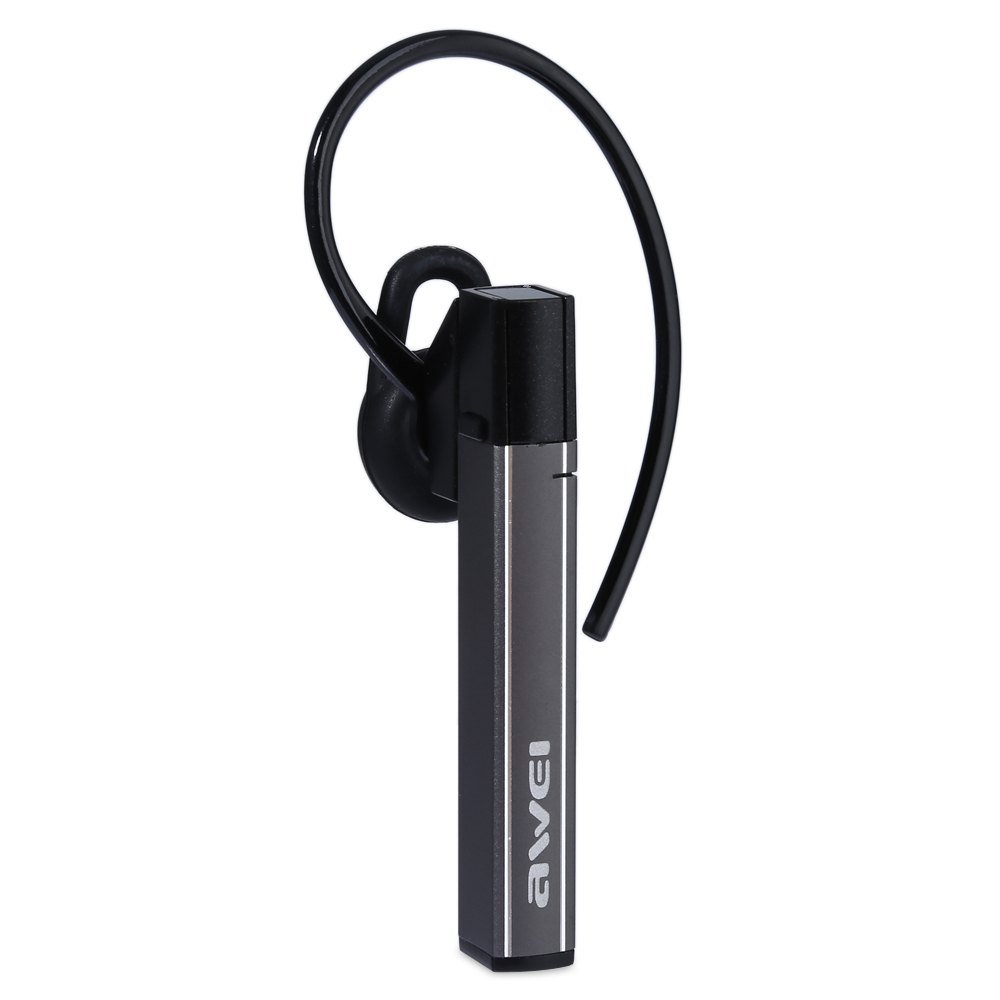
Image: The Awei A831BL Bluetooth In-Ear Headset in grey, showing the earbud design and inline controls.
The headset features an ergonomic in-ear design for comfortable wear, especially during activities. It includes an integrated microphone for hands-free calls and inline controls for managing audio and calls.
4. Configuración
4.1 Carga de los auriculares
- Conecte el cable de carga USB al puerto de carga del auricular.
- Conecte el otro extremo del cable USB a un adaptador de corriente USB (no incluido) o al puerto USB de una computadora.
- The indicator light will illuminate (e.g., red) during charging.
- Once fully charged, the indicator light will change (e.g., turn blue or turn off).
A full charge provides up to 8 hours of talk or music playback time.
4.2 Emparejamiento Bluetooth
- Asegúrese de que los auriculares estén completamente cargados y apagados.
- Press and hold the Multi-function button (usually the center button on the inline control) for approximately 5-7 seconds until the indicator light flashes red and blue alternately, indicating pairing mode.
- En su teléfono móvil o dispositivo con Bluetooth, habilite Bluetooth y busque los dispositivos disponibles.
- Seleccione "Awei A831BL" de la lista de dispositivos encontrados.
- Si se le solicita una contraseña, ingrese "0000" (cuatro ceros).
- Once successfully paired, the indicator light will flash blue slowly, and you may hear a confirmation tone.
El auricular intentará reconectarse automáticamente al último dispositivo emparejado cuando se encienda.
5. Instrucciones de funcionamiento
5.1 Encendido y apagado
- Encendido: Press and hold the Multi-function button for about 3 seconds until the blue indicator light flashes.
- Apagado: Press and hold the Multi-function button for about 3-4 seconds until the red indicator light flashes briefly and then turns off.
5.2 Reproducción de música
- Reproducir/Pausa: Presione el botón multifunción una vez.
- Sube el volumen: Presione el botón '+'
- Bajar volumen: Presione el botón '-'.
- Pista siguiente: Mantenga presionado el botón '+'.
- Pista anterior: Mantenga presionado el botón '-'.
5.3 Gestión de llamadas
- Responder llamada: Presione el botón multifunción una vez cuando entre una llamada.
- Finalizar llamada: Presione el botón multifunción una vez durante una llamada.
- Rechazar llamada: Mantenga presionado el botón multifunción durante aproximadamente 2 segundos cuando entre una llamada.
- Volver a marcar el último número: Presione dos veces el botón multifunción.
The integrated microphone allows for clear hands-free communication.
6. Mantenimiento
- Limpie los auriculares periódicamente con un paño suave y seco.
- Evite exponer los auriculares a temperaturas extremas, humedad o sustancias corrosivas.
- No intente desmontar ni modificar los auriculares, ya que esto anulará la garantía y podría causar daños.
- Guarde los auriculares en un lugar fresco y seco cuando no los utilice.
7. Solución de problemas
| Problema | Solución |
|---|---|
| El auricular no se enciende. | Asegúrate de que los auriculares estén completamente cargados. Conéctalos a una fuente de alimentación y vuelve a intentarlo. |
| No se puede emparejar con un dispositivo. | Ensure the headset is in pairing mode (flashing red and blue). Turn off and on your device's Bluetooth. Move closer to the device. Clear previous Bluetooth connections on your device. |
| No hay sonido o volumen bajo. | Verifique el volumen tanto de los auriculares como del dispositivo conectado. Asegúrese de que los auriculares estén correctamente conectados. |
| Mala calidad de llamada. | Ensure the microphone is not obstructed. Move to an area with less interference. Check your phone's signal strength. |
8. Especificaciones
| Característica | Detalle |
|---|---|
| Marca | Awei |
| Número de modelo | A831BL |
| Color | Gris |
| Tecnología de conectividad | Inalámbrico (Bluetooth) |
| Tipo de auriculares | En la oreja |
| Micrófono | Sí |
| Cancelación de ruido | No |
| Duración de la batería | Up to 8 hours (talk/music) |
| Características de sonido | Pure, high-quality bass sound |
| Material | Plástico |
| Dispositivos compatibles | Teléfonos móviles |
9. Garantía y soporte
Awei products are designed and manufactured to the highest quality standards. For warranty information and customer support, please refer to the warranty card included in your package or contact your local retailer. Keep your purchase receipt as proof of purchase.
Para obtener más ayuda, visite el sitio web oficial de Awei. websitio o comuníquese con su departamento de servicio al cliente.