
Zeetopin ZS-GX6S-T
Zeetopin Security Camera User Manual
Model: ZS-GX6S-T
1. Introducción
Thank you for choosing the Zeetopin Security Camera. This manual provides detailed instructions for the setup, operation, and maintenance of your new wireless security camera. Please read this manual thoroughly before use to ensure proper functionality and safety.
The Zeetopin Security Camera is a versatile, battery-powered WiFi camera designed for both outdoor and indoor surveillance. It features PIR motion detection, two-way audio, and night vision capabilities, all housed within an IP65 waterproof casing.
2. Contenido del paquete
Verifique que todos los artículos enumerados a continuación estén incluidos en su paquete:
- Security Camera (1)
- Soporte de montaje (1)
- Tornillos (4)
- Manual de usuario (1)
- 1A USB Cable (1)
3. Producto terminadoview
Familiarize yourself with the components of your Zeetopin Security Camera.
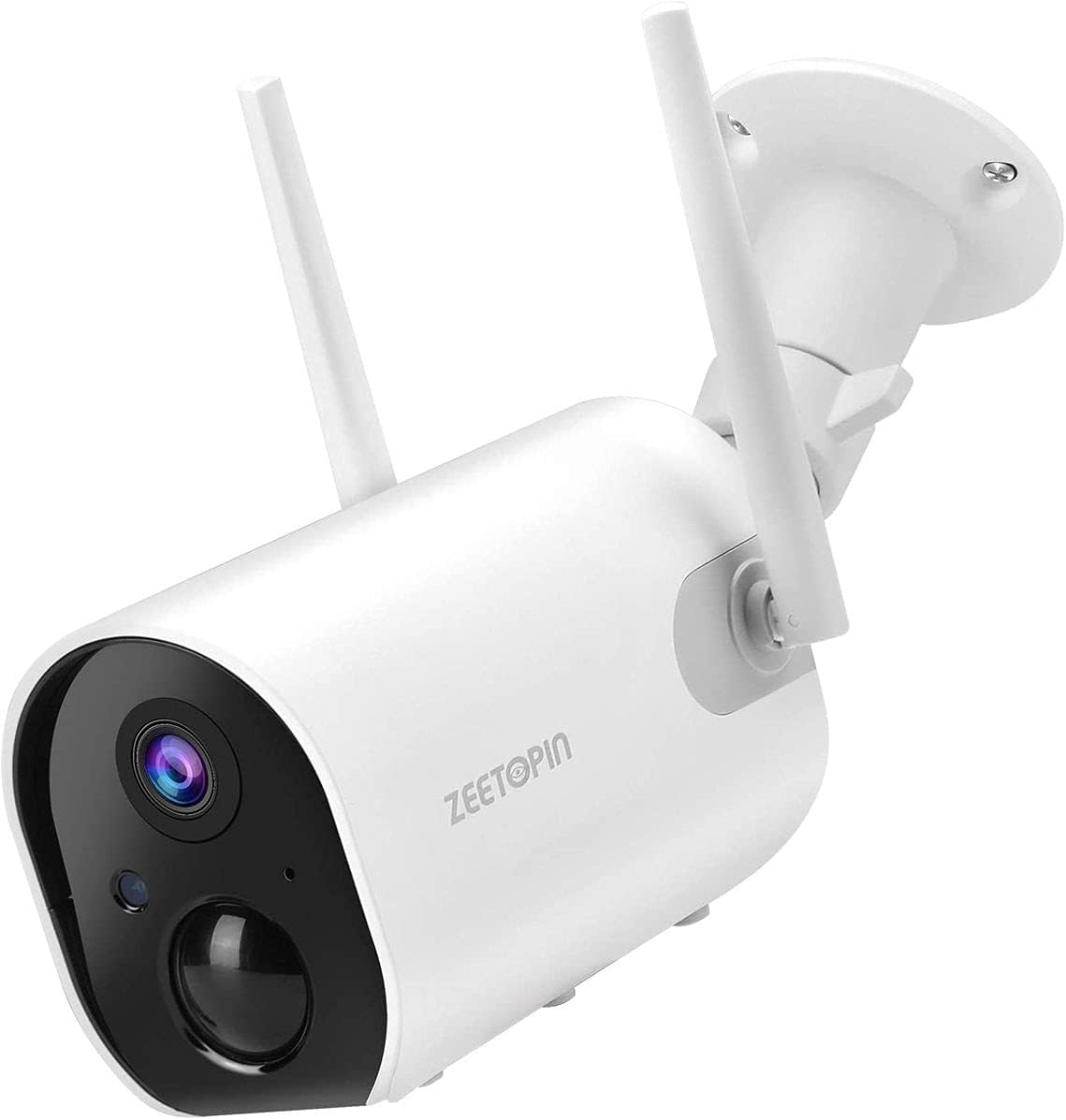
Figura 3.1: Frente view of the Zeetopin Security Camera, showing the lens, PIR sensor, and dual antennas.
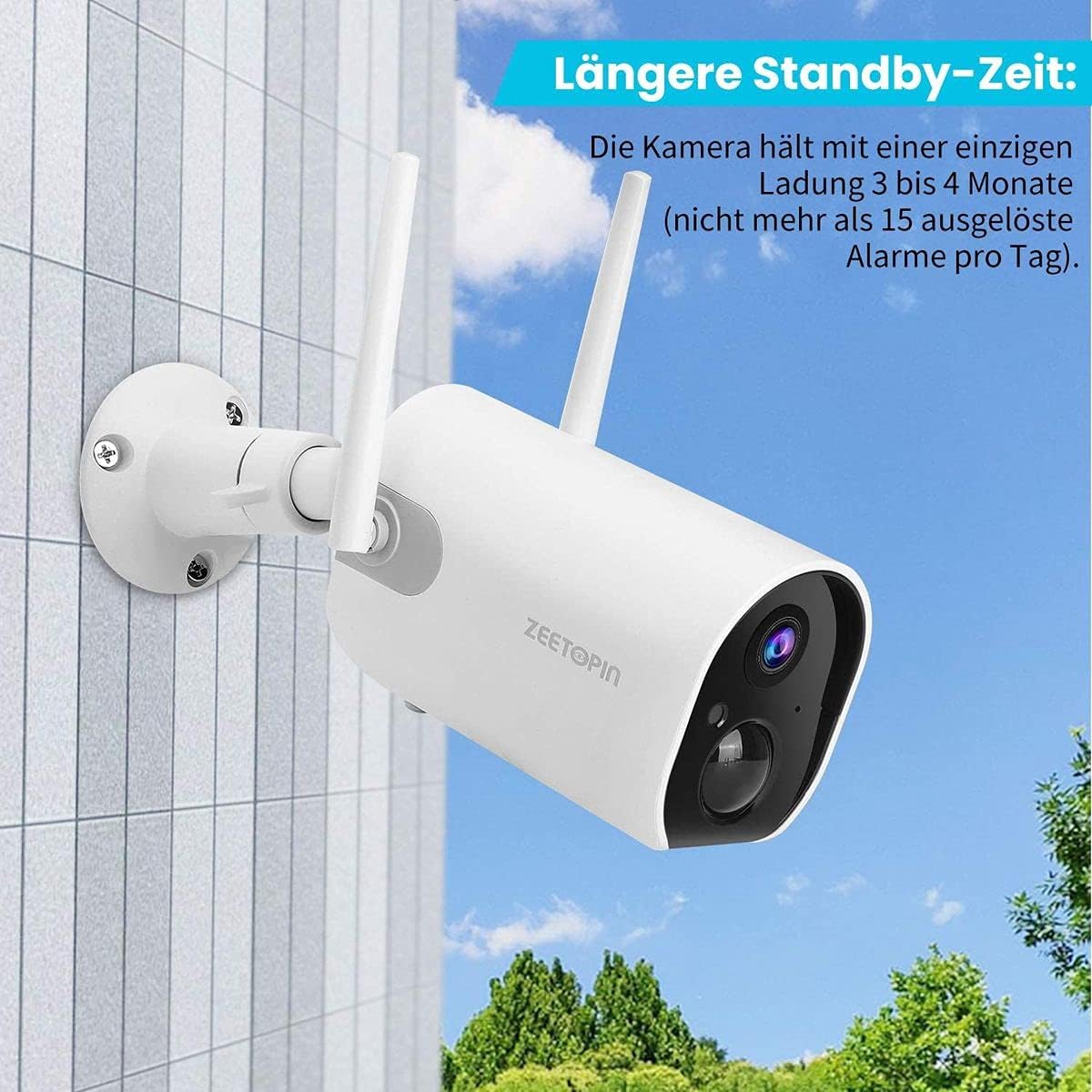
Figure 3.2: Zeetopin Security Camera installed outdoors on a building wall, demonstrating its weather-resistant design.
Características principales:
- Instalación 100% inalámbrica: Built-in 10400mAh rechargeable battery for 3-4 months of operation on a full charge (based on 15 daily triggers).
- Full HD 1080P & Night Vision: Provides 1920x1080P @30fps images and videos with 65ft/20m night vision via 4 infrared lights.
- Enhanced WiFi Connectivity: Equipped with 4dBi Dual Antennas for stable 2.4GHz WiFi connection.
- Detección de movimiento PIR y alertas instantáneas: Customizable sensitivity and monitoring time with instant app alerts.
- Audio bidireccional: Micrófono y altavoz incorporados para comunicación remota.
- Resistente al agua IP65: Suitable for various outdoor and indoor environments.
- Opciones de almacenamiento: Supports SD Card (Up to 128GB, Not Included) and cloud storage.
4. Configuración e instalación
4.1 Carga de la cámara
Before initial use, fully charge the camera using the provided 1A USB cable. The charging indicator light will show the charging status.
4.2 Descarga de la aplicación y registro de la cuenta
Download the official Zeetopin app (e.g., "CloudEdge" as mentioned in reviews) from your device's app store (iOS App Store or Google Play Store). Register for an account and log in.
4.3 Connecting the Camera to WiFi
- Encendido: Mantenga presionado el botón de encendido del dispositivo para iniciar la cámara.
- Agregar dispositivo: Open the app and tap "Add Device" or the "+" icon. Select "Battery Camera" from the device list.
- Restablecer cámara: If necessary, hold the RESET button on your device for 4-5 seconds until you hear a tone and the red indicator light flashes.
- Configuración de WiFi: Seleccione su red Wi-Fi de 2.4 GHz e ingrese la contraseña. Note: This device does not work with 5GHz Wi-Fi networks.
- Escanear código QR: The app will display a QR code. Position your phone 5-8 inches (15-25cm) in front of the camera lens for the camera to scan the code. A tone will be heard upon successful scan.
- Conexión: Wait for the camera to connect to the network. Keep the camera and phone close to your router for the best signal during this process.
- Device Found: Once connected, the app will indicate "Device Found!" and you can name your camera.
Video 4.1: This video demonstrates the initial setup process for the Zeetopin Security Camera, including app pairing and Wi-Fi connection steps.
4.4 Montaje de la cámara
Select a suitable location for mounting. Ensure the camera has a clear field of view and is within range of your 2.4GHz Wi-Fi network. Use the provided mounting bracket and screws to securely attach the camera to a wall or ceiling.
For optimal battery life, consider pairing with a compatible Zeetopin solar panel charger (sold separately) to avoid frequent recharging.
5. Operación
5.1 en vivo View
Open the app and select your camera to access the live video feed. You can view comida en tiempo realtagy desde tu cámara en cualquier momento y en cualquier lugar.
5.2 Audio bidireccional
Tap the microphone icon in the app to activate two-way audio. You can speak through the camera's speaker and hear audio from the camera's microphone.
5.3 Detección de movimiento y alertas
The camera uses a PIR (Passive Infrared) sensor to detect motion. When motion is detected, you will receive an instant alert notification on your mobile device.
- Customizing Sensitivity: Navigate to the camera settings in the app to adjust the motion detection sensitivity.
- Tiempo de Monitoreo: Establezca horarios específicos para que la detección de movimiento esté activa.
5.4 Grabación y reproducción
The camera supports both local storage (SD card, up to 128GB, not included) and cloud storage (subscription may be required).
- Grabación local: Insert a compatible SD card into the camera's SD card slot. Recordings triggered by motion will be saved to the card.
- Almacenamiento en la nube: Refer to the app for options to subscribe to cloud storage services.
- Reproducción: Access recorded videos through the app's "History" or "Cloud" sections.
5.5 Visión nocturna
La cámara cambia automáticamente al modo de visión nocturna en condiciones de poca luz, proporcionando imágenes nítidas en blanco y negro hasta 65 pies (20 metros).
6. Mantenimiento
6.1 Gestión de la batería
The camera's built-in 10400mAh battery provides extended usage. To maximize battery life:
- Reduce motion detection sensitivity if you receive excessive alerts.
- Límite en vivo view streaming time.
- Consider connecting to a Zeetopin solar panel charger for continuous power.
6.2 Limpieza
Regularly clean the camera lens and body with a soft, dry cloth to ensure clear image quality. Do not use harsh chemicals or abrasive cleaners.
6.3 actualizaciones de firmware
Periodically check the app for available firmware updates. Keeping your camera's firmware up-to-date ensures optimal performance and access to new features.
7. Solución de problemas
| Problema | Posible causa | Solución |
|---|---|---|
| La cámara no se conecta al Wi-Fi. | Contraseña de Wi-Fi incorrecta; red Wi-Fi de 5 GHz; cámara demasiado lejos del enrutador. | Asegúrate de que la contraseña de Wi-Fi de 2.4 GHz sea correcta. Acerca la cámara al router. Reinicia la cámara y vuelve a intentarlo. |
| Mala calidad de imagen. | Lente sucia; Condiciones de poca luz; Mala señal Wi-Fi. | Clean the lens. Ensure adequate lighting or check night vision. Improve Wi-Fi signal strength. |
| La detección de movimiento no funciona o es demasiado sensible. | Ajustes de sensibilidad incorrectos; Obstrucciones en view. | Adjust PIR sensitivity in the app. Ensure no obstructions block the sensor. |
| La batería se agota rápidamente. | Frequent motion triggers; Excessive live view. | Reduce motion detection frequency/sensitivity. Limit live view. Consider solar panel charging. |
8. Especificaciones
| Característica | Detalle |
|---|---|
| Número de modelo | ZS-GX6S-T |
| Batería | 4 Lithium Ion batteries (included), 10400mAh |
| Conectividad | Inalámbrico (solo Wi-Fi de 2.4 GHz) |
| Resolución | 1080P Full HD (1920 x 1080P @30 fps) |
| Distancia de visión nocturna | Hasta 65 pies (20 m) |
| Clasificación de impermeabilidad | IP65 |
| Almacenamiento | SD Card (up to 128GB, not included), Cloud Storage |
| Dimensiones | 7 x 8 x 11.7 cm; 400 g |
| Fabricante | ZEETOPINA |
9. Garantía y soporte
Zeetopin offers a 3-month return/exchange service and a 2-year warranty for this product. For any questions or assistance, please contact Zeetopin customer support via email or the QA section on the product page.
Para obtener más ayuda, visite el sitio web Página oficial del producto.