
Pioneer AVIC-RZ503
Manual del usuario del sistema de navegación para automóvil Pioneer Carrozzeria AVIC-RZ503 de 7 pulgadas
Model: AVIC-RZ503 | Brand: Pioneer
1. Introducción
This user manual provides essential information for the safe and effective operation of your Pioneer Carrozzeria AVIC-RZ503 car navigation system. Please read this manual thoroughly before using the product and keep it for future reference. This system is designed to enhance your driving experience with advanced navigation and multimedia capabilities.
2. Funciones terminadasview
The Pioneer Carrozzeria AVIC-RZ503 is a 7-inch 2DIN car navigation system offering a range of features for an optimized in-car experience. Key functionalities include:
- 7V type WVGA display with a standard 180mm installation size.
- Integrated media playback: One-Seg TV, DVD-V, CD, Bluetooth, USB, SD card, and FM/AM tuner.
- Map update support (paid service).
- Hands-free calling functionality.
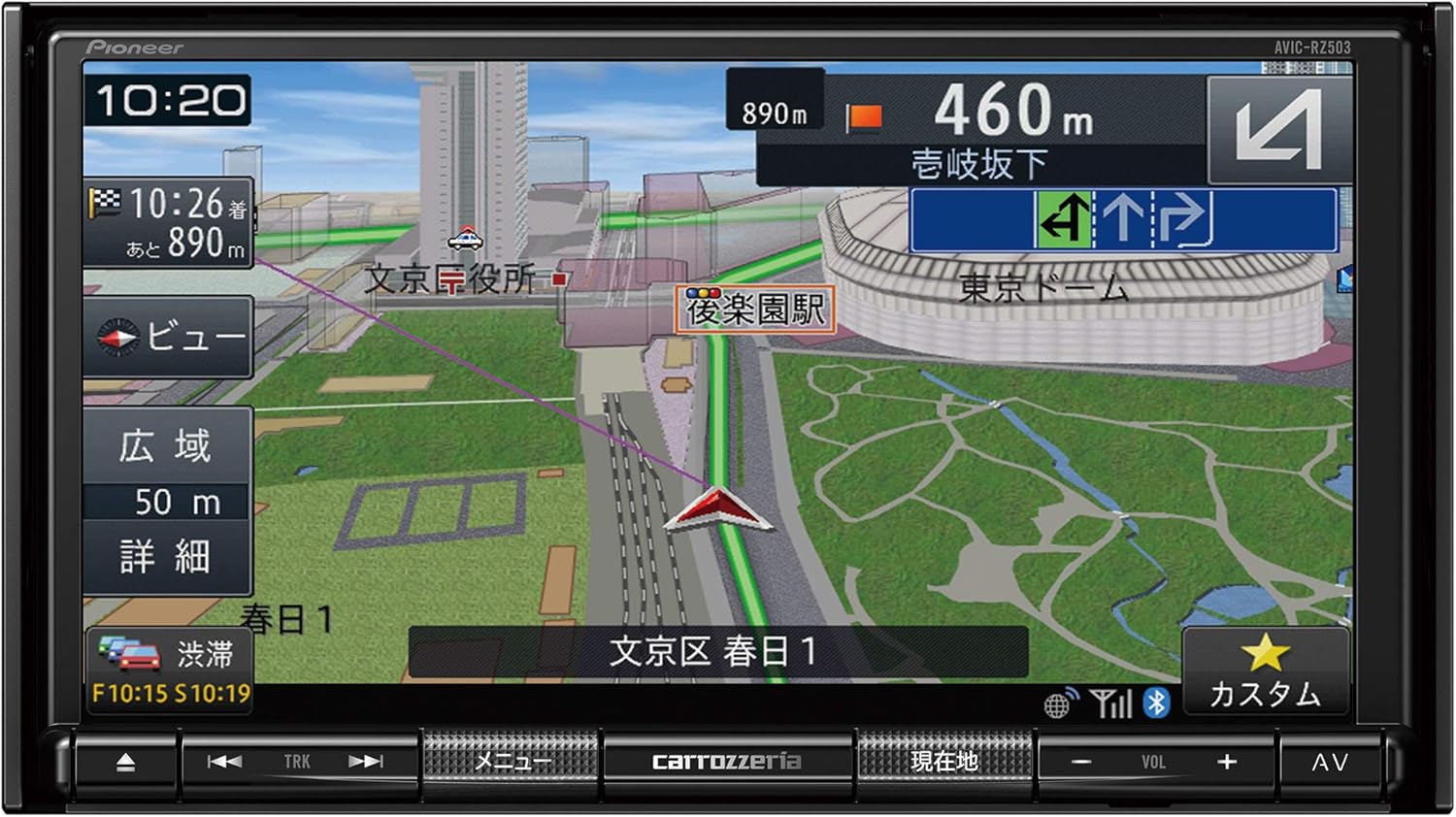
Figure 2.1: Main unit displaying a detailed navigation map with current location and route information.

Figure 2.2: Visual representation highlighting the navigation, audio/visual, and interface capabilities of the system.
2.1 Navigation Capabilities
The Rakunavi system incorporates unique technology and expertise to provide reliable navigation. It supports comfortable driving by offering high-level navigation functions that are easy for anyone to use, assisting in various driving scenarios from departure to arrival.

Figure 2.3: The navigation system showing a detailed map view on the main screen, with a secondary display illustrating a split-screen navigation feature.
2.2 Audio & Visual Capabilities
Enjoy your time in the car filled with music and video. The Rakunavi system features high-quality functions for playing music and video, along with sound adjustment capabilities. It enriches your driving scene with entertainment tailored to your preferences.

Figure 2.4: The unit displaying a music playback interface, indicating its audio and visual capabilities.
2.3 Integral Smart Interface
The Rakunavi system offers a diverse interface to support ease of use in various driving situations, allowing for comfortable operation of the car navigation system.

Figure 2.5: Illustrates different ways to interact with the system, such as steering wheel controls, touch screen operation, and a rotary knob, emphasizing its user-friendly interface.
3. Configuración e instalación
The AVIC-RZ503 is designed for 2DIN installation. Due to the complexity of car audio and navigation system installation, professional installation by a qualified technician is highly recommended to ensure proper functionality and safety. Incorrect installation can lead to damage to the unit or vehicle.
3.1 Componentes incluidos para la instalación
The following components are included to assist with installation:
- Antena GPS (tipo escritorio)
- Terrestrial digital TV broadcast film antenna (One-Seg)
- Micrófono manos libres
- Cable de alimentación
- Installation parts set
- Tarjeta de garantía
4. Instrucciones de funcionamiento
This section provides general guidance on operating the main functions of your AVIC-RZ503 system. For detailed instructions, please refer to the complete product manual.
4.1 Navigation System Operation
- Establecer un destino: Use the touch screen to input your destination via address, point of interest (POI), or coordinates.
- Guía de ruta: Una vez establecido el destino, el sistema calculará y mostrará la ruta óptima. Siga las indicaciones de voz y las instrucciones en pantalla.
- Mapa View: Adjust the map scale, view mode (2D/3D), and orientation (North-up/Heading-up) as desired.
- Información de tráfico: The system supports VICS (Vehicle Information and Communication System) for real-time traffic updates, which may be displayed on the map.
4.2 Audio and Visual Playback
- Reproducción de DVD/CD: Insert a DVD or CD into the disc slot. The system will automatically detect and begin playback. Use the on-screen controls for playback functions.
- Medios USB/SD: Connect a USB device or insert an SD card containing audio or video files. Select the USB or SD source from the main menu to browse and play media.
- Sintonizador FM/AM: Select the radio source. Use the tuning controls to find and save your preferred stations.
- Televisión de un solo segmento: Select the TV source to watch terrestrial digital broadcasts. Ensure the included film antenna is properly installed for optimal reception.
4.3 Conectividad Bluetooth
- Emparejamiento de un dispositivo: Enable Bluetooth on your mobile device and on the AVIC-RZ503. Buscar available devices on your phone and select 'AVIC-RZ503' to pair.
- Llamadas manos libres: Once paired, you can make and receive calls through the navigation system using the included hands-free microphone.
- Transmisión auditiva: Stream music from your paired Bluetooth device to the AVIC-RZ503.
5. Mantenimiento
Regular maintenance helps ensure the longevity and optimal performance of your navigation system.
- Limpieza de pantalla: Gently wipe the display screen with a soft, dry cloth. For stubborn smudges, use a cloth lightly dampened with a screen cleaner specifically designed for electronic displays. Avoid harsh chemicals or abrasive materials.
- Cuidado general: Mantenga la unidad libre de polvo y residuos. Evite exponerla a temperaturas extremas o a la luz solar directa durante períodos prolongados.
- Ranura de disco: Keep the disc slot clear of foreign objects.
6. Solución de problemas
If you encounter issues with your AVIC-RZ503, refer to the following common troubleshooting tips. For more complex problems, consult the full product manual or contact customer support.
- Sin energía: Revise todas las conexiones eléctricas. Asegúrese de que el encendido del vehículo esté activado.
- Sin sonido: Verify volume settings. Check speaker connections. Ensure the audio source is correctly selected.
- Pérdida de señal GPS: Asegúrese de que la antena GPS tenga una vista clara. view of the sky. Move the vehicle to an open area if in a tunnel or underground parking.
- La pantalla táctil no responde: Intente reiniciar la unidad. Si el problema persiste, podría ser necesario reiniciar el sistema (consulte el manual completo para conocer los procedimientos de reinicio).
- Map Data Outdated: The map data is from 2019. Map updates are available as a paid service.
7. Especificaciones
| Característica | Especificación |
|---|---|
| Fabricante | Pionero |
| Marca | Pionero |
| Nombre del modelo | AVIC-RZ503 |
| Número de modelo del producto | AVIC-RZ503 |
| Tamaño de pantalla | 7 pulgadas |
| Resolución | 1280x720x3 |
| Tamaño de la instalación | 2DIN (180mm standard model) |
| Color | Negro |
| Peso del producto | 2.4 kilogramos |
| Tecnología de conectividad | Bluetooth, USB |
| Tipo de mapa | Calle |
| Características especiales | Manos libres |
| Tipo de montaje | Montaje en tablero de instrumentos |
| Tipo de vehículo compatible | Coche de pasajeros |
| ASIN | B07YNTWB3R |
8. Garantía y soporte
The Pioneer Carrozzeria AVIC-RZ503 comes with a 1 año de garantía A partir de la fecha de compra. Conserve el comprobante de compra para reclamaciones de garantía.
For technical support, detailed troubleshooting, or to inquire about map updates, please visit the official Pioneer website or contact their customer service department. Contact information can typically be found on the warranty card or the manufacturer's websitio.
Ask a question about this manual
Ask about setup, troubleshooting, compatibility, parts, safety, or missing instructions. Manuals+ will review the question and use this page’s manual context to help answer it.