
1. Introducción
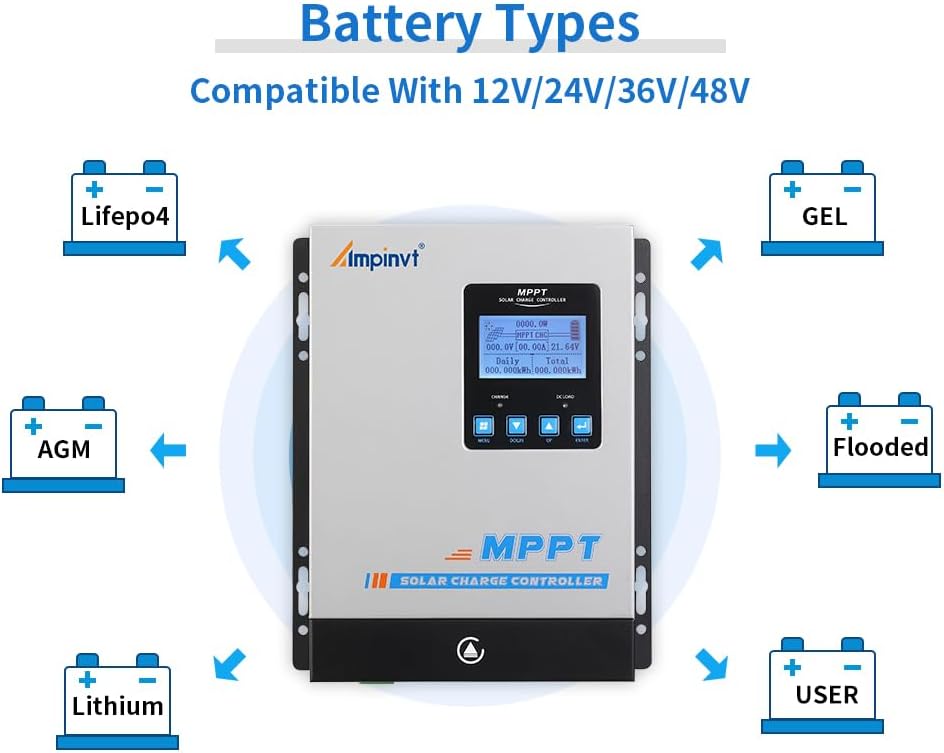
This user manual provides essential information for the safe and efficient operation of your AMPINVT 80 Amp MPPT Solar Charge Controller. This advanced controller is designed to maximize power harvesting from your solar panels and efficiently charge various battery types, including Lead-acid (Sealed, AGM, Gel, Flooded) and Lithium batteries. It automatically identifies 12V, 24V, 36V, and 48V system voltages and features an LCD display for real-time monitoring and control.

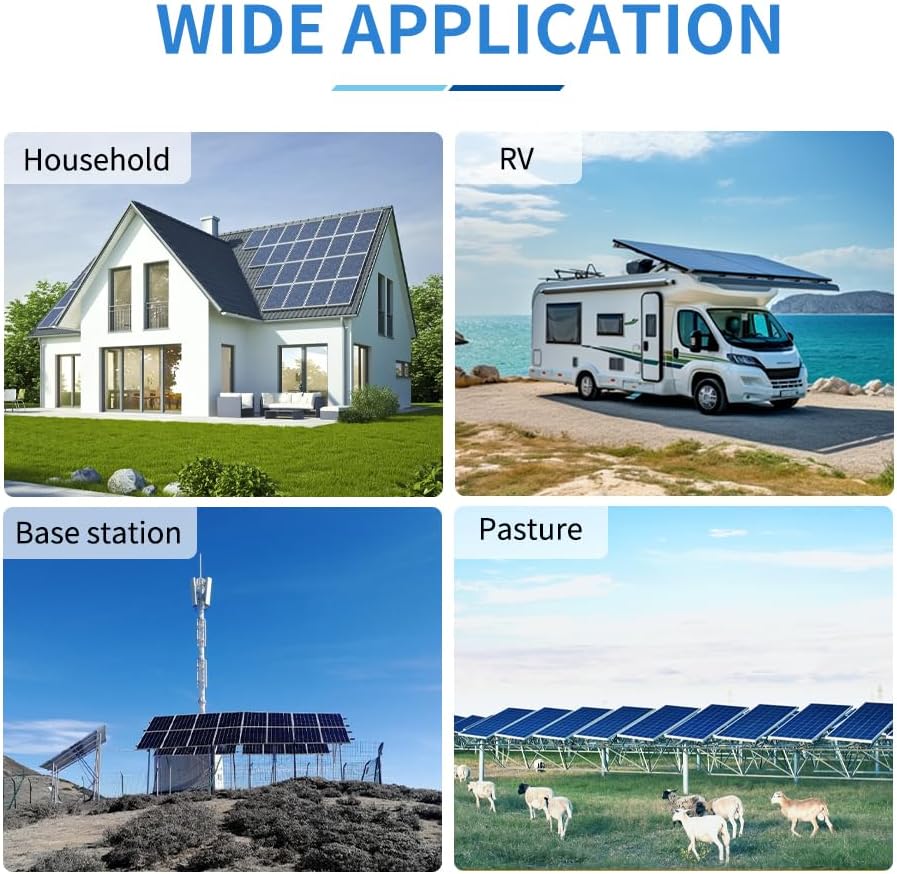
Key features include a tracking rate of maximum power ≥99% and a maximum conversion rate >98%. It is suitable for a wide range of applications, such as solar RV setups, household power systems, and industrial field monitoring.
Este vídeo ofrece una visión generalview del Ampinvt MPPT Solar Charge Controller, showcasing su diseño y funciones principales.
2. Información de seguridad
Please read and understand all safety instructions before installation and operation to prevent injury or damage to the controller and connected equipment.
- Conexión de la batería primero: Always connect the battery to the controller first. Ensure the battery voltage is sufficient for the controller to recognize the correct system voltage.
- NEVER Connect Solar Panel Array Without Battery: Do not connect the solar panel array to the controller before connecting the battery.
- Secuencia de desmontaje: The disassembly sequence is contrary to the wiring order (disconnect solar panels first, then battery).
- Conexión del inversor/cargador: DO NOT connect any Inverter, wind turbine, alternator, or external charger directly into the charge controller. Connect the Inverter directly to the battery.
- Vol de entrada solartage: Asegúrese de que el volumen de entrada solartage is at least 3V higher than the battery's voltage and that the total input power is within the specified range.
- Ubicación de la instalación: DO NOT install the charging controller in direct sunlight to avoid power loss due to overheating.
- Ventilación: Remove all clutter around the controller to reduce interference and ensure enough space for heat dissipation (approximately 20cm clearance).
- Conexiones estrechas: Ensure all connections going into and from the controller are tight.
- Polaridad: DO NOT let the positive (+) and negative (-) terminals of the battery touch each other.
3. Producto terminadoview
El AMPINVT MPPT Solar Charge Controller is housed in a durable metal casing, designed for efficient heat dissipation and long-term reliability. It features an intuitive LCD display and user-friendly buttons for easy operation and monitoring.

Components and Interface

- Ventilador de enfriamiento: Para disipar el calor.
- Hang Bracket: Para montar el controlador.
- Pantalla LCD: Shows operating data and working conditions.
- Botón de menú: Accede a las opciones del menú.
- Botón Abajo: Navega hacia abajo o disminuye valores.
- Botón de arriba: Navega hacia arriba o aumenta los valores.
- Botón Entrar: Confirma selecciones.
- Interfaz de temperatura: For connecting the external temperature sensor.
- Terminales del panel solar: Se conecta al conjunto de paneles solares.
- Terminales de la batería: Se conecta al banco de baterías.
- DC Load Terminals: Se conecta a cargas de CC.
- Puerto RS485: For communication, including Wi-Fi remote monitoring (requires additional purchase).
Dimensiones del producto
The controller has physical dimensions of approximately 9.05 inches (L) x 3.58 inches (W) x 12 inches (H) and weighs about 9.2 pounds.

This video showcases the different models of the AMPINVT Solar Charge Controller (40A, 60A, 80A, 120A), highlighting their physical appearance and size variations.
4. Configuración e instalación
Proper installation is crucial for the performance and longevity of your solar charge controller. Follow these steps carefully:
- Montaje: Install the controller in a well-ventilated area, away from direct sunlight and heat sources. Ensure at least 20cm of clear space around the unit for proper airflow.
- Conexión de la batería: Connect the battery to the controller first. Ensure the battery voltage is sufficient for the controller to auto-detect the system voltagy (12V/24V/36V/48V).
- Conexión del panel solar: After the battery is connected, connect the solar panel array to the controller. Ensure the maximum input voltage (150V PV) and power (1140W for 12V, 2260W for 24V, 3420W for 36V, 4540W for 48V) are not exceeded. The MPPT best working voltage range is DC18V-DC80V (12V), DC30V-DC100V (24V), DC65V-DC150V (48V).
- Conexión de carga de CC: Connect your DC loads to the designated terminals.
- Apretar las conexiones: Double-check all wiring connections to ensure they are secure and tight to prevent loose connections and potential hazards.

5. Instrucciones de funcionamiento
The LCD display provides comprehensive information about the system's performance and allows for configuration adjustments.
Pantalla LCD y botones
The LCD display shows real-time operating data, including daily power generation curves and current curves. Use the Menu, Down, Up, and Enter buttons to navigate through the display and adjust settings.
Battery Type Configuration
The controller supports charging for four types of batteries: Lead-acid (Sealed, AGM, Gel, Flooded) and User-defined (Lithium Battery). Ensure you select the correct battery type in the settings for optimal charging and battery health.
Load Control Modes
The controller offers multiple load control modes, allowing you to manage the power supply to your DC loads based on various parameters.
Wi-Fi Remote Monitoring (Optional)
The RS485 communication port enables Wi-Fi remote monitoring capabilities. This requires an additional purchase of a Wi-Fi module. Once connected, you can monitor and set parameters via a mobile application compatible with Android and iOS systems. The app allows for real-time wireless monitoring and offers a one-key restore to factory settings.
This video demonstrates the ease of operation for the AMPINVT MPPT solar charge controller, guiding users through its interface and functions.
This video provides insights into the AMPINVT 40A, 60A, and 80A solar charge controllers, focusing on their battery charging capabilities.
6. Mantenimiento
Regular maintenance ensures the optimal performance and lifespan of your solar charge controller.
- Comprobaciones de conexión: Inspeccione periódicamente todas las conexiones del cableado para asegurarse de que permanezcan firmes y libres de corrosión.
- Limpieza: Mantenga el controlador limpio y libre de polvo y residuos. Utilice un paño seco para limpiarlo.
- Ventilación: Ensure the cooling fan and ventilation openings are not obstructed.
7. Solución de problemas
Esta sección aborda problemas comunes que puede encontrar con su controlador de carga solar.
- Charging Indicator On/Off: If the charging indicator is intermittently on and off, and the charging current fluctuates, this is generally normal. It often occurs on cloudy days or in the evening when light is insufficient, indicating the controller is adjusting to available solar input.
- Controller Buzzing: If the controller produces a buzzing sound, it is typically due to the internal fan operating to dissipate heat. This is a normal function, especially under heavy load or high ambient temperatures. Allow the fan to operate as needed.
- Corriente de carga baja: If the charging current is almost zero when the controller is in floating charge mode, it may indicate that the solar input power is too low for the maximum input power capacity, or the battery is already fully charged.
8. Especificaciones
| Característica | Especificación |
|---|---|
| Modelo | AP-80C |
| Marca | AMPINVERTIR |
| Corriente nominal | 80 Amp |
| Vol del sistematage | 12V/24V/36V/48V Automático |
| Volumen máximo de entrada de PVtage | 150V PV |
| Mejor volumen de trabajo del MPPTtage Rango | DC18V-DC80V (12V); DC30V-DC100V (24V); DC65V-DC150V (48V) |
| Potencia máxima de entrada (sistema de 12 V) | 1140 W |
| Potencia máxima de entrada (sistema de 24 V) | 2260 W |
| Potencia máxima de entrada (sistema de 36 V) | 3420 W |
| Potencia máxima de entrada (sistema de 48 V) | 4540 W |
| Tipo de pantalla | Pantalla LCD |
| Dimensiones del producto | 9.05 x 3.58 x 12 pulgadas |
| Peso del artículo | 9.2 libras |
| Material | Plastic (Note: Product description mentions metal casing, but specifications list plastic. User should verify.) |
| País natal | Porcelana |
9. Garantía y soporte
Para obtener información sobre la garantía y soporte técnico, consulte la documentación incluida con su producto o comuníquese con AMPINVT customer service directly. Protection plans may be available for purchase separately to extend coverage beyond the standard warranty period.


