1. Introducción
The JBL LIVE 400BT are on-ear wireless headphones designed to deliver JBL Signature Sound. These headphones feature Bluetooth connectivity, a built-in microphone for hands-free calls, and integrated voice assistant support (Amazon Alexa). They also include Ambient Aware and TalkThru technologies for enhanced situational awareness and convenient conversations without removing the headphones. The headphones offer up to 24 hours of battery life and can be used with an audio cable when the battery is depleted.
2. ¿Qué hay en la caja?
Al abrir el paquete, asegúrese de que todos los elementos estén presentes:
- JBL LIVE 400BT Headphones
- Cable de carga
- Aux Cable (3.5 mm)
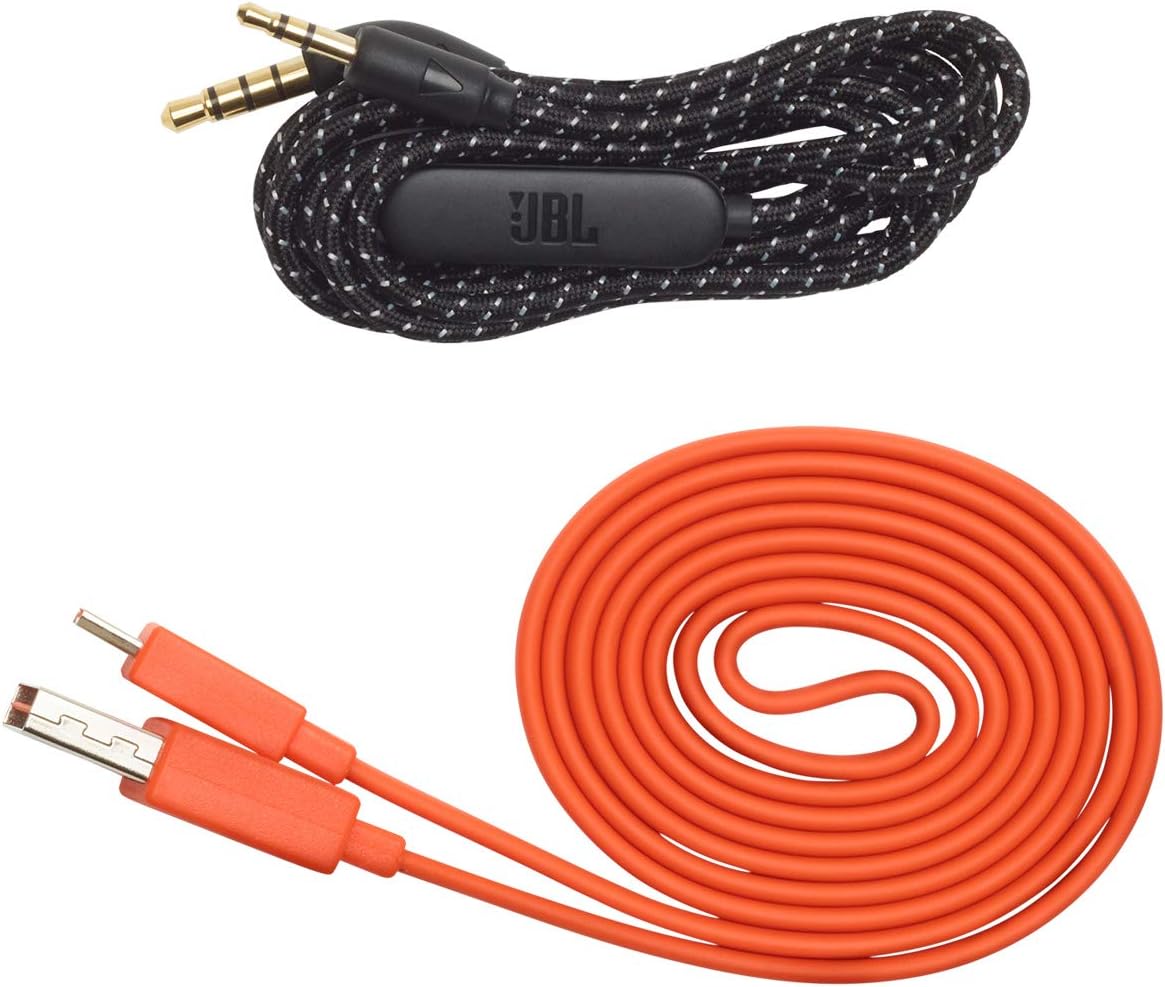
Image: JBL LIVE 400BT headphones shown with the included charging cable and 3.5mm aux cable.
3. Configuración
3.1. Carga de los auriculares
Before first use, fully charge your JBL LIVE 400BT headphones. A full charge provides up to 24 hours of playback. A quick 15-minute charge can provide an additional 2 hours of listening time.
- Conecte el cable de carga provisto al puerto de carga de los auriculares.
- Conecte el otro extremo del cable de carga a una fuente de alimentación USB (por ejemplo, adaptador de pared, puerto USB de computadora).
- El indicador LED de los auriculares mostrará el estado de carga. Normalmente se apaga o cambia de color cuando la carga está completa.
3.2. Encendido / apagado
- To power on, slide the power switch located on the right earcup.
- To power off, slide the power switch back to the off position.
3.3. Emparejamiento Bluetooth
The JBL LIVE 400BT headphones use Bluetooth 4.0 for wireless connectivity with a range of up to 10 meters.
- Asegúrese de que los auriculares estén apagados.
- Slide the power switch to the "on" position and hold it for approximately 3-5 seconds until the LED indicator flashes blue, indicating pairing mode.
- En su dispositivo (teléfono inteligente, tableta, computadora), habilite Bluetooth y busque los dispositivos disponibles.
- Select "JBL LIVE 400BT" from the list of available devices.
- Una vez conectado, el indicador LED se volverá azul fijo.

Image: The right earcup of the JBL LIVE 400BT headphones, highlighting the power switch and LED indicator for Bluetooth pairing.
4. Funcionamiento de los auriculares
4.1. Controles básicos
The headphones feature intuitive controls on the earcups for managing audio and calls.
- Reproducir/Pausa: Presione el botón multifunción una vez.
- Pista siguiente: Presione dos veces el botón multifunción.
- Pista anterior: Presione tres veces el botón multifunción.
- Subir/Bajar volumen: Utilice los botones de volumen dedicados.
- Responder/Finalizar llamada: Presione el botón multifunción una vez durante una llamada entrante o una llamada activa.
- Rechazar llamada: Mantenga presionado el botón multifunción durante 2 segundos durante una llamada entrante.
4.2. Voice Assistant (Amazon Alexa)
Access Amazon Alexa directly from your headphones. Use the JBL App to set up your voice assistant preference.
- Ensure your headphones are connected to your smartphone via Bluetooth.
- Download and open the JBL Headphones App.
- Follow the in-app instructions to select and configure Amazon Alexa as your voice assistant.
- Once configured, tap the left earcup to activate Alexa and issue commands (e.g., "Play my favorite playlist," "Check the weather").
4.3. Ambient Aware and TalkThru Technology
These features allow you to stay connected to your surroundings or have conversations without removing your headphones.
- Consciente del ambiente: A touch of the Ambient Aware button (located on the left earcup) increases ambient sound, allowing you to hear what's happening around you while music continues at a lower volume.
- Hablar a través de: Activate TalkThru mode by pressing the TalkThru button (located on the left earcup). This significantly drops the music volume, enabling clear conversations with others without removing the headphones.
Video: Official JBL demonstration of the LIVE 400BT headphones, highlighting features like JBL Signature Sound, Ambient Aware, TalkThru technology, and voice assistant integration.
4.4. Conexión por cable
If the battery runs out or you prefer a wired connection, use the provided 3.5mm audio cable.
- Conecte un extremo del cable de audio de 3.5 mm al conector de audio de los auriculares.
- Conecte el otro extremo a la salida de 3.5 mm de su fuente de audio.
- The headphones will function passively, without requiring battery power.
5. Mantenimiento
Proper care ensures the longevity of your JBL LIVE 400BT headphones.
- Limpieza: Utilice un paño suave y seco para limpiar los auriculares y la diadema. Evite el uso de productos químicos agresivos o materiales abrasivos.
- Almacenamiento: When not in use, store the headphones in a cool, dry place. Avoid extreme temperatures. The headphones are foldable for compact storage.
- Cuidado de la batería: Para prolongar la vida útil de la batería, evite descargar completamente los auriculares con frecuencia. Cárguelos regularmente, incluso si no los usa constantemente.
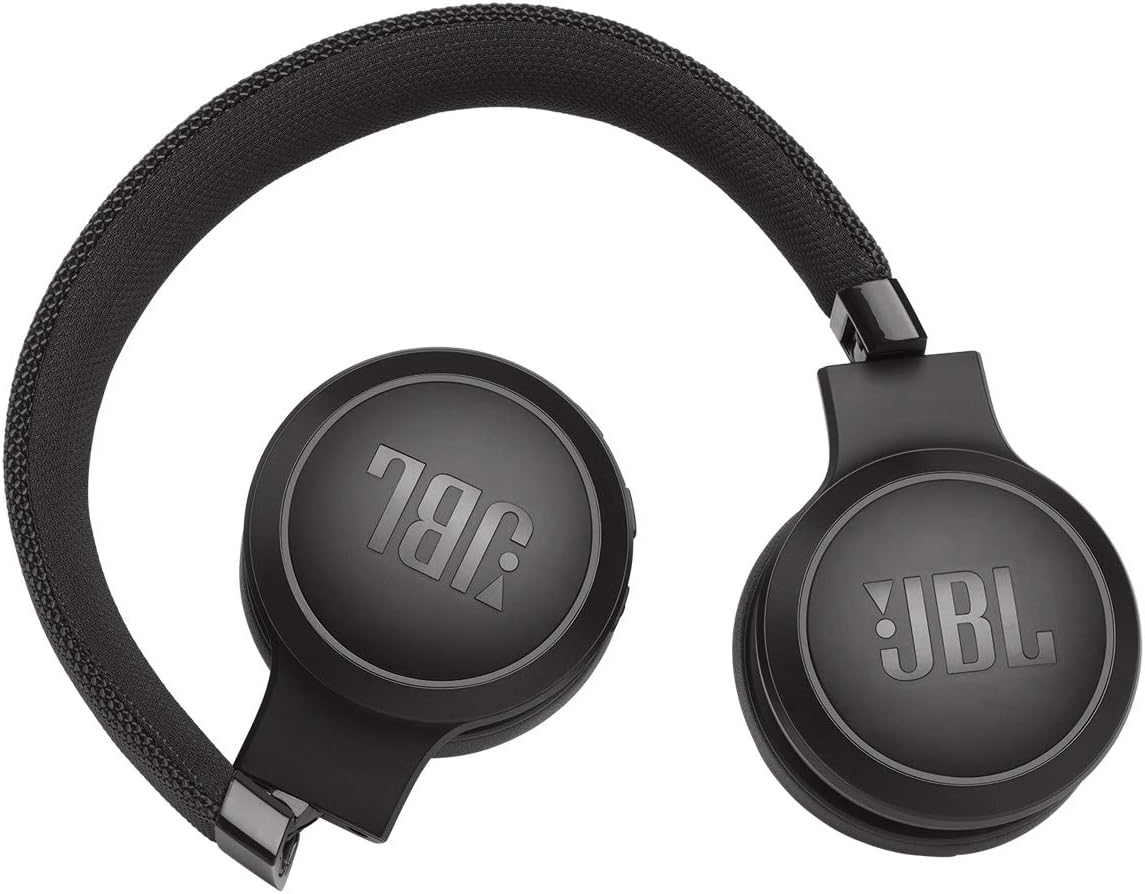
Image: JBL LIVE 400BT headphones shown in a folded position, demonstrating their portability and ease of storage.
6. Solución de problemas
If you encounter issues with your JBL LIVE 400BT headphones, refer to the following common solutions.
6.1. No Power / Cannot Turn Off
- Cargar batería: Ensure the headphones are fully charged. A low battery can cause unexpected behavior.
- Ciclo de energía: If the headphones are stuck on or cannot be turned off, try connecting them to a charger for a few minutes, then attempt to power off again.
- Restablecimiento de fábrica: If the issue persists, a factory reset may resolve it. Consult the JBL support website or the full user manual for specific factory reset instructions for your model, as this often involves a combination of button presses.
6.2. Problemas de conectividad Bluetooth
- Asegúrese del modo de emparejamiento: Verify the headphones are in pairing mode (flashing blue LED).
- Proximidad del dispositivo: Make sure the headphones are within 10 meters of your Bluetooth device.
- Olvidar dispositivo: On your device, "forget" or "unpair" the JBL LIVE 400BT from your Bluetooth settings, then attempt to pair again.
- Reiniciar dispositivos: Restart both your headphones and the Bluetooth device.
6.3. No hay sonido o el volumen es bajo
- Comprobar los niveles de volumen: Ensure volume is turned up on both the headphones and your connected device.
- Correct Output: Verify that your device is sending audio to the JBL LIVE 400BT.
- Conexión por cable: If using the aux cable, ensure it is fully inserted into both the headphones and the audio source.
7. Especificaciones
| Característica | Especificación |
|---|---|
| Nombre del modelo | JBL LIVE 400 - Black (JBLLIVE400BTBLKAM) |
| Marca | JBL |
| Tecnología de conectividad | Bluetooth |
| Tecnología de comunicación inalámbrica | Bluetooth |
| Versión de Bluetooth | 4.0 |
| Alcance de Bluetooth | 10 metros |
| Tamaño del controlador de audio | 40 milímetros |
| Tipo de controlador de audio | Controlador dinámico |
| Respuesta de frecuencia | 20 kHz |
| Sensibilidad | 106 dB |
| Impedancia | 32 ohmios |
| Duración de la batería | 24 horas |
| Tiempo de carga | 2 horas |
| Toma de auriculares | 3.5 mm Jack |
| Tipo de control | Alexa, Touch, Voice Assistant |
| Método de control | Toque, Voz |
| Control de ruido | Active Noise Cancellation (basic_noise_control) |
| Material | cuero de imitación |
| Peso del artículo | 6.6 onzas (185.8 gramos) |
| Dimensiones del producto | 8.07 x 2.17 x 8.78 pulgadas |
| Fecha de primera disponibilidad | 7 de enero de 2019 |
8. Garantía y soporte
Para obtener información sobre la garantía, soporte técnico o más ayuda, visite el soporte oficial de JBL. webSitio web o contacte con el servicio de atención al cliente. Conserve su comprobante de compra para reclamaciones de garantía.
Puede encontrar recursos adicionales e información de contacto en Tienda JBL en Amazon.