
Geek Aire CF3
Geek Aire 10" Portable Battery Operated Fan User Manual
Marca: friki aire
Modelo: CF3
1. Introducción
Thank you for choosing the Geek Aire 10" Portable Battery Operated Fan. This manual provides essential information for the safe and efficient operation, maintenance, and troubleshooting of your new fan. Designed for both indoor and outdoor use, this fan features a durable metal blade, a powerful brushless DC motor, and a long-lasting rechargeable battery, ensuring a quiet and strong airflow wherever you need it.

Figura 1.1: Frente view of the Geek Aire 10" Portable Battery Operated Fan.
2. Instrucciones de seguridad importantes
To reduce the risk of fire, electric shock, or injury, please read and follow these instructions carefully:
- Asegúrese siempre de que el ventilador esté colocado sobre una superficie estable y plana para evitar que se vuelque.
- Do not insert fingers or any objects into the fan grill when the fan is operating. The fan features a safety grill designed to prevent accidental contact with the blades.
- Keep the fan away from water or excessive moisture. This fan is designed for outdoor use but is not submersible.
- Use only the provided charger to recharge the fan's battery. Using an incompatible charger may damage the battery or pose a fire hazard.
- Do not operate the fan if the cord or plug is damaged, or if the fan malfunctions or has been dropped or damaged in any manner.
- Unplug the fan from the power source before cleaning or performing any maintenance.
- Este aparato no está diseñado para ser utilizado por personas (incluidos niños) con capacidades físicas, sensoriales o mentales reducidas, o con falta de experiencia y conocimientos, a menos que hayan recibido supervisión o instrucciones sobre el uso del aparato por parte de una persona responsable de su seguridad.
- Se debe supervisar a los niños para garantizar que no jueguen con el aparato.
3. Producto terminadoview
The Geek Aire fan is built with a sturdy metal frame and a 10-inch metal blade, designed for high-performance airflow and durability. Its compact and portable design makes it ideal for various settings.
Características principales:
- Construcción duradera: Features a sturdy metal frame and metal blade for long-lasting performance.
- Motor de CC sin escobillas: Provides quiet operation, energy efficiency, and extended lifespan.
- Control de velocidad continuo: Allows for precise adjustment of airflow from a gentle breeze to a powerful stream.
- Inclinación vertical de 360°: Easily adjust the fan head to direct airflow exactly where needed.
- Batería recargable: Equipped with a built-in 6000mAh Lithium-Ion battery for cordless operation.
- Diseño portátil: Ligero y fácil de transportar, perfecto para camping, viajes y uso doméstico.

Figure 3.1: Close-up of the fan's control panel with the stepless speed knob and LED battery power indicators.

Figure 3.2: Illustration of the fan's 10-inch metal blade and high-performance airflow (up to 600 CFM).
4. Configuración
4.1 Desembalaje
Your Geek Aire fan comes pre-assembled and ready to use. Carefully remove the fan and its accessories from the packaging. Ensure all components are present:
- Geek Aire 10" Portable Fan
- Adaptador de corriente (cargador)
- Manual de usuario (este documento)
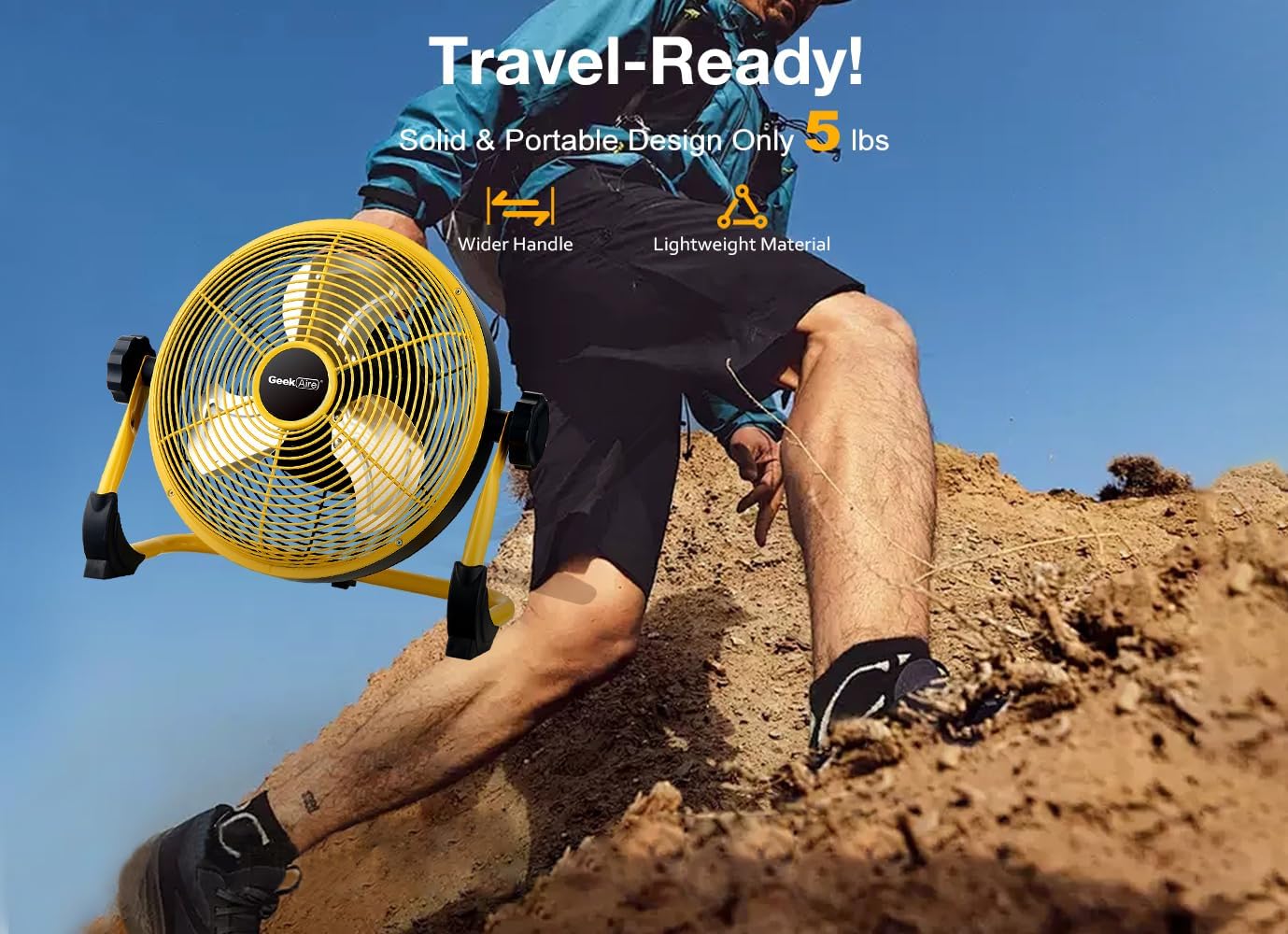
Figure 4.1: The fan is designed for easy portability, weighing approximately 5.24 pounds (2.38 kg).
4.2 Carga inicial
Before first use, it is recommended to fully charge the fan. The fan's built-in 6000mAh Lithium-Ion battery requires approximately 2 to 2.5 hours for a full charge using the provided 15V, 1.2A charger.
- Locate the charging port on the fan's control panel.
- Connect the provided power adapter to the charging port.
- Conecte el adaptador de corriente a una toma de corriente estándar.
- The LED battery power indicators on the control panel will illuminate to show charging progress. A blinking red light indicates charging is in progress. Once fully charged, all indicator lights will remain solid.

Figure 4.2: The fan features a 6000mAh rechargeable battery, offering up to 24 hours of run time on low speed and approximately 4.5 hours on high speed.
5. Operación
5.1 Encendido/apagado y control de velocidad
The fan features a single knob for power control and stepless speed adjustment.
- To turn the fan ON, rotate the knob clockwise from the "OFF" position. You will hear a click, and the fan will start at its lowest speed.
- Continue rotating the knob clockwise to gradually increase the fan speed. The stepless control allows for precise adjustment to your desired airflow.
- To turn the fan OFF, rotate the knob counter-clockwise until it clicks into the "OFF" position.
5.2 Adjusting Fan Angle (Vertical Tilt)
The Geek Aire fan offers a 360° vertical tilt feature, allowing you to direct the airflow precisely.
- Gently hold the fan frame and tilt the fan head up or down to achieve the desired angle.
- The fan will hold its position once adjusted.

Figure 5.1: The fan's adjustable tilt and portability make it suitable for various outdoor activities.
6. Mantenimiento
6.1 Limpieza
La limpieza regular ayuda a mantener el rendimiento del ventilador y prolonga su vida útil.
- Desenchufe siempre el ventilador de la fuente de alimentación antes de limpiarlo.
- Utilice un paño suave y seco.amp Paño para limpiar las superficies exteriores del ventilador. No utilice limpiadores abrasivos ni disolventes.
- To clean the fan blades, use a soft brush or a vacuum cleaner with a brush attachment to gently remove dust and debris from the grill and blades. Ensure the fan is completely dry before plugging it back in or operating.
6.2 Almacenamiento
When not in use for extended periods, store the fan in a cool, dry place, away from direct sunlight and extreme temperatures. It is recommended to fully charge the battery before storing to maintain battery health.
7. Solución de problemas
If you encounter any issues with your Geek Aire fan, please refer to the following common problems and solutions:
| Problema | Posible causa | Solución |
|---|---|---|
| El ventilador no se enciende. | La batería está agotada. El adaptador de corriente no está conectado correctamente. | Charge the fan using the provided power adapter. Ensure the power adapter is securely plugged into both the fan and the electrical outlet. |
| Flujo de aire débil o nulo. | La velocidad del ventilador está configurada demasiado baja. Obstrucción delante o detrás del ventilador. | Increase the fan speed by rotating the knob clockwise. Remove any objects blocking the fan's intake or output. |
| Ruido inusual durante el funcionamiento. | Dust or debris on fan blades. Componentes sueltos. | Unplug the fan and carefully clean the blades and grill. Compruebe si hay tornillos o piezas sueltas y apriételos si es necesario. |
| Las luces indicadoras de batería no funcionan. | Fan is not charging or fully charged. Funcionamiento defectuoso. | Ensure the charger is connected and working. If fully charged, lights may turn off or remain solid. If issue persists, contact support. |
8. Especificaciones
| Característica | Detalle |
|---|---|
| Marca | friki aire |
| Nombre del modelo | CF3 |
| Diseño de ventilador eléctrico | ventilador del piso |
| Color | Amarillo 2 |
| Fuente de poder | Alimentado por batería, eléctrico con cable |
| Tipo de batería | 6000mAh Lithium-Ion (3 x 2000mAh cells) |
| Tiempo de ejecución | Up to 24 hours (low speed) / 4.5 hours (high speed) |
| Tiempo de recarga | 2 - 2.5 horas |
| Volumentage | 24 voltios (según las especificaciones del producto) |
| Capacidad de flujo de aire | 600 pies cúbicos por minuto (CFM) |
| Longitud de la hoja | 10 pulgadas |
| Número de cuchillas | 3 |
| Material de la hoja | Metal |
| Peso del artículo | 5.24 libras (2.38 kilogramos) |
| Dimensiones del producto | 3.94"D x 5.91"W x 3.15"H (Note: These dimensions may refer to packaging or a compact state, as the fan is 10 inches in diameter.) |
| Características especiales | Waterproof, Adjustable Tilt (360° Vertical) |
| Uso en interiores y exteriores | Al aire libre, en interiores |
| Método de control | Knob (Stepless Variable Speed) |
9. Garantía y soporte
9.1 Información de garantía
The Geek Aire 10" Portable Battery Operated Fan comes with a Garantía de 1 años A partir de la fecha de compra, cubre defectos de materiales y mano de obra en condiciones normales de uso. Conserve su comprobante de compra para reclamaciones de garantía.
9.2 Atención al cliente
For any questions, technical assistance, or warranty claims, please contact Geek Aire customer support. Refer to the product packaging or the official Geek Aire webSitio para obtener la información de contacto más actualizada.
We are committed to providing excellent service and will resolve any issues within 24 hours.
Ask a question about this manual
Ask about setup, troubleshooting, compatibility, parts, safety, or missing instructions. Manuals+ will review the question and use this page’s manual context to help answer it.