
AWEI T5
AWEI T5 True Wireless Earbuds User Manual
Introducción
This manual provides detailed instructions for the AWEI T5 True Wireless Earbuds. Please read this guide carefully before using the product to ensure proper operation and to maximize your listening experience.
Contenido del paquete
Verifique que todos los artículos que se enumeran a continuación estén presentes en su paquete:
- AWEI T5 True Wireless Earbuds (Left and Right)
- Estuche de carga
- Cable de carga USB
- Manual de usuario
- Múltiples tamaños de tapones para los oídos

Image: AWEI T5 True Wireless Earbuds retail packaging, showing the brand logo and product model.
Producto terminadoview
Familiarize yourself with the components of your AWEI T5 True Wireless Earbuds and charging case.

Image: The AWEI T5 True Wireless Earbuds inside their charging case, with an additional image showing an earbud being worn by a user.

Imagen: Un primer plano view of the AWEI T5 True Wireless Earbuds and their charging case resting on a laptop keyboard.
The earbuds are designed for a secure and comfortable fit, and the charging case provides both protection and power on the go.
Configuración
1. Carga inicial
Antes del primer uso, cargue completamente los auriculares y el estuche de carga.
- Coloque ambos auriculares en el estuche de carga.
- Conecte el cable de carga USB al estuche de carga y a una fuente de alimentación.
- Las luces indicadoras en el estuche y los auriculares mostrarán el estado de carga.
- Una vez cargada por completo, desconecta el cable.
2. Emparejamiento con un dispositivo
To connect your AWEI T5 earbuds to a Bluetooth-enabled device:
- Asegúrese de que los auriculares estén cargados.
- Abre el estuche de carga y retira ambos auriculares. Entrarán automáticamente en modo de emparejamiento.
- En su dispositivo (teléfono inteligente, tableta, etc.), vaya a la configuración de Bluetooth y habilite Bluetooth.
- Buscar dispositivos disponibles y seleccione "AWEI T5" de la lista.
- Una vez conectado, escuchará un tono de confirmación y las luces indicadoras de los auriculares cambiarán.
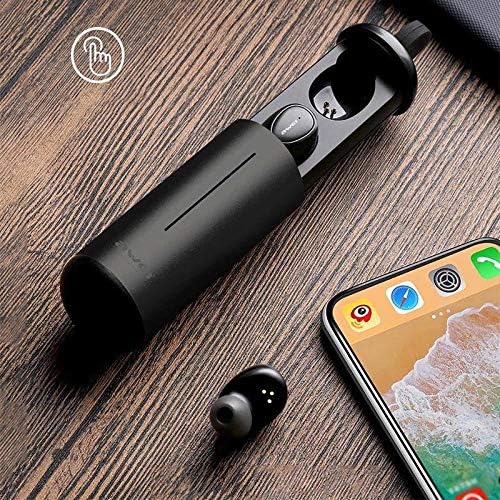
Image: AWEI T5 Earbuds in their charging case, positioned next to a smartphone, illustrating the pairing process.
Instrucciones de funcionamiento
Controles básicos
The AWEI T5 earbuds feature touch controls for various functions:
- Reproducir/Pausa: Toque una vez en cualquiera de los auriculares.
- Pista siguiente: Toca dos veces el auricular derecho.
- Pista anterior: Toca dos veces el auricular izquierdo.
- Responder/Finalizar llamada: Toque una vez cualquiera de los auriculares durante una llamada entrante.
- Rechazar llamada: Mantenga presionado cualquiera de los auriculares durante 2 segundos durante una llamada entrante.
- Activar asistente de voz: Toca tres veces cualquiera de los auriculares.
Modo de auricular único
You can use either the left or right earbud independently:
- Remove one earbud from the charging case. It will automatically connect to the last paired device.
- El otro auricular puede permanecer en el estuche o apagarse.
Modo de auricular doble
For a stereo audio experience, use both earbuds:
- Remove both earbuds from the charging case. They will automatically connect to each other and then to the last paired device.
Mantenimiento y cuidado
To ensure the longevity and optimal performance of your AWEI T5 earbuds:
- Limpieza: Limpie regularmente los auriculares y el estuche de carga con un paño suave, seco y sin pelusa. No utilice productos químicos agresivos ni materiales abrasivos.
- Almacenamiento: Cuando no los utilice, guarde los auriculares en su estuche de carga para protegerlos del polvo y de daños.
- Cuidado de la batería: Avoid fully discharging the battery frequently. Charge the earbuds and case regularly, even if not used for extended periods.
- Resistencia al agua: The earbuds are rated IPX4, meaning they are resistant to splashing water from any direction. Do not submerge them in water or expose them to heavy rain.

Image: AWEI T5 Earbuds with water droplets, indicating their IPX4 splash-resistant rating.
Solución de problemas
If you encounter issues with your AWEI T5 earbuds, refer to the following common problems and solutions:
| Problema | Solución |
|---|---|
| Los auriculares no se emparejan con el dispositivo. | Asegúrate de que los auriculares estén cargados. Activa y desactiva el Bluetooth de tu dispositivo. Elimina "AWEI T5" de la lista de Bluetooth de tu dispositivo y vuelve a sincronizarlos. |
| Solo funciona un auricular. | Vuelve a colocar ambos auriculares en el estuche de carga, cierra la tapa, ábrelos y retíralos juntos. Asegúrate de que ambos estén cargados. |
| No hay sonido o volumen bajo. | Comprueba el volumen tanto en tu dispositivo como en los auriculares. Asegúrate de que los auriculares estén bien conectados. |
| El estuche de carga no carga. | Verify the USB cable is securely connected to both the case and the power source. Try a different cable or power adapter. |
Presupuesto
Technical details for the AWEI T5 True Wireless Earbuds:
| Característica | Detalle |
|---|---|
| Número de modelo | T5 |
| Conectividad | Bluetooth |
| Factor de forma | En la oreja |
| Material | Plástico |
| Color | Negro |
| Dimensiones (producto) | 4 x 10 x 16.5 cm |
| Peso (producto) | 4.54 gramos |
| Tipo de batería | 1 Lithium Ion (per earbud, typically) |
| Clasificación de resistencia al agua | IPX4 (a prueba de salpicaduras) |
Garantía y soporte
Para obtener información sobre la garantía y atención al cliente, consulte la documentación incluida con su compra o póngase en contacto con el vendedor. Conserve el comprobante de compra para cualquier reclamación de garantía.
Ask a question about this manual
Ask about setup, troubleshooting, compatibility, parts, safety, or missing instructions. Manuals+ will review the question and use this page’s manual context to help answer it.