
1. Introducción
Thank you for choosing the Macally USB Type C Wired Mouse. This manual provides detailed instructions for setting up, operating, and maintaining your new mouse. Designed for simplicity and reliability, this plug-and-play mouse offers comfortable use with adjustable DPI settings for various computing needs.
2. Contenido del paquete
- Macally USB Type C Wired Mouse
- Manual de instrucciones
3. Configuración
The Macally USB Type C Wired Mouse is designed for easy plug-and-play functionality, requiring no additional drivers for most operating systems.
- Conectar el ratón: Locate an available USB-C port on your computer (MacBook Pro, iMac, PC, Laptop, Tablet, etc.). Insert the USB-C connector of the mouse cable firmly into the USB-C port.
- Reconocimiento automático: Your operating system should automatically detect and configure the mouse. No software installation is typically required.
- Comenzar a utilizar: Una vez reconocido, el ratón está listo para su uso inmediato.

Image: The Macally USB-C mouse connected to a laptop via its USB-C cable, demonstrating the plug-and-play setup.
Video: A demonstration of connecting the wired USB-C mouse to a laptop, highlighting its plug-and-play functionality for Type-C computers.
4. Instrucciones de funcionamiento
4.1 Uso básico
The mouse features a standard 3-button layout for intuitive control:
- Botón de clic izquierdo: Se utiliza para seleccionar elementos y abrirlos. files y ejecutar comandos.
- Botón derecho del ratón: Used for accessing contextual menus and additional options.
- Rueda de desplazamiento: Se utiliza para desplazarse por los documentos y web pages. The scroll wheel can also be pressed as a middle click button for specific functions in some applications.

Imagen: Una vista de arriba hacia abajo view of the Macally USB-C mouse, clearly showing the left-click, right-click, and scroll wheel buttons.
4.2 Ajuste de ppp
The mouse features a dedicated DPI (Dots Per Inch) switch to adjust cursor sensitivity. This allows you to change the speed and responsiveness of the cursor to suit your preference or task.
- Presione el Botón DPI (located below the scroll wheel) to cycle through the available sensitivity settings: 800, 1200, 1600, and 2400 DPI.
- Select the DPI setting that provides the most comfortable and efficient cursor movement for your current activity.
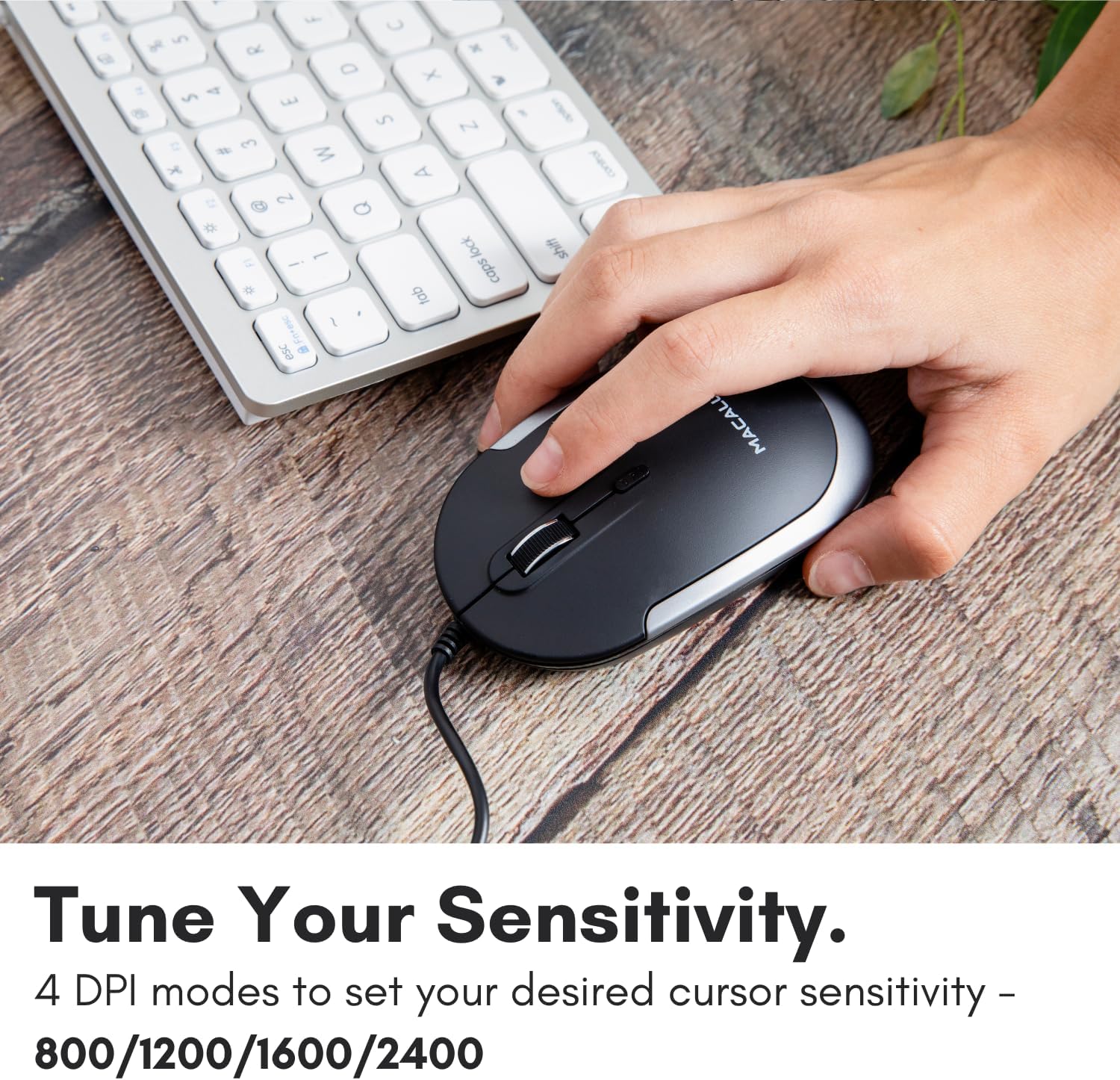
Image: A hand demonstrating how to press the DPI button on the Macally USB-C mouse to adjust sensitivity.
4.3 Compatibilidad
The Macally USB Type C Wired Mouse is universally compatible with a wide range of devices and operating systems:
- Mac (macOS)
- PC (ventanas)
- Sistema operativo iPad
- Android devices with USB-C ports

Image: The Macally USB-C mouse displayed with compatibility logos for Mac, PC, iPadOS, and Android operating systems.
5. Características principales
- Conectividad USB-C: Specifically designed for modern laptops and computers with USB-C ports, ensuring a reliable wired connection.
- Diseño delgado y compacto: With a height of only 1 inch, the mouse is slim, comfortable, and portable, fitting snugly in your hand.
- Quiet Click Buttons: Reduces clicking noise by 90% compared to traditional mice, providing a quieter work environment.
- DPI ajustable: Easily switch between 800, 1200, 1600, and 2400 DPI settings for precise cursor control.
- Cable de 5 pies: Proporciona ample length for flexible setup and comfortable use, even with desktop computers.
- Diseño ambidiestro: Adecuado tanto para usuarios diestros como zurdos.

Image: The Macally USB-C mouse highlighting its elegant and slim design with dimensions.
Video: A detailed look at the Macally USB-C Optical Mouse, emphasizing its quiet click buttons and compatibility with Mac and PC.
6. Mantenimiento
To ensure the longevity and optimal performance of your Macally USB Type C Wired Mouse, follow these simple maintenance guidelines:
- Limpieza: Utilice un paño suave, seco y sin pelusa para limpiar la superficie del ratón. Para la suciedad difícil, limpie ligeramenteampLave el paño con agua o una solución limpiadora suave. Evite usar productos químicos agresivos o materiales abrasivos.
- Sensor óptico: Mantenga el sensor óptico de la parte inferior del ratón limpio y sin polvo ni residuos. Utilice un hisopo de algodón o aire comprimido si es necesario.
- Cuidado de cables: Avoid sharp bends or excessive pulling on the USB-C cable to prevent damage. Store the cable neatly when not in use.
- Almacenamiento: Cuando no esté en uso, guarde el mouse en un entorno limpio y seco, alejado de temperaturas extremas.
7. Solución de problemas
If you encounter any issues with your Macally USB Type C Wired Mouse, please refer to the following common solutions:
| Problema | Solución |
|---|---|
| El ratón no responde. |
|
| El movimiento del cursor es errático o irregular. |
|
| Los botones o la rueda de desplazamiento no funcionan. |
|
8. Especificaciones
| Marca | macally |
| Número de modelo | UCDYNAMOUSESG |
| Tecnología de conectividad | Cable USB-C |
| Tecnología de detección de movimiento | Óptico |
| Configuración de DPI | 800, 1200, 1600, 2400 |
| Longitud del cable | 5 pies (aprox. 1.5 metros) |
| Botones | 3 (Left, Right, Scroll Wheel/Middle Click) + DPI Switch |
| Peso del artículo | 2.56 onzas (aprox. 72.5 gramos) |
| Dimensiones del producto (LxAnxAl) | 2.8 x 4.21 x 1 pulgadas (aprox. 7.1 x 10.7 x 2.5 cm) |
| Compatibilidad | Mac (macOS), PC (Windows), iPadOS, Android (with USB-C) |
9. Garantía y soporte
Macally provides a 1 año de garantía for this product. For technical support, troubleshooting assistance, or warranty claims, please contact Macally customer service. You can find contact information and additional resources on the official Macally websitio:
Websitio: www.macally.es
Macally also offers easy returns and lifetime support with your purchase.