
Manual de instrucciones del soporte giratorio universal para TV de sobremesa Hemudu HT04B-001
Modelo: HT04B-001
1. Introducción
This manual provides detailed instructions for the assembly, operation, and maintenance of your Hemudu Universal Swivel Tabletop TV Stand, model HT04B-001. This stand is designed to securely hold televisions ranging from 27 to 60 inches, with a maximum weight capacity of 99 lbs. It features an 80-degree swivel function and 4-level height adjustment for optimal viewEn.

Image 1.1: Hemudu Universal Swivel Tabletop TV Stand HT04B-001.
2. Información de seguridad
Lea y comprenda todas las instrucciones antes de ensamblar y usar. No seguir estas instrucciones podría causar daños materiales, lesiones graves o la muerte. Si tiene alguna pregunta, comuníquese con atención al cliente.
- Capacidad de peso: Do not exceed the maximum weight capacity of 99 lbs (45 kg). This stand is designed for televisions between 27 and 60 inches.
- Compatibilidad VESA: Asegúrese de que el patrón de montaje VESA de su televisor sea compatible con el soporte (100 x 100 mm a 400 x 400 mm).
- Superficie estable: Coloque siempre el soporte del televisor sobre una superficie plana, estable y nivelada.
- Niños y mascotas: Keep children and pets away from the stand during assembly. Do not allow children to climb on or play with the stand or TV.
- Instalación correcta: Ensure all screws are securely tightened according to the assembly instructions. Do not overtighten.
- Sistema de organización de cables: Route all cables properly to prevent tripping hazards and accidental pulling of the TV.
3. Características del producto
- Compatibilidad universal: Supports 27-60 inch TVs with VESA patterns from 100x100mm to 400x400mm.
- Función giratoria: Offers an 80-degree swivel range (±40 degrees) for flexible viewángulos de ing.
- Ajuste de altura: Features 4 levels of height adjustment to customize TV placement.
- Construcción duradera: Constructed with a heavy-duty steel pole and an 8mm thick tempered glass base for stability.
- Sistema de organización de cables: Integrated cable pass-through port helps organize and conceal cables.
- Fácil montaje: Designed for straightforward installation with clearly labeled parts.
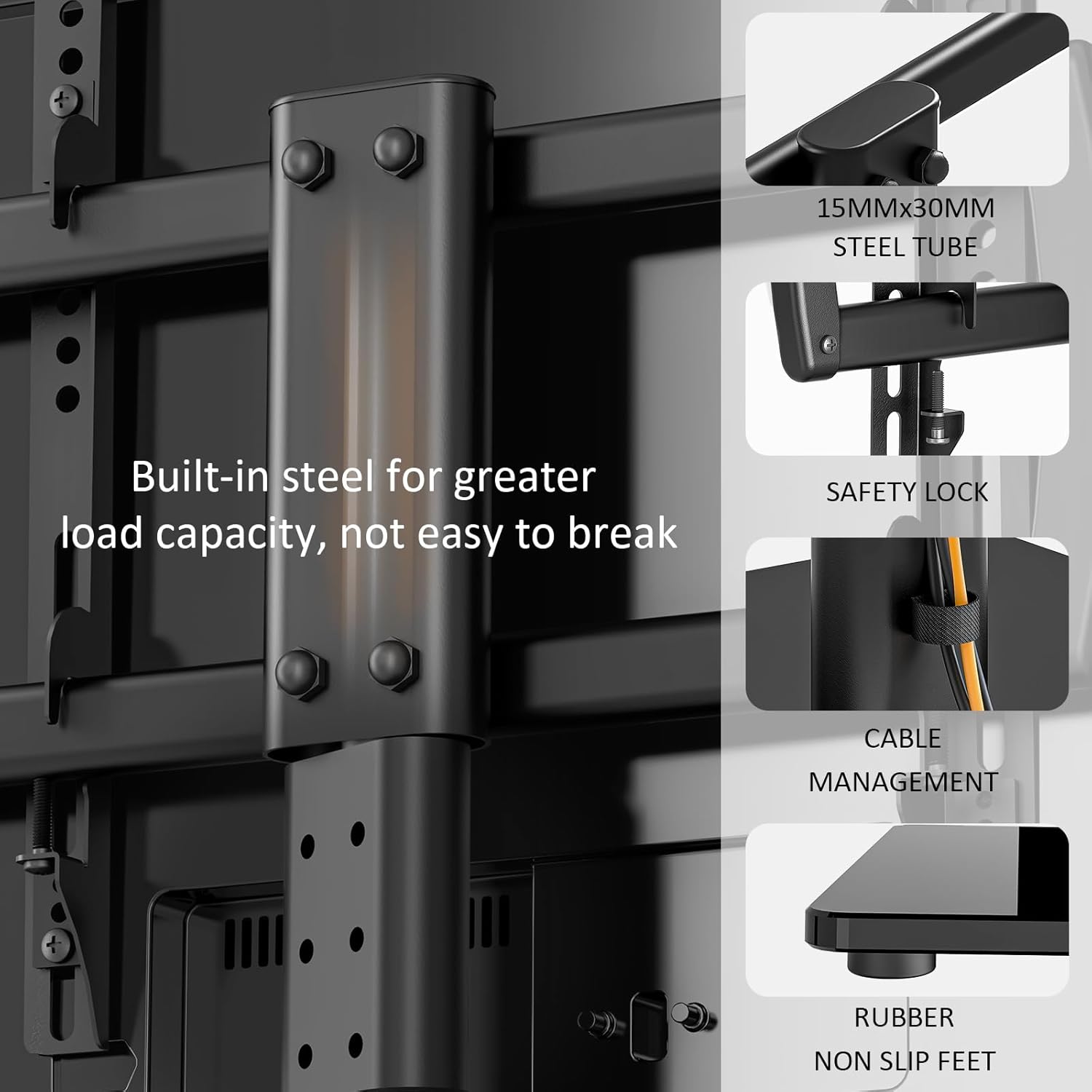
Imagen 3.1: Detallada view of stand components: built-in steel for load capacity, safety lock, cable management, and non-slip rubber feet.
4. Especificaciones
| Especificación | Detalle |
|---|---|
| Número de modelo | HT04B-001 |
| Tamaños de televisores compatibles | 27 - 60 pulgadas |
| Capacidad máxima de peso | 99 libras (45 kg) |
| Compatibilidad VESA | 100x100mm, 200x100mm, 200x200mm, 300x200mm, 300x300mm, 400x200mm, 400x300mm, 400x400mm |
| Rango giratorio | ±40 grados (80 grados en total) |
| Ajuste de altura | 4 levels (Min 22.5", Max 26.1" from base to top of mounting plate) |
| Material base | Vidrio templado 8mm |
| Material del poste | Acero aleado |
| Dimensiones del producto (base) | 15 x 9.9 pulgadas |
| Peso del artículo | 10.74 libras |
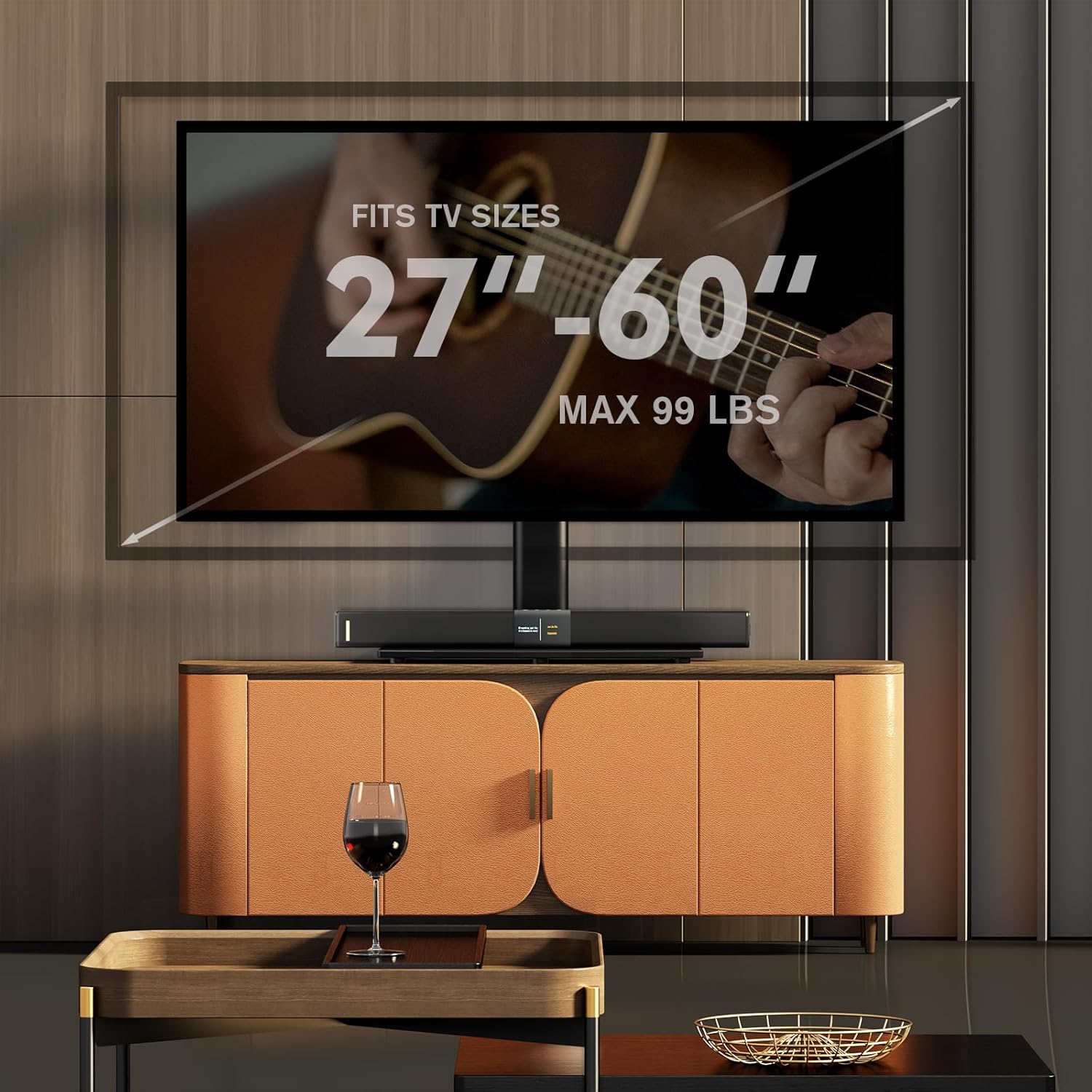
Image 4.1: TV size and weight capacity overview.
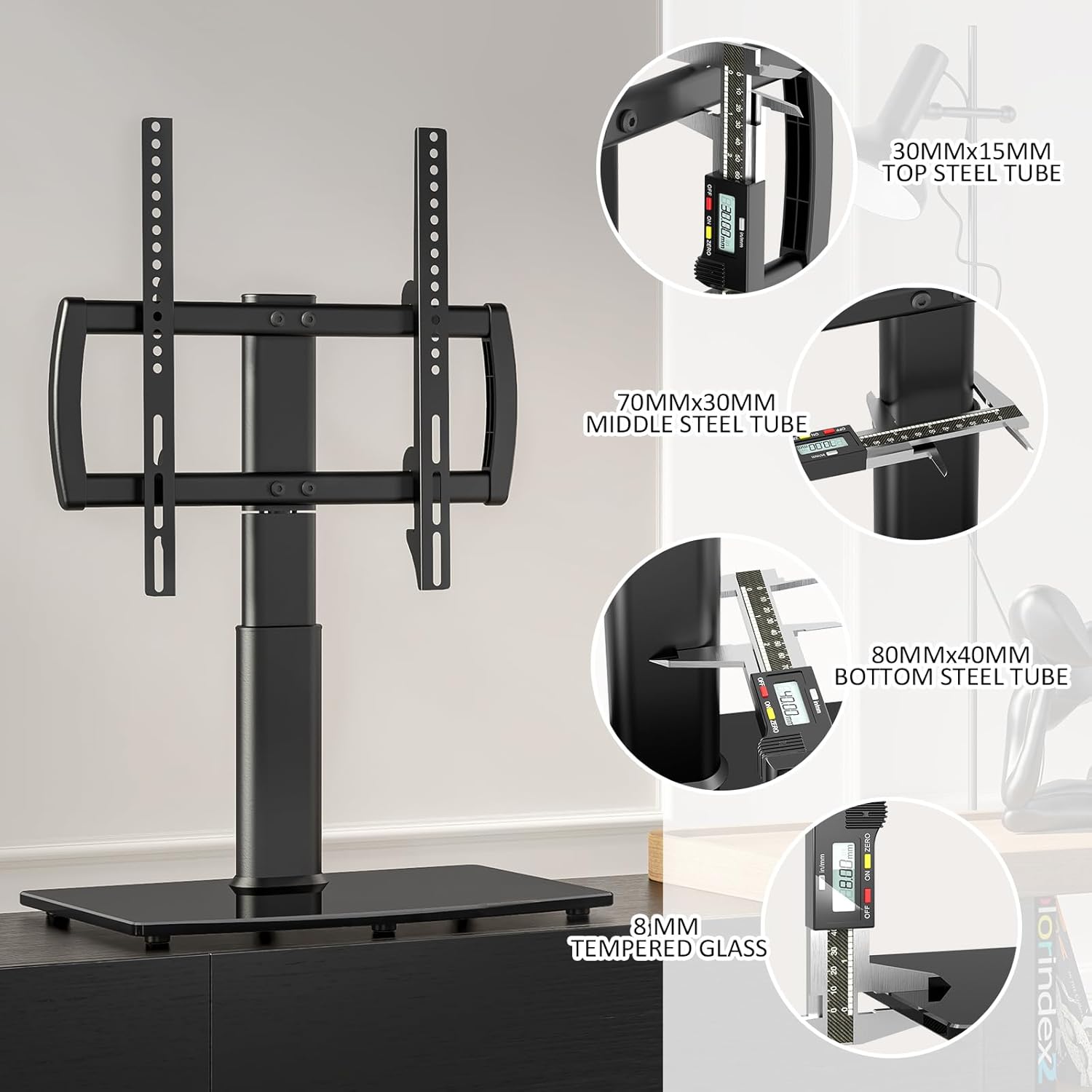
Image 4.2: Structural dimensions of the stand components.

Image 4.3: VESA mounting pattern compatibility table.
5. Instrucciones de montaje
The Hemudu TV stand is designed for quick and easy assembly. All necessary hardware is included and clearly labeled. It is recommended to have a second person assist with lifting the TV onto the stand.
Herramientas necesarias (no incluidas):
- Destornillador Phillips
Pasos de montaje:
- Desempaquetar componentes: Retire con cuidado todas las piezas del embalaje y verifíquelas con la lista de piezas en el manual incluido.
- Attach Support Column to Base: Secure the main support column to the tempered glass base using the provided screws and tools. Ensure it is firmly attached.
- Ensamblar los soportes del televisor: Attach the horizontal TV bracket arms to the vertical mounting rails.
- Attach Mounting Rails to TV: Select the appropriate screws, washers, and spacers for your TV's VESA mounting holes. Secure the vertical mounting rails to the back of your television.
- Monte el televisor en el soporte: With assistance, carefully lift the television and hook the mounting rails onto the support column's bracket. Ensure the TV is centered and level.
- Televisión segura: Use the safety lock screws to secure the TV to the stand, preventing accidental dislodgement.
- Ajustar altura (opcional): If desired, adjust the TV height by repositioning the mounting rails on the support column before fully tightening.

Image 5.1: Illustration of the TV assembly process.
6. Operación
Función giratoria:
The Hemudu TV stand allows for an 80-degree swivel range (40 degrees left and 40 degrees right). To adjust the viewing angle, gently grasp the sides of your television and rotate it to the desired position. The stand is designed for smooth and stable movement.
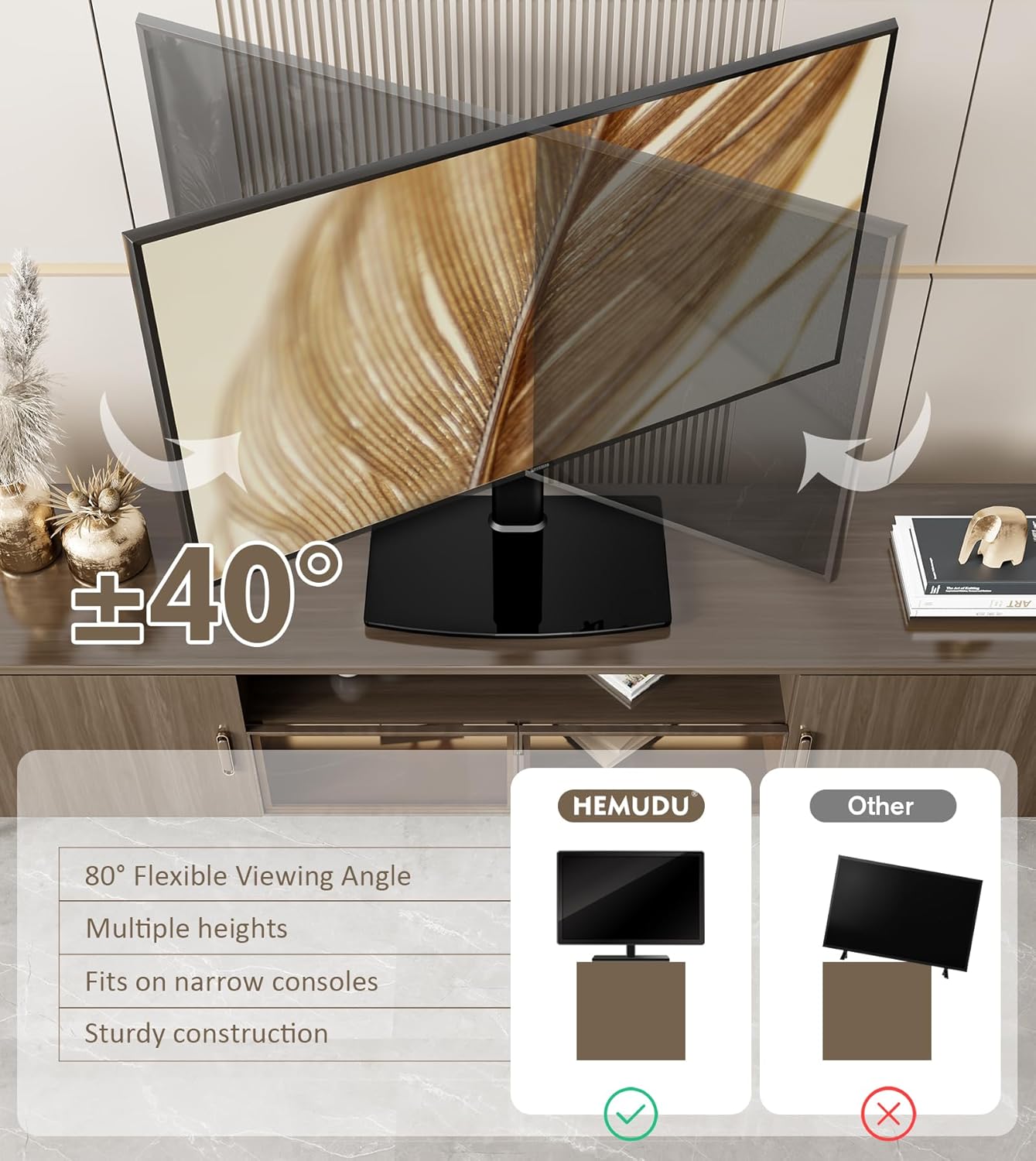
Image 6.1: Swivel function of the TV stand.
Ajuste de altura:
The stand offers 4 levels of height adjustment. To change the TV height, you will need to temporarily remove the TV from the stand. Adjust the position of the mounting rails on the main support column to one of the four available height settings, then re-mount and secure your television.

Image 6.2: Height adjustment feature.
Sistema de organización de cables:
Utilize the integrated cable pass-through port on the support column to route and organize your TV and device cables. This helps maintain a tidy appearance and reduces cable clutter.
7. Mantenimiento
- Limpieza: Utilice un paño suave y seco para limpiar el soporte. Para la base de vidrio templado, puede utilizar un limpiacristales. Evite limpiadores abrasivos o disolventes que puedan dañar el acabado.
- Inspección: Revise periódicamente todos los tornillos y conexiones para asegurarse de que estén bien apretados y seguros. Vuelva a apretarlos si es necesario.
- Evite la sobrecarga: Do not place items on the stand that exceed its weight capacity.
8. Solución de problemas
- El televisor no está nivelado: Ensure the mounting rails are evenly positioned on the support column. Adjust as needed. Check that the stand is on a level surface.
- El soporte se siente inestable: Verify that all screws are fully tightened. Ensure the TV's weight and VESA pattern are within the stand's specifications. The stand must be placed on a firm, flat surface.
- Difficulty with swivel: Check for any obstructions around the base or TV. Ensure no cables are snagged.
- Partes faltantes: If any parts are missing upon unboxing, contact Hemudu customer support immediately.
9. Garantía y soporte
For warranty information or technical support, please refer to the warranty card included with your product or contact Hemudu customer service through their official website or the retailer where the product was purchased. Please have your model number (HT04B-001) and purchase date available when contacting support.