
Introducción
This manual provides essential information for the setup, operation, maintenance, and troubleshooting of your My Arcade Pocket Player Handheld Game Console. Please read this guide thoroughly before use to ensure proper functionality and to maximize your gaming experience.
Características del producto
- Original Inspired Artwork: For an authentic retro look.
- 2.75 Inch Full Color Display: Provides a clear and vibrant gaming experience.
- Lightweight Compact Size: Designed for comfortable grip and portability.
- Características de audio: Includes a front-facing speaker, volume controls, and a 3.5mm headphone jack.
- Opciones de energía: Can be powered by Micro USB (cable not included) or 4 AAA batteries (not included).
- Juegos precargados: Features classic titles including Pac-Man, Pac-Mania, and Pac-Panic.
¿Qué hay en la caja?
Upon opening your My Arcade Pocket Player package, you should find the following items:
- My Arcade Pocket Player Handheld Game Console
- Acollador
- Guía del usuario (este manual)
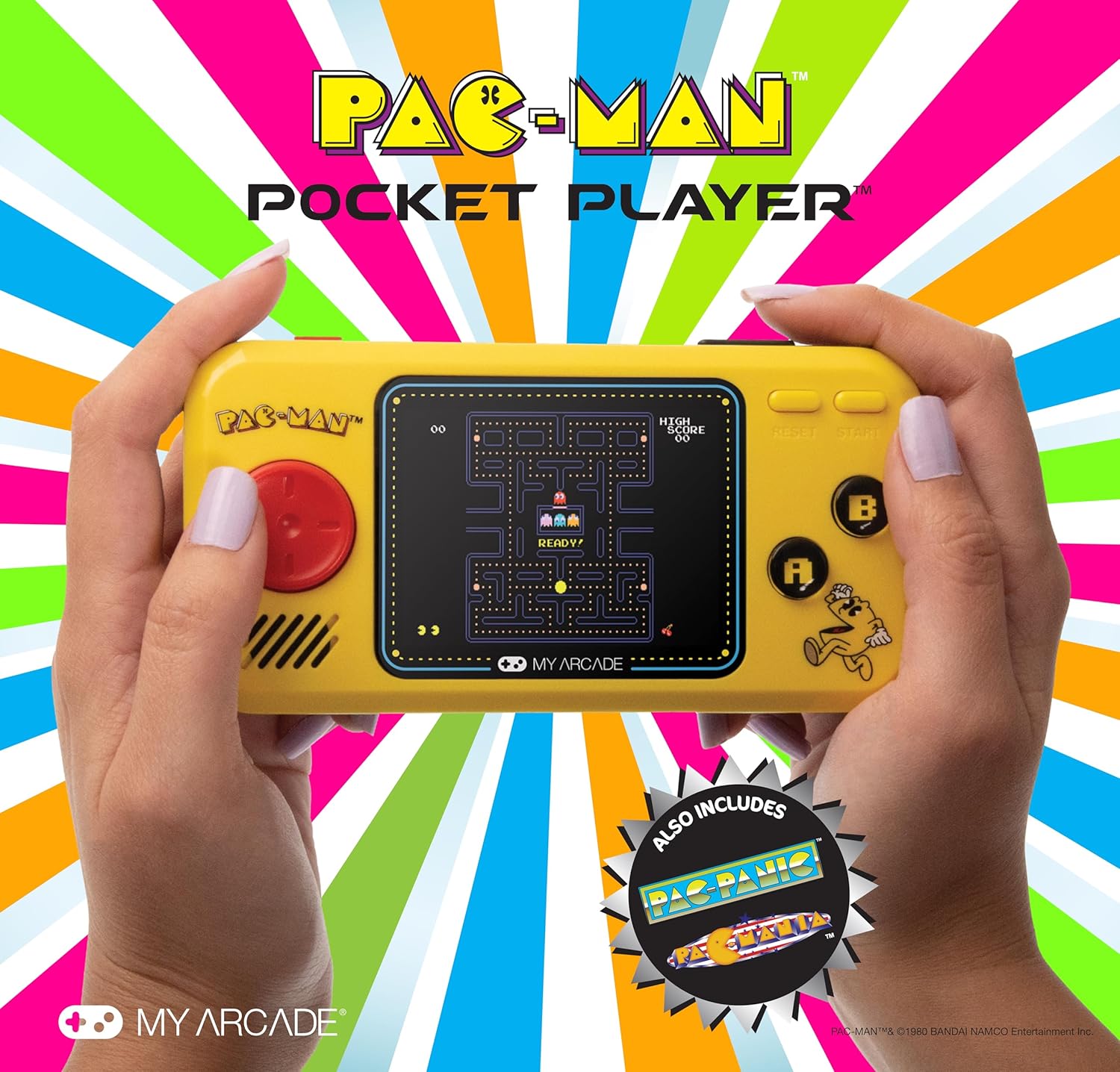
Imagen: Frente view of the My Arcade Pocket Player Pac-Man Edition. The console is yellow with a red directional pad on the left, a color screen in the center displaying Pac-Man gameplay, and 'A' and 'B' buttons on the right.
Configuración
1. Instalación de la batería
The My Arcade Pocket Player requires 4 AAA batteries (not included) for portable use. Follow these steps to install them:
- Locate the battery compartments on the back of the console.
- Gently slide open the battery compartment covers.
- Insert 4 new AAA batteries, ensuring correct polarity (+/-) as indicated inside the compartments.
- Cierre firmemente las tapas del compartimiento de la batería.
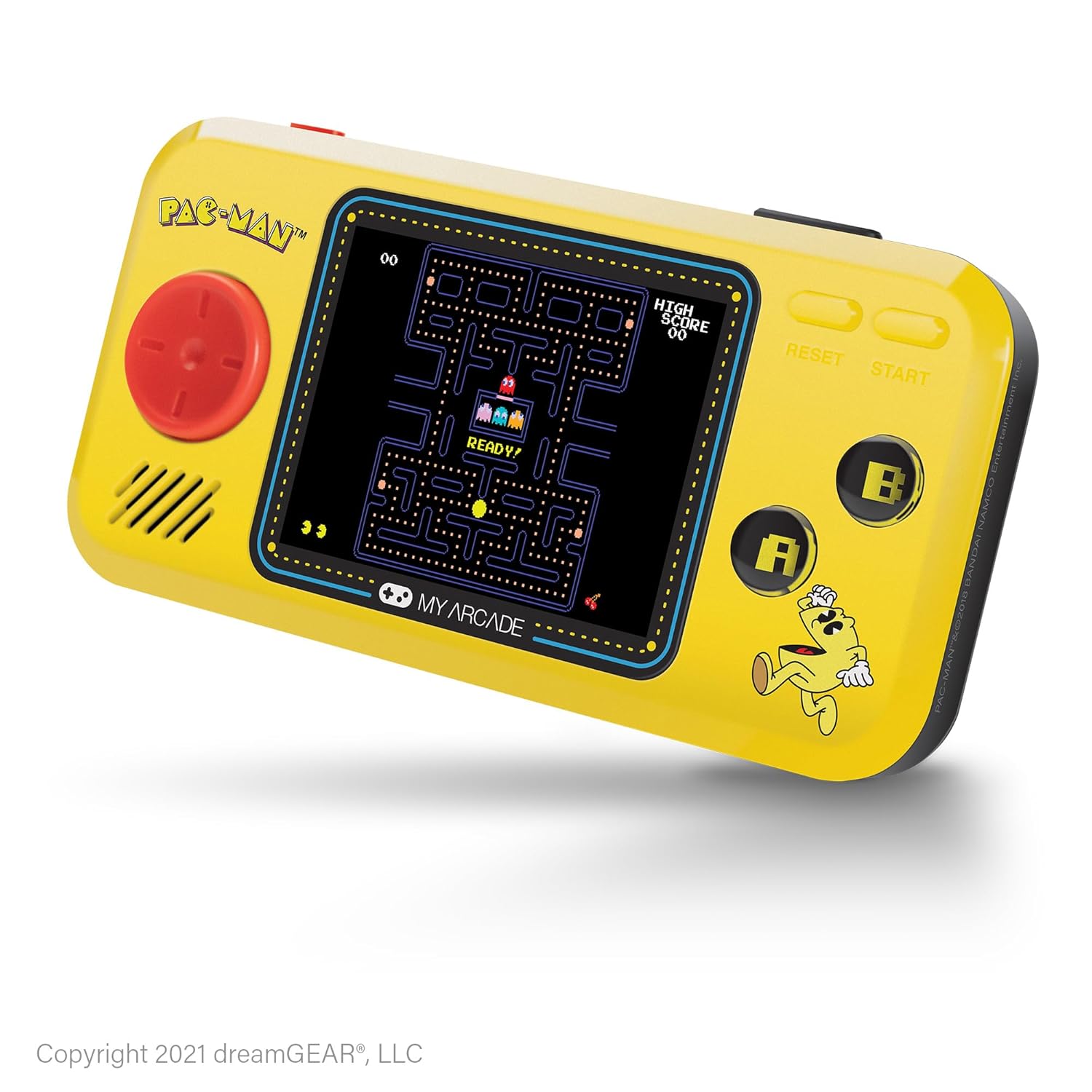
Imagen: Trasera view of the My Arcade Pocket Player, highlighting the two battery compartments on either side.
2. Encendido / apagado
To power on the console, slide the red power switch located on the top edge of the device to the 'ON' position. To power off, slide the switch to the 'OFF' position.
3. Micro USB Power
The console can also be powered via a Micro USB cable (not included). Connect one end of the Micro USB cable to the Micro USB port on the top edge of the console and the other end to a compatible USB power source (e.g., a USB wall adapter, computer USB port). The device will draw power directly from the USB connection.
Instrucciones de funcionamiento
1. Selección de juegos
After powering on, the console will display a game selection menu. Use the directional pad (D-pad) on the left to navigate through the available games (Pac-Man, Pac-Mania, Pac-Panic). Press the 'START' button to select a game.
2. Controles
- Pad direccional (D-pad): Controls character movement in-game and menu navigation.
- Botón 'A': Typically used for action, confirmation, or adding credits in some games.
- Botón 'B': Typically used for secondary actions or canceling.
- 'START' Button: Initiates gameplay, pauses the game, or selects menu options.
- 'RESET' Button: Returns to the main game selection menu.
3. Control de volumen
Use the volume buttons (+ and -) located on the top edge of the console to adjust the sound level of the built-in speaker.
4. Uso de auriculares
For private listening, plug any standard 3.5mm headphones into the headphone jack located on the top edge of the console.

Image: A person holding the My Arcade Pocket Player, demonstrating its compact size and ease of use during gameplay.
Mantenimiento
- Limpieza: Use a soft, dry cloth to clean the console's exterior. Do not use liquid cleaners or aerosols.
- Almacenamiento: Guarde la consola en un lugar fresco y seco, alejado de la luz solar directa y de temperaturas extremas.
- Cuidado de la batería: Retire las baterías si el dispositivo no se utilizará durante un período prolongado para evitar fugas.
- Evite las gotas: While durable, avoid dropping the console to prevent damage to internal components or the screen.
Solución de problemas
- La consola no se enciende:
- Asegúrese de que las baterías estén instaladas correctamente con la polaridad adecuada.
- Reemplace las pilas viejas por otras nuevas.
- Verifique que el interruptor de encendido esté en la posición “ENCENDIDO”.
- If using Micro USB, ensure the cable and power source are functional.
- Sin sonido:
- Check the volume level using the '+' button.
- If headphones are plugged in, sound will output through them. Disconnect headphones to use the speaker.
- La pantalla está en blanco o distorsionada:
- Power off and then on the console.
- Asegúrese de que las baterías no estén bajas.
Presupuesto
| Número de modelo | DGUNL-3227 |
| Tamaño de pantalla | 2.75 Inches (Full Color LCD) |
| Dimensiones del producto | 1.4" de largo x 4.3" de ancho x 7.5" de alto |
| Peso del artículo | 6.4 onzas (aproximadamente 0.4 libras) |
| Fuente de poder | 4 AAA Batteries (not included) or Micro USB (cable not included) |
| Tipo de controlador | Button Control (Directional Pad, A/B buttons, Start, Reset) |
| Número de jugadores | 1 |
| Material | Plástico |
| Código Postal | 845620032273 |

Image: The My Arcade Pocket Player with an overlay indicating its dimensions: 5.38 inches in length, 2.75 inches in height, and 0.88 inches in depth, with a 2.75-inch screen size.
Garantía y soporte
For warranty information or technical support, please contact My Arcade customer service. Refer to the packaging or the official My Arcade webSitio para obtener los datos de contacto más actualizados.
Importante: Este producto puede contener sustancias químicas que el Estado de California reconoce como causantes de cáncer, defectos congénitos u otros daños reproductivos. Para obtener más información, visite www.p65warnings.ca.gov.


