
PRUVEEO C2
PRUVEEO C2 Dash Cam Instruction Manual
Modelo: C2
1. Introducción
Thank you for choosing the PRUVEEO C2 Dash Cam. This device is designed to provide reliable video recording for your vehicle, capturing both front and interior views in high definition. Equipped with advanced features like night vision, G-sensor, and loop recording, it ensures comprehensive coverage and peace of mind on the road.

Figure 1: PRUVEEO C2 Dash Cam with dual camera view.
2. Producto terminadoview Y componentes
The PRUVEEO C2 Dash Cam features a compact design with dual rotatable lenses for flexible recording. Below are the main components and what's included in the box:
2.1 Contenido del paquete:
- PRUVEEO C2 Dash Cam
- In-car Charging Cable (12ft)
- Suction Cup Mount + 3M Adhesive Mount
- Manual de usuario
- Tarjeta de memoria (64 GB incluida)
2.2 Device Layout:

Figure 2: Dash Cam dimensions (4.88 x 3.37 x 1.48 inches).
- Lente frontal: Captures the road ahead.
- Lente interior: Captures the vehicle's interior, with infrared LEDs for low-light conditions.
- Pantalla LCD de 2.7": Para vivir view y reproducción.
- Botones de control: For navigation and settings adjustment.
- Ranura para tarjeta de memoria: Supports up to 128GB Class 10 Micro SD card.
- Puerto de alimentación: Mini USB for power supply.
- AV Out / HDMI Port: Para salida de vídeo.
3. Guía de configuración
3.1 Installing the Memory Card:
- Asegúrese de que la cámara del tablero esté apagada.
- Insert a Class 10 or higher Micro SD card (up to 128GB) into the memory card slot until it clicks.
- It is recommended to format the card within the dash cam settings before first use and periodically thereafter to ensure optimal performance.

Figure 3: Inserting the Micro SD card.
3.2 Mounting the Dash Cam:
- Limpie el área del parabrisas donde desea montar la cámara del tablero.
- Coloque el soporte con ventosa en la cámara del tablero.
- Press the suction cup firmly against the windshield and flip the lever to secure it. Ensure the view of both cameras is unobstructed.
- Adjust the angle of the dash cam and its rotatable lenses for optimal front and interior coverage.

Figure 4: Dash Cam mounted on windshield.
3.3 Conexión de energía:
- Connect the in-car charging cable to the dash cam's power port.
- Conecte el otro extremo al encendedor de su vehículo.
- La cámara del tablero se encenderá automáticamente y comenzará a grabar cuando se encienda el encendido del vehículo.
4. Instrucciones de funcionamiento
4.1 Basic Recording:
Una vez encendida, la cámara del tablero comenzará automáticamente a grabar en bucle. Vídeo fileLos minutos se guardan en segmentos (p. ej., 1, 3 o 5 minutos) en la tarjeta de memoria. Cuando la tarjeta está llena, se guardan los minutos desbloqueados más antiguos. files se sobrescribirá.
4.2 G-Sensor (Emergency Recording):
The built-in G-sensor detects sudden impacts or collisions. When triggered, the current video segment is automatically locked and protected from being overwritten, ensuring critical footage se guarda.
4.3 Parking Monitor:
With the parking monitor feature enabled, the dash cam will automatically start recording if it detects a collision or vibration while the vehicle is parked and the ignition is off. This requires a continuous power supply (e.g., hardwire kit, sold separately).
4.4 Night Vision & WDR:
The PRUVEEO C2 utilizes a Sony Exmor sensor and Wide Dynamic Range (WDR) technology to enhance video quality in low-light conditions, providing clearer footage during nighttime driving. The interior camera also features infrared lights for improved visibility inside the cabin.
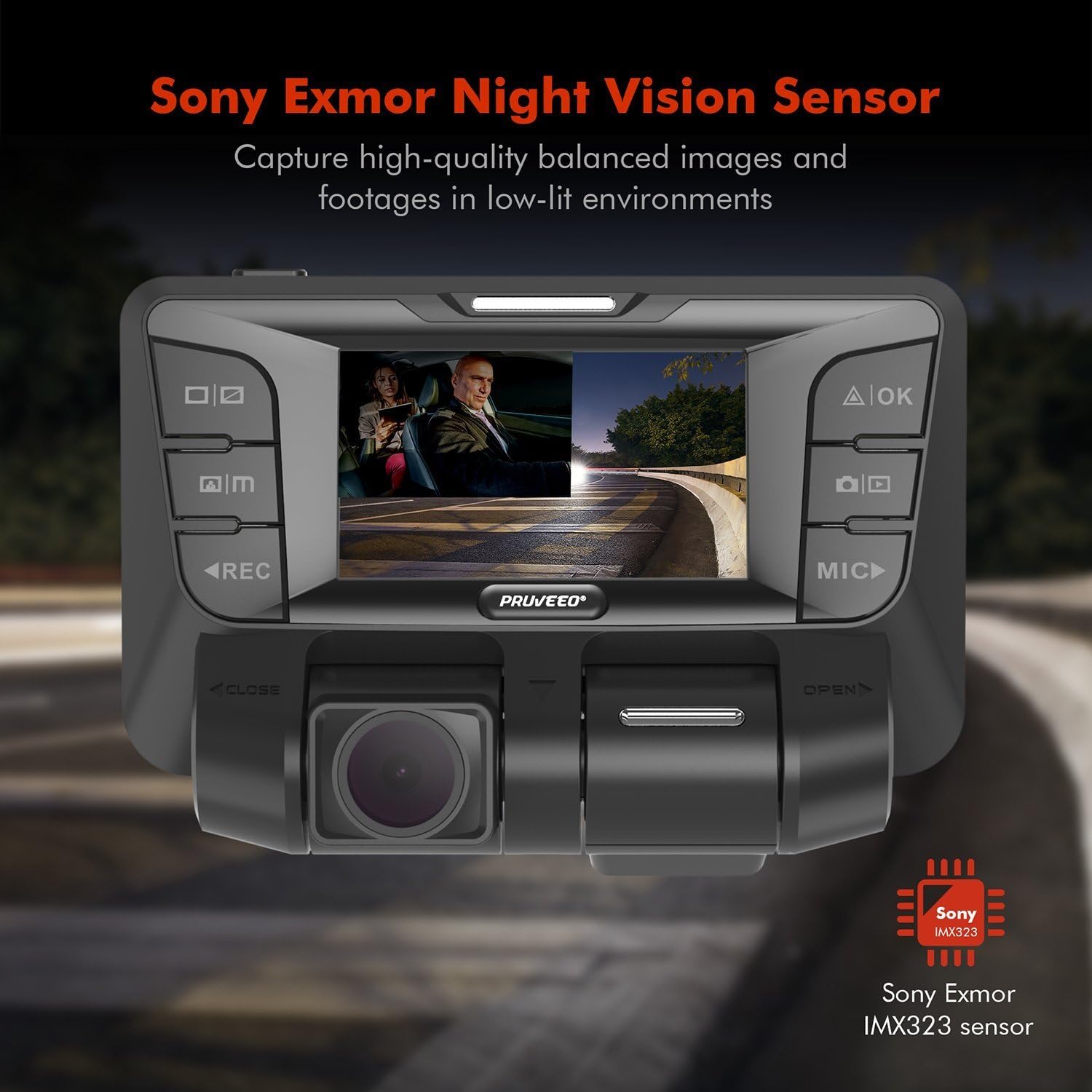
Figura 5: Capacidades de visión nocturna y WDR.
4.5 Rotatable Lenses:
The dual lenses can be manually rotated up to 180 degrees, allowing you to adjust the viewing angle for both the front and interior cameras independently, providing flexibility for various recording needs.
4.6 Vídeo oficial del producto:
Video 1: Official product video demonstrating the dual 1080P front and interior recording capabilities of the Pruveeo C2 Dash Cam, including its infrared night vision feature, suitable for various vehicle types like Uber, Lyft, Truck, and Taxi.
5. Mantenimiento
5.1 Formatting the Memory Card:
Regularly format your Micro SD card (at least once a month) to prevent data corruption and ensure smooth recording. This can be done through the dash cam's settings menu.
5.2 Limpieza:
Utilice un paño suave y seco para limpiar las lentes y la pantalla de la cámara de tablero. Evite usar limpiadores abrasivos o solventes que puedan dañar el dispositivo.
5.3 Temperature Considerations:
The dash cam is designed to operate in a wide range of temperatures. However, extreme prolonged exposure to direct sunlight or freezing temperatures can affect its lifespan. If possible, remove the dash cam from the windshield when parked in extreme conditions.
6. Solución de problemas
6.1 Device Constantly Reboots:
- Ensure the power cable is securely connected and providing stable power.
- Pruebe con una fuente de alimentación o un cable diferente.
- Format the memory card or try a new, high-quality Class 10 Micro SD card.
6.2 Poor Night Vision / No Infrared:
- Verify that the interior camera's infrared lights are not obstructed.
- Ensure the night vision setting is enabled in the menu.
- Clean the interior lens thoroughly.
6.3 Video Quality Issues:
- Ensure both lenses are clean and free from smudges or dirt.
- Check the video resolution settings; ensure it's set to Dual 1920*1080P for optimal quality.
- Ensure the memory card is not corrupted or too slow (use Class 10 or higher).
7. Especificaciones
| Característica | Detalle |
|---|---|
| Dimensiones del producto | 4.88 x 3.37 x 1.48 pulgadas |
| Peso del artículo | 1.28 libras |
| Número de modelo | C2 |
| Tecnología de conectividad | Wifi |
| Característica especial | Sensor G |
| Resolución de captura de video | 1080p |
| Sensor de imagen | Dual Sony IMX323 |
| Soporte para tarjetas de memoria | Up to 128GB Class 10 Micro SD Card |
| Batería incorporada | 320 mAh |
| Color | Negro |
8. Garantía y soporte
PRUVEEO products are manufactured to the highest quality standards. For warranty information or technical support, please refer to the contact details provided on the product packaging or visit the official PRUVEEO webSitio. Conserve su recibo de compra como comprobante de compra.
Ask a question about this manual
Ask about setup, troubleshooting, compatibility, parts, safety, or missing instructions. Manuals+ will review the question and use this page’s manual context to help answer it.