
1. Introducción
This manual provides detailed instructions for the safe and efficient operation of your Energy Sistem Tower 3 G2 Bluetooth Speaker. Please read this manual thoroughly before using the device and retain it for future reference.

Figura 1: Frente view of the Energy Sistem Tower 3 G2 Bluetooth Speaker.
2. Información de seguridad
Para garantizar un funcionamiento seguro y evitar daños, observe las siguientes precauciones:
- No exponga el dispositivo al agua, la humedad o temperaturas extremas.
- Evite colocar el altavoz cerca de fuentes de calor o bajo la luz solar directa.
- No intente desmontar ni reparar el dispositivo usted mismo. Encargue cualquier servicio técnico a personal cualificado.
- Utilice únicamente el adaptador de corriente suministrado con el dispositivo.
- Mantenga el altavoz alejado de niños y mascotas.
3. Contenido del paquete
Verifique que todos los artículos estén presentes en el paquete:
- Altavoz Bluetooth Energy Sistem Tower 3 G2
- Mando a distancia
- Cable de alimentación
- Cable de audio (conector de 3.5 mm)
- Manual de usuario

Figure 2: Packaging of the Energy Sistem Tower 3 G2 Bluetooth Speaker, showing the product and its box.
4. Características del producto
The Energy Sistem Tower 3 G2 offers the following features:
- 2.1 stereo system with 45 W output power.
- Wireless music transfer via Bluetooth technology.
- MP3 playback from micro SD cards or USB units (supports up to 64 GB external memories).
- Radio FM integrada.
- Dos salidas USB para cargar dispositivos Bluetooth.
- Remote control for convenient function management.

Figure 3: Top panel of the speaker, illustrating the integrated controls and digital display.
Video 1: This video demonstrates various features of the Energy Sistem Tower 3 G2, including touch controls, USB/SD card reader functionality, FM radio, and Bluetooth connectivity, showcasing its versatility in a home environment.
5. Configuración
5.1 Desembalaje y colocación
- Retire con cuidado todos los componentes del embalaje.
- Attach the base plate to the bottom of the speaker using the provided fasteners. Ensure it is securely fastened for stability.
- Coloque el altavoz sobre una superficie plana y estable.
5.2 Conexión de alimentación
- Conecte el cable de alimentación a la entrada de CA en la parte posterior del altavoz.
- Conecte el otro extremo del cable de alimentación a una toma de pared adecuada.

Figure 4: Rear panel of the speaker, highlighting the various input ports for connectivity.
6. Instrucciones de funcionamiento
6.1 Encendido y apagado
Press the power button on the top panel or the remote control to turn the speaker on or off.
Selección de 6.2 modos
Press the 'Mode' button on the top panel or remote control to cycle through available input modes: Bluetooth, USB, Micro SD, FM Radio, and Auxiliary Input.
6.3 Emparejamiento Bluetooth
- Switch the speaker to Bluetooth mode. The display will show 'bt' and the Bluetooth indicator will flash.
- Habilite Bluetooth en su dispositivo (teléfono inteligente, tableta, etc.) y busque los dispositivos disponibles.
- Select 'Energy Sistem Tower 3 G2' from the list.
- Una vez emparejado, el altavoz emitirá un sonido de confirmación y el indicador de Bluetooth dejará de parpadear.
6.4 Reproducción USB/Micro SD
- Insert a USB drive or Micro SD card (up to 64 GB) containing MP3 files into the corresponding slot on the top panel.
- The speaker will automatically switch to USB or Micro SD mode and begin playing music.
- Use the playback controls (Play/Pause, Next/Previous Track) on the top panel or remote control.
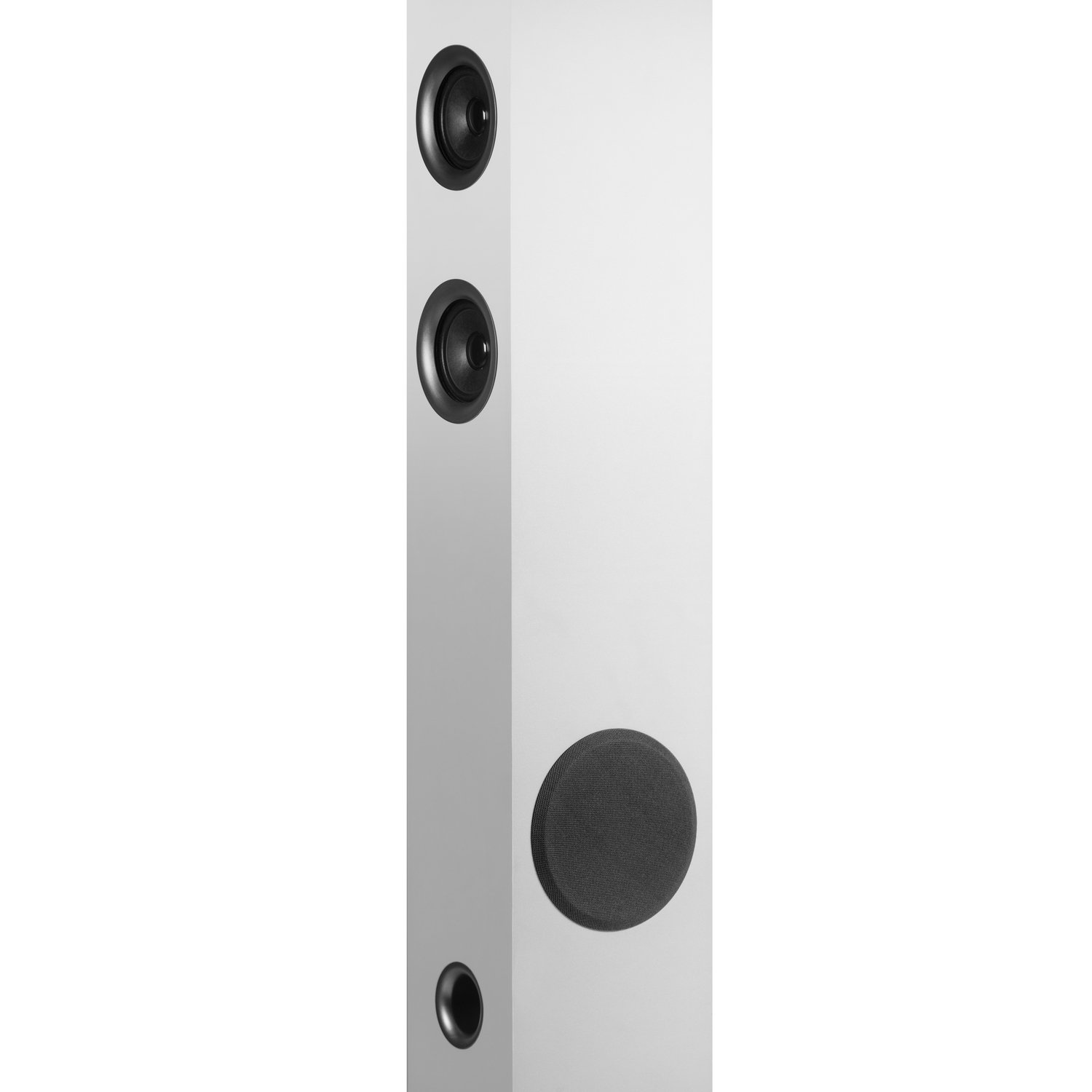
Figure 5: Close-up of the top panel, detailing the USB and Micro SD card input slots.
6.5 Radio FM
- Cambie el altavoz al modo de radio FM.
- Mantenga pulsado el botón de reproducción/pausa para iniciar una búsqueda automática de emisoras. El altavoz guardará todas las emisoras encontradas.
- Utilice los botones Pista siguiente/Pista anterior para navegar a través de las estaciones guardadas.
6.6 Entrada auxiliar
Connect an external audio device using the supplied 3.5mm audio cable to the 'Aux In' port on the speaker. Switch the speaker to Auxiliary mode to play audio from the connected device.
6.7 Uso del control remoto
The included remote control allows for convenient operation of all speaker functions from a distance, including power, mode selection, volume, and playback controls.
6.8 Carga de dispositivos externos
The speaker features two USB outputs that can be used to charge compatible Bluetooth devices.
7. Mantenimiento
Para mantener el rendimiento y la apariencia de su altavoz:
- Limpie el altavoz con un paño suave y seco. No utilice limpiadores abrasivos ni disolventes.
- Asegúrese de que todos los puertos estén libres de polvo y residuos.
- Guarde el altavoz en un lugar fresco y seco cuando no lo utilice durante períodos prolongados.
8. Solución de problemas
If you encounter issues with your speaker, refer to the following table:
| Problema | Posible causa | Solución |
|---|---|---|
| Sin poder | Cable de alimentación no conectado; toma de corriente no activa | Verifique la conexión del cable de alimentación; Pruebe con una toma de corriente diferente |
| Sin sonido | Volumen demasiado bajo; Modo de entrada incorrecto; Cable de audio no conectado correctamente | Increase volume; Select correct input mode; Reconnect audio cable |
| El Bluetooth no se conecta | El altavoz no está en modo de emparejamiento; el Bluetooth del dispositivo está desactivado; el dispositivo está demasiado lejos | Ensure speaker is in Bluetooth pairing mode; Enable Bluetooth on device; Move device closer to speaker |
| El control remoto no funciona | Batteries depleted; Obstruction between remote and speaker | Replace remote batteries; Remove any obstructions |
Si el problema persiste después de probar estas soluciones, comuníquese con el servicio de atención al cliente.
9. Especificaciones
| Característica | Detalle |
|---|---|
| Nombre del modelo | Torre 3 G2 |
| Tipo de altavoz | Torre |
| Color | Blanco |
| Potencia de salida | 45 vatios (RMS) |
| Tecnología de conectividad | Bluetooth, USB, Inalámbrico |
| Comunicación inalámbrica | Bluetooth |
| Dispositivos compatibles | Teléfono inteligente, tableta |
| Entrada de audio | Auxiliar |
| Modo de salida de audio | Estéreo |
| Configuración de canales de sonido envolvente | 2.1 |
| Peso del artículo | 5.21 kilogramos |
| Dimensiones del producto (LxAnxAl) | 15 x 15 x 100 cm |
| Incluye control remoto | Sí |
| Fabricante | Sistema Energético |
| Número de modelo | 427239 |
| GTIN | 08432426427239 |
10. Garantía y soporte
This product comes with a standard brand warranty. For specific warranty terms, service requests, or additional support, please refer to the official Energy Sistem website or the product detail page on Amazon.
You can also visit the official Energy Sistem Store for more information: Tienda Energy Sistem