
1. Introducción
This manual provides detailed instructions for the installation, operation, and maintenance of your Pioneer AVIC-ZH0999 Car Navigation System. Please read this manual thoroughly before using the product to ensure correct and safe operation. Keep this manual for future reference.
2. Producto terminadoview
The Pioneer AVIC-ZH0999 is a 7-inch 2D (180mm) AV integrated HDD navigation system designed for in-car entertainment and navigation. It features a 7V wide VGA monitor with a brilliant finish flat panel and LED backlight, a 100GB HDD, and a Crystal 3D hybrid sensor for precise positioning.
Características principales:
- 7-inch Wide VGA Touchscreen Display
- Integrated HDD Navigation with 100GB Storage
- Free Map Data Updates (up to 3 years)
- Terrestrial Digital TV (Full Seg)
- DVD-V/CD Playback
- Conectividad Bluetooth
- Compatibilidad con USB y tarjetas SD
- HDMI Input (AUX1)
- 5.1ch Audio Output with DSP
- Music Cruise Channel (1 year usage fee included)
- Micrófono de reconocimiento de voz
- Acoustic Characteristic Measurement Microphone
Componentes incluidos:
- Antena GPS
- Terrestrial Digital TV Film Antenna
- Micrófono de reconocimiento de voz
- Acoustic Characteristic Measurement Microphone
- Cable de alimentación
- Cable de conexión USB
- Conjunto de piezas de montaje
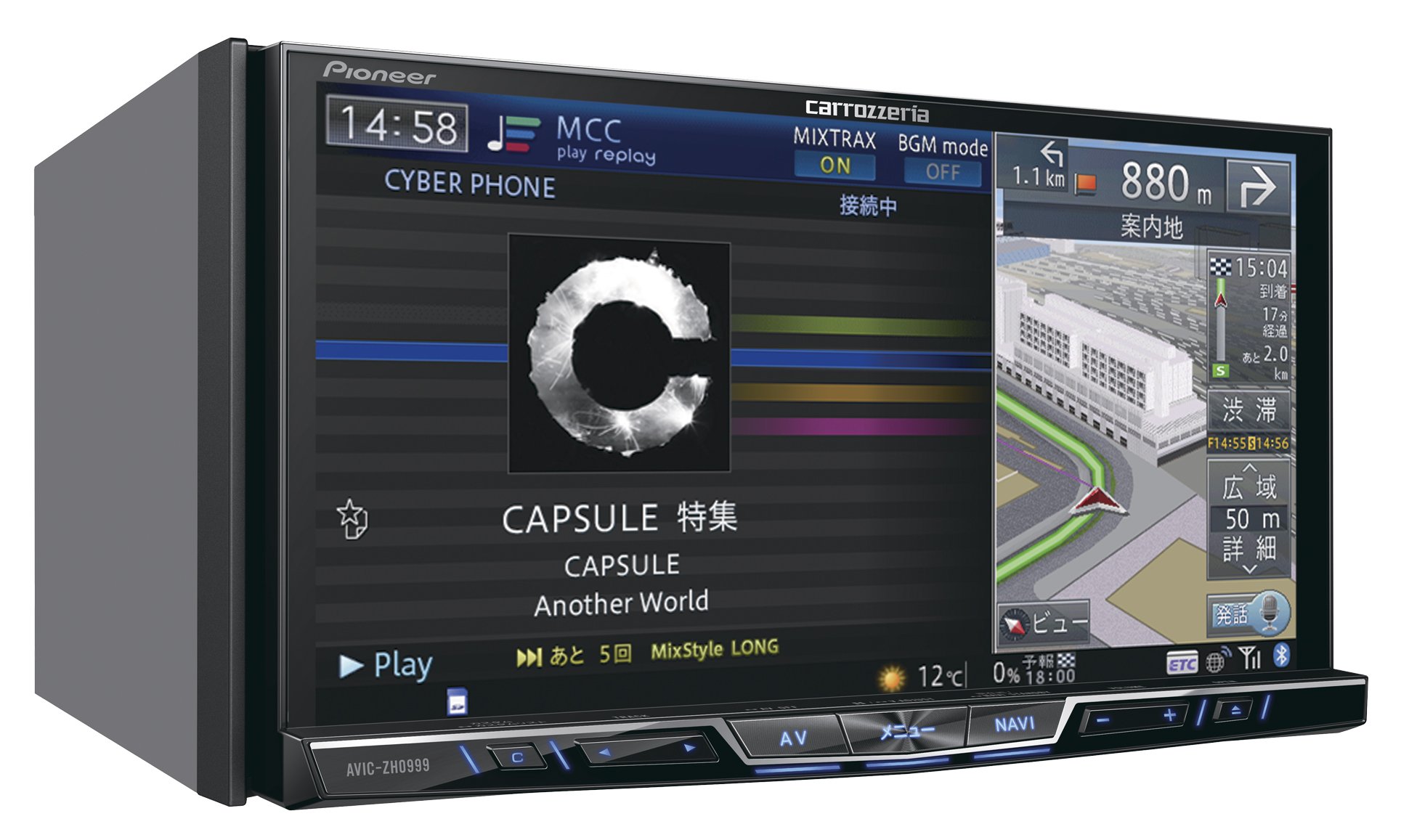
Figura 1: Frente view of the Pioneer AVIC-ZH0999 Car Navigation System.

Figure 2: Pioneer AVIC-ZH0999 displaying navigation and media playback simultaneously.
3. Configuración
Installation of the Pioneer AVIC-ZH0999 requires technical expertise and should ideally be performed by a qualified professional. Incorrect installation can lead to damage to the unit or vehicle, and may void your warranty.
3.1 Configuración inicial:
- Connect Power and Antennas: Ensure all power cables, GPS antenna, and terrestrial digital TV antenna are securely connected according to the included wiring diagram.
- Montaje: Securely mount the unit in the dashboard using the provided mounting parts.
- Primer encendido: Turn on your vehicle's ignition. The system will initiate the first-time setup wizard.
- Configuración de idioma y región: Siga las instrucciones en pantalla para seleccionar su idioma y región preferidos.
- Map Data Initialization: The system will initialize the pre-loaded map data. This may take a few minutes.
For detailed wiring and mounting instructions, refer to the separate installation guide provided with your unit.
4. Instrucciones de funcionamiento
The AVIC-ZH0999 features a responsive touchscreen interface and physical buttons for intuitive control.
4.1 Touchscreen Gestures:
- Grifo: Select items, confirm actions.
- Película: Quickly scroll through lists or pan maps.
- Arrastrar: Mover el mapa view or rearrange home screen icons.
- Pellizcar hacia dentro/Pellizcar hacia fuera: Zoom in or out on the map.
- Doble toque: Quickly zoom in on a specific area of the map.
4.2 Home Screen Customization:
The home screen can be customized to display frequently used functions and information. To customize:
- Press and hold an icon on the home screen.
- Drag the icon to a desired position or to the trash icon to remove it.
- Select 'Complete' to save changes.
4.3 Smart Commander (Optional Remote Control):
If equipped with the optional Smart Commander, you can control various functions using its rotary dial and buttons. Rotate the dial to navigate menus and press to select. Use the AV/NAVI buttons to switch between audio/video and navigation modes.
5. Reproducción multimedia
The AVIC-ZH0999 supports a variety of media sources for your entertainment.
5.1 DVD/CD Playback:
- Insert a DVD or CD into the disc slot. Playback will start automatically.
- Use the on-screen controls or physical buttons to play, pause, skip tracks, or adjust volume.
5.2 Bluetooth Audio:
- Pair your Bluetooth-enabled device with the AVIC-ZH0999 via the Bluetooth settings menu.
- Once paired, select Bluetooth Audio as the source to stream music from your device.
5.3 USB/SD Playback:
- Inserte una unidad USB en el puerto USB o una tarjeta SD en la ranura para tarjeta SD.
- Select USB or SD as the audio/video source. The system will display playable files.
5.4 Entrada HDMI:
- Connect an external device (e.g., smartphone, media player) to the HDMI input terminal (AUX1).
- Select HDMI as the source to display content from the connected device.
6. Funciones de navegación
The AVIC-ZH0999 provides advanced navigation capabilities to guide you to your destination.
6.1 Destination Search:
- From the NAVI menu, select 'Destination Search'.
- Enter your destination using the on-screen keyboard or voice recognition.
- You can search by address, facility name, phone number, or frequently visited locations.
6.2 Route Guidance:
- After setting a destination, the system will calculate the optimal route.
- Siga las indicaciones de voz y las instrucciones en pantalla.
- The map display can be switched between 2D, 3D, and other views for better clarity.
6.3 Map Updates:
The AVIC-ZH0999 supports free map data updates for up to 3 years from the date of purchase. Refer to the Pioneer website or contact customer support for instructions on how to perform map updates.
7. Mantenimiento
Regular maintenance ensures optimal performance and longevity of your navigation system.
7.1 Cleaning the Display:
- Utilice un paño suave y seco para limpiar suavemente la pantalla táctil.
- Para manchas difíciles, un poco deampEnjuague el paño con agua o un limpiador de pantallas. Evite productos químicos agresivos.
7.2 Actualizaciones de software:
Revise periódicamente el Pioneer website for software updates. Updates may provide new features, performance improvements, or bug fixes. Follow the instructions provided with the update package carefully.
8. Solución de problemas
If you encounter issues with your AVIC-ZH0999, refer to the following common troubleshooting steps:
| Problema | Posible causa | Solución |
|---|---|---|
| Sin poder | Conexión de alimentación suelta, fusible quemado | Revise las conexiones del cable de alimentación. Inspeccione y reemplace los fusibles si es necesario. |
| Sin sonido | Volume too low, incorrect audio source, mute activated | Increase volume. Select correct audio source. Deactivate mute function. |
| Se perdió la señal GPS | Obstruido view of sky, faulty GPS antenna | Move to an open area. Check GPS antenna connection. |
| La pantalla táctil no responde | System freeze, dirty screen | Reinicie la unidad. Limpie la pantalla. Si el problema persiste, contacte con el servicio de asistencia. |
For more complex issues, please consult a qualified service technician or contact Pioneer customer support.
9. Especificaciones
| Característica | Detalle |
|---|---|
| Marca | Pionero |
| Nombre del modelo | AVIC-ZH0999 |
| Tamaño de pantalla | 7 inches (7V wide VGA) |
| Tipo de pantalla | LED, Brilliant Finish Flat Panel |
| Tipo de pantalla táctil | Capacitivo |
| Capacidad de almacenamiento de memoria | 100 GB (disco duro) |
| Tecnología de conectividad | USB, Bluetooth, HDMI (AUX1) |
| Características | Bluetooth, DSP, Voice Recognition, Music Server, Music Cruise Channel |
| Tipo de mapa | Street, Crystal 3D Hybrid Sensor |
| Tipo de montaje | Montaje en tablero de instrumentos |
| Compatible Satellite System | GPS |
| Tipo de vehículo compatible | Coche de pasajeros |
| Método de control | Remote (Smart Commander optional) |
| Batería incluida | No |
10. Garantía y soporte
Pioneer provides a limited warranty for this product. Please refer to the warranty card included with your purchase for specific terms and conditions. For technical support, service, or inquiries regarding map updates and Music Cruise Channel subscriptions, please visit the official Pioneer website or contact your local authorized Pioneer service center.
Guarde su comprobante de compra para reclamos de garantía.